
press250
Prodigy III
July 17, 2024

Workaround(ish): Android App Crashing with Firmware v16.3

  • July 17, 2024
  • 99 replies
  • 6394 views

Those Android users unfortunate enough to have installed the v16.3 firmware released on 17 July may have encountered a nasty bug that crashes the app over and over. Thanks to an intrepid detective on Reddit, we’ve narrowed down the bug and identified a weak workaround.

The bug causing the crash seems to be triggered by local library music. And the local library music does not need to playing, it simply needs to be in the queue of the currently selected Sonos device.

So if you are encountering this bug and your Android app is stuck crashing ...

  • Using a functioning controller* clear the queuesⵜ on all Sonos devices
  • Start Android app, everything works!
  • Play streaming source, everything works!
  • Play local library music, BOOM CRASH BOOM

… hence “weak workaround” as local library music in your queue will continue to crash the app.

* Desktop app and Web app work particularly well
ⵜ or replace the queues with streaming music

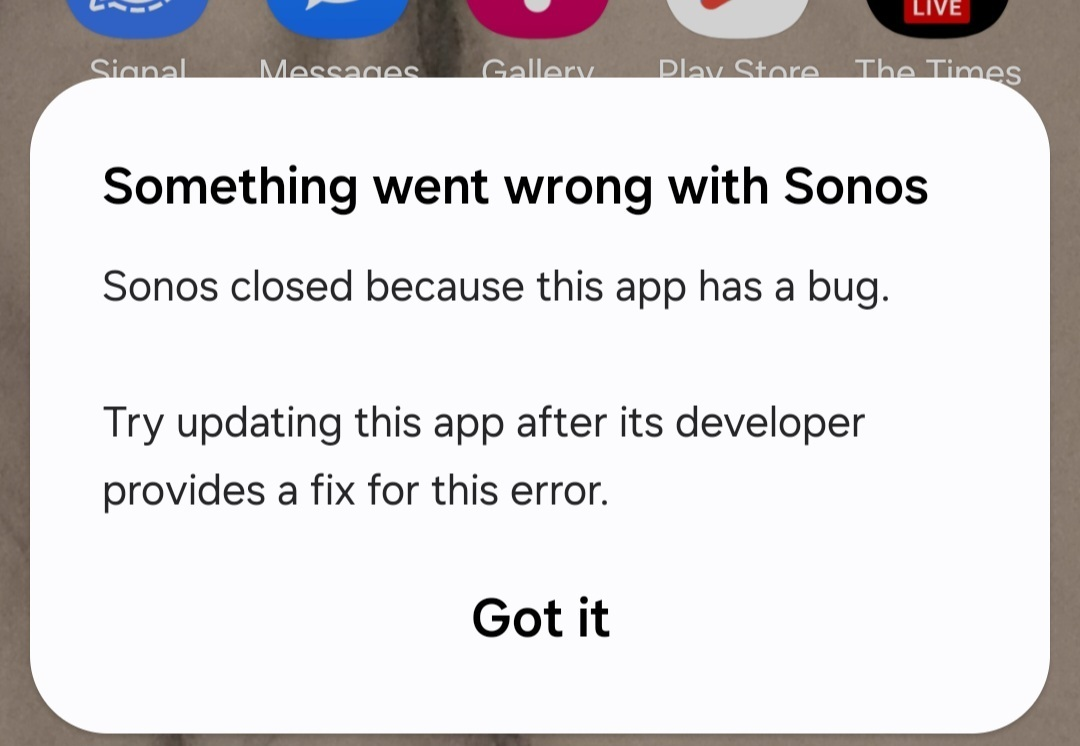
Side note: this bug is not limited to Samsung devices, tho’ it may not impact all Android devices. Samsung devices happen to display the Android OS error message shown below, while other Android devices opt to log the error without a pop-up.
 

This topic has been closed for further comments. You can use the search bar to find a similar topic, or create a new one by clicking Create Topic at the top of the page.
Pinned Reply By MiniMe

Pro-Tip: briefly unpower the speaker(s) that have the track from the LAN library in their playlist. When a speaker reboots it forgets its playlist. Like this you can also recover from the Android app crashing if you don't have another working controller.

99 replies

Trending Lyricist I
July 20, 2024

If they really just pull low scoring apps Google will lose many of their own. Go look at the apps that ship with the Pixel phones, many are 2 or lower. Haha

Contributor II
July 20, 2024

Thank you for diagnosing.  I have the same problem here.  By the way, it is all the crazier since I went to my wife’s IOS device to clear the queues and they removed the option to clear queues in that app!  I have over  a decade of experience with Sonos apps that are each worse than the last version and even for me this one is just crazy awful.

I will add that you can clear all the queues from the PC app (only, nothing else will work) and then the android will work.  But even after clearing, and if the app is set to stream sonos to speaker or room A, if you then go on the PC app and play from the library for room C the android app will immediately crash.  I am not sure how I would program it to do that if I wanted that behavior.

With the way they have deprecated my library in the interface so that it is way harder to find, I am led to wonder if the streaming services are paying Sonos to hide non-paid options in the interface.  

By the way, I presume it is too much to ask that a Sonos moderator might appear in this thread and at least say that it is a known issue they are working on.

I swear the interface in the app from 10 years ago was better than this one, with each one successively worse.  If I did not know better, I would think that Google has done to Sonos what it did to Sage and secretly bought it and is trying to kill it now.

press250
press250Author
Prodigy III
July 20, 2024

By the way, I presume it is too much to ask that a Sonos moderator might appear in this thread and at least say that it is a known issue they are working on.

Hi @pizzachef94, one of the mods confirmed my bug report on Wednesday. All of us in this boat are hoping for a fix in the next release on Monday.

Contributor II
July 20, 2024

Thanks

By the way, I presume it is too much to ask that a Sonos moderator might appear in this thread and at least say that it is a known issue they are working on.

Hi @pizzachef94, one of the mods confirmed my bug report on Wednesday. All of us in this boat are hoping for a fix in the next release on Monday.

Thanks.  I bought a bluesound from Amazon today to test it.  I hope things are better monday but I am not optimistic for the future.  A trendline regressed through a scatter plot of Sonos app suckiness over time is pointing way down.

Contributor I
July 20, 2024

I have Samsung S20+ and S24 Plus. both crashing if any device has local queue, I also have a Samsung A8 Tablet, with ONE UI 6 Android 14, and it’s working fine, doesn't care if local files are in queues it works,  The new app is still rubbish to use compared to the old one but it works.

App version 80.05.05 release+20240702.edb3233

Interesting that different android devices behave differently... we've found the same with iOS devices! 

OK, so it’s affecting Apple devices as well ?, I though it was only android

Contributor I
July 20, 2024

I swear the interface in the app from 10 years ago was better than this one, with each one successively worse.  If I did not know better, I would think that Google has done to Sonos what it did to Sage and secretly bought it and is trying to kill it now.


I agree, I have been a long term user, many Play 3 and bar still going strong, the app side of things has got progressively worse over the years, the latest version is just an awful interface, I swear I can’t find anything half the time, now this, well done Sonos, I’m hoping you understand you have customers outside your own test or lack-of-test lab ?

Contributor I
July 20, 2024

Here is a screenshot of it working on my Samsung A8 Tablet every device is accessing different local content from my NAS , everything is up to the latest firmware / app.

No go on my S20+ or S24+


Prodigy III
July 20, 2024

I just don’t get people saying they can’t find things on the app… It’s like moving to a new town and saying you can’t shop at the supermarket because it’s not laid out like the one you used to shop at. Go up and down the aisles and visit a few times and you’ll get used to where things are…

Contributor I
July 20, 2024

I just don’t get people saying they can’t find things on the app… It’s like moving to a new town and saying you can’t shop at the supermarket because it’s not laid out like the one you used to shop at. Go up and down the aisles and visit a few times and you’ll get used to where things are…

Because the new app makes no sense how they laid it out, it’s clunky 

Trending Lyricist I
July 20, 2024

My Pixel 8 is fine this morning. Seems things are back to being “non-crashy" for the moment.


Maybe the app was having issues with the CrowdStrike outage, i e, calling some server, maybe for Meta data, and it couldn't handle the response….🤷‍♂️