
Majo133
Renowned Enthusiast I
May 8, 2024

TruePlay simply does not work in the new App

  • May 8, 2024
  • 370 replies
  • 30953 views

I tried to TruePlay Arc / Sub / Ones but the tuning is simply stuck on “Continue” step.

I’ve updated to the latest version 80.00.04. 
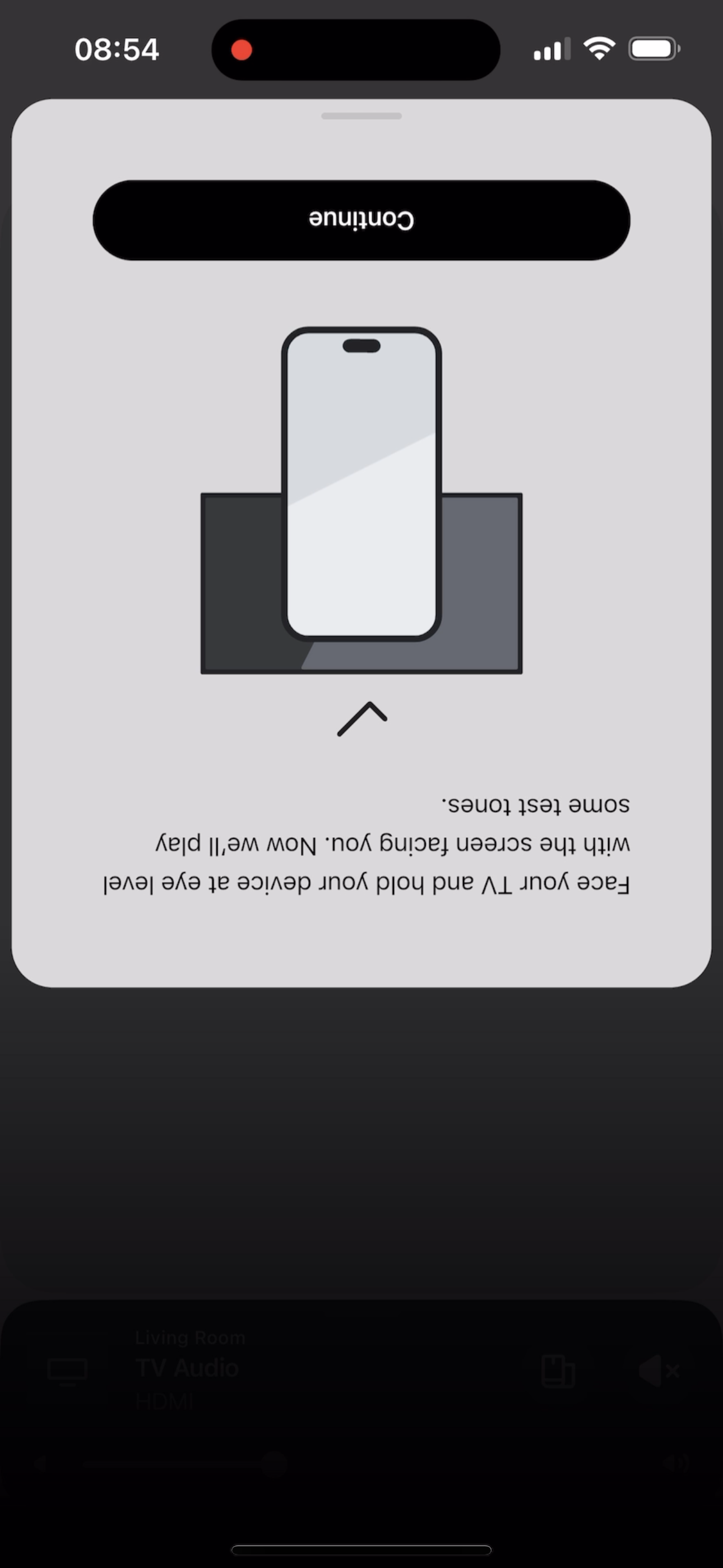
 

@Corry P do u guys are aware of this?


This topic has been closed for further comments. You can use the search bar to find a similar topic, or create a new one by clicking Create Topic at the top of the page.

370 replies

Lyricist I
July 2, 2024

Latest version of the app 80.04.04 has still not resolved my issues from iPhone 14 Pro.

Lyricist I
July 3, 2024

I had this issue since the update. Non of the advice of fixes in here worked for me. However today’s cycle of deleting and reinstalling the app made everything work. Just in case it helps someone here are the steps I took:

Arc + 2x era300s. App + system are at latest versions (from memory it was the 7th June app release, I think).

  1. Removed the surrounds, just Arc in the room, tried truplay and got the usual stuck flow where “continue” doesn’t work
  2. Deleted app from iPad (9th gen)
  3. Reinstalled app
  4. Opened app and couldn’t get to my system without logging in
  5. Reset password as I’d forgotten it
  6. Logged in to app
  7. Re-authorised all the mic/location access permissions
  8. Tried truplay and it worked first time (just the Arc in the group)
  9. Added the surrounds back in
  10. Tried truplay and it worked again (Arc +2 era300s)

Additionally, I had a power-cut the week before, so the hardware (and wifi router) was completely unpowered. Since then I’ve used the system normally for TV etc but hadn’t changed any settings. 

Hopefully this helps someone else stuck out there.

Lyricist I
July 6, 2024

So Truplay does not work at all in a newish ipad pro for a beam gen 2. I feel the pain of all those comments about the new app now. Only bought the beam to month. Jot very impressed by this tbh

Lyricist II
July 7, 2024

Just got my Beam 2 yesterday and very disappointed with this inability to use Trueplay. Tried everything and no matter what just stuck on “Continue”. 

Contributor I
July 9, 2024

I'm having thesame issue an all my sonos producs
My Arc ,my bean, Sonos 5.this new update sucks.

Some one definitely should get fire for releasing garbage sofware.

Contributor I
July 9, 2024

Brand new speaker this is as far as it gets. Same is happening on all other products I tried everything. Guess I will returning this one to the store. Can't believe Sonos has gotten so bad they even took away the network folder  

Lyricist I
July 10, 2024

Just got my Beam 2 yesterday and very disappointed with this inability to use Trueplay. Tried everything and no matter what just stuck on “Continue”. 

Same with me. I purchased beam gen 2 yesterday and teied tonsetup today. Nothing happens after that screen. Hooe they release an update soon?? 

Lyricist III
July 10, 2024

Have Sonos said anything at all about this? Like 'we are away of an issue and are investigating'?

Corry P
Sonos Staff
July 10, 2024

Hi @Trubbabubba 

We were aware of an issue, and fixed it. Please ensure that both your Sonos system and your Sonos app are fully up-to-date. To ensure the app is up-to-date, please go to your App Store (iOS) or Play Store (Android) and manually check.

Please be aware that iOS 18 is not yet supported - TruePlay will not work on iOS 18.

If you are fully up-to-date and still having issues, please consult our Error during Trueplay tuning help page, then finally get in touch with our technical support team who have tools at their disposal that will allow them to give you advice specific to your Sonos system and what it reports.

I hope this helps.

"Common sense is the collection of prejudices acquired by age eighteen." - Albert Einstein
Contributor I
July 11, 2024

iPad 10th gen (iOS 17), Arc (connected by ethernet), Sub mini (wifi), and two Era 100s (wifi). Trueplay will just not work. It keeps getting hung up on the “Face your TV” step.

I tried to go through all the steps with technical support and ended up losing my whole system. It took me an hour to get set up again and the problem still did not resolve. Everything is up to date.

I do wonder if it’s something to do with the fact that my system was initially set up on an Android device and I am using an iOS device to try to set up Trueplay.
