
Avid Contributor I
October 24, 2022
Answered

Trueplay noise error update 14.18

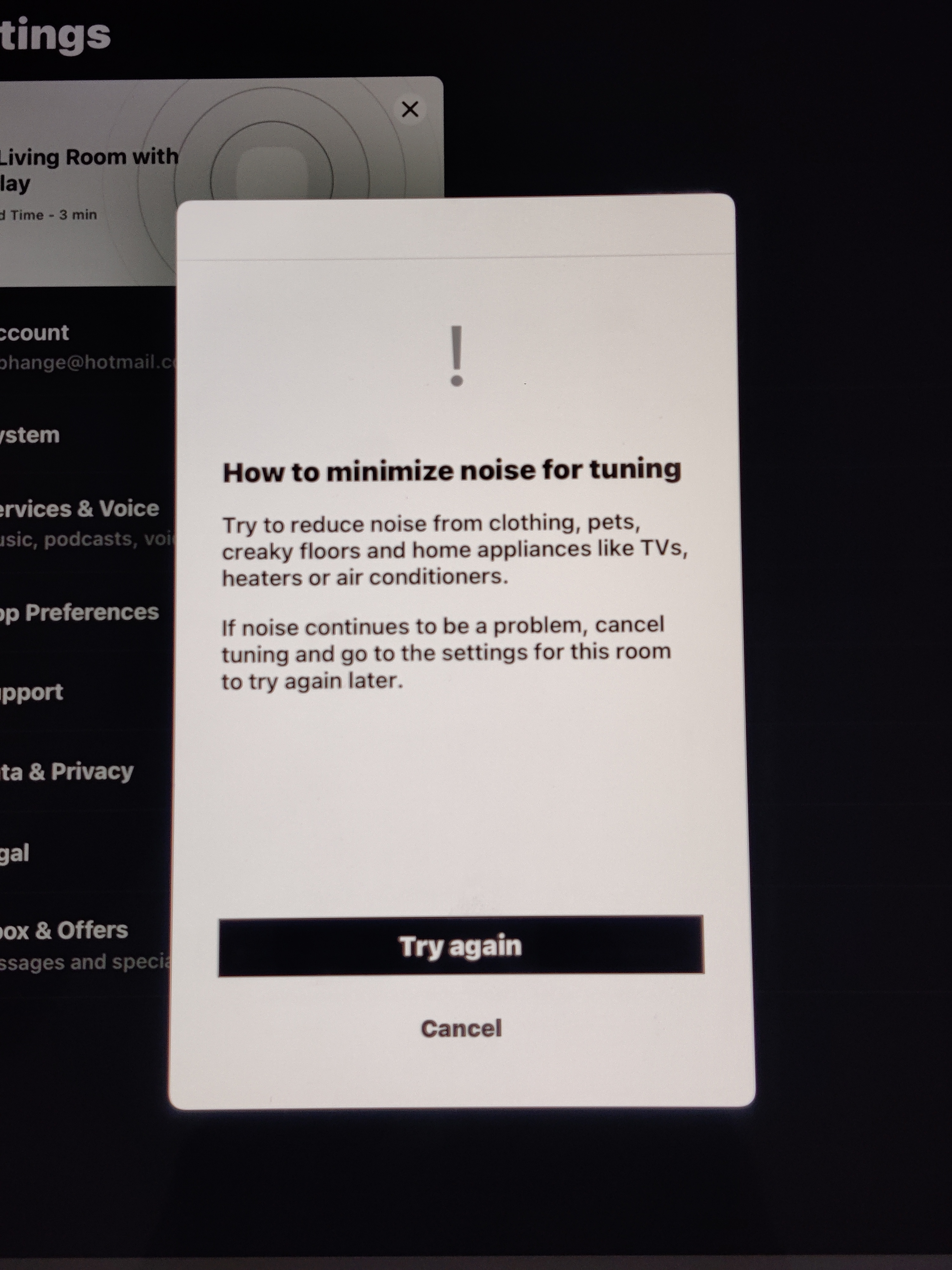
I am observing a trueplay tuning error after the latest update 14.18.

In the Living Room I have Beam (Gen1), Two Play 1 & Sub (Gen 2). But I couldn't succeed in doing it. I tried a number of times but the process stops in the first step while testing the tone sound for left right balancing. This process stops everytime at the same moment just before finishing it,  gives a noise error message. I am sure there is no noise and room is as quiet as it can be possible.

In my bedroom I have two play-5 which were successfully re-tuned for trueplay after the update but the living room 5.1 system is not getting tuned. If the iPad has any issues it should not have to be worked in another room stereo system.

I have factory resetted each speaker in the living room, reinstalled the app on the ipad, removed case of iPad, tried to tune at different times and what not! But nothing has helped me. I have also disabled bluetooth of iPad, other devices on network, light etc after discussing with Sonos support but nothing helped me yet.
Hoping soon I find working solution. . .  !

This topic has been closed for further comments. You can use the search bar to find a similar topic, or create a new one by clicking Create Topic at the top of the page.
Corry P
Corry PAnswer
Sonos Staff
October 24, 2022

Hi @bnilesh & @jgatie 

I can only recommend you both get in touch with our technical support team to document the issue and “get the ball rolling” on an investigation. There do seem to be a few users reporting this and I have reported it up the chain myself, but a few cases with documented diagnostics will help a lot.

"Common sense is the collection of prejudices acquired by age eighteen." - Albert Einstein

25 replies

Renowned Enthusiast I
December 31, 2022

I think but am not sure but if the search is conducted initially by tapping the browse symbol, selecting a streaming account and then searching using the magnifying symbol, the results are found FOR ALL steaming services far quicker than using the magnifying glass symbol alone.


I’ve only previously used the magnifying symbol to search which previously was pretty much instantaneous.

bnileshAuthor
Avid Contributor I
January 4, 2023

Hi @bnilesh & @jgatie 

I can only recommend you both get in touch with our technical support team to document the issue and “get the ball rolling” on an investigation. There do seem to be a few users reporting this and I have reported it up the chain myself, but a few cases with documented diagnostics will help a lot.

Contacted technical support team many times. Submitted diagnostic reports. Still its unresolved. Moreover its not even working with my two PLAY-5 setup. How much we are supposed to wait ?

buzz
Grand Maestro
January 4, 2023

Another work around to try. Cases sometimes interfere with microphone calibration. This is why removal is recommended. It is possible that “noise” is picked up by your body and transferred to the phone through your hands. Installing the case insulates your body from the phone. Rather than installing a case, try wearing a glove as you hold the phone. The glove will insulate the phone from your body, but will not interfere with microphone operation.

bnileshAuthor
Avid Contributor I
January 4, 2023

Another work around to try. Cases sometimes interfere with microphone calibration. This is why removal is recommended. It is possible that “noise” is picked up by your body and transferred to the phone through your hands. Installing the case insulates your body from the phone. Rather than installing a case, try wearing a glove as you hold the phone. The glove will insulate the phone from your body, but will not interfere with microphone operation.

Thanks! Tried many things as given below :

  1. Removing ipad case.
  2. Installing ipad case.
  3. switched of bluetooth of ipad.
  4. switched off tubelights.
  5. Closed all doors and windows.
  6. Factory reset to all sonos products.
  7. Restated Wifi router.
  8. Finest care for avoiding any kind of noise, woke early morning, slept late evening for insuring lowest ambient noise, removed footwear, jacket and what not.

Unfortunately nothing has helped me. I am waiting for the solution from last 2-3 months.

Corry P
Sonos Staff
January 4, 2023

Hi @bnilesh 

Hi @bnilesh & @jgatie 

I can only recommend you both get in touch with our technical support team to document the issue and “get the ball rolling” on an investigation. There do seem to be a few users reporting this and I have reported it up the chain myself, but a few cases with documented diagnostics will help a lot.

Contacted technical support team many times. Submitted diagnostic reports. Still its unresolved. Moreover its not even working with my two PLAY-5 setup. How much we are supposed to wait ?

Much as I’d love to be able to, I can’t give you a time frame on this.

"Common sense is the collection of prejudices acquired by age eighteen." - Albert Einstein