Contributor II
November 1, 2024
Answered

iPhone Sonos App not connecting to my Sonos system

  • November 1, 2024
  • 27 replies
  • 7605 views

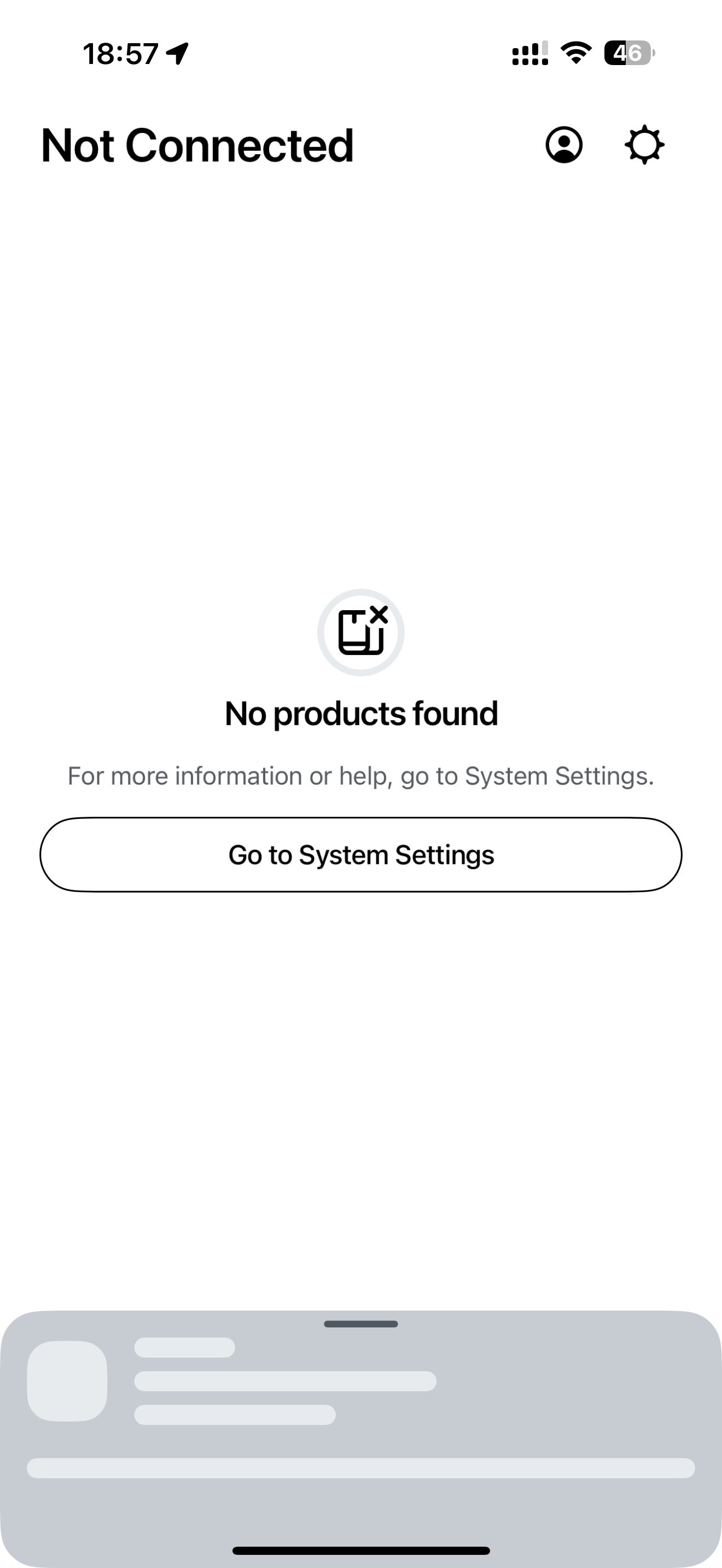
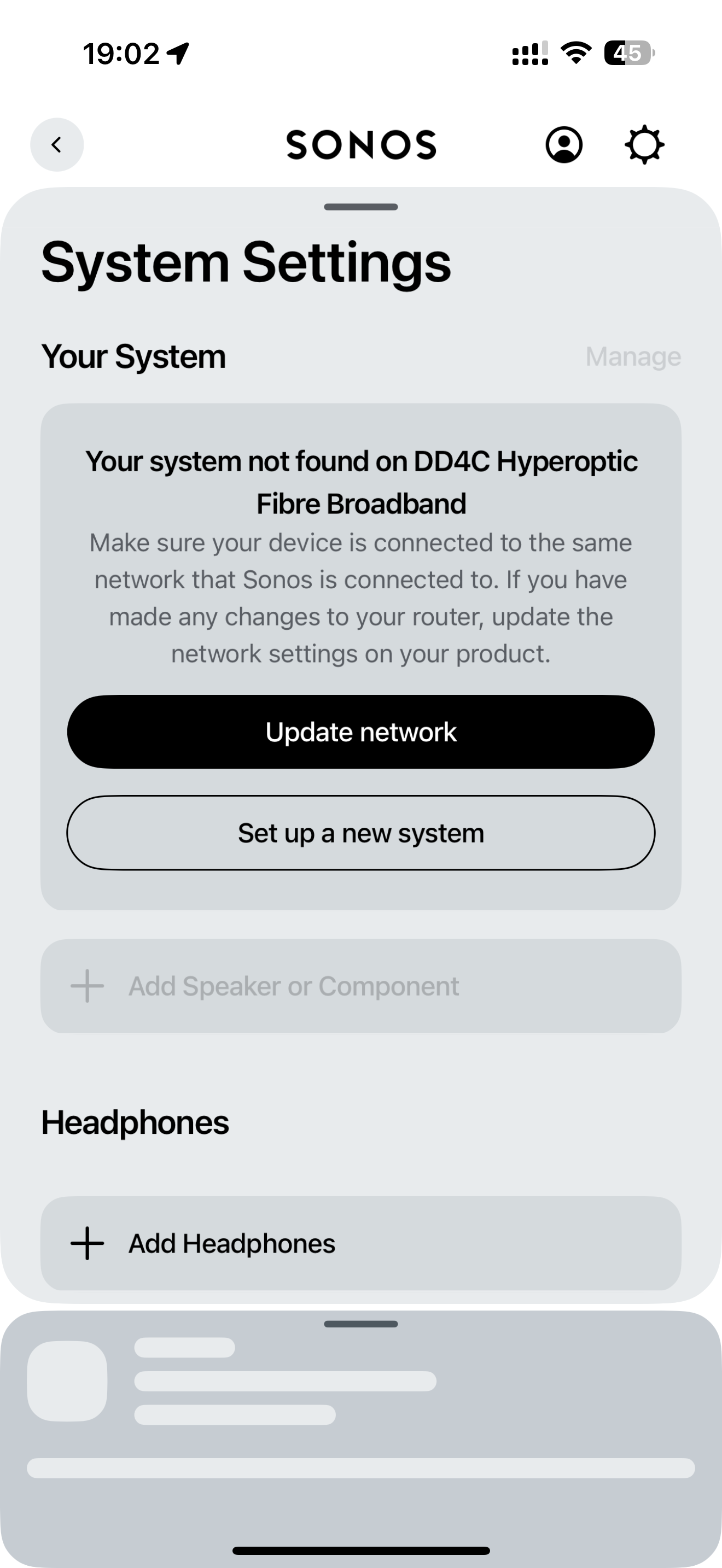
My Sonos iPhone App can no longer find my Sonos system on my home network.

I can connect to my Sonos system on my MacBook, my iPad and use the voice control to operate it but the iPhone app just won’t connect.

I did try following the in app instructions to update my Sonos system wifi settings to the wifi it is already using but when I try this the set-up fails.

My iPhone 16 Pro Max is running iOS 18.1 (22B83)

  • Yes,  have checked I have updated to the latest Sonos app version - V: 80.11.39 that updated 2 days ago.
  • Yes, “Local Network” is enabled and I am using the same internet connection on my phone as my Sonos system.
  • Yes, I turned off and on again all the speakers and my iPhone.


Any thoughts as to why the app has stopped working?


This topic has been closed for further comments. You can use the search bar to find a similar topic, or create a new one by clicking Create Topic at the top of the page.
Best answer by LM17

OMG - finally found a fix for this issue!!!  4+ hours of total aggravation and a huge dent in my hardwood (ONE SL fell off my desk & survived)… iPad with 18.1 and 80.12.03 Sonos App was working fine, but iPhone 16 Pro with the same software combo would not see the system. I factory reset my Sonos system, updated network settings, manually added everything via the iPad, but the iPhone still couldn’t see the system. I had the local network setting set, cellular off, etc, but it still wouldn’t see the system. GOTO YOUR WIFI SETTING, CLICK INTO THE “i” TO THE RIGHT OF YOUR WIFI NAME & CLICK “FORGET THIS NETWORK” AT THE TOP!! Then reconnect and enter your WIFI password again. Finally fixed!!!  Good luck!!!

27 replies

Ken_Griffiths
November 5, 2024

@Stubbsy747,

Can I ask, what is this icon that’s displayed on your controller device in your opening post? Might this be something that’s perhaps causing the multicast (SSDP/mDNS) device-discovery issue?


Contributor I
November 11, 2024

It seems Sonos and Ubiquity wifi routers are hard to get working together. I manually tuned my 2 wifi routers to make sure only one was visible all the time, still it didn’t help. 
 

I finally gave up and connected the speakers using a network cable.


next up on the planning: find better speakers from another brand. The app is slow, is buggy, the hardware is very finicky with Wifi, while I have many devices from much cheaper brands that never give me any issues. I have spend way too much time getting it to work

Ken_Griffiths
November 11, 2024

It seems Sonos and Ubiquity wifi routers are hard to get working together. I manually tuned my 2 wifi routers to make sure only one was visible all the time, still it didn’t help. 
 

I finally gave up and connected the speakers using a network cable.


next up on the planning: find better speakers from another brand. The app is slow, is buggy, the hardware is very finicky with Wifi, while I have many devices from much cheaper brands that never give me any issues. I have spend way too much time getting it to work

See this link for settings issues with a Unifi setup

https://github.com/IngmarStein/unifi-sonos-doc

Also see this manufacturers official link:

https://help.ui.com/hc/en-us/articles/18930473041047-Best-Practices-for-Sonos-Devices

Contributor II
November 11, 2024

@Stubbsy747,

Can I ask, what is this icon that’s displayed on your controller device in your opening post? Might this be something that’s perhaps causing the multicast (SSDP/mDNS) device-discovery issue?


@Ken_Griffiths 

That is my cellular signal.  I have 2 x SIMs in my phone.  Top bars are my primary SIM signal and bottom bars are the signal on my secondary SIM.

Contributor II
November 11, 2024

Have you tried resetting the app?

Uninstall and reinstall?

Restart your iPhone?

I just upgraded to the iPhone 26 Pro and it didn't find my system at first. Did a restart and it found the system.

Great idea… just tried uninstalling and reinstalling but still no success.

My iPad can connect fine, as can my MacBook, it is just my iPhone App that not connecting to my Sonos system.

Contributor I
November 13, 2024

Sonos - Please listen to what this forum is telling you

I’ve come home this evening and all I wanted to do was listen to the radio

However, I have to do an app update to achieve that

Now it shows No Products Found …

Delete app - reload app - reload S1 app - S1 redirects to S2

S2  No Products Found 

Unplug everything

Reset everything 

By now I’ve spent an hour trying to listen to the radio…. unsucessfully - but love a challenge

unplug the router (much to everyones dissatisfaction) 

Delete app

Ensure latest IoS is in use

Reload app 

No Products Found 

I’ve still got no radio / music and I’m fed up with it...

I’m about done with this kit - sorry Sonos ….. it was good while it lasted (a few years ago)...


MADAMIMADAM
Lyricist III
November 13, 2024

Sonos customer 10+ years

Sonos Dealer 8+ years

Having the same experience as all the others described here with my own home system (several Amps and Arcs, all hardwired to network) when using iPhone apps. Lag lag lag, then shows my entire system as if nothing is playing anywhere and I have no control of anything. Nothing works. However, control from desktop software works fine.

This is so completely and utterly disappointing on so many levels. Nothing but unreliable performance and wasted time since the new app release.  Fix this already Sonos. 

Ken_Griffiths
November 14, 2024

@MADAMIMADAM,

Sonos App seems to be working okay here on my iPhone. Maybe check the device SNR levels and ensure they are 45dB, or higher (if running all on your local WiFi) … Also, if relevant, try to move any compatible devices onto the faster 5Ghz WiFi band, I probably would not bother with the slower SonosNet connection these days, if that’s what you’re perhaps using?

Lyricist I
November 28, 2024

I got it working by unplugging all devices and plugging them back in. I updated to IOS 18.1 and it then connected to the network. 

I got it working by unplugging all devices and plugging them back in. I updated to IOS 18.1 and it then connected to the network. 

Thank you!  Same thing happened.  This is nuts.  My old Sonos app never had an issue for years!  Since the new app went live, it seems this a regular thing.  

Lyricist III
November 29, 2024

I too am having the same issues as reported in this feed.  I have repeatedly tried the suggested fixes and problems persist.  It makes no sense that some people on this community forum have no issues.  All I have experienced since the May release of the new app and many times prior is constant functionality problems coupled with a lack of transparency and limited help.  I have always disliked the app, but now it is and continues to be junk.  In the months since the new app release, the so called fixes have done nothing to help.  I hate Sonos for what they have done to the app and the direction the company seems to be headed.  No business is perfect, but Sonos has provided a perfect example of what not to do in business and to its customers.  Please just fix the app quickly and let’s move on down the road.