
Contributor I
October 26, 2022
Answered

Controller update fails on macOS Ventura 13.0

I just updated to macOS Ventura 13.0.  The next day the Sonos Controller said I had an update.  Pressing the “Update Now” button started the update process normally.

After asking for my Admin credentials, I get an error saying “Sonos Update failed.  An unexpected error occurred.  Please try again.”
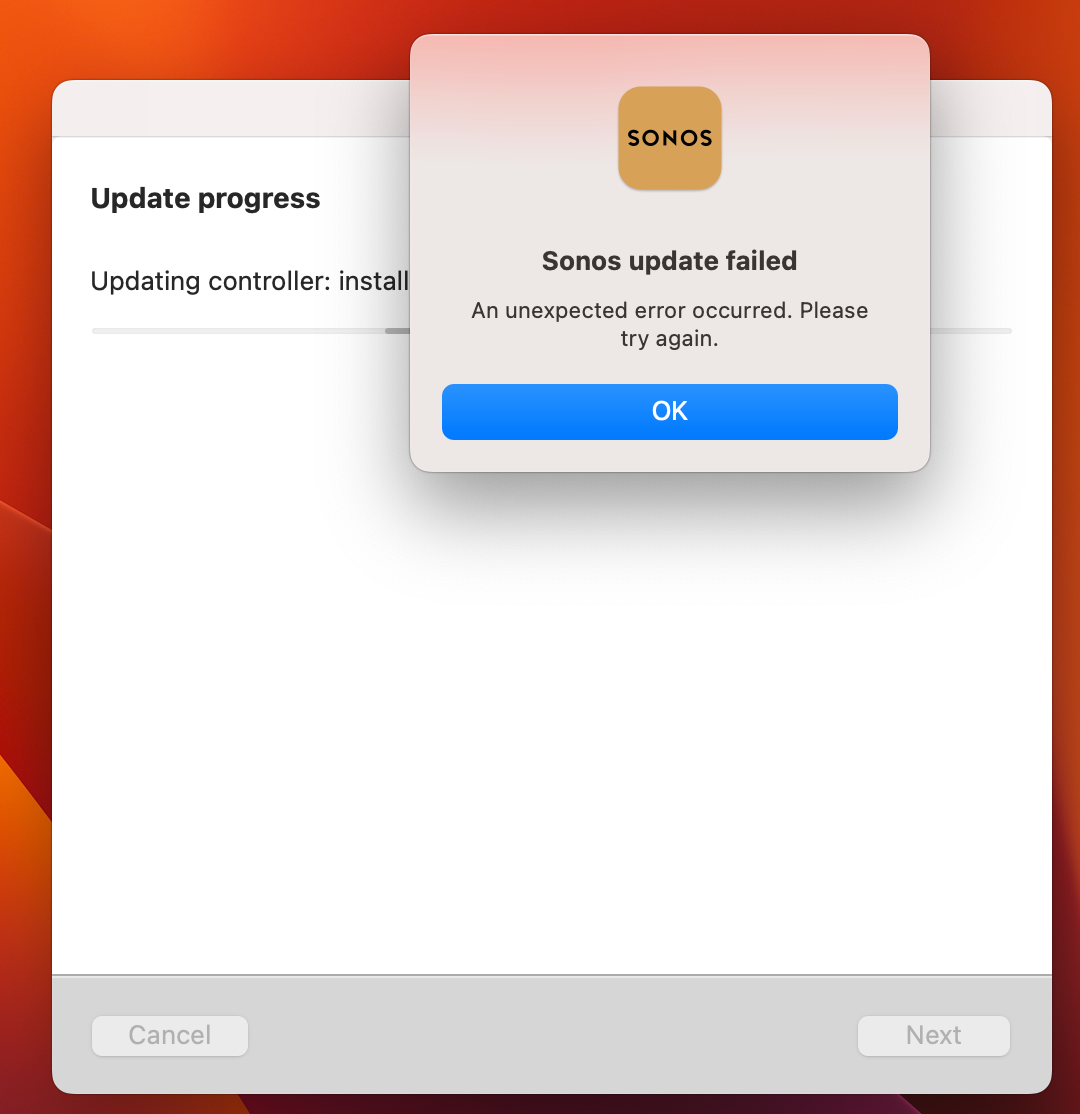
 

Is anyone else seeing this?

Dave


Info:

Sonos Controller for Mac

Version: 14.14

Sonos: OS S2

Build: 69123100

This topic has been closed for further comments. You can use the search bar to find a similar topic, or create a new one by clicking Create Topic at the top of the page.
Corry P
Corry PAnswer
Sonos Staff
October 26, 2022

Hi @Sperl & @hatchua 

Welcome to the Sonos Community!

We are aware of an issue whereby the Sonos Desktop Controller app on macOS 13 Ventura is unable to update itself.

If you do not already have app version 14.18 on your Mac, and if you are prompted to update, please take one of the following steps:

  • If you are not using a music library shared from the Mac, please uninstall the controller, download the newest version from https://support.sonos.com/s/downloads and install it.
  • If you are currently using a music library shared from the Mac you should skip the update and use the controller in limited compatibility mode for the time being.

Thanks for posting, and I hope this helps.


Edit: Edited for clarity

"Common sense is the collection of prejudices acquired by age eighteen." - Albert Einstein

28 replies

Smilja
November 16, 2022

If I uninstall and then reinstall, won’t that cause issues with all of my customizations, music services, home library, Sonos playlists, etc.?

--BKIV


No, those are stored redundantly on each of your Sonos components. The Sonos Controller is merely a WiFi remote control. Connect to an “Existing System”.

»And the world is like an apple whirling silently in space, Like the circles that you find in the windmills of your mind.« (›Windmills Of Your Mind‹ [1967]. Music by Michel Legrand ; English lyrics written by Alan & Marilyn Bergman)
Avid Contributor I
November 17, 2022

Am I in the Twilight Zone right now? I uninstalled the controller as per instructions, clicked on the link provided to re-download and get this “This app is available only on the App Store for iPhone and iPad.”


I had to dig Sonos out of my trash and I’m able to keep using it… not updated.


Is someone able to use that link and get an updated copy and if so… how?


This does not seem to be supported after Ventura, and a new version is longer allowed to be installed on a Mac. Please provide step-by-step instructions if you know differently.


Thanks!

Lyricist I
November 17, 2022

The answer to the question is to go into System Settings, then Privacy & Security, then App Management, and ensure that ‘Sonos Installer’ is allowed to update or delete other applications, like so:

If you don’t see ‘Sonos Installer’ as an option, then uninstall, download (from https://support.sonos.com/en-gb/downloads ), and reinstall the latest version of the controller as described above. Once you’ve done that, then Sonos Installer should be visible in the list above.

Avid Contributor I
November 17, 2022

Thank you! Worked!

Lyricist I
November 17, 2022

The answer to the question is to go into System Settings, then Privacy & Security, then App Management, and ensure that ‘Sonos Installer’ is allowed to update or delete other applications, like so:

If you don’t see ‘Sonos Installer’ as an option, then uninstall, download (from https://support.sonos.com/en-gb/downloads ), and reinstall the latest version of the controller as described above. Once you’ve done that, then Sonos Installer should be visible in the list above.

Worked a treat - thanks

Lyricist II
November 18, 2022

The answer to the question is to go into System Settings, then Privacy & Security, then App Management, and ensure that ‘Sonos Installer’ is allowed to update or delete other applications, like so:

If you don’t see ‘Sonos Installer’ as an option, then uninstall, download (from https://support.sonos.com/en-gb/downloads ), and reinstall the latest version of the controller as described above. Once you’ve done that, then Sonos Installer should be visible in the list above.


To echo this, you can go to the Finder > Applications > (right click on) Sonos > Show Package Contents > Search for Sonos Installer (making sure you select “Sonos” as the folder to search) --- Then Open Security & Privacy settings > App Management --- Finally, drag and drop Sonos Installer into the app management settings page. 

Choose “Sonos” to search the Sonos application for Sonos Installer


[Alternative 1] Using the uninstall menu option, then re-installing the latest DMG file automatically adds this to the App Management section. 


[Alternative 2 - NOT RECOMMENDED] You can also just download the newest DMG, drag to the Applications folder, choose “replace”, and it will update without the error. This option will NOT add the Sonos Installer to the App Management page under security & privacy...you may run into this problem again on the next update if you do it this way. 

Lyricist I
December 5, 2022

I just updated to macOS Ventura 13.0.  The next day the Sonos Controller said I had an update.  Pressing the “Update Now” button started the update process normally.

After asking for my Admin credentials, I get an error saying “Sonos Update failed.  An unexpected error occurred.  Please try again.”


Is anyone else seeing this?

Dave


Info:

Sonos Controller for Mac

Version: 14.14

Sonos: OS S2

Build: 69123100

I have the same issue, but ‘not now’ option brings me back to the update page. I cannot use the controller anymore. Hope a solution will there be soon

Contributor I
December 5, 2022

Kingware You need to go into System Settings on the Mac>Privacy & Security>App Management>tick SONOS installer Mine was unticked.

Lyricist I
December 7, 2022

This is a crap answer.

Contributor I
December 8, 2022

Not too sure about the solution offered by Ringerrr. It will almost certainly work and I have set up the 2 SONOS options in App Management but I have left them “greyed out”. Manually selecting them “ON” using the sliders may well open the operating system up to security vulnerabilities (other Apps masquerading as SONOS). I am not prepared to activate this option unless SONOS tells me it’s the way to go.

Incidentally, I uninstalled the SONOS App using the SONOS dropdown menu and that deleted the installer as well. I also removed both SONOS options from App Management. I then reinstalled the App (v4.20). This did not add back the SONOS options in the App Management area and SONOS Installer was missing from the package, which leaves me wondering what the default arrangement should be for the SONOS App. I shall watch with interest at the next update. Perhaps the installer will be added back at that point?! Either way this is not the way to support a serious global business. Clearly, “Something is rotten in the State of …… “ (with thanks to WS)