
Contributor I
June 15, 2024
Question

Amazon Music no longer working

  • June 15, 2024
  • 180 replies
  • 10169 views

I am hoping that someone can assist with a major problem I have and this is not yet another 'new app problem'.

I have Amazon Music Unlimited connected to my (extensive) Sonos system. With the latest app update it has basically stopped working leaving me with limited misic. Behaviour is odd however mostly it just doesn't work and I get errors saying there is a problem with Amazon. However, every so often it does at least list some music, e.g a playlist. When I try to play it, it may work or skip a number of songs before finding one that plays. After that it will stop. If a speaker already had a music queue, you can hit play on the speaker and it works but stops after maybe 3 songs.

I have tried:

- uninstalling and reinstalling Sonos app

- re authorising Amazon Music

- other devices (same behaviour)

- contacting Sonos support (have an incident number but have to phone next week - will update if I find out more as I have sent diagnostics).

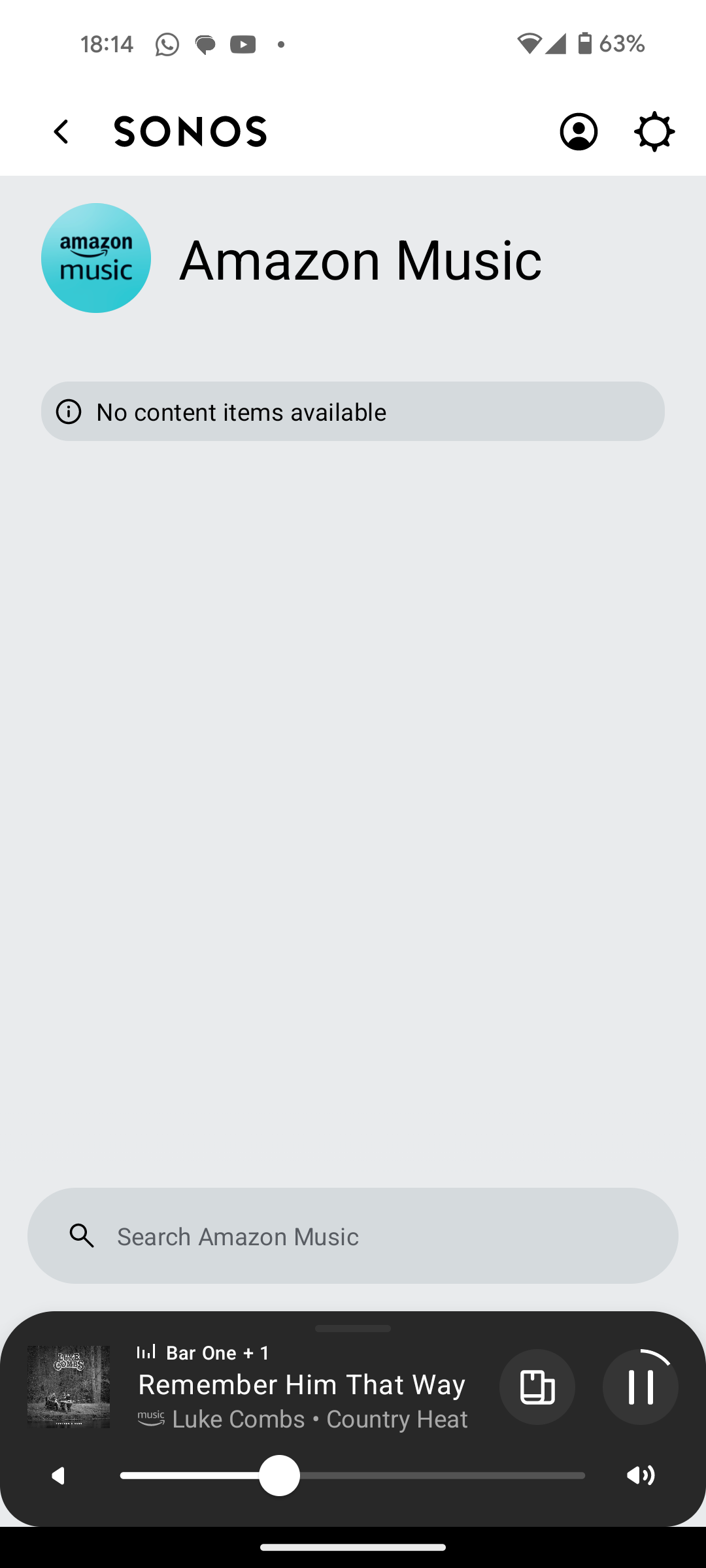
I attach screen shots as examples. I also have a video of it wildly skipping songs but don't seem to be able to upload.

Note other services work. Sonos Radio and Calm. Plus Amazon Music App itself works sweetly.

Help. I currently have a very expensive, unusable system.

Thanks


This topic has been closed for further comments. You can use the search bar to find a similar topic, or create a new one by clicking Create Topic at the top of the page.

180 replies

Ken_Griffiths
August 27, 2024

Hi @Corry P,

I re-wired the Beam, but left the radio on. I went to http://<IP_address_of_Beam>:1400/advconfig, set FirstZP to enable and rebotted the Beam. I checked again http://<IP_address_of_Beam>:1400/advconfig, but FirstZP always shows as disabled.

The track skipping continues. New diags ending with 404 submitted.

Would it be worth trying your setup in wireless mode instead, assuming the WiFi SSID/credentials are added to your network settings?

Use a non-overlapping channel of course - and if your router allows, set the 2.4Ghz WiFi channel to 20Mhz only. See if that perhaps makes a difference.

Trending Lyricist I
August 27, 2024

@Mr WB888 Are you using sky broadband by any chance, and there fairly new wifi max hub?

Prodigy III
August 27, 2024

Hi @Corry P,

I re-wired the Beam, but left the radio on. I went to http://<IP_address_of_Beam>:1400/advconfig, set FirstZP to enable and rebotted the Beam. I checked again http://<IP_address_of_Beam>:1400/advconfig, but FirstZP always shows as disabled.

The track skipping continues. New diags ending with 404 submitted.

Would it be worth trying your setup in wireless mode instead, assuming the WiFi SSID/credentials are added to your network settings?

Use a non-overlapping channel of course - and if your router allows, set the 2.4Ghz WiFi channel to 20Mhz only. See if that perhaps makes a difference.

I had already. Same issues skipping tracks on Amazon Music.

Prodigy III
August 27, 2024

I have been having similar issues since weekend. Sonos support said it was wifi interference but it's been working for nearly 3 years and nothing has changed with the setup. 

My issue slightly different, I choose song or album in sonos from amazon music, it plays for 10 seconds and audio stops. Still looks to be playing in app. Sometimes then jumps to next song. Sonos radio plays absolutely fine through all three speakers without interruption. 

Clearly a new issue between sonos and amazon, but everyone has been blaming everyone else. Even have a sky engineer coming out because sonos said it was wifi interference.

I have also put all three speakers in the same room next to router so it can't be blamed on physical interference. 

Same here, I believe these issues with Amazon started during the weekend as well. I am now playing a Sonos Radio station for more than one hour without any skipping. When I go back to Amazon, the issue is there.

Trending Lyricist I
August 27, 2024

Exactly the same. 

Unfortunately can't get any decent support or acknowledgement from amazon. Sonos have tried their best through troubleshooting but I can't accept that wifi interference is the issue when it's been fine for so long.

Ken_Griffiths
August 27, 2024

Would it be worth trying your setup in wireless mode instead, assuming the WiFi SSID/credentials are added to your network settings?

Use a non-overlapping channel of course - and if your router allows, set the 2.4Ghz WiFi channel to 20Mhz only. See if that perhaps makes a difference.

I had already. Same issues skipping tracks on Amazon Music.

Ah okay, perhaps it’s an issue in some regions then. I assume ’other’ audio sources are working okay for you?

I’m from the UK and I see there are a couple of reports here stating there is a UK AM issue, but it appears to be okay where I am at the moment (touch wood). I’ll see how the UK hits playlist goes that I’ve just started on my Kitchen Beam.🤞

Prodigy III
August 27, 2024

Would it be worth trying your setup in wireless mode instead, assuming the WiFi SSID/credentials are added to your network settings?

Use a non-overlapping channel of course - and if your router allows, set the 2.4Ghz WiFi channel to 20Mhz only. See if that perhaps makes a difference.

I had already. Same issues skipping tracks on Amazon Music.

Ah okay, perhaps it’s an issue in some regions then. I assume ’other’ audio sources are working okay for you?

I’m from the UK and I see there are a couple of reports here stating there is a UK AM issue, but it appears to be okay where I am at the moment (touch wood). I’ll see how the UK hits playlist goes that I’ve just started on my Kitchen Beam.🤞

Yes, Sonos Radio plays fine. I'm in Canada.

Prodigy III
August 27, 2024

Exactly the same. 

Unfortunately can't get any decent support or acknowledgement from amazon. Sonos have tried their best through troubleshooting but I can't accept that wifi interference is the issue when it's been fine for so long.

@Corry P is helping us on this 😉🤞

Ken_Griffiths
August 27, 2024

Same issue here, live in the UK. Amazon Music Unlimited doesn’t work. I’ve updated the app to no effect.

Getting really bored and frustrated with this. I only have the one music streaming service and to be frank, if it doesn’t play on the speakers then the system is useless to me.

I’m in the UK too - it’s working (so far) here. I just picked the UK Hits playlist, just at random, and it’s still playing okay - I’m on track 4 ‘Birds of a Feather’ as I type this. No issues seen at the moment. I’ll let it carry on for a while and see what happens.

Prodigy III
August 27, 2024

Same issue here, live in the UK. Amazon Music Unlimited doesn’t work. I’ve updated the app to no effect.

Getting really bored and frustrated with this. I only have the one music streaming service and to be frank, if it doesn’t play on the speakers then the system is useless to me.

I’m in the UK too - it’s working (so far) here. I just picked the UK Hits playlist, just at random, and it’s still playing okay - I’m on track 4 ‘Birds of a Feather’ as I type this. No issues seen at the moment. I’ll let it carry on for a while and see what happens.

You can let it play the first few seconds of each song and then click the Next Track button. It'd be a faster way to check whether the same issue happens with you or not.