
Contributor I
June 15, 2024
Question

Amazon Music no longer working

  • June 15, 2024
  • 180 replies
  • 10167 views

I am hoping that someone can assist with a major problem I have and this is not yet another 'new app problem'.

I have Amazon Music Unlimited connected to my (extensive) Sonos system. With the latest app update it has basically stopped working leaving me with limited misic. Behaviour is odd however mostly it just doesn't work and I get errors saying there is a problem with Amazon. However, every so often it does at least list some music, e.g a playlist. When I try to play it, it may work or skip a number of songs before finding one that plays. After that it will stop. If a speaker already had a music queue, you can hit play on the speaker and it works but stops after maybe 3 songs.

I have tried:

- uninstalling and reinstalling Sonos app

- re authorising Amazon Music

- other devices (same behaviour)

- contacting Sonos support (have an incident number but have to phone next week - will update if I find out more as I have sent diagnostics).

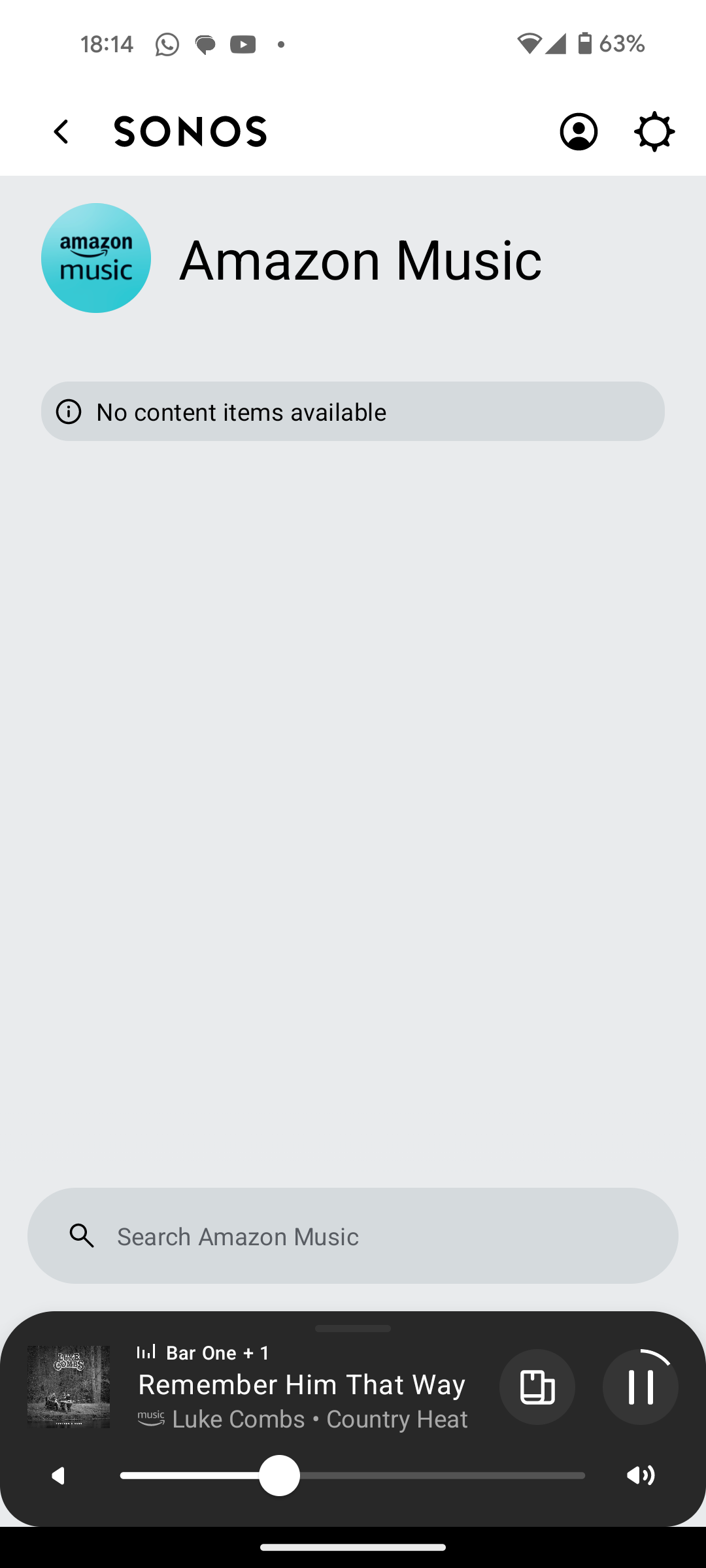
I attach screen shots as examples. I also have a video of it wildly skipping songs but don't seem to be able to upload.

Note other services work. Sonos Radio and Calm. Plus Amazon Music App itself works sweetly.

Help. I currently have a very expensive, unusable system.

Thanks


This topic has been closed for further comments. You can use the search bar to find a similar topic, or create a new one by clicking Create Topic at the top of the page.

180 replies

Trending Lyricist I
August 30, 2024

Hi @furacaopr 

Thanks for the updated diagnostics - I still see the buffer only ever filling to 40%, and I still see the speakers requesting a lower bitrate, so I am not yet convinced. Well, so I thought when I had only looked at Beam - looking at your standalone speaker, that does seem better!

The proof is in the pudding, however - let’s continue playing and see.

I do recommend giving your Beam a reboot now, just in case it helps.


Hi @Sammo123 

I didn't get a sonos update. Was it a phone update? If so iphone or android please?

If things are better, it was probably a change made on Amazon servers, by Amazon - no update needed! Our last update was on Tuesday.

No worries. I'm not at home at the moment, aksed my wife to test and she said it was still doing it but I'll give the speakers and router a reboot when I get home.

I really hope it's fixed and not just my system still playing up.

Corry P
Sonos Staff
August 30, 2024

Hi @furacaopr 

The reboot seems to have helped with the buffer situation - 100%!

I recommend no further changes - let’s just give things a bit longer. Regardless of what I see or don’t see, your experience is the point, and it sounds like that has improved!

"Common sense is the collection of prejudices acquired by age eighteen." - Albert Einstein
Prodigy III
August 30, 2024

Hi @furacaopr 

The reboot seems to have helped with the buffer situation - 100%!

I recommend no further changes - let’s just give things a bit longer. Regardless of what I see or don’t see, your experience is the point, and it sounds like that has improved!

Thanks a lot @Corry P. I appreciate all your help on this 😀

Trending Lyricist I
August 30, 2024

Hi @furacaopr 

Thanks for the updated diagnostics - I still see the buffer only ever filling to 40%, and I still see the speakers requesting a lower bitrate, so I am not yet convinced. Well, so I thought when I had only looked at Beam - looking at your standalone speaker, that does seem better!

The proof is in the pudding, however - let’s continue playing and see.

I do recommend giving your Beam a reboot now, just in case it helps.


Hi @Sammo123 

I didn't get a sonos update. Was it a phone update? If so iphone or android please?

If things are better, it was probably a change made on Amazon servers, by Amazon - no update needed! Our last update was on Tuesday.

No worries. I'm not at home at the moment, aksed my wife to test and she said it was still doing it but I'll give the speakers and router a reboot when I get home.

I really hope it's fixed and not just my system still playing up.

Hi Corry, unfortunately mine is still doing the same thing. Submitted a diagnostic ending 0111. That's a shame, was really hopefully with everyone else having success. Any thing else I can try?

Trending Lyricist I
August 30, 2024

Hi @furacaopr 

Thanks for the updated diagnostics - I still see the buffer only ever filling to 40%, and I still see the speakers requesting a lower bitrate, so I am not yet convinced. Well, so I thought when I had only looked at Beam - looking at your standalone speaker, that does seem better!

The proof is in the pudding, however - let’s continue playing and see.

I do recommend giving your Beam a reboot now, just in case it helps.


Hi @Sammo123 

I didn't get a sonos update. Was it a phone update? If so iphone or android please?

If things are better, it was probably a change made on Amazon servers, by Amazon - no update needed! Our last update was on Tuesday.

No worries. I'm not at home at the moment, aksed my wife to test and she said it was still doing it but I'll give the speakers and router a reboot when I get home.

I really hope it's fixed and not just my system still playing up.

Hi Corry, unfortunately mine is still doing the same thing. Submitted a diagnostic ending 0111. That's a shame, was really hopefully with everyone else having success. Any thing else I can try?

It half worked for a short period. Played a full song. Then stopped, then started. Seemed like it was buffering which never used to be an issue. Then one speaker stopped and the other two carried on. And then they stopped. 

Prodigy III
August 30, 2024

Hi Corry, unfortunately mine is still doing the same thing. Submitted a diagnostic ending 0111. That's a shame, was really hopefully with everyone else having success. Any thing else I can try?

Just speculating here, I am in Canada and I don't know about @brokebike. But I see that you @Sammo123 is in UK.

Perhaps, just perhaps, Amazon fixed it in North America but not in UK 🙄

Trending Lyricist I
August 30, 2024

Hi Corry, unfortunately mine is still doing the same thing. Submitted a diagnostic ending 0111. That's a shame, was really hopefully with everyone else having success. Any thing else I can try?

Just speculating here, I am in Canada and I don't know about @brokebike. But I see that you @Sammo123 is in UK.

Perhaps, just perhaps, Amazon fixed it in North America but not in UK 🙄

Hope that's the case. Corry said there was an sonos update Tuesday, I haven't had one since last week and no amazon music update all week.i have tried uninstalling and installing both apps again. But alas...

Trending Lyricist I
August 31, 2024

Update. Everything seems to be behaving a little better. I'm able to play amazon music for a while now. Had to restart everything twice, but it feels like getting somewhere.

Different topic, but whilst I was having issues with amazon music, I moved some music into my android music files. I have looked everywhere but I can find this anywhere in the sonos app that will let me play these? And suggestions?

Lyricist III
August 31, 2024

Perhaps I was just slow to see the latest Sonos update or something. It’s weird because I have my apps set to automatically update… but yesterday morning I opened my app updates and sure enough, it said my Sonos app needed updating, so I did that, and ever since then my issue with playing Amazon Music has sorted itself out. I’m now on the second day of everything working as it should… so something changed, whether it was the Sonos update or something on Amazon’s end.

Trending Lyricist I
August 31, 2024

Big thanks to all, especially @Corry P 

Has been working all day.