
Contributor I
June 15, 2024
Question

Amazon Music no longer working

  • June 15, 2024
  • 180 replies
  • 10168 views

I am hoping that someone can assist with a major problem I have and this is not yet another 'new app problem'.

I have Amazon Music Unlimited connected to my (extensive) Sonos system. With the latest app update it has basically stopped working leaving me with limited misic. Behaviour is odd however mostly it just doesn't work and I get errors saying there is a problem with Amazon. However, every so often it does at least list some music, e.g a playlist. When I try to play it, it may work or skip a number of songs before finding one that plays. After that it will stop. If a speaker already had a music queue, you can hit play on the speaker and it works but stops after maybe 3 songs.

I have tried:

- uninstalling and reinstalling Sonos app

- re authorising Amazon Music

- other devices (same behaviour)

- contacting Sonos support (have an incident number but have to phone next week - will update if I find out more as I have sent diagnostics).

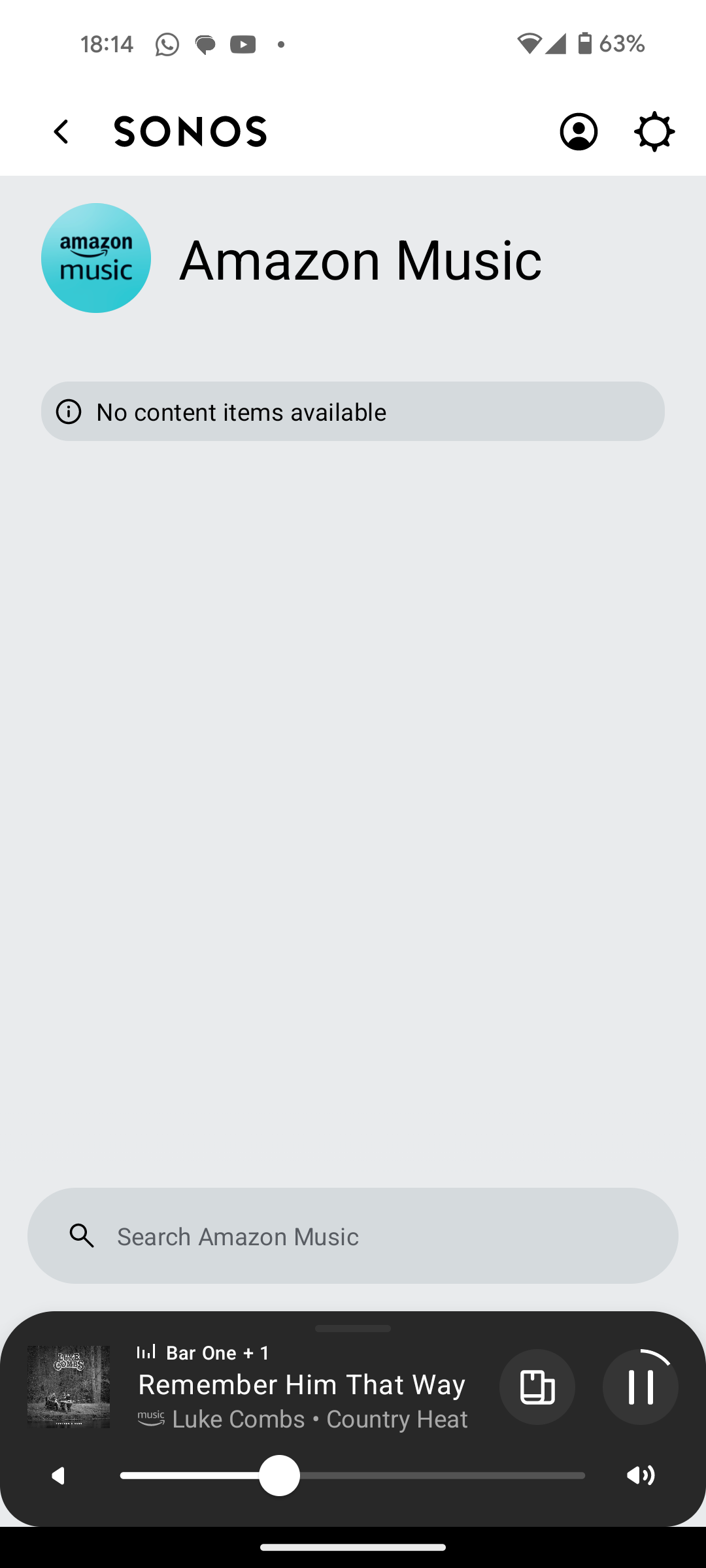
I attach screen shots as examples. I also have a video of it wildly skipping songs but don't seem to be able to upload.

Note other services work. Sonos Radio and Calm. Plus Amazon Music App itself works sweetly.

Help. I currently have a very expensive, unusable system.

Thanks


This topic has been closed for further comments. You can use the search bar to find a similar topic, or create a new one by clicking Create Topic at the top of the page.

180 replies

Lyricist III
August 29, 2024

I’m currently talking with someone from Amazon support… I’m sure other have done this, but hopefully if enough of us bring this to their attention, we may get some insight into this issue.

Lyricist III
August 29, 2024

Ok, after spending a frustrating hour chatting with several Amazon support folks, I got nowhere. They kept wanting me to do all this stuff with the Alexa app, and I don’t use Alexa or any Amazon Echo products. I think were confusing my issue as one pertaining to Alexa or Echo speakers, and that doesn’t seem to be the case.


To reiterate, as of this past week, I cannot reliably play any music on my Sonos system using my Amazon Music Unlimited account that is my primary means of streaming music through the Sonos app.

When I select any music, if it plays at all, it only plays maybe a few seconds of a track before trying to skip to other tracks. Maybe it plays a few seconds of a song, maybe not. But it eventually skips through until it reaches the last track - then nothing. It’s useless.

Trending Lyricist I
August 29, 2024

Ok, after spending a frustrating hour chatting with several Amazon support folks, I got nowhere. They kept wanting me to do all this stuff with the Alexa app, and I don’t use Alexa or any Amazon Echo products. I think were confusing my issue as one pertaining to Alexa or Echo speakers, and that doesn’t seem to be the case.


To reiterate, as of this past week, I cannot reliably play any music on my Sonos system using my Amazon Music Unlimited account that is my primary means of streaming music through the Sonos app.

When I select any music, if it plays at all, it only plays maybe a few seconds of a track before trying to skip to other tracks. Maybe it plays a few seconds of a song, maybe not. But it eventually skips through until it reaches the last track - then nothing. It’s useless.

I have had exactly the same issues, explained time and time again I don't use alexa. I finally got someone at amazon to admit it was a fault and they are working on a fix

Lyricist III
August 29, 2024
 

I have had exactly the same issues, explained time and time again I don't use alexa. I finally got someone at amazon to admit it was a fault and they are working on a fix

I tried to ask them if it was a known issue there with Amazon Music, because it definitely is here on the Sonos forums. I got no answer from them in that regard… so you at least got further than I did with them admitting it was a known fault.

Prodigy III
August 30, 2024

It appears it has been solved since this morning. Haven't had any skipping in the last 30 minutes.

@Corry P, if you'd like to compare with the previous ones, I've submitted diagnostics ending on 577.

Lyricist III
August 30, 2024

I installed the Sonos app update this morning, and was successfully able to play an album from my favorites list from start to finish with no skipping… and I was able to send it to multiple Sonos speakers throughout the house. This is something I haven’t been able to do for over a week.


fingers crossed this takes care of *this* issue for a while.

Trending Lyricist I
August 30, 2024

I installed the Sonos app update this morning, and was successfully able to play an album from my favorites list from start to finish with no skipping… and I was able to send it to multiple Sonos speakers throughout the house. This is something I haven’t been able to do for over a week.


fingers crossed this takes care of *this* issue for a while.

I didn't get a sonos update. Was it a phone update? If so iphone or android please?


Corry P
Sonos Staff
August 30, 2024

Hi @furacaopr 

Thanks for the updated diagnostics - I still see the buffer only ever filling to 40%, and I still see the speakers requesting a lower bitrate, so I am not yet convinced. Well, so I thought when I had only looked at Beam - looking at your standalone speaker, that does seem better!

The proof is in the pudding, however - let’s continue playing and see.

I do recommend giving your Beam a reboot now, just in case it helps.


Hi @Sammo123 

I didn't get a sonos update. Was it a phone update? If so iphone or android please?

If things are better, it was probably a change made on Amazon servers, by Amazon - no update needed! Our last update was on Tuesday.

"Common sense is the collection of prejudices acquired by age eighteen." - Albert Einstein
Trending Lyricist I
August 30, 2024

Hi @furacaopr 

Thanks for the updated diagnostics - I still see the buffer only ever filling to 40%, and I still see the speakers requesting a lower bitrate, so I am not yet convinced. Well, so I thought when I had only looked at Beam - looking at your standalone speaker, that does seem better!

The proof is in the pudding, however - let’s continue playing and see.

I do recommend giving your Beam a reboot now, just in case it helps.


Hi @Sammo123 

I didn't get a sonos update. Was it a phone update? If so iphone or android please?

If things are better, it was probably a change made on Amazon servers, by Amazon - no update needed! Our last update was on Tuesday.

No worries. I'm not at home at the moment, aksed my wife to test and she said it was still doing it but I'll give the speakers and router a reboot when I get home.

Prodigy III
August 30, 2024

Hi @furacaopr 

I still see the buffer only ever filling to 40%, and I still see the speakers requesting a lower bitrate, so I am not yet convinced.

I do recommend giving your Beam a reboot now, just in case it helps.

Hi @Corry P, I rebooted the Beam and its surrounds and played for half an hour on Amazon and then the last 3 minutes on Sonos Radio. Diagnostics ending on 636. Please, let me know if you see any improvement. If not, I'll try to remove the surrounds.