
Collaborator II
October 13, 2025

Albums have suddenly started to behave strangely.

Hello all, I hope someone can help me.

I noticed the other day that a few albums in my library had suddenly split into multiple albums. At first I thought there may have been an update that had changed the way certain albums were tagged. I did some rudimentary checks on the album tags (I use Tag & Rename) but couldn't see any issues. However on further examination I noticed that the multiple of the albums had the same track in them see images below.

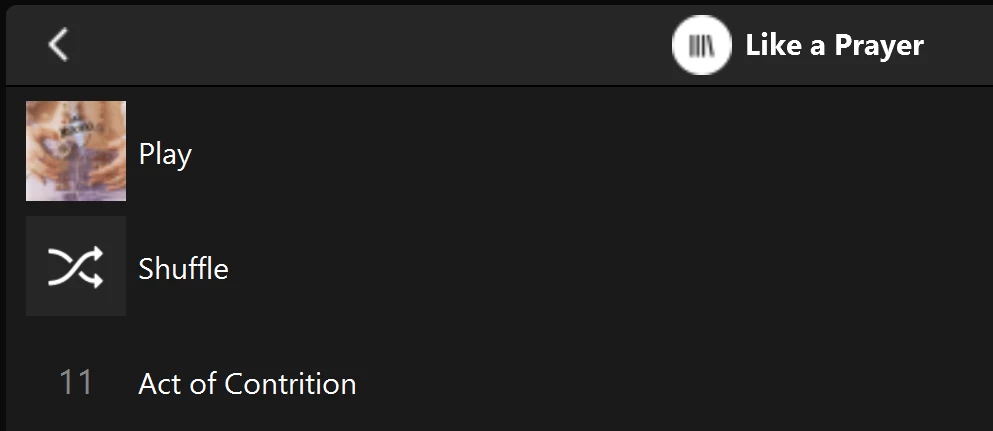
Multiple of one album.
Only one track (The same track) showing in both albums

You can see that a look into the folder for this album shows 11 tracks. 
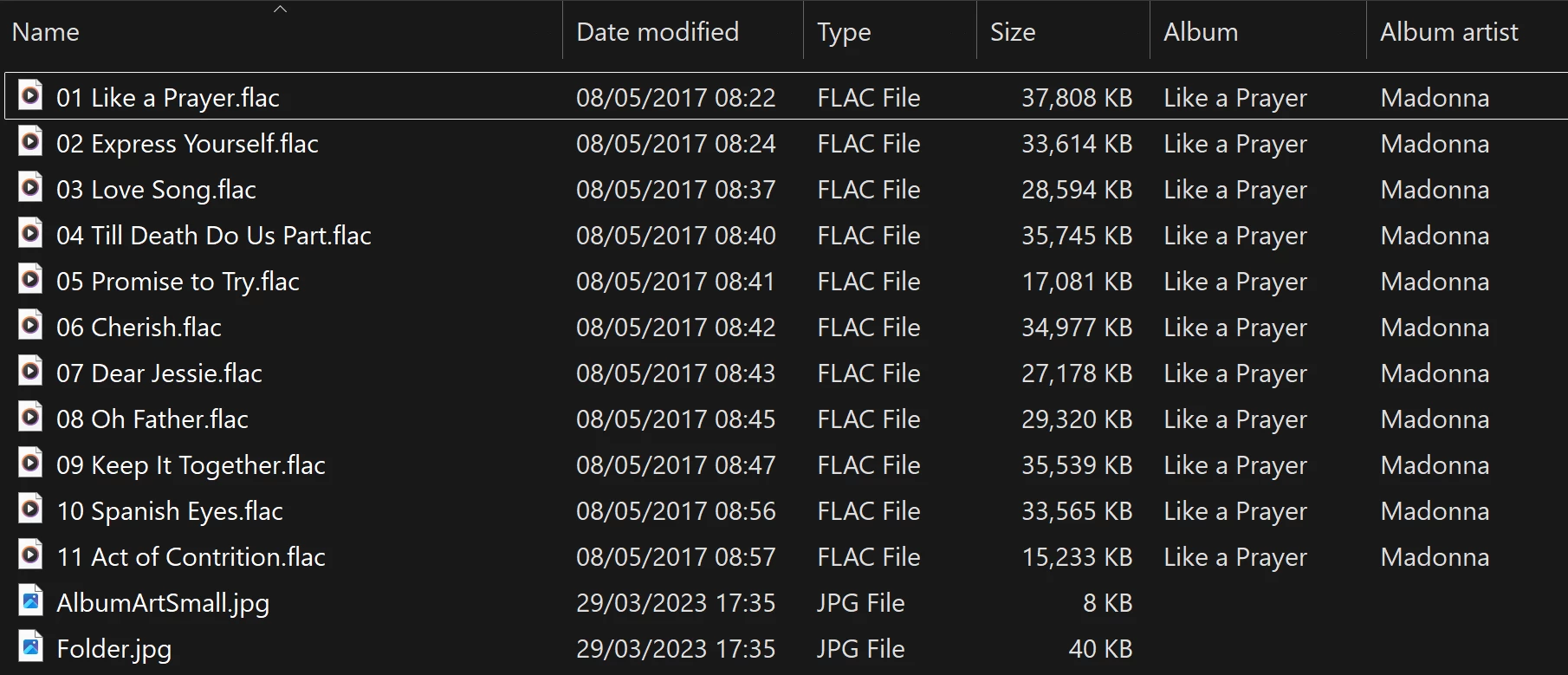
View into the folder for album

Doing a re-scan of the library does not fix the issue. But I have found that by adding a new album to my library fixes the issue after a re-scan. However I have noticed that adding a new album can correct one problem but then suddenly another suddenly is inflicted with the same issue.
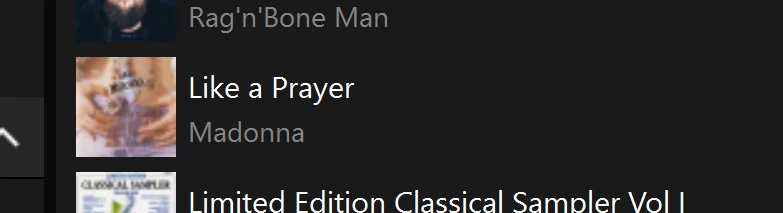
So I am very confused as why adding one album can suddenly cause this issue with other completely unrelated albums. Sorry to have rambled on.

Any thoughts anyone? 

Anthony

170 replies

User117655
Prodigy II
September 27, 2026

Still broken but now in a different way…


Anthony_6Author
Collaborator II
October 10, 2026

Do my eyes deceive me? I added a new album to my library today and held my breath as I scanned for new content. I don’t know if I got lucky, but when I looked to see what albums had become duplicates, I couldn’t find any 😀.

Has anyone else noticed this?

Anthony
User117655
Prodigy II
October 10, 2026

You got lucky!

Anthony_6Author
Collaborator II
October 10, 2026

Oh well, I’ll just enjoy the moment.

Anthony
rosswells127
Prodigy I
October 10, 2026

I have 12 album corruptions after latest index.

MoPac
Headliner III
October 11, 2026

I just added an album to my Music Library.  I put it in the same Genre folder that contains the problem album.   Then I did a Scan for new content using the same iPhone I always use for this function.  The album that had three albums with the same track in each album then showed correctly as one album with 15 tracks.

I looked at some of the other album and didn't find any duplicates or oddities.  I'll have to look further when I have more time.

October 11, 2026

Isn’t the problem with duplicated albums caused by the firmware of the speaker that does the indexing, not the app?

My library always has different albums duplicated no matter which app I use (iPhone/iPad/PC).

If you se no duplicates it may be a coincidence as my albums still duplicate after the latest Sonos system update October 6th. 

Anthony_6Author
Collaborator II
October 11, 2026

Yes, I quite agree. I’ve just been very lucky. What was I thinking, Sonos actually fixing something!

Anthony
MoPac
Headliner III
October 11, 2026

ClausN:

You are probably right.  The indexing is done by the “Associated Product”.  I did take a Firmware update with the last app update.  As much press as this indexing mess has gotten over the last year or so you would think Sonos would advertise an indexing firmware fix in capital letters.

CronoCX
Enthusiast II
October 15, 2026

Finally found time to submit a detailed report via Sonos Chat today. Crossing fingers something good comes from it.

--Brian

User117655
Prodigy II
October 15, 2026

Sorry to say and not to dash any hopes and hoping something does move these issues along but historically I and others have been there, seen it, done it!

Frankly fed up with hoping at this stage 🤷🏼‍♂️

CronoCX
Enthusiast II
October 15, 2026

It was important to me that I log the issue with them like others have. Maybe some day it’ll get fixed, but at least I did all I could from a User stand point.

Lyricist I
October 16, 2026

Adding some test results in case they help anyone, or help Sonos narrow this down. I worked through this with the help of Claude (Anthropic's AI assistant), which wrote and ran the check scripts and helped me interpret the results. These are observations from one system, not proof, so treat them with some caution.


Setup: 2 × Play:1 on S2, software 17.2.7. About 7,700 tracks (MP3 and AAC) on a Synology NAS over SMB. Daily index update off, albums grouped by Album Artist.


How we measured it: a script compared every album in the Sonos index with the files in its folder on the NAS, after each index update. That showed which albums were short, duplicated or missing each time.


What I saw

  • The tags don't seem to be the cause. As far as we could tell, broken albums have the same tags, tag structure and artwork as albums that work. Search found every "missing" track with the correct album and artist; only the album view looked wrong.
  • It looked repeatable. On my system, the same library contents gave the same broken albums. A full rebuild of an unchanged library reproduced the same set.
  • Unrelated changes seemed to move it.
    • I set Album Artist to "Various Artists" on 43 compilations. They merged correctly, but six other albums whose files I hadn't touched dropped to 1 track, and another vanished from the album list.
    • I then removed only the iTunes library XML, the file Sonos reads for imported playlists, and changed no music files. Four broken albums came back, two others broke, and seven disappeared from the album list.
    • When I put a playlist file back (a different, freshly exported one), I got the same broken set as before, album for album.
  • Not every change moved it. Deleting one duplicate 11-track folder didn't change anything else.
  • Renaming or re-saving an album usually fixed that album, but others broke. As others here have said, it's a moving target.


My guess, and it is only a guess, is that this supports @ClausN's point that it's in the indexer on the speakers rather than the app. The result seems to depend on the state of the whole index rather than on the affected albums' own files.


Things that helped me (probably separate from the bug)

  • Duplicate copies of files elsewhere on the share. Sonos seemed to index only one copy and skip the other. I had 200+ stale copies left behind by a sync tool. Removing them took my skipped files from 228 to 1.
  • Compilations with an empty Album Artist were listed once per track artist. Setting Album Artist to "Various Artists" merged them, though for me the change also shuffled the bug onto other albums.
  • Folders view (Music Library → Folders) plays the broken albums normally.
  • If you use iTunes/Apple Music playlists: Apple Music on my Mac doesn't seem to update the XML file automatically any more. I had to use File → Library → Export Library, then re-index.


I've sent all of this to Sonos support as well (case 09279091), and they've linked it to the existing indexing case.

Contributor I
October 21, 2026

I just wanted to say hello to all my fellow sufferers. I contacted customer support about 6months ago and went through all the it's not the meta data that's the issue chat and he just gave up after a while. It seems to have become worse recently too with more albums having an issue when I 'correct' current problems. For each mole whacked two appear. 

Anthony_6Author
Collaborator II
October 21, 2026

Welcome.

Anthony
Stanley_4
Grand Maestro
October 21, 2026

Not addressed to Anthony but the forum team.

Sigh...  EIGHT pages of scrolling and clicking more-posts from where the "New Posts" link opened this topic to get here.

buzz
Grand Maestro
October 21, 2026

Some file systems will automatically create a backup folder and move the old copy of an updated file into the backup folder as you update the main library file. Typically, the Sonos indexer will process the backup folder first. In this case the recently updated file will be ignored as a duplicate and your edit is seemimgly ignored. Duplicate files in the main library share can also be an issue because the user has no control over file processing order of files in the share. Again, the first copy encountered will be included in the index. If you are working with another copy of the file that is encountered later in the processing sequence, your expected edit will be ignored.

It’s easy enough to disable creation of the automatic backup folder, but near duplicates in the main folder can result in frustrating issues. For the sake of discussion, assume the there are three copies of a file, A, B, and, C, that the indexer will interpret as duplicates and A is your focus. Again, you have no control over final processing order. If a given run of the indexer first discovers A, everything works as you expect, however, if a subsequent run first discovers B or C, your edits to A will be ignored. This is very confusing for the poor human.

kdowling
October 21, 2026

While all true, that is not this problem. This problem started Sept ‘25 with a system update. The symptoms are well described here. Albums (any album) will show multiple times with 1 track (the same track) in each. The albums showing this problem will change with any change to the Music Library and rescan.The change can be as simple as renaming a directory/folder and rescanning. Albums that were showing this problem no longer do, and now a different set of albums do. The albums and number of albums displaying this problem continually change with each change to the Music Library. 

You can locate the albums showing this problem in Music Library → Folders where they will be shown correctly and can be played correctly from there.

Edit to add: S1 using the same file share Music Library shows none of this nonsense.

Contributor I
October 21, 2026

After posting yesterday I thought why not give it another go. Spoke to customer support, got escalated to level 2 and went through all the usual checks. Left the call having the rescan in process with the promise of if it didn't work to respond to the email and it would be further looked into. As you all already know it didn't work (new albums with the problem instead) so I've replied to say just that. Let's see how the looking into it goes.