
Collaborator II
October 13, 2025

Albums have suddenly started to behave strangely.

  • October 13, 2025
  • 141 replies
  • 3287 views

Hello all, I hope someone can help me.

I noticed the other day that a few albums in my library had suddenly split into multiple albums. At first I thought there may have been an update that had changed the way certain albums were tagged. I did some rudimentary checks on the album tags (I use Tag & Rename) but couldn't see any issues. However on further examination I noticed that the multiple of the albums had the same track in them see images below.

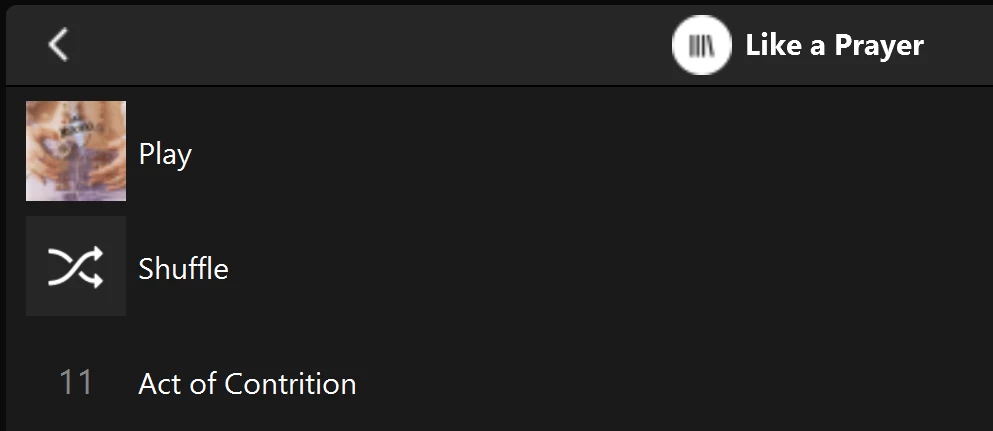
Multiple of one album.
Only one track (The same track) showing in both albums

You can see that a look into the folder for this album shows 11 tracks. 
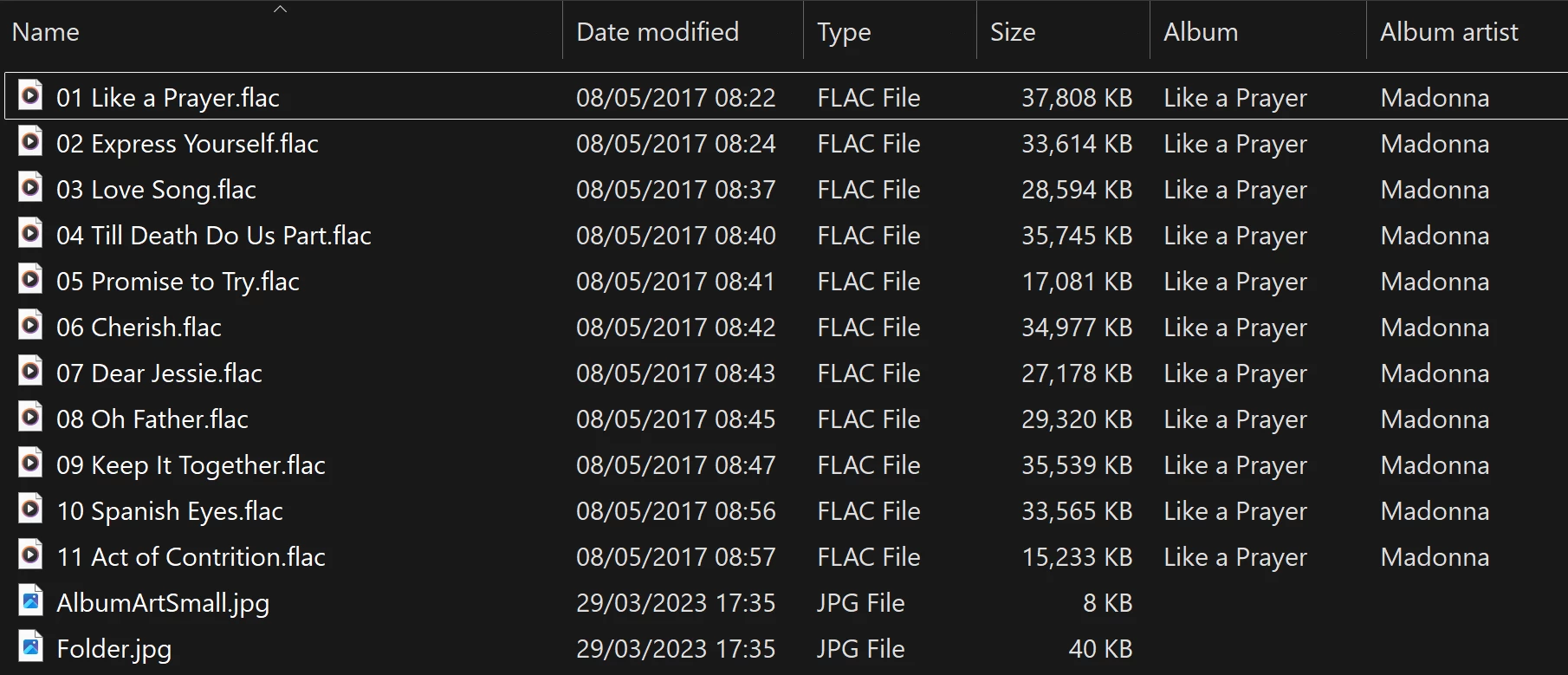
View into the folder for album

Doing a re-scan of the library does not fix the issue. But I have found that by adding a new album to my library fixes the issue after a re-scan. However I have noticed that adding a new album can correct one problem but then suddenly another suddenly is inflicted with the same issue.
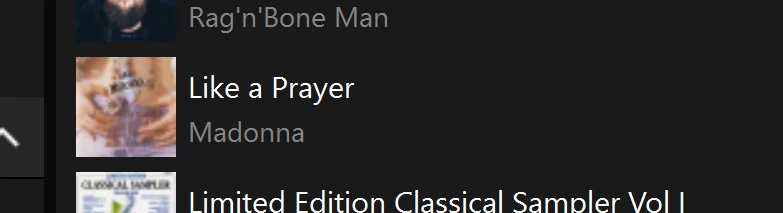
So I am very confused as why adding one album can suddenly cause this issue with other completely unrelated albums. Sorry to have rambled on.

Any thoughts anyone? 

Anthony

141 replies

Lyricist III
August 14, 2026

I admire your philosophical approach to issues, which does you (or your therapist) great credit. 

The three identical albums with one track (and no complete version of the partially triplicated album) is one of my favourites.

As someone with a curating mentality, who spends time organising albums, and updating and correcting track tags, it is a particular frustration.

It simply reminds me once more that Sonos have never understood the people who buy their expensive equipment. They aren’t just looking for nice speakers to stream to. I have those and they’re better than Sonos speakers. What I want is something decent to play my own music collection on that works easily and produces decent sound. People who value sonos style systems are likely to own a lot of music.

The catalogue size limit always confused me, for that reason. Not having a turntable for years, similarly. The people who run the company aren’t like it’s core customers - as we noticed notably when they launched an app that broke everyone’s ability to play their own music in order to launch some headphones.

kdowling
August 14, 2026

The people who run the company aren’t like it’s core customers - as we noticed notably when they launched an app that broke everyone’s ability to play their own music in order to launch some headphones.

I don’t believe we are their core customers any longer. It’s sad, but I think the fact that this problem has not been fixed yet shows how much we are not. We’re coming up on 1 year since this problem started.


Lyricist III
August 14, 2026

I’ve been a customer for about 20 years. Since 2006 or 7. They’ve moved on, changed and refocussed any number of times in that period.

They’ve probably lost “home streaming delivery” to Google, Apple and Amazon pods, and unless they can reinvent themselves as something different, they’re going to vanish soon. I’d say we’re the best target market they’ve got.


Lyricist III
August 19, 2026

Has anyone here also encountered issue with Favorites lately? If I select Sonos Favorites and then Artists, I find under each artist is every album in my library and not just those by the chosen artist? Anyone else?

User117655
Prodigy II
August 19, 2026

Has anyone here also encountered issue with Favorites lately? If I select Sonos Favorites and then Artists, I find under each artist is every album in my library and not just those by the chosen artist? Anyone else?

Yes, I am seeing this too, not every album in all cases but a selection of (unrelated) albums. So

* Some artists consistently seem to be showing all albums in my library

* Others are showing a smaller selection of unrelated albums. This selection is consistent across artists that show a 'subset'

* These two artist subsets remain consistent in what they show

* Neither subset of albums actually include those by the favoured artist

It really is about time Sonos got their act together with local libraries and indexing ect. with this 'new' 2.5 year old architecture...

Come on ​@Tom Conrad , ​@Liz P.  never mind fancy app navigation updates get this core functionality sorted... it is really starting to become a chore wondering what will be broken or what will just not be addressed next!


Edit: Adding a new local library artist to favourites seems (at first add) to be working correctly so seemingly just 'old' favourites that are corrupted 🤷🏼‍♂️

September 19, 2026

Sonos has been troubling their customers with this error of split albums and missing tracks for 1 year now!

When I manage to correct one album the error jumps to another album 🫩
Does anybody know if Sonos is addressing this - or maybe they just don’t care?

There are only two possibilities from Sonos: indifference or incompetence.

This post, which I’m sure was written with the best intentions, by ​@Corry P seemed as a possible solution but obviously didn’t solve the issue (scroll to “Show content” in Corrys first post):


Anthony_6Author
Collaborator II
September 19, 2026

Hi ​@ClausN.

I did raise a support case about this in the early days of this issue. I spent quite a bit of time on the phone but it became obvious that the guy I was speaking didn't really understand the issue. He promised me a higher level support would contact me, they didn't. To be fair I didn't follow it up, my bad.

I do remember someone in this community did raise a support for this issue and did get some  follow up, however as you are aware the issue is still very much going on.

This is my opinion only, but I believe it is  indifference on the part of Sonos as they only seem to care about the majority of people that stream their media from any one of the numerous online sources. I don't think Sonos themselves even understand the issue. I think that they hope those of us that have our own collections will just go away and leave them alone. Sadly I've just learned to live with the issue. I hold my breath every time I add a new album to see what other albums end up mangled. At the moment I only have one album showing the issue.

The only fix as far as I can see is to get rid of Sonos and buy a different product all together. I certainly will not be buying Sonos again, which is what I think they want. It's a shame as I've had Sonos since around 2006, back in the days of the zone players and the big controller, I think the CR100. And guess what, it all worked perfectly.

Anthony
Local Superstar
September 19, 2026

I think it was originally thought to be a user/tagging issue (as it usually is in almost all cases), but the fact you can change tags in one album and then different albums change their ‘properties’ in Sonos, clearly shows it's a Sonos issue for me.

kdowling
September 19, 2026

I’ve seen acknowledgement from sonos reps on reddit. So, they are aware of the problem. Whether it ever gets fixed is a different story.

rosswells127
Prodigy I
September 19, 2026

What is disappointing to me is that the issue only started occurring with a particular “system” update (not app update).
If the issue was raised immediately with the developers involved in that update then I am sure that they could have more easily worked out what change in that update caused the issue to start occurring and therefore more easily fixed it.
As time has gone by this is less and less likely to be addressed as they now have no idea (or don’t care) why the issue is happening.
As previously stated this has nothing to do with metadata as the issue moves on to other previously ok albums after you add more albums to your library and do a reindex.