
Collaborator II
October 13, 2025

Albums have suddenly started to behave strangely.

  • October 13, 2025
  • 141 replies
  • 3295 views

Hello all, I hope someone can help me.

I noticed the other day that a few albums in my library had suddenly split into multiple albums. At first I thought there may have been an update that had changed the way certain albums were tagged. I did some rudimentary checks on the album tags (I use Tag & Rename) but couldn't see any issues. However on further examination I noticed that the multiple of the albums had the same track in them see images below.

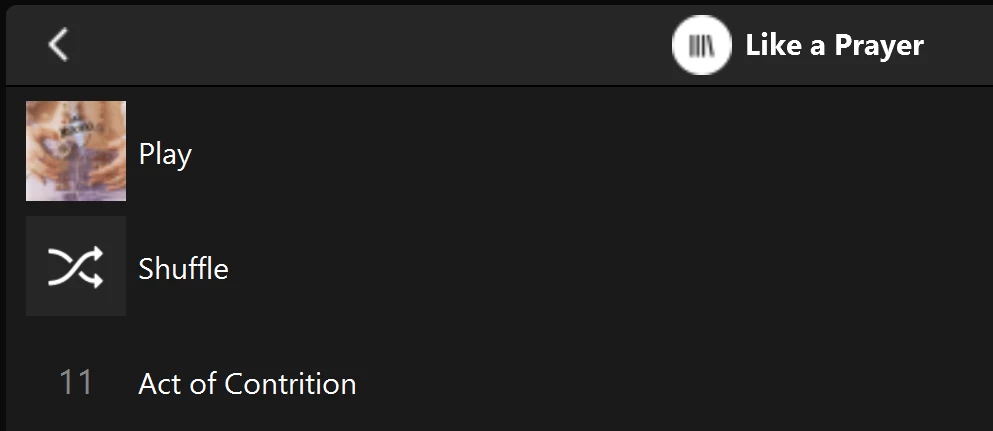
Multiple of one album.
Only one track (The same track) showing in both albums

You can see that a look into the folder for this album shows 11 tracks. 
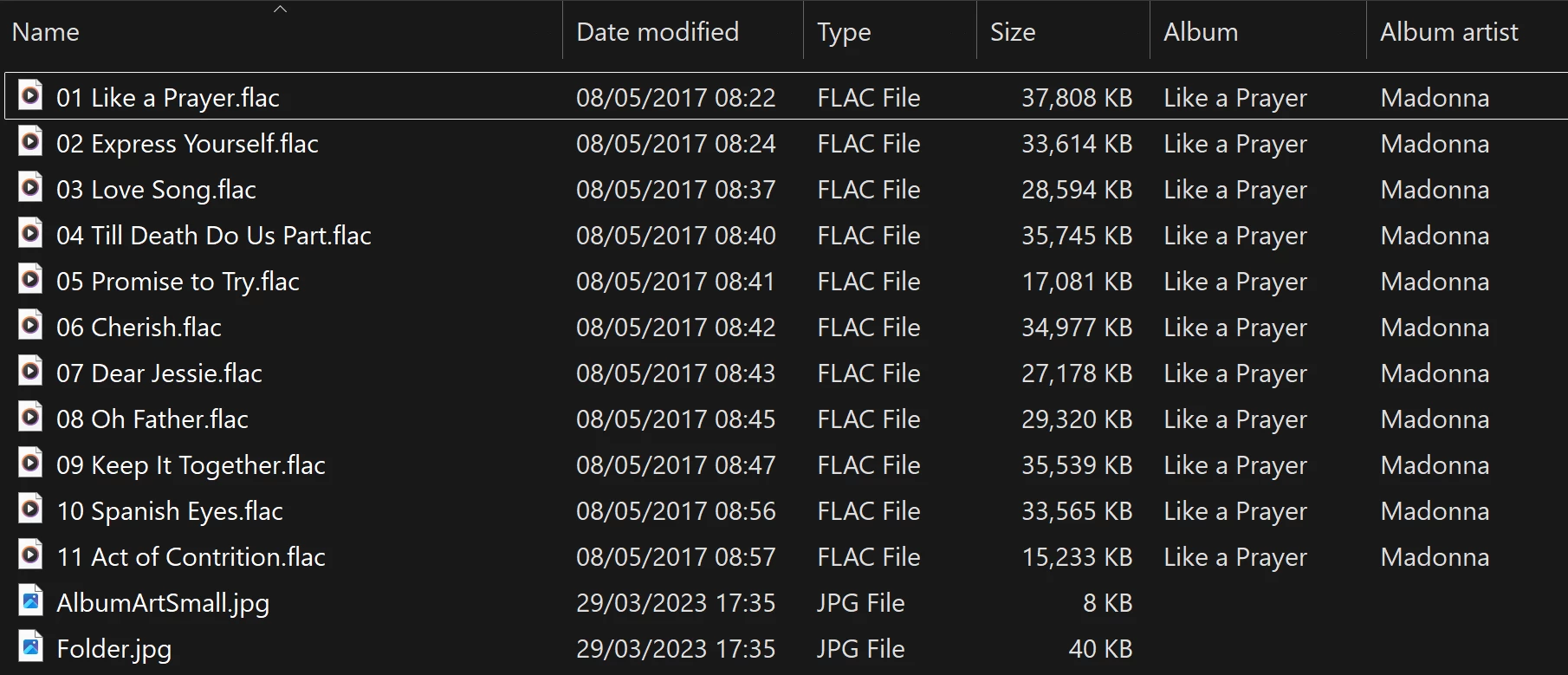
View into the folder for album

Doing a re-scan of the library does not fix the issue. But I have found that by adding a new album to my library fixes the issue after a re-scan. However I have noticed that adding a new album can correct one problem but then suddenly another suddenly is inflicted with the same issue.

So I am very confused as why adding one album can suddenly cause this issue with other completely unrelated albums. Sorry to have rambled on.

Any thoughts anyone? 

Anthony

141 replies

Enthusiast II
April 5, 2026

It did fix it for me, and one of the ones showing the problem did have a long path. I will repeat what I keep saying. There is some issue with long paths, and there seems to be some other issue.

Enthusiast II
April 6, 2026

I’ve been chatting with support about this. This is the response I got:

After double checking this behavior and all the provided details with our internal documentation and higher department, we would like to explain to you that this issue is currently under investigation. Our engineering team recently detected a Music Library indexing logic issue associated with this album behavior, and they are actively investigating to provide a fix as soon as possible; however, we do not currently have an estimated resolution time to provide. We apologize for the inconvenience and appreciate your patience and understanding on this.

User117655
Prodigy II
April 9, 2026

Just adding a reference to another thread which is active and (despite the title) not resolved either…

Seems to me it could be related:


Enthusiast II
April 14, 2026

I think the new system update might have resolved this issue. 

kdowling
April 14, 2026

I sooo wanted that to be true. After adding a new album and re-scanning, the problem still exists. Just moved to different albums like every change does.

User117655
Prodigy II
April 14, 2026

Seconded, not resolved ☹️

Enthusiast II
April 14, 2026

Sorry guys. I’ve still got the issue too. 

Anthony_6Author
Collaborator II
April 14, 2026

Yes, same here, I still have the same issue.

Anthony
Enthusiast II
April 29, 2026

Hi all,

FWIW, I have had a few more exchanges with SONOS support on this issue.  He asked me to provide one of my ‘duplicate’ albums to him, which I did on Dropbox.  Needless to say, by itself, it is not a problem, as his subsequent reply on 4/24 indicated:

“Hi Roger, Thank you for sending this album. Unfortunately I am not able to replicate any duplicates here. I will check back with the engineering team to see if any progress has been made on the investigation. Cheers,...”

I replied with a link to a document summarizing my current status:  https://www.dropbox.com/scl/fi/s5bzu3yjha2074435qqhh/DuplicateAlbums_20260425.pdf?rlkey=7jmombpe6gzu4o24603gznwum&st=h9nhxcol&dl=0

In summary, it shows the four albums in my library that currently showed false duplicates.  Each album, when selected from the SONOS Albums list, shows only one track.

I removed those four albums from my library and reindexed.  A new false duplicate showed up.

So I added those four albums back, only to show that this new false duplicate was not a duplicate previously.

Then I made an unrelated change to the library (deleted an album I’ve been meaning to delete) and reindexed.  I now have eight false duplicates.

Will provide any updates I may receive.

MoPac
Headliner III
April 29, 2026

Your tags look perfect.  This is definitely a Sonos problem.  For some reason I don’t see that duplication issue here.  I’m IOS.  Music is on a SonicTransporter i5.  No recycle bin in the SonicTransporter.  Approx 45,000 tracks.  Tagging software is DbPoweramp.  Folder structure is Genre - Artist - Album - Tracks & Album art file.  Imported playlists are M3U.

Maybe a year ago or so there were duplicates of my compilation albums where there was one track per album.  Sonos addressed that issue and all my compilations are as they should be now.  Back when compilations showed duplicates they did show correctly in Folder view.