
Collaborator II
October 13, 2025

Albums have suddenly started to behave strangely.

  • October 13, 2025
  • 141 replies
  • 3295 views

Hello all, I hope someone can help me.

I noticed the other day that a few albums in my library had suddenly split into multiple albums. At first I thought there may have been an update that had changed the way certain albums were tagged. I did some rudimentary checks on the album tags (I use Tag & Rename) but couldn't see any issues. However on further examination I noticed that the multiple of the albums had the same track in them see images below.

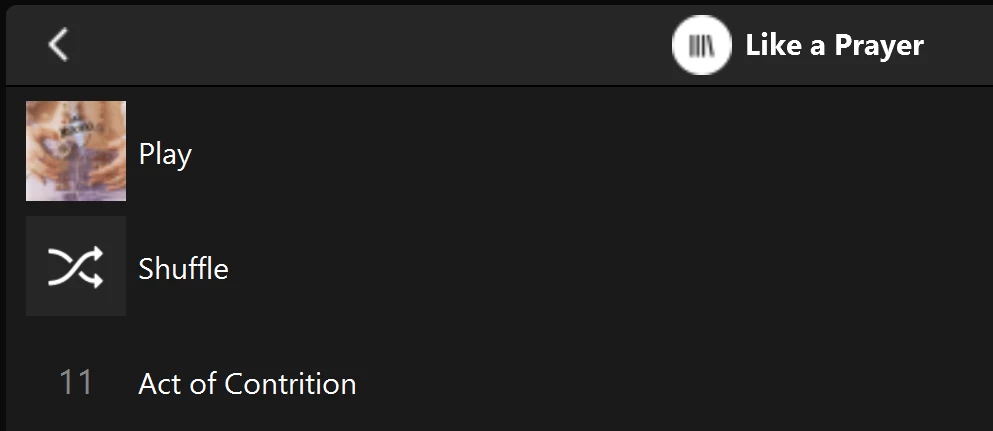
Multiple of one album.
Only one track (The same track) showing in both albums

You can see that a look into the folder for this album shows 11 tracks. 
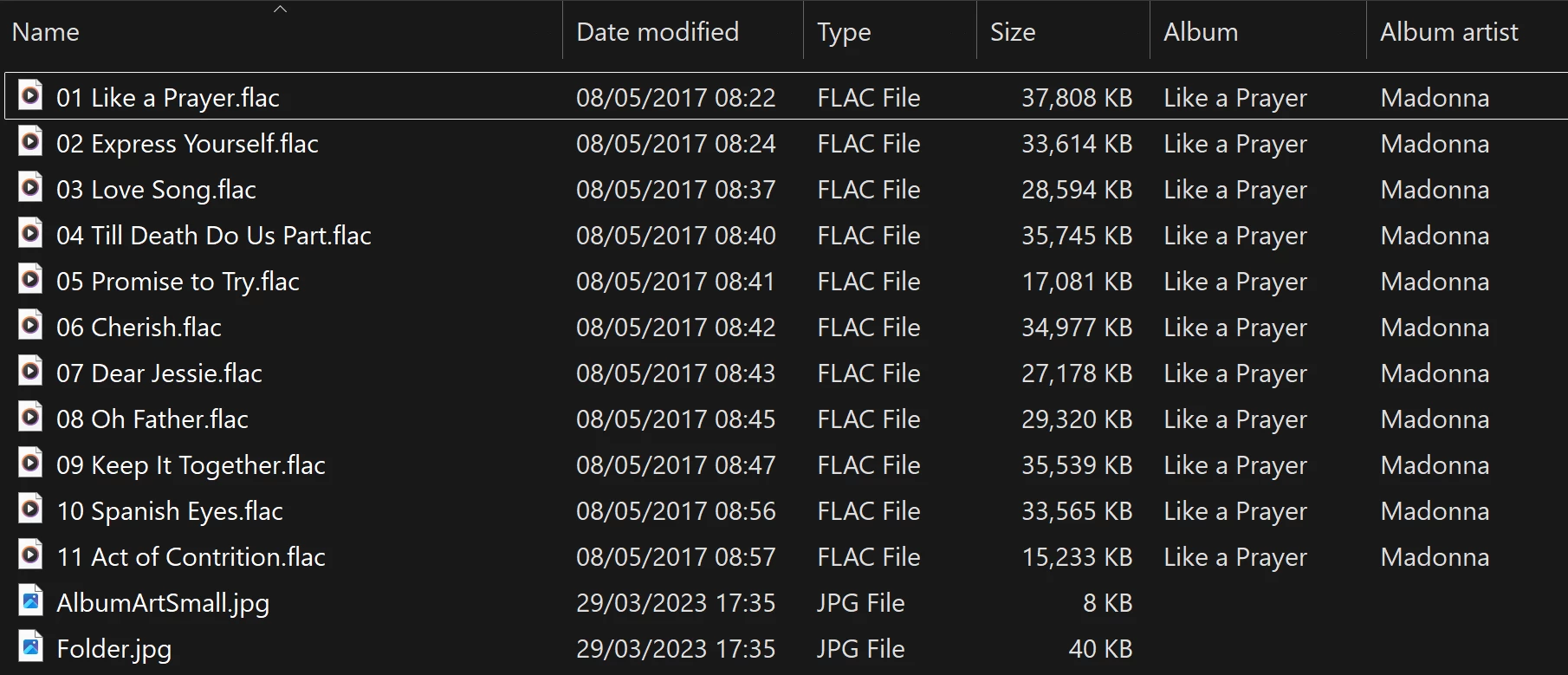
View into the folder for album

Doing a re-scan of the library does not fix the issue. But I have found that by adding a new album to my library fixes the issue after a re-scan. However I have noticed that adding a new album can correct one problem but then suddenly another suddenly is inflicted with the same issue.

So I am very confused as why adding one album can suddenly cause this issue with other completely unrelated albums. Sorry to have rambled on.

Any thoughts anyone? 

Anthony

141 replies

Trending Lyricist I
January 13, 2026

So.... Another wrinkle in this now. I have multiple listings for the same artist, with a full album listing for each entry. Ideas if this is related?


Anthony_6Author
Collaborator II
January 14, 2026

I’ve looked at my library under the Artist list. Thankfully I don’t see that issue. Unless someone else has a solution I would contact Sonos support and flag it to them, maybe they’ll have an answer.

Anthony
Contributor I
January 16, 2026

Has anyone noticed if there was actually a fix implemented for this?  My Music Library has been an absolute mess since the great disaster of a new app that Sonos created … The Library → Albums is showing many duplicates of the same folder name, only a few album covers here and there, and so on.  Reliable playback from my music library is still a problem too.

Enthusiast II
January 22, 2026

So.... Another wrinkle in this now. I have multiple listings for the same artist, with a full album listing for each entry. Ideas if this is related?


Ha - not surprised. I just eyeballed my list and don’t see that. But thanks for the heads up… ;)

Enthusiast II
January 27, 2026

This issue is not fixed in the new update.

Trending Lyricist I
January 27, 2026


Trending Lyricist I
January 27, 2026

This issue is not fixed in the new update.

Nope. Just checked and posted more annoying entries...

Enthusiast II
January 27, 2026

This issue is not fixed in the new update.

Nope. Just checked and posted more annoying entries...


Very weird.  Curious: Is the Contributing Artist populated for each track?  Is it consistent from track to track?  Is the Album Artist included as a Contributing Artist?

I had one ‘duplicate’ album where the Contributing Artist = Album Artist for most tracks, but two tracks had different Contributing Artists without inclusion of the Album Artist. I added the Album Artist as a Contributing Artist on those tracks, and the duplicates went away.

But that was just one case - I still have lots of duplicates where Contributing Artist = Album Artist with nothing else specified.

duplicate album entry
windows explorer tags
Right-click Properties with all tracks selected

Multiple values for Title and # as expected, but not for Album and Album Artist.

Trending Lyricist I
January 27, 2026

This issue is not fixed in the new update.

Nope. Just checked and posted more annoying entries...


Very weird.  Curious: Is the Contributing Artist populated for each track?  Is it consistent from track to track?  Is the Album Artist included as a Contributing Artist?

I had one ‘duplicate’ album where the Contributing Artist = Album Artist for most tracks, but two tracks had different Contributing Artists without inclusion of the Album Artist. I added the Album Artist as a Contributing Artist on those tracks, and the duplicates went away.

But that was just one case - I still have lots of duplicates where Contributing Artist = Album Artist with nothing else specified.

duplicate album entry
windows explorer tags
Right-click Properties with all tracks selected

Multiple values for Title and # as expected, but not for Album and Album Artist.

I can double check but I am pretty sure that nothing has contributing artist differently. Album artist and artist are the same as well, when they are supposed to be. 

Prodigy III
January 27, 2026

Just to add to the weirdness, different speaker types produce different results, as does it seems whether or not you use an SMB name or IP address when adding your network shares…