
Collaborator II
October 13, 2025

Albums have suddenly started to behave strangely.

  • October 13, 2025
  • 141 replies
  • 3287 views

Hello all, I hope someone can help me.

I noticed the other day that a few albums in my library had suddenly split into multiple albums. At first I thought there may have been an update that had changed the way certain albums were tagged. I did some rudimentary checks on the album tags (I use Tag & Rename) but couldn't see any issues. However on further examination I noticed that the multiple of the albums had the same track in them see images below.

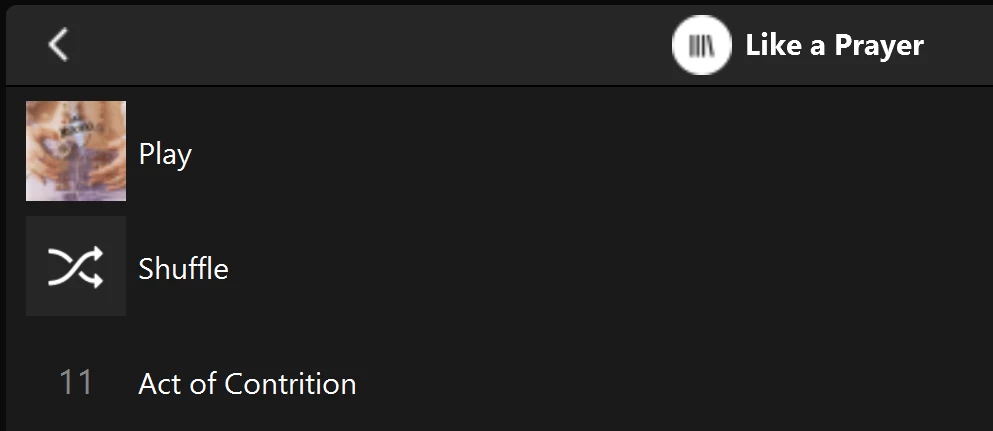
Multiple of one album.
Only one track (The same track) showing in both albums

You can see that a look into the folder for this album shows 11 tracks. 
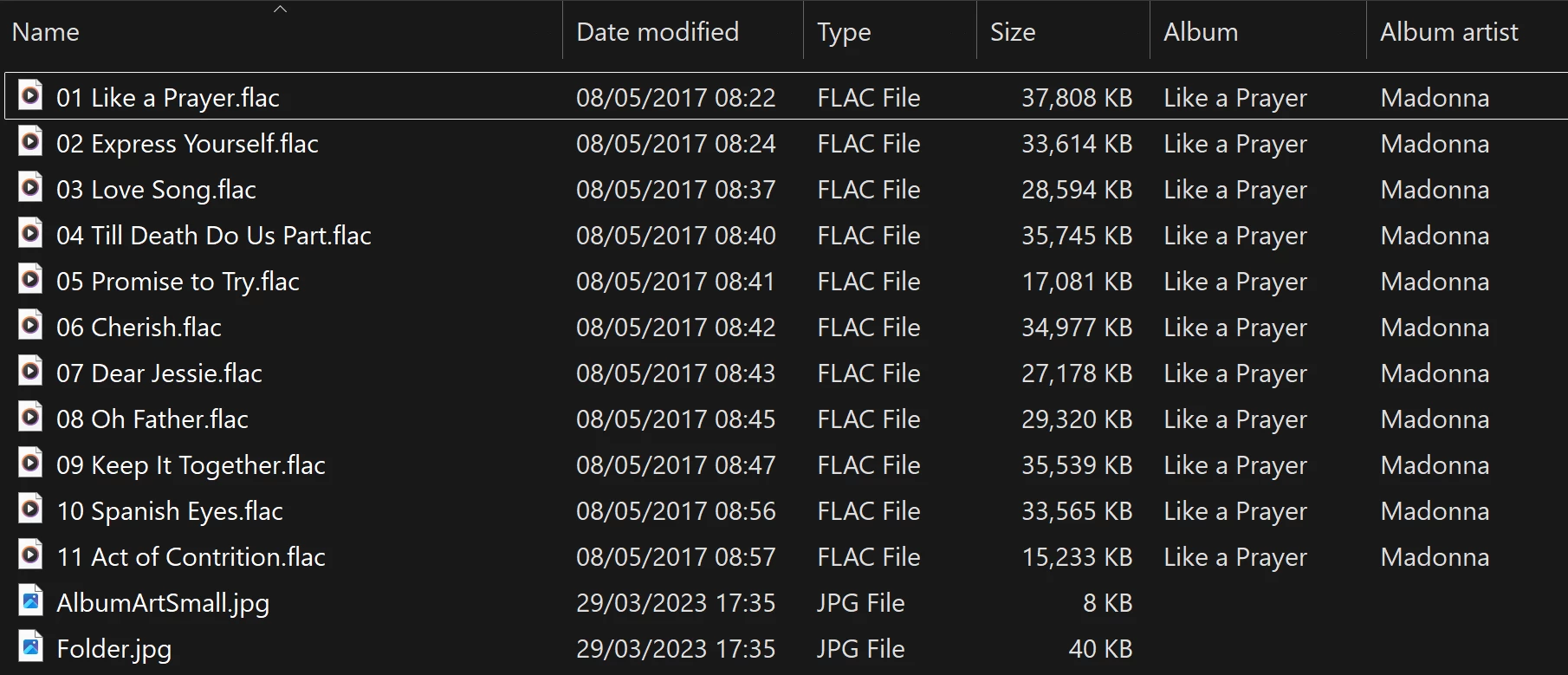
View into the folder for album

Doing a re-scan of the library does not fix the issue. But I have found that by adding a new album to my library fixes the issue after a re-scan. However I have noticed that adding a new album can correct one problem but then suddenly another suddenly is inflicted with the same issue.
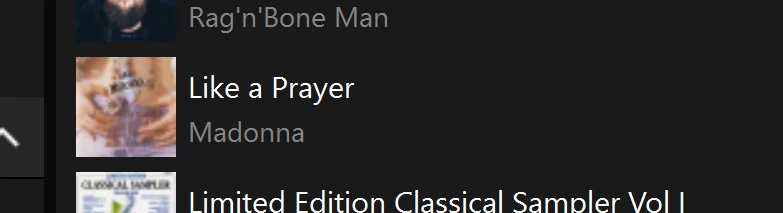
So I am very confused as why adding one album can suddenly cause this issue with other completely unrelated albums. Sorry to have rambled on.

Any thoughts anyone? 

Anthony

141 replies

CronoCX
Enthusiast II
October 21, 2025

Ugh. Boooooo. 

Anthony_6Author
Collaborator II
October 22, 2025

I think that the issue with the random splitting of albums is not an app issue. I suspect that it is more likely a software change in the devices (players etc.). I’m no expert but if I look at my server that stores all of the albums there are no problems, all albums are complete with all their tracks. It’s only when viewed on a Sonos app that the error appears. It would be interesting to see if someone using a third party app such as SonoPhone or SonoPad is seeing the same issues.

I really can’t see it being an issue with the metadata in the albums, I say that because the error can be random, one minute it’s fine, then a folder rename corrects a previously split album, but then causes a completely unrelated album to split. Also the fact the split albums contain only one track and it’s the same one track in each split. If it was metadata, then the error would be consistent across all albums, I.e. it would always be the same albums affected, but it isn’t.

As I understand it the devices hold information about the library not the app, the app simply reads information from the connected devices. That’s why I believe we should get more excited by a device update than a app update.

That’s just my thoughts, I not a Sonos engineer, it’s just based on some reading about how Sonos works, I stand to be corrected.

Anthony
Lyricist III
October 22, 2025

Came here to say I have the same problem.

I *really* wanted to play one album in full and so tried changing the tags for the artist, album name and more several times and then updating the library and nothing happened… until randomly it worked. 

Needless to say it is disappointing to find some of my music has vanished in Sonos when I can see it sitting there unchanged in my library and this applies to many albums.

After the failed app update in 2024 this is more frustration.

Anthony_6Author
Collaborator II
October 22, 2025

Came here to say I have the same problem.

I *really* wanted to play one album in full and so tried changing the tags for the artist, album name and more several times and then updating the library and nothing happened… until randomly it worked. 

Needless to say it is disappointing to find some of my music has vanished in Sonos when I can see it sitting there unchanged in my library and this applies to many albums.

After the failed app update in 2024 this is more frustration.

I understand your frustration. You can still play an album that exhibits the problem. Go to your music library and select Folders, then you can look for your album in its folder there. You will find it all intact, and you will be able to play it. It’s not the best way but it works until hopefully Sonos sort this.

I wouldn’t play around with your metadata. You might make things worse. I hope that helps.

Anthony
Contributor I
October 25, 2025

I ran into this exact same issue… I have duplicate entries of certain albums, each duplicate has the same single track.  Other tracks on that album are not accessible in the controller.  Different controllers behave the same.  I did some troubleshooting of my own, rebuilt the problem albums, and those albums showed correctly, but the problem moved to a different set of albums.  I came to the conclusion that this must be a Sonos bug and found this thread.  Hoping that Sonos takes this seriously and comes up with a fix.

CronoCX
Enthusiast II
October 28, 2025

I think that the issue with the random splitting of albums is not an app issue. I suspect that it is more likely a software change in the devices (players etc.). I’m no expert but if I look at my server that stores all of the albums there are no problems, all albums are complete with all their tracks. It’s only when viewed on a Sonos app that the error appears. It would be interesting to see if someone using a third party app such as SonoPhone or SonoPad is seeing the same issues.

I really can’t see it being an issue with the metadata in the albums, I say that because the error can be random, one minute it’s fine, then a folder rename corrects a previously split album, but then causes a completely unrelated album to split. Also the fact the split albums contain only one track and it’s the same one track in each split. If it was metadata, then the error would be consistent across all albums, I.e. it would always be the same albums affected, but it isn’t.

As I understand it the devices hold information about the library not the app, the app simply reads information from the connected devices. That’s why I believe we should get more excited by a device update than a app update.

That’s just my thoughts, I not a Sonos engineer, it’s just based on some reading about how Sonos works, I stand to be corrected.

3rd Party Apps also have issues with it. I use one called Clic and I’ve been in touch with the developer on some of the mechanics of the App, I’ll ask him where it goes to get Local Music Library data. In the meantime, here’s what I see across Sonos’ Apps, Clic, and Music for macOS:


Sonos Controller App on macOS, Album View, Controller Version: 17.2


Sonos Controller App on macOS, Track View, Controller Version: 17.2


Sonos on iOS, Album View, App Version: 80.31.8


Clic, Album View, App Version: 2025.17 (TestFlight Build)


Clic, Track View, App Version: 2025.17 (TestFlight Build)


Music.App, Album View, App Version: 1.5.6.11


Music.App, Track View, App Version: 1.5.6.11


Music.App, Metadata View, App Version: 1.5.6.11

--Brian

Stanley_4
Grand Maestro
October 28, 2025

Music Library data is stored on the Sonos speakers, a copy on each one.

Not sure if that data is synchronized as it is indexed or once the device doing the indexing has finished.

There has been past discussion of older, slower devices passing the index-request to a more capable device. Not really sure how that looks from inside the system but as a user I can't see anything.

CronoCX
Enthusiast II
October 31, 2025

According to the developer of Clic, that App uses the same data the Sonos App uses. So it makes sense that the issue would be seen in 3rd Party Apps.

--Brian

Anthony_6Author
Collaborator II
October 31, 2025

I’ve heard absolutely nothing from Sonos despite them saying they would be in contact (17 days ago). Let's hope at least its been passed to someone that might be able to fix the issue.

Anthony
CronoCX
Enthusiast II
November 4, 2025

It’s on my To Do list to call them too and get a Ticket generated for it. Looks like the new App and Firmware today did not fix it.

--Brian