
Collaborator II
October 13, 2025

Albums have suddenly started to behave strangely.

  • October 13, 2025
  • 141 replies
  • 3287 views

Hello all, I hope someone can help me.

I noticed the other day that a few albums in my library had suddenly split into multiple albums. At first I thought there may have been an update that had changed the way certain albums were tagged. I did some rudimentary checks on the album tags (I use Tag & Rename) but couldn't see any issues. However on further examination I noticed that the multiple of the albums had the same track in them see images below.

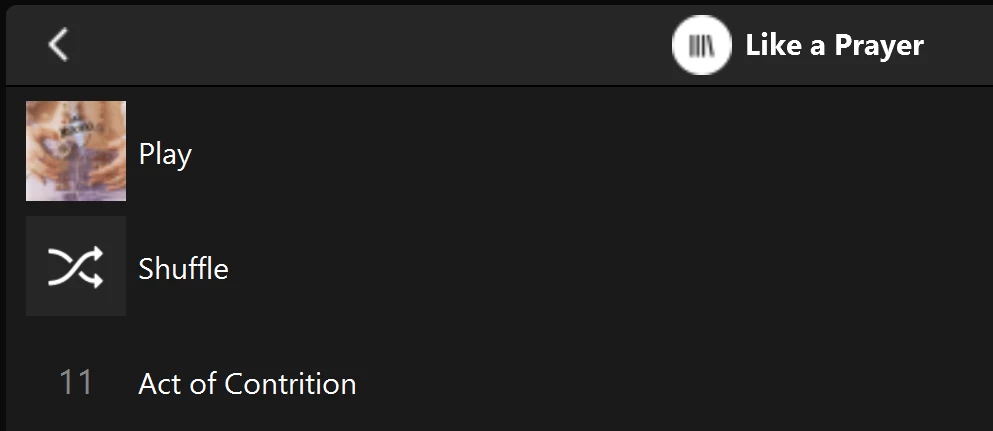
Multiple of one album.
Only one track (The same track) showing in both albums

You can see that a look into the folder for this album shows 11 tracks. 
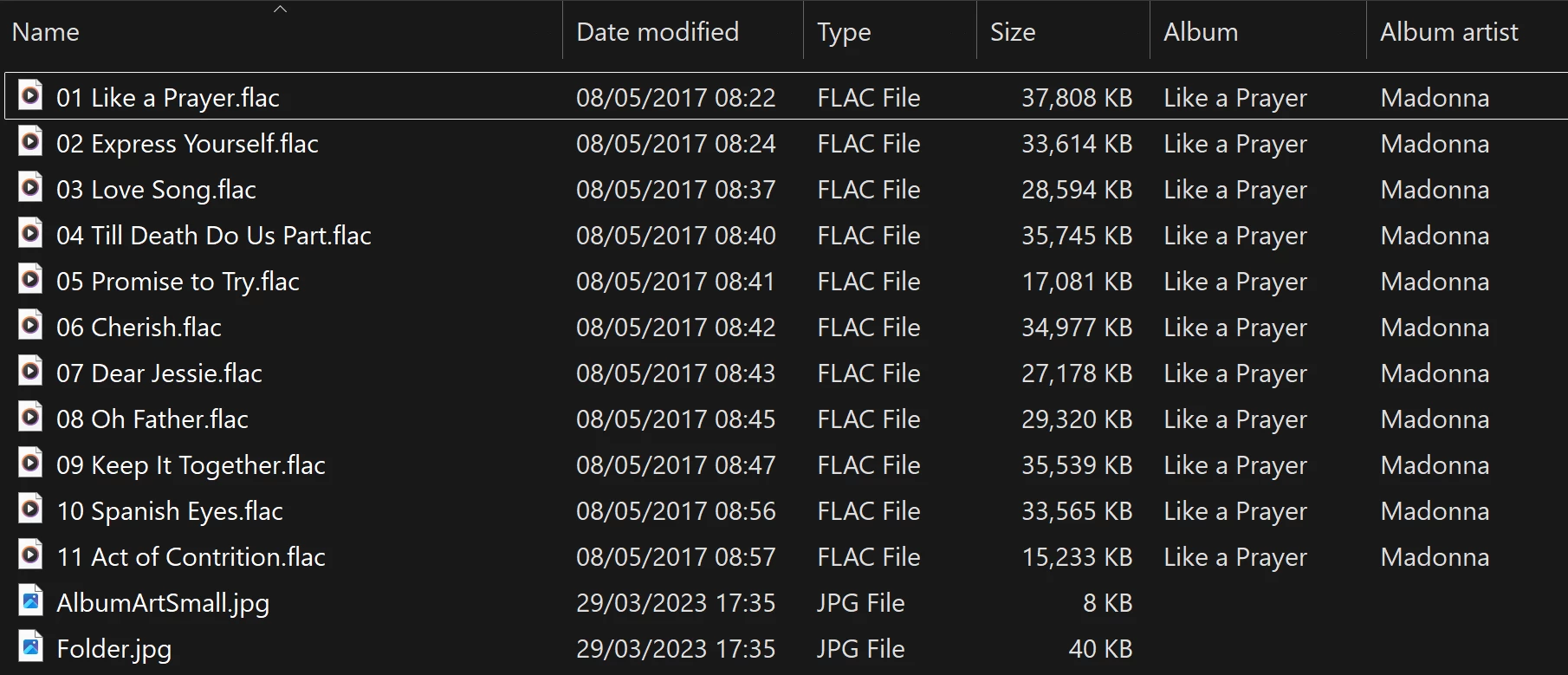
View into the folder for album

Doing a re-scan of the library does not fix the issue. But I have found that by adding a new album to my library fixes the issue after a re-scan. However I have noticed that adding a new album can correct one problem but then suddenly another suddenly is inflicted with the same issue.
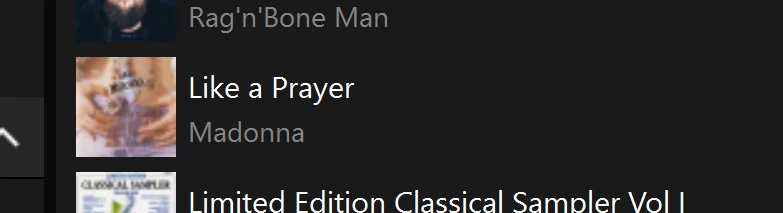
So I am very confused as why adding one album can suddenly cause this issue with other completely unrelated albums. Sorry to have rambled on.

Any thoughts anyone? 

Anthony

141 replies

rosswells127
Prodigy I
October 16, 2025

I have also noticed some duplicate albums that were not there a week ago.
Also a single duplicate artist.
I subsequently removed and re-added the albums in question and reindexed and it fixed the issue for me.
I have over 1500 albums so not sure yet if the reindex transferred the problem to other albums.🤔
Ross.

Anthony_6Author
Collaborator II
October 16, 2025

Also on build 91.0.70070. I think you may have gotten lucky. I removed my library and added it back. Still have duplicates. It acts the same. Which albums are duplicated changes when adding an album or renaming a folder.

Yes, I’m inclined to agree with you. I did notice that I had library scanning on daily at 23:45. I have disabled daily library scanning. I always scanned the library when I added something new or edited something, so why I had set it up to carry out daily scans I can’t remember.

Anthony
Anthony_6Author
Collaborator II
October 16, 2025

I have also noticed some duplicate albums that were not there a week ago.
Also a single duplicate artist.
I subsequently removed and re-added the albums in question and reindexed and it fixed the issue for me.
I have over 1500 albums so not sure yet if the reindex transferred the problem to other albums.🤔
Ross.

Yes, that is an issue, actually going through the library looking for another duplicate. Luckily my library is smaller, about 500 albums. I find the duplicated artwork more readily shows up the duplicates.

Anthony
Enthusiast II
October 17, 2025

I re-instated the daily library scan (02.00 hrs) a month ago after disabling it back in May '24. 

Downloaded an album via Presto Music yesterday and after sorting out tagging etc on PC uploaded to NAS and all was good this morning.

Have noticed the visual appearance is a little different on android as was mooted in release notes, all heading right direction. Still await return of HD/Hi-res banners on Local Library material, and strangely the thumbnails have disappeared on queue view on android... but these are rabbit holes best stepped over...

CronoCX
Enthusiast II
October 21, 2025

Hey all!

Looks like there might be a fix for this with the latest App update which dropped today. I’m not in a position to test it out though. Of course these options are also in the Desktop App Controller and it was not working there either, so yeah, might  

—Brian

bockersjv
Local Superstar
October 21, 2025

Have done the update but can’t see any change. Went to music library and changed the order but as yet see no difference. It is however encouraging that Local library features are being added. Would still like to see bitrate/file type for local music. 

Anthony_6Author
Collaborator II
October 21, 2025

Hey all!

Looks like there might be a fix for this with the latest App update which dropped today. I’m not in a position to test it out though. Of course these options are also in the Desktop App Controller and it was not working there either, so yeah, might  

—Brian

I don’t have that update yet, but I’ll wait with bated breath. Checked on play store and Apple Store, not showing in the UK.

Anthony
bockersjv
Local Superstar
October 21, 2025

Mine updated an hour ago from Apple Store

kdowling
October 21, 2025

Updated here. Re-scanned. No change. Still have the multiple duplicated 1 track albums. I think the change here was just about adding those setting back in the new S2 app. They used to be there in the old S2 app. They were/are still in the desktop controllers. 

Anthony_6Author
Collaborator II
October 21, 2025

Hey all!

Looks like there might be a fix for this with the latest App update which dropped today. I’m not in a position to test it out though. Of course these options are also in the Desktop App Controller and it was not working there either, so yeah, might  

—Brian

I don’t have that update yet, but I’ll wait with bated breath. Checked on play store and Apple Store, not showing in the UK.

Okay, just updated on Apple Store, re scanned library but it made no difference.

Anthony