
Collaborator II
October 13, 2025

Albums have suddenly started to behave strangely.

  • October 13, 2025
  • 141 replies
  • 3287 views

Hello all, I hope someone can help me.

I noticed the other day that a few albums in my library had suddenly split into multiple albums. At first I thought there may have been an update that had changed the way certain albums were tagged. I did some rudimentary checks on the album tags (I use Tag & Rename) but couldn't see any issues. However on further examination I noticed that the multiple of the albums had the same track in them see images below.

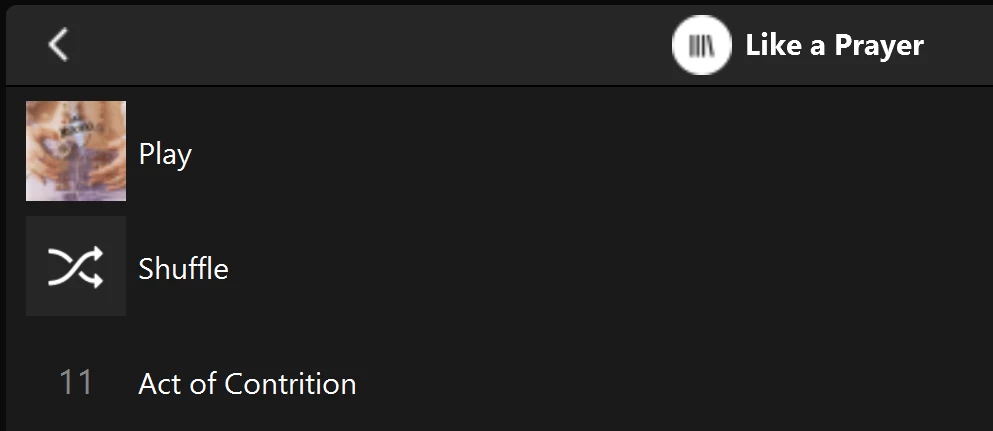
Multiple of one album.
Only one track (The same track) showing in both albums

You can see that a look into the folder for this album shows 11 tracks. 
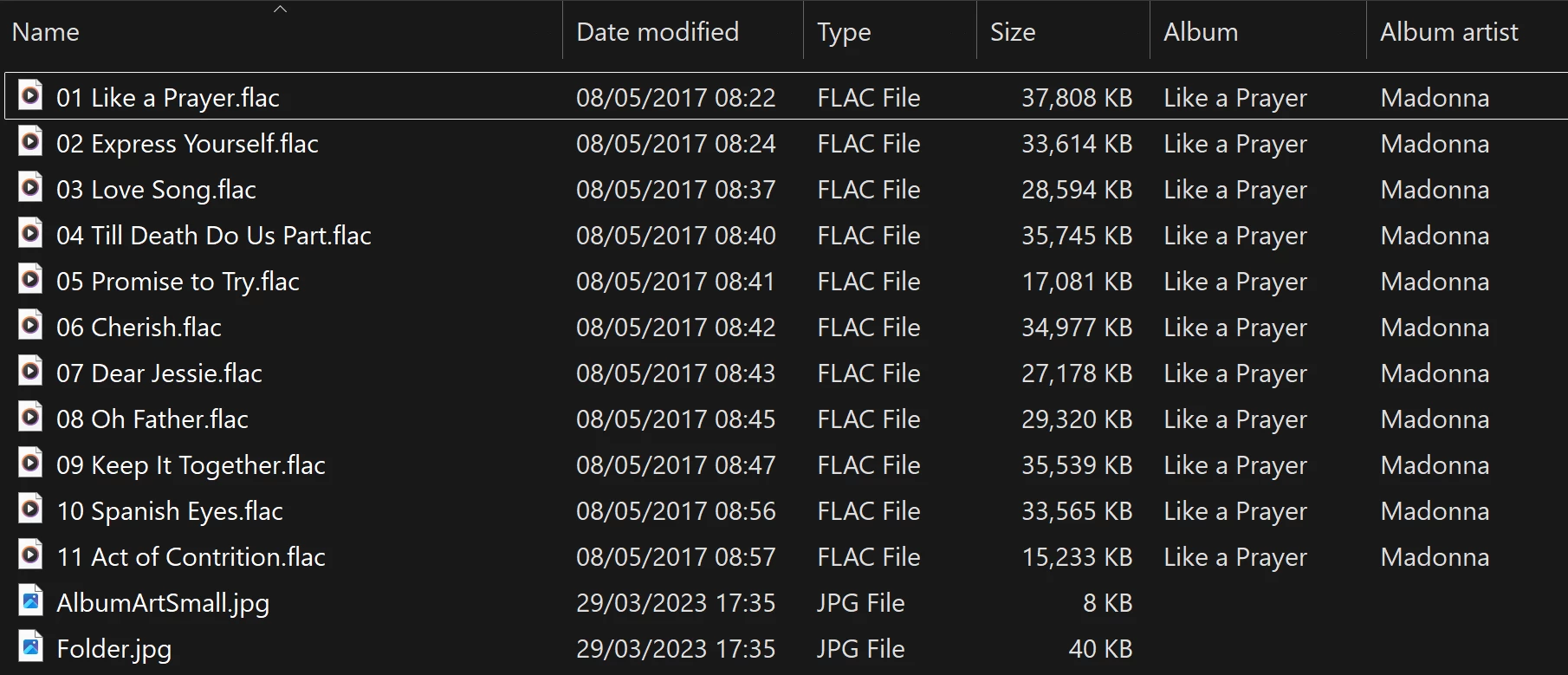
View into the folder for album

Doing a re-scan of the library does not fix the issue. But I have found that by adding a new album to my library fixes the issue after a re-scan. However I have noticed that adding a new album can correct one problem but then suddenly another suddenly is inflicted with the same issue.
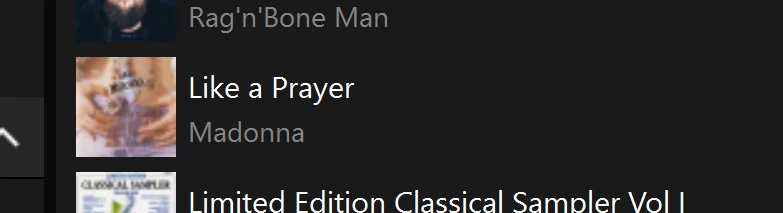
So I am very confused as why adding one album can suddenly cause this issue with other completely unrelated albums. Sorry to have rambled on.

Any thoughts anyone? 

Anthony

141 replies

CronoCX
Enthusiast II
May 12, 2026

Would love to know if you could direct them to other members having this same issue? I finally have a doc ready, but I know trying to get through Tier 1 Support is gonna be painful.
 

I got to level 2 support fairly quickly.  My issue was the imperfect gapless playback when playing Dolby Atmos.  At least now Sonos is aware of the issue.

I don’t have Atmos, but I’ve seen that non Atmos. But I can’t remember when it broke.

I’m slammed with work. Calling Sonos is on my to do list

Enthusiast II
May 12, 2026

Would love to know if you could direct them to other members having this same issue? I finally have a doc ready, but I know trying to get through Tier 1 Support is gonna be painful.
 

I got to level 2 support fairly quickly.  My issue was the imperfect gapless playback when playing Dolby Atmos.  At least now Sonos is aware of the issue.

Not a chance. I will not refer him to specific people. But I did direct him to this discussion thread.


CronoCX
Enthusiast II
May 13, 2026

Would love to know if you could direct them to other members having this same issue? I finally have a doc ready, but I know trying to get through Tier 1 Support is gonna be painful.
 

I got to level 2 support fairly quickly.  My issue was the imperfect gapless playback when playing Dolby Atmos.  At least now Sonos is aware of the issue.

Not a chance. I will not refer him to specific people. But I did direct him to this discussion thread.


  1. I’ll make this an action item for me then.

--Brian

rosswells127
Prodigy I
June 9, 2026

I too have this issue. Trying to resolve it is like playing whack-a-mole.
i.e. Deleting/Adding a corrupt album and reindexing generally fixes the issue for that album but a previously ok album is then corrupted.
In my case it is often (not always) the last track that is shown on the duplicate albums, the rest of the tracks are not shown in either view.


Anthony_6Author
Collaborator II
June 10, 2026

​@rosswells127 

Welcome to the club 😀

Anthony
Enthusiast II
June 14, 2026

I contacted support for an update about this today (after being frustrated again by the problem this afternoon).


The response was:

Thank you for the information! I have checked it, thanks again for reporting this to us, we are still investigating the issue and do not currently have an ETA on when this will be fixed. Make sure to keep your Sonos App up to date, the fix will come through an app update.


8 months. So frustrating. 

User117655
Prodigy II
June 14, 2026

This and other issues... Not sure 'frustrating' covers it... Really it is since May 2024!

🤬

bockersjv
Local Superstar
June 17, 2026

I too have had this issue, intermittently so.  Recent is was multiple of the same album under artist with all of them only showing track 1.  The album was fine in the folders menu.


I have solved this by doing the following process.

  • Change music library to an empty folder.
  • Scan for music
  • Once completed power cycle all you Sonos items
  • Change Music library back to where all your music files are
  • Scan Library
  • Job done


This has sorted all my issues.  I cannot see a trend as to which albums get corrupted.  There is nothing different about them.  I check MP3Tag for any errant characters in any of the text and it’s fine. 

Just seems to be a random database corruption.


John

kdowling
June 17, 2026

I too have had this issue, intermittently so.  Recent is was multiple of the same album under artist with all of them only showing track 1.  The album was fine in the folders menu.


I have solved this by doing the following process.

  • Change music library to an empty folder.
  • Scan for music
  • Once completed power cycle all you Sonos items
  • Change Music library back to where all your music files are
  • Scan Library
  • Job done


This has sorted all my issues.  I cannot see a trend as to which albums get corrupted.  There is nothing different about them.  I check MP3Tag for any errant characters in any of the text and it’s fine. 

Just seems to be a random database corruption.


John

Hi John, I’m glad that worked for you and maybe others too. With this particular problem, all it takes is to change anything in your music library and rescan. The albums that were showing this problem will be no longer. But others, that previously showed fine, will now be displaying this problem. We’ve shown that this is the case, over and over again.

Edit to add: I have done everything you listed, as have others here. But the problem persists. This all started last September and we are still waiting on a fix from Sonos.

bockersjv
Local Superstar
June 17, 2026

Just thought I add what has worked for me.  There is clearly still an issue.  For me it has not returned….yet!  

Not to take the heat off the Sonos dev team.