
Collaborator II
October 13, 2025

Albums have suddenly started to behave strangely.

  • October 13, 2025
  • 141 replies
  • 3287 views

Hello all, I hope someone can help me.

I noticed the other day that a few albums in my library had suddenly split into multiple albums. At first I thought there may have been an update that had changed the way certain albums were tagged. I did some rudimentary checks on the album tags (I use Tag & Rename) but couldn't see any issues. However on further examination I noticed that the multiple of the albums had the same track in them see images below.

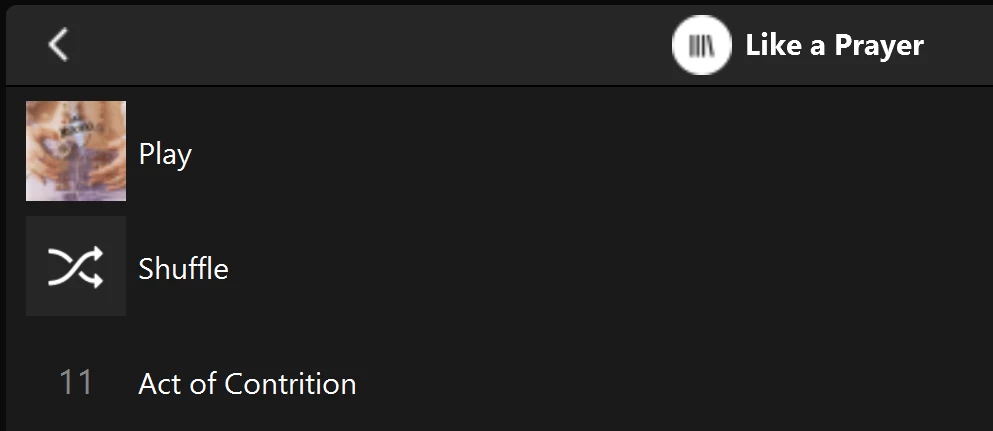
Multiple of one album.
Only one track (The same track) showing in both albums

You can see that a look into the folder for this album shows 11 tracks. 
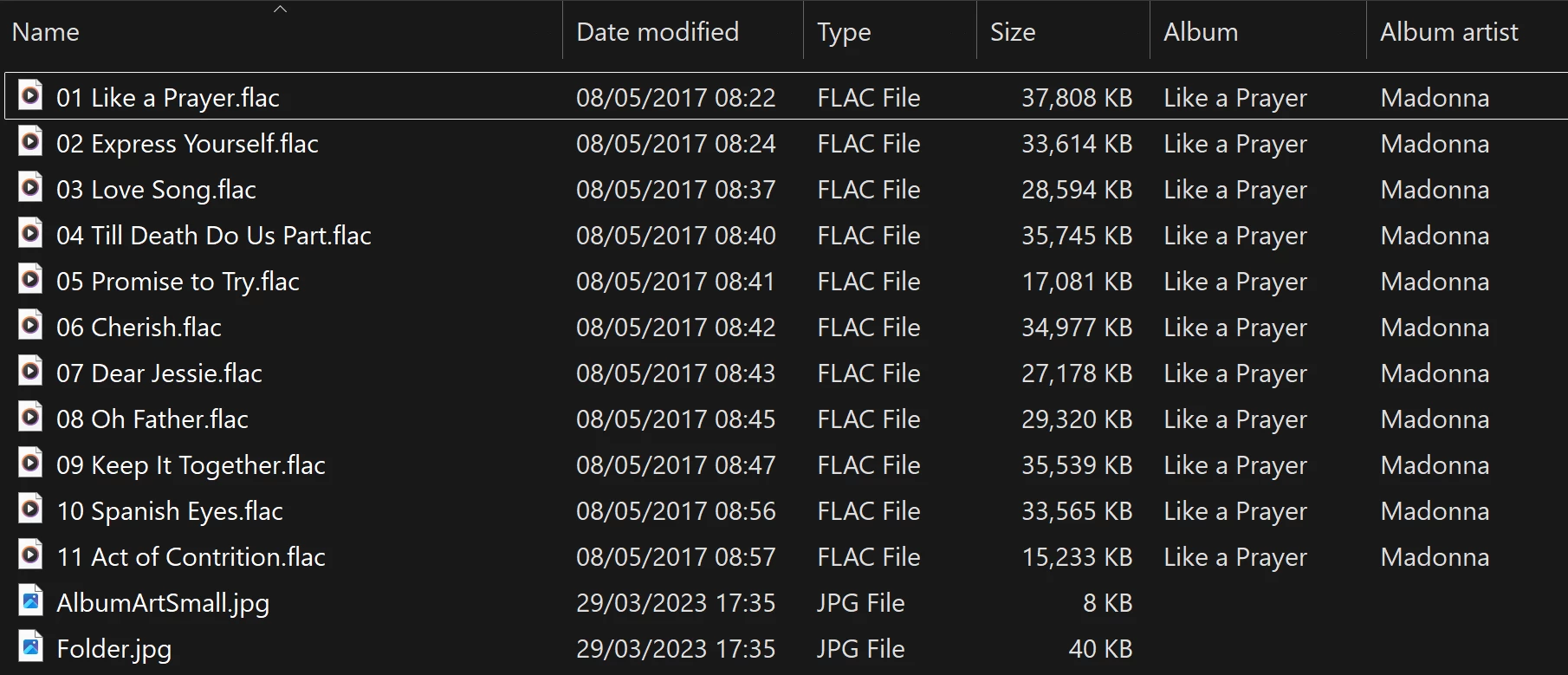
View into the folder for album

Doing a re-scan of the library does not fix the issue. But I have found that by adding a new album to my library fixes the issue after a re-scan. However I have noticed that adding a new album can correct one problem but then suddenly another suddenly is inflicted with the same issue.
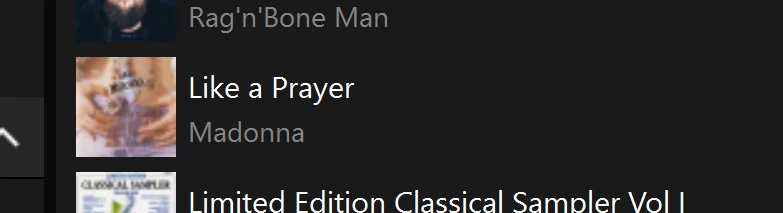
So I am very confused as why adding one album can suddenly cause this issue with other completely unrelated albums. Sorry to have rambled on.

Any thoughts anyone? 

Anthony

141 replies

kdowling
June 17, 2026

Just thought I add what has worked for me.  There is clearly still an issue.  For me it has not returned….yet!  

Not to take the heat off the Sonos dev team.

🤞it doesn’t return for you! I wish that was the case here.

Anthony_6Author
Collaborator II
June 18, 2026

Just thought I add what has worked for me.  There is clearly still an issue.  For me it has not returned….yet!  

Not to take the heat off the Sonos dev team.

🤞it doesn’t return for you! I wish that was the case here.

I was doubtful, but I gave it a try, sadly the problem still continues for me too. ​@bockersjv I’m pleased it worked for you.

And so the game of whack-a-mole continues for me.

Anthony
kdowling
July 21, 2026

I haven’t run Scan For New Content since the last system update, until today. As I was scrolling through the album list, I wasn’t seeing any dups! What!?! I made it all the way to “Different Stages - Live (Disc 2)” and my hopes were dashed. I don’t think I’ve ever made it out of the “A”s before hitting a dup previously. Oh well.

Never mind. Nothing to see here. 🙁

Anthony_6Author
Collaborator II
July 21, 2026

Yes, been there done that.

I got as far as H, Hancock's half hour series one.

Darn it!

Anthony
Anthony_6Author
Collaborator II
July 21, 2026

Actually I've just discovered a strange one, 9 duplicates, I've never had that many. Interestingly one has all its tracks (44), the next one has 5 tracks that did appear in the first one, the next duplicate has all 44 tracks followed by the next one with only 5 tracks the same tracks as the second one and so on. So it actually gets worse. I just give up. Sonos are never going to fix this, they're just not interested.

I should never have done that rescan.

Anthony
kdowling
July 21, 2026

I’ve had that happen too. After the next change and rescan, it will be back to the “regular” random duplicates.

Enthusiast II
July 23, 2026

Actually I've just discovered a strange one, 9 duplicates, I've never had that many. Interestingly one has all its tracks (44), the next one has 5 tracks that did appear in the first one, the next duplicate has all 44 tracks followed by the next one with only 5 tracks the same tracks as the second one and so on. So it actually gets worse. I just give up. Sonos are never going to fix this, they're just not interested.

I should never have done that rescan.


Wow - I don’t know whether that’s funny, sad, or infuriating - a little of each, I suppose, but mostly the latter. In my case I am down to just three sets of duplicates - three albums each, as usual, with each one showing just the same one track - and this is probably the best result I’ve had. But next time, who knows?

Oh, and the one duplicate artist I had is now gone.  Earlier I did have one large ‘album’ of well over 100 tracks that was a random collection of free stuff that I had downloaded from Paste magazine quite a while ago that behaved sorta like yours: it split into three albums with just a single track in one, the tracks before it in another, and then the rest of the tracks in the third.  But when I changed its settings to indicate Compilation that problem went away.

And you’re probably right - it will never be fixed, but I’ll still be checking. If it ever actually does get fixed, I may consider purchasing another SONOS product.  MAY…(but…???)

Cheers!

Anthony_6Author
Collaborator II
July 24, 2026

Actually I've just discovered a strange one, 9 duplicates, I've never had that many. Interestingly one has all its tracks (44), the next one has 5 tracks that did appear in the first one, the next duplicate has all 44 tracks followed by the next one with only 5 tracks the same tracks as the second one and so on. So it actually gets worse. I just give up. Sonos are never going to fix this, they're just not interested.

I should never have done that rescan.


Wow - I don’t know whether that’s funny, sad, or infuriating - a little of each, I suppose, but mostly the latter. In my case I am down to just three sets of duplicates - three albums each, as usual, with each one showing just the same one track - and this is probably the best result I’ve had. But next time, who knows?

Oh, and the one duplicate artist I had is now gone.  Earlier I did have one large ‘album’ of well over 100 tracks that was a random collection of free stuff that I had downloaded from Paste magazine quite a while ago that behaved sorta like yours: it split into three albums with just a single track in one, the tracks before it in another, and then the rest of the tracks in the third.  But when I changed its settings to indicate Compilation that problem went away.

And you’re probably right - it will never be fixed, but I’ll still be checking. If it ever actually does get fixed, I may consider purchasing another SONOS product.  MAY…(but…???)

Cheers!

Funnily enough the album in question is a bit like yours, many tracks of downloaded stuff I’ve got over a long period of time. When I can find some time I might have a play with it to see if I’ve set the compilation tag. Meantime it’s just easier to select music by folder.

Oh, by the way, it’s funny, sad & infuriating all at the same time.

Anthony
Anthony_6Author
Collaborator II
July 26, 2026

​@RogerWF 

Hi, just thought i’d let you know i fixed the problem on my 44 track album that had 9 duplicates. I used MP3Tag to look at the album, the duplicate albums that only had 5 tracks in were all MP3 files whereas the other files are all FLAC. Converting those MP3 file to FLAC fixed the problem. I did notice that the FLAC files had (Compilations) under the album name, whereas the MP3 files had the artist name for that track under it. Changing those MP3 files to FLAC changed them to (Compilations) without any tag editing by me. I do remember reading somewhere that MP3 files have more tag options than FLAC.

A rescan of the library left me with one duplicate, Living Eyes - Bee Gees. I couldn't see any obvious reason for that one being duplicated.

It got me thinking, is it having a mixture of albums with MP3 coding and other albums using FLAC. I’ve always used FLAC for my CD rips but often used MP3 for files that are vocal or are from low quality sources. Afterall what’s the point in using FLAC on a file that is MP3 to start with.

If I get some time i might try removing all MP3 albums / tracks and doing a rescan to see it that stops the duplication issue. Does Sonos only like scanning a library with only one uniform file type?? Nothing would surprise me these days! 

Anthony
MoPac
Headliner III
July 26, 2026

A long time ago I had that problem when there was a mix of codecs.  I only had a couple of albums with a lone MP3 track was in an album with mostly FLAC or WAV.  This was long before I had any Sonos stuff.  It was the Bryston BDP-2 using MPD that showed a couple of duplicate albums.  After converting the MP3 to FLAC all was well.  Maybe that’s why I have never yet found a duplicate album in the Sonos app after Sonos fixed that problem over a year ago.  I also have never used the Compilation tag.