

chicks
June 7, 2021

Sonos Touchscreen Controller

  • June 7, 2021
  • 27 replies
  • 8624 views

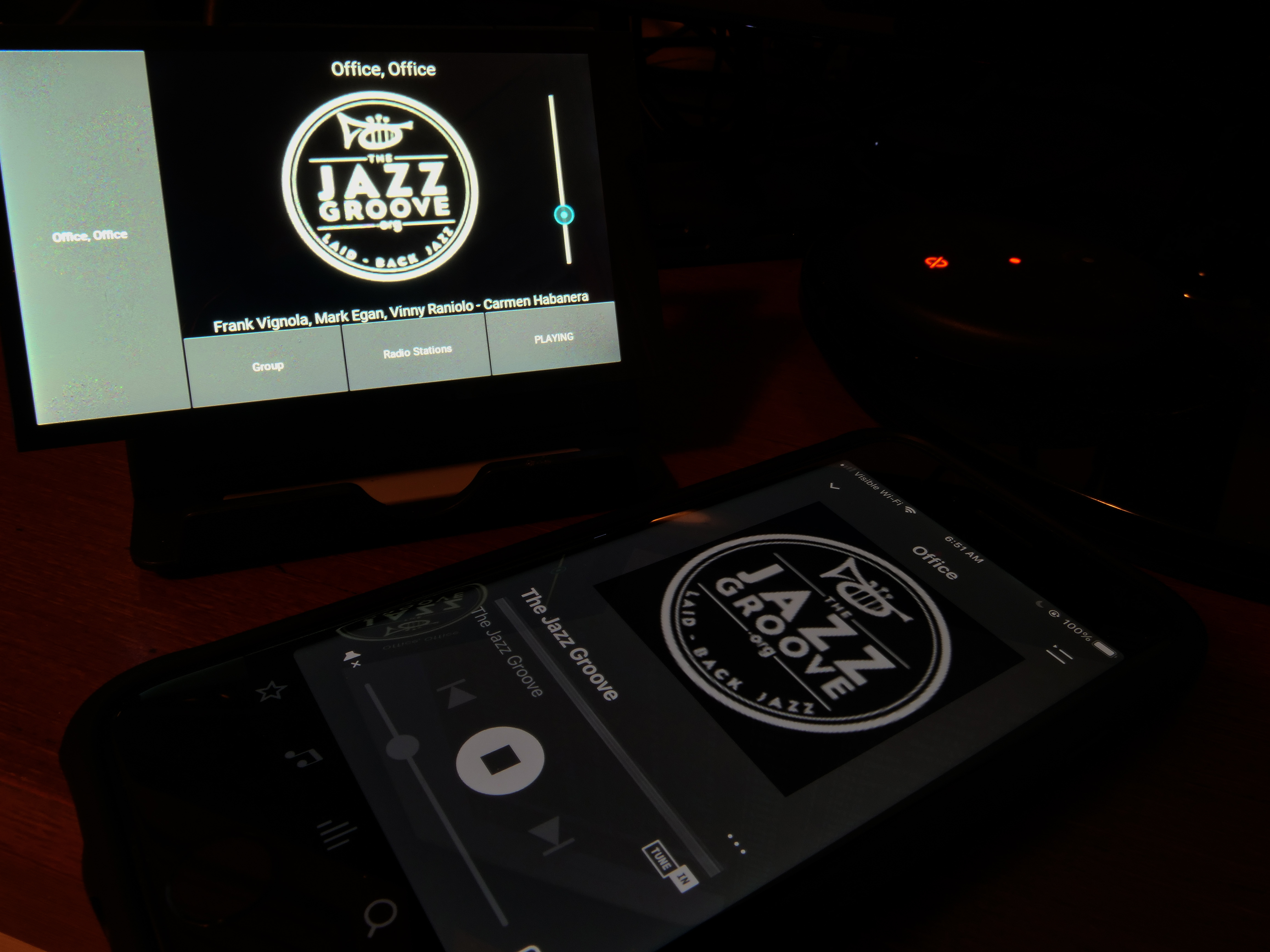
A touchscreen controller for Sonos, using a Hyperpixel 4” touch LCD display and a Raspberry Pi Zero WH.

Using https://github.com/maru-sama/sonoscontroller.  Pi configuration based on http://www.weigu.lu/sb-computer/pitoucon/index.html, with mods for touch rotation.

Provides a full-time desktop display of what’s currently playing, along with basic control.
 

This topic has been closed for further comments. You can use the search bar to find a similar topic, or create a new one by clicking Create Topic at the top of the page.

27 replies

chicks
chicksAuthor
June 16, 2021

You know, that might actually be a better use case.  Everyone has an old HDMI display tucked away.  Total cost would include a $10 Pi Zero W and a couple of cables.  I have no idea how to blank or power down an HDMI monitor in code, but I’m certain it’s possible.  Without a touchscreen, the zone to monitor would need to be set in a config file. 

Anyone here have the know-how to create a distro image?  I’m running Chrome OS, so don’t think I can create one.  It would greatly simplify configuration vs all the downloading and installing of Kivy, etc.

melvimbe
June 16, 2021

You know, that might actually be a better use case.  Everyone has an old HDMI display tucked away.  Total cost would include a $10 Pi Zero W and a couple of cables.  I have no idea how to blank or power down an HDMI monitor in code, but I’m certain it’s possible.  Without a touchscreen, the zone to monitor would need to be set in a config file. 


Can it work in reverse?  By that I mean that the Pi would get power from the TVs USB port, and thus would turn on whenever the TV is turned on. Not sure if Pi device boot up fast enough or will be damaged if they are consistently powered on/off.  I personally wouldn’t want the TV to turn on whenever I’m playing music in the space, but I would like to be able to turn on the TV, set to the right HDMI input, and go from there.

And while I’m dreaming, it would be very cool if the device could also be a passthrough for HDMI-ARC/eARC.  In that way, it can sit in between your Beam/Amp/Arc and the TV, and instead of showing a useless screensaver image, you can an image of what’s currently playing.  I doubt that’s a real possibility for a DIY project, but I might see if HD Fury is interested. Honestly, I can see myself paying up to around $100 for such a device, and would probably get multiple of them.

II can see this being rather useful for me personal.  I often want to know what’s currently playing without going to my phone and pulling up the Sonos app.  Having the TV on and playing to the right input would be so easy.  I’ve thought about seeing if I can do this with Amazon music through a fireTV and amazon music app, but doubt I could get that to work.  Besides, no way it could be as easy to use, and it would be limited to Amazon music only.


Danny
Local Superstar
June 16, 2021

Very interesting project.

Something like this would be great for the O2 Joggler devices... 

It's the courageous bee's knees - all 6 🐝🐝🐝🐝🐝🐝. - - - - - Make Sonos Great Again - - - - -
chicks
chicksAuthor
June 17, 2021

So, with the little DSI LCD displays, Kivy updates the album cover images lickety-split.  Never an album cover that doesn’t load.  With an HDMI display attached, at least on the rather slow Pi Zero, only about one in ten album covers gets displayed, before Kivy appears to just give up.  May work with a multi-core processor like on the Pi 3 or 4, but not on the Zero.  I’m sticking with developing for the small screens for now.  It’s what Kivy’s meant for, after all.

chicks
chicksAuthor
July 17, 2021

SImplified this a good deal, dumped Kivy, now draws directly to the Pi’s framebuffer.  Published the Python code on github.

https://github.com/retired-guy/Sonos-Remote


chicks
chicksAuthor
July 21, 2021

Without the Kivy framework, this works nicely on a 24” HDMI monitor.  I’ll publish the modified app to GitHub after a few days’ testing. No touchscreen this way, obviously. 


bockersjv
Local Superstar
July 22, 2021

Chicks, many thanks for sharing this. It’s will make for my 3rd pi project.  
Those pi’s are breeding like my Sonos system has!


Did the removal of Kivy help with the reliability of Album art display?

melvimbe
July 22, 2021

Thanks for doing all this work @chicks!  Will your code work on a windows machine as well as Pi? My knowledge around this stuff is pretty poor, but I seem to have heard that python will run on windows.

Danny
chicks
chicksAuthor
July 22, 2021

Chicks, many thanks for sharing this. It’s will make for my 3rd pi project.  
Those pi’s are breeding like my Sonos system has!


Did the removal of Kivy help with the reliability of Album art display?

Yes, it’s 100% reliable now.  Not sure whether Kivy or the SDL2 layer was causing the issue, but both are eliminated now, greatly simplifying the build process.

chicks
chicksAuthor
July 22, 2021

Thanks for doing all this work @chicks!  Will your code work on a windows machine as well as Pi? My knowledge around this stuff is pretty poor, but I seem to have heard that python will run on windows.

No, this is written for the Pi, specifically for the $10 Pi Zero W.

Will also require an HDMI adapter cable and a Micro SD card.