

chicks
June 7, 2021

Sonos Touchscreen Controller

  • June 7, 2021
  • 27 replies
  • 8624 views

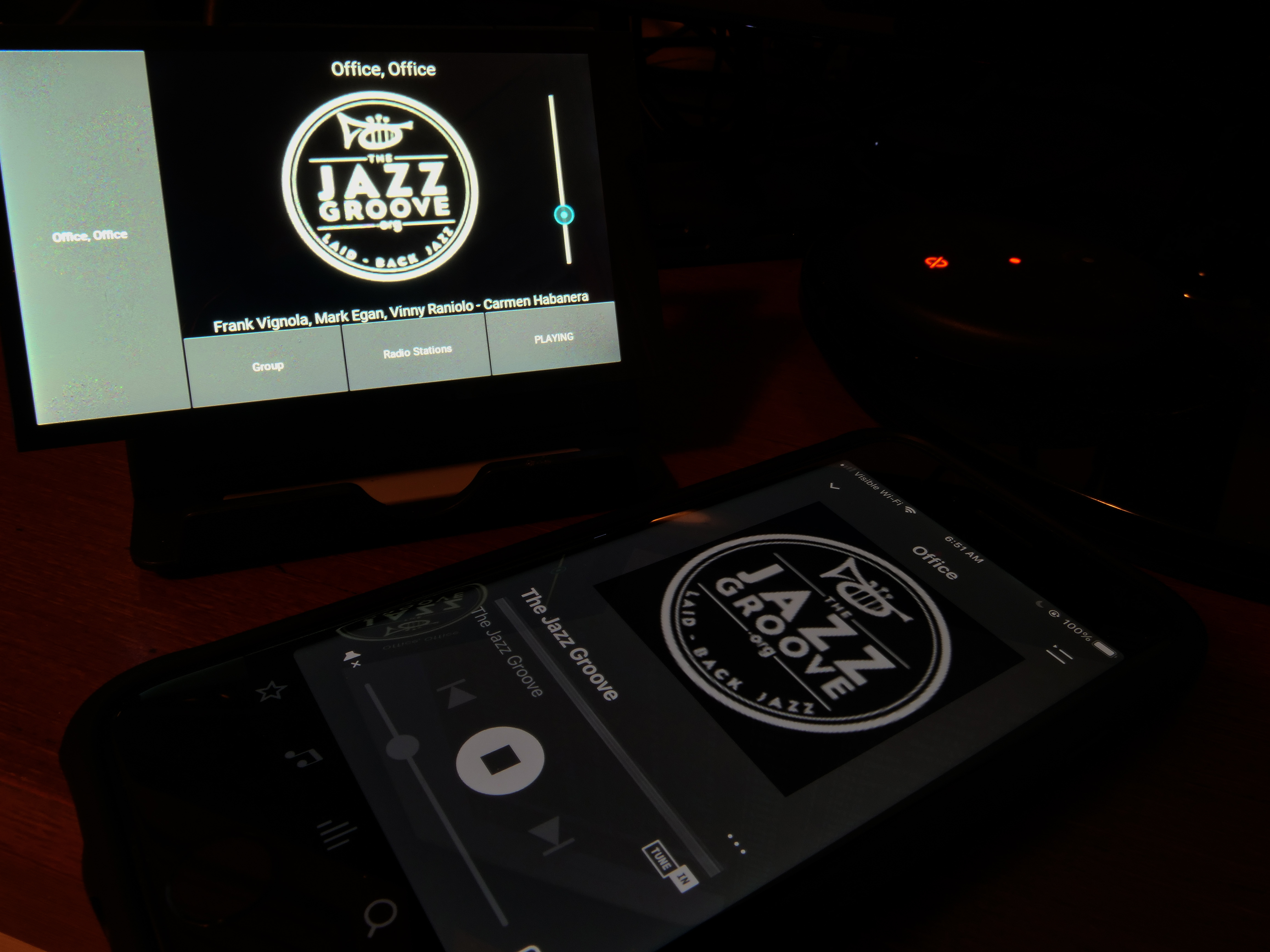
A touchscreen controller for Sonos, using a Hyperpixel 4” touch LCD display and a Raspberry Pi Zero WH.

Using https://github.com/maru-sama/sonoscontroller.  Pi configuration based on http://www.weigu.lu/sb-computer/pitoucon/index.html, with mods for touch rotation.

Provides a full-time desktop display of what’s currently playing, along with basic control.
 

This topic has been closed for further comments. You can use the search bar to find a similar topic, or create a new one by clicking Create Topic at the top of the page.

27 replies

chicks
chicksAuthor
June 7, 2021

It’s quite basic compared to Jivelite on piCorePlayer, but it’s written in Python with Kivy, using the Soco lib ( @pwt ), so should be fairly straightforward to improve, should someone want to spend time doing so. I have pretty much switched to LMS with the Material Skin and this Jivelite display, a FAR better experience overall than the Sonos controller, IMO. 


Corry P
Sonos Staff
June 7, 2021

Hi @chicks 

Thanks for sharing!

"Common sense is the collection of prejudices acquired by age eighteen." - Albert Einstein
chicks
chicksAuthor
June 8, 2021

Mucking around with the Kivy layout results in a much nicer UI. Pigpiod installed allows the screen backlight to be turned off in Python when nothing is playing, auto on when a track starts. It’s becoming useful. 


chicks
chicksAuthor
June 15, 2021

Kivy has a bit of a learning curve, but getting the hang of it.  Greatly improved UI.  

I used to use my CR-100 strictly as a monitor, to see what’s currently playing.  It was a clunky controller compared to the Sonos app (and especially compared to the LMS Material Skin), but it displayed what’s playing after the phone’s screen timed out.  FAR more convenient.  That’s the purpose of this, simply to display what’s playing, never blanking out until nothing is playing.  Automatically starts displaying when music starts playing again.  Simple, inexpensive.  Something Sonos ought to sell, and used to, with the CR-100 and -200.


melvimbe
June 15, 2021

So this isn’t a tablet, just  pi connect to an LCD screen?  Any reason you couldn’t set this with an HDMI input to a TV screen?

Danny
chicks
chicksAuthor
June 15, 2021

Well, a TV screen is WAY bigger than a 4” LCD, wouldn’t fit on my desktop, would consume lots more power, and isn’t touchscreen, so how would you select the speaker, or pause/start, etc?  But, if you can get around those limitations, yes, a Pi can use an HDMI display. 
 

This is a simple, fun, but highly useful project, to me at least.  It fills a niche need that Sonos abandoned.  

chicks
chicksAuthor
June 15, 2021

Size perspective. Sitting on a Sonos Play:1. 


chicks
chicksAuthor
June 15, 2021

As a quick test, switched to HDMI safe mode in the Pi Zero’s config.txt. Yes, it will display on an HDMI monitor. 


bockersjv
Local Superstar
June 16, 2021

I like this.  A bigger touch screen monitor would be great to show off album art

Something like this maybe? :-

15.6 Inch Portable Monitor with Retractable Stand, IPS HDR 1080P External Monitor with Type C/HDMI

Albeit a bit expensive :(


melvimbe
June 16, 2021

Well, a TV screen is WAY bigger than a 4” LCD, wouldn’t fit on my desktop, would consume lots more power, and isn’t touchscreen, so how would you select the speaker, or pause/start, etc?  But, if you can get around those limitations, yes, a Pi can use an HDMI display. 
 

This is a simple, fun, but highly useful project, to me at least.  It fills a niche need that Sonos abandoned.  


My application is a bit different.  Not really looking for a controller. so much just a display of what’s currently playing in the zone the TV sits in.   Control can be done via voice or the sonos app, but it would be nice to just get a visual confirmation of what’s playing.  Ideally, the HDMI port on Amp/Beam/Arc could do this and would work perfectly, that’s not a feature currently, or one that seems to be highly requested.

Danny