
Contributor I
October 5, 2020

Sonos S2 order of artists and blank genre

  • October 5, 2020
  • 32 replies
  • 4314 views

Hi, I’m running Sonos 2 v12.1 on Pixel 4a (though I had this same issue on Pixel 2).

When I browse “On this Mobile Device” my music appears just fine under Albums, Songs, and Playlists. However, there’s no discernible sort order of Artists and my Genres are all empty. I’d appreciate some thoughts on how to resolve these. I’d like Artists in alphabetical order (or for someone to at least tell me what the sort order is) and for Genre to be populated. Thanks so much!
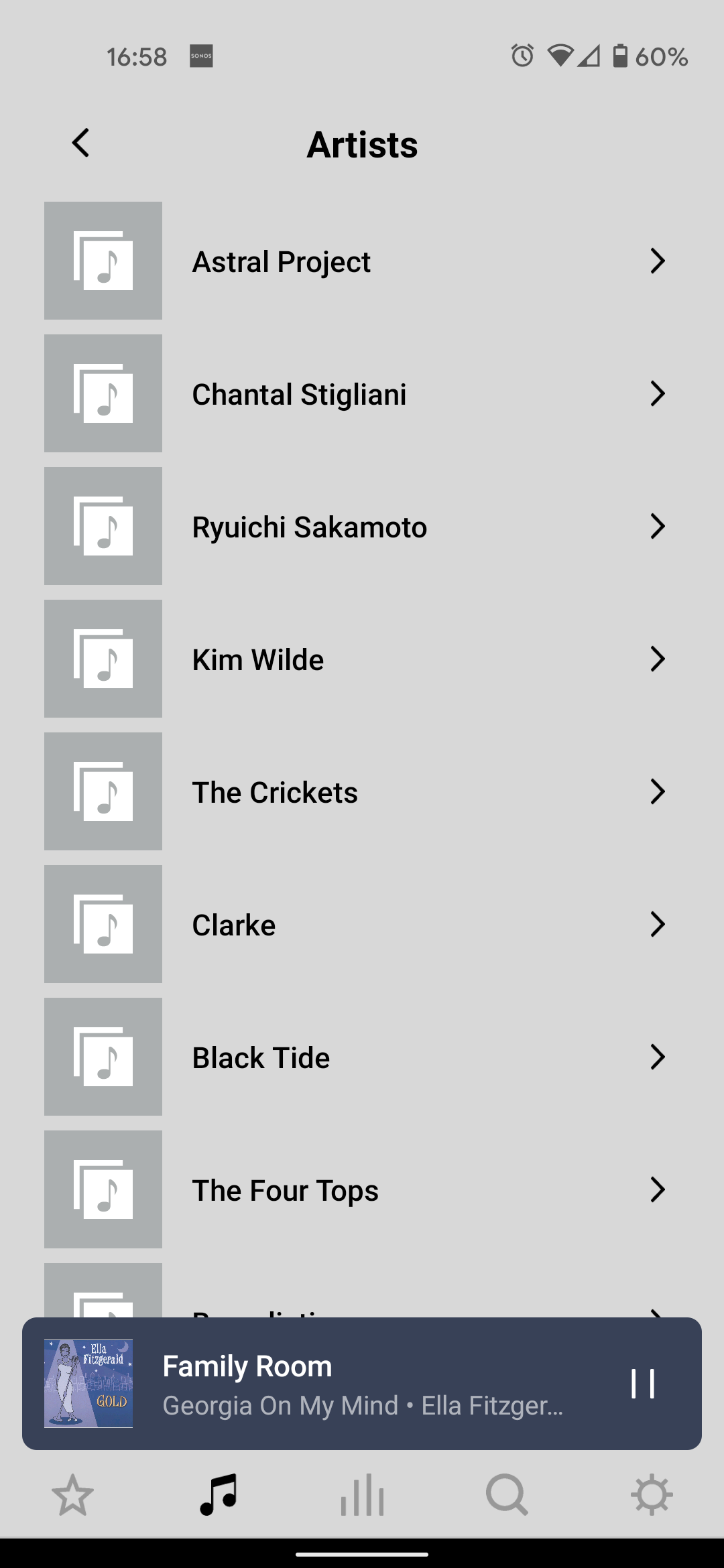
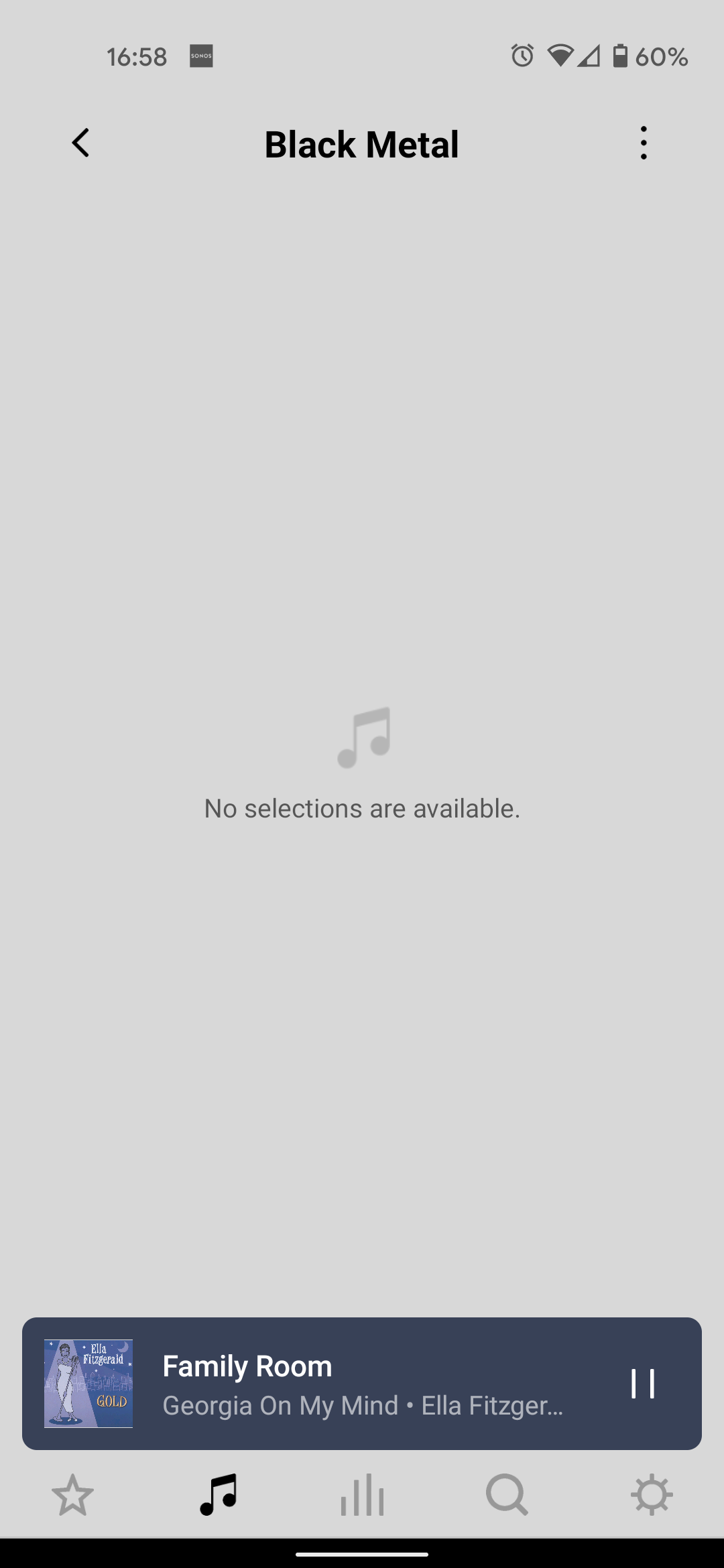
Artists - what order?
eh?


This topic has been closed for further comments. You can use the search bar to find a similar topic, or create a new one by clicking Create Topic at the top of the page.

32 replies

Trending Lyricist I
March 13, 2021

In a way I'm quite happy that others are also having this issue, but at the same time quite amazed it hasn't been addressed as yet. Although I have no real idea, it would seem a relatively easy fix, especially as all the other apps that can play music that I have (MediaMonkey, Amazon Music, YT Music) all show Artists in the correct, alphabetical order.

Whilst I love my Sonos players, the app has never impressed that much to be honest. In addition to the above mentioned artist order and nothing in the genre sections issues. I can also confirm that the player also doesn't always update to show the current song that is playing, still showing the previous song.

And most annoying, if the app isn't open and the phone screen goes off, it stops playing at the end of the song, sometimes comes back on after a few minutes, but otherwise the phone screen has to be turned back on for it to restart. It's as if the app won't work in the background,  I have made sure that this is turned on though. Could be an Android issue of course but there are quite a few issues that could do with being addressed.

Contributor I
March 22, 2021

@thebuff, the cutting off when screen goes blank is very likely an Android issue.  All my music apps were doing that.  Go into settings -> Battery -> Background usage limits -> Sleeping Apps.  Long press on the Sonos app and hit remove.

As for the Artist sorting issue, this is maddening.  It's been reported for months and still not resolved?!  (And it used to work fine in S1 app anyway).

Trending Lyricist I
March 28, 2021

Thanks Gregory, I agree it is probably an Android issue, unfortunately Sonos isn't in my sleeping apps list, it was actually already in the never sleeping apps

March 28, 2021

Whatever the cause of this issue, anything to do with playing tracks stored on a mobile device is probably at the bottom of Sonos’ priorities.  It was the last source to be added to Sonos, and does not sit well with Sonos’ fundamental design, in which the app is a remote control and not a music player.

If you want Artists in alphabetical order, genre information and a Folders view, as well as some other advantages, I would recommend you switch to using the Sonos Music Library, store your tracks on a NAS or on a USB flash drive (if your router has a suitable port) and just use your mobile device as a controller.

Trending Lyricist I
March 29, 2021

Thanks for your reply John - I kind of get that this may be at the bottom of their priorities, but how does all that fit with the Sonos Move and Roam speakers? Are people really streaming everything when they are out and about and not using locally stored files i.e. on their phones?

I know I’m a bit of a dinosaur - I don’t generally use streaming services, much prefer playing local files. I therefore tend to use MediaMonkey and play music from my PC (gave up with the Sonos music library due to the 60k or 65k song limit thing) - this works fine for me during the week, as my PC is always on. But over the weekends I try and not turn my PC on, so playing from my phone has become the norm.

Are there other music player Android apps that can be used do you (or anyone else) know?

Many thanks

Contributor I
May 31, 2021

I'm amazed that this hasn't been addressed. I spent a lot of money on Sonos gear and would expect they would pay more attention to their customer needs.

Lyricist I
June 13, 2021

I too would like to say that this is preposterous. Sonos hardware is nice but the app is a steaming pile of rubbish. 

Lyricist II
September 1, 2021

Another unheard voice in the wilderness here. Been using the S2 app for months on a Motorola phone and always had the locally-stored artist folders listed alphabetically, no problem. Just started using a Pixel 4a like the original poster here, and lo and behold it’s showing in what seems like random order.

Absolutely maddening, but I have zero expectation Sonos will do anything about it since small quality-of-life fixes that would only affect a small portion of their customer base don’t really seem like this company’s main motivation. In short, there’s no money in it, so they’ll never fix it.

For what it’s worth I’m going to attempt to get used to it being in random order. Maybe it’ll help me listen to music a little more randomly, revisit some more obscure albums etc.

Contributor I
September 4, 2021

I also am disappointed with the Sonos app for android. Yes, I am a dinosaur. I store my music on my phone so I can listen at home and on the go. It is difficult to find an artist in my collection without a sorting feature.  

I also am annoyed at Sonos support (and some commenters) that try to tell me that the problem is that I am using my phone rather than some sort of NAS.  If Sonos is only supposed to be an app for controlling speakers, why isn't there support for android apps that are music players?

Trending Lyricist I
October 7, 2021

You can use the MyCloudHome Nas, accept the software for that doesnt support playlists.  Pathetic.   Sonos software is *** its a joke..  The most basic features available in freeware dont make their way to their wonderful new S2 app that required ditching some v expensive hardware. Whoever is respinsible for their software is an abject Moron.   10 months and they cant put tracks in alphabetical order?  Do their developers know the whole alphabet?


*Moderator Note: Modified in accordance with the Community Code of Conduct.*