
rosswells127
Prodigy I
June 8, 2020
Answered

Sonos S2

  • June 8, 2020
  • 180 replies
  • 12434 views

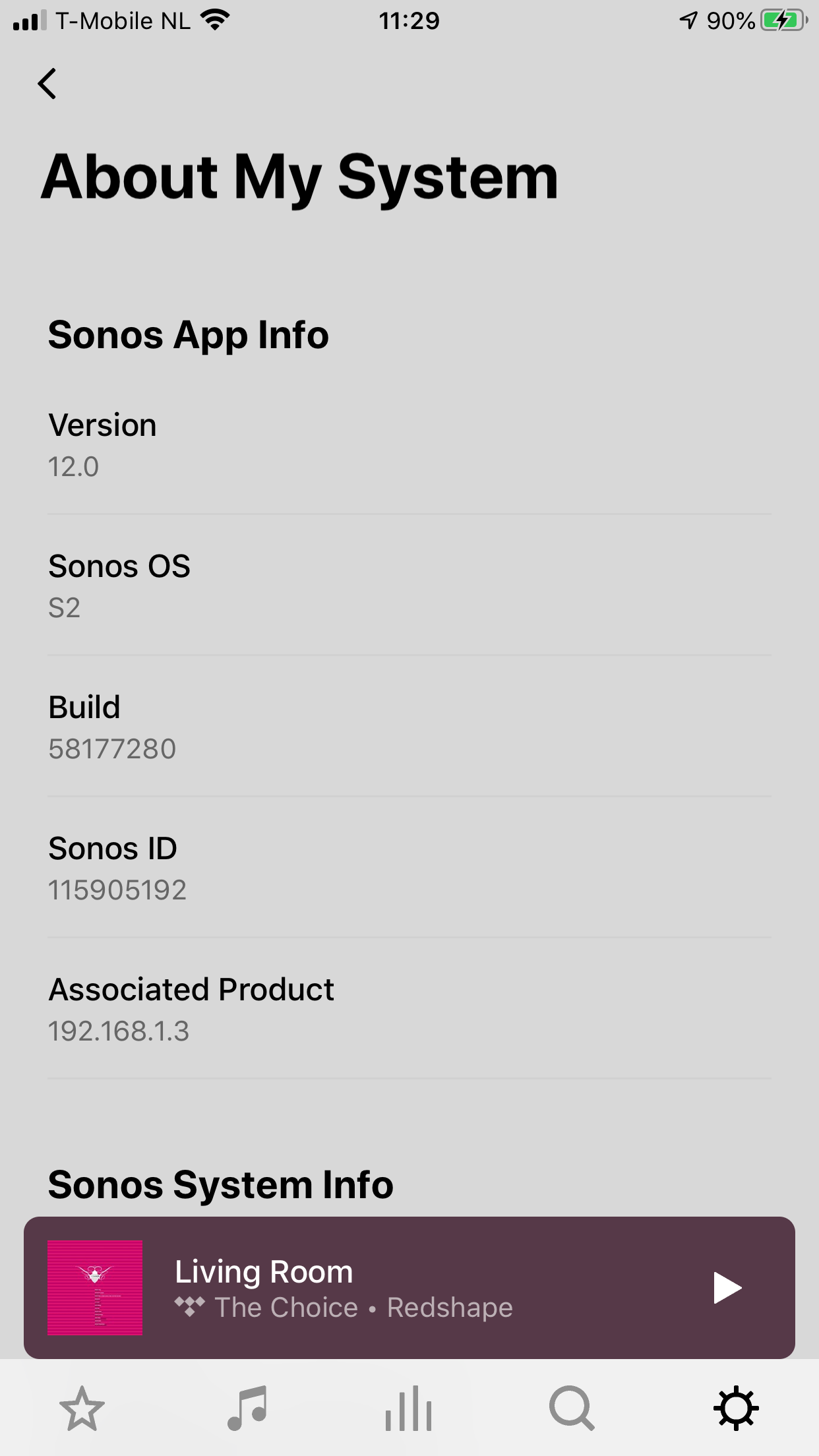
So it is 4pm on the 8th June here and still no Sonos S2 update. Hmmmmm.

    This topic has been closed for further comments. You can use the search bar to find a similar topic, or create a new one by clicking Create Topic at the top of the page.
    Best answer by larsvdberg

    Steps:

    • Update Sonos App to S1 App
    • In the S1 App go to settings → system → update
    • Update the Sonos system
    • Enter S1 again and go to settings → system → (option below, something with S2 App)
    • Download and install S2 App
    • Open S2 App, it states stat you need to update your system (again)
    • Perform system update (unplug your AMP / Active Speakers. I have my Port via COAX connected to my active speakers and it had a nasty glitchy sound during update)
    • This should be it!

    Sonos S2 App link for iOS: https://www.sonos.com/icr2_appstore (I would follow the steps above instead of downloading the S2 App to be sure that the update goes according to the process Sonos has in mind by the way)
     

    180 replies

    rosswells127
    Prodigy I
    June 8, 2020

    Did you already receive your Arc, Sonos Five, or Sub gen 3? Those are the only three devices that require S2 to operate.

    Since it’s only 9PM June 7 in Sonos’ home office, I’m not surprised they haven’t yet released the new software. It would seem odd to drag everyone in to the office on a Sunday evening in order to satisfy users so close to the International Date Line. 

    Odd as it may seem, they obviously dragged someone in because as indicated by others In this thread the Sonos S1 11.2 update has just appeared.

    Contributor I
    June 8, 2020

    Nothing about High Resolution audio to be found in the S2 App by the way for those who were wondering.

    Toffe
    Trending Lyricist I
    June 8, 2020

    works now! :-)

    Regards:Kris
    Lyricist II
    June 8, 2020

    Thanks for this larsvdberg

    Sonos are staying consistent in there ability to be unclear about anything they do or release, who was to know the update was just a re-brand than then required you to seek out an option to find the real update. Maybe MS should do this to prevent people using the latest versions upon release.


    Steps:

    • Update Sonos App to S1 App
    • In the S1 App go to settings → system → update
    • Update the Sonos system
    • Enter S1 again and go to settings → system → (option below, something with S2 App)
    • Download and install S2 App
    • Open S2 App, it states stat you need to update your system (again)
    • Perform system update (unplug your AMP / Active Speakers. I have my Port via COAX connected to my active speakers and it had a nasty glitchy sound during update)
    • This should be it!


    Enthusiast I
    June 8, 2020

    Well that was a bit of a let down. No DD+ on the Beam (yet)

    Avid Contributor I
    June 8, 2020

    In the UK, I followed the instructions in jcway’s post and found the iOS App Store link here:

    https://apps.apple.com/gb/app/sonos/id1488977981

    Just upgrading now.

    rosswells127
    Prodigy I
    June 8, 2020

    Installed and running S2 now. Thx.

    Contributor I
    June 8, 2020

    Anybody has an external DAC digitally connected to his Connect or Port with a display to show the source quality?

    ratty
    June 8, 2020

    Anybody has an external DAC digitally connected to his Connect or Port with a display to show the source quality?

    It wouldn’t be particularly meaningful. ZP80/ZP90/Connect/Port digital output has always been 24-bit.

    Contributor I
    June 8, 2020

    Anybody has an external DAC digitally connected to his Connect or Port with a display to show the source quality?

    It wouldn’t be particularly meaningful. ZP80/ZP90/Connect/Port digital output has always been 24-bit.

    True. So we can only know if anything happened by analyzing the signal, right? I remember some graphs on this forum with not all the bits filled if I’m not mistaken.