
rosswells127
Prodigy I
June 8, 2020
Answered

Sonos S2

  • June 8, 2020
  • 180 replies
  • 12434 views

So it is 4pm on the 8th June here and still no Sonos S2 update. Hmmmmm.

    This topic has been closed for further comments. You can use the search bar to find a similar topic, or create a new one by clicking Create Topic at the top of the page.
    Best answer by larsvdberg

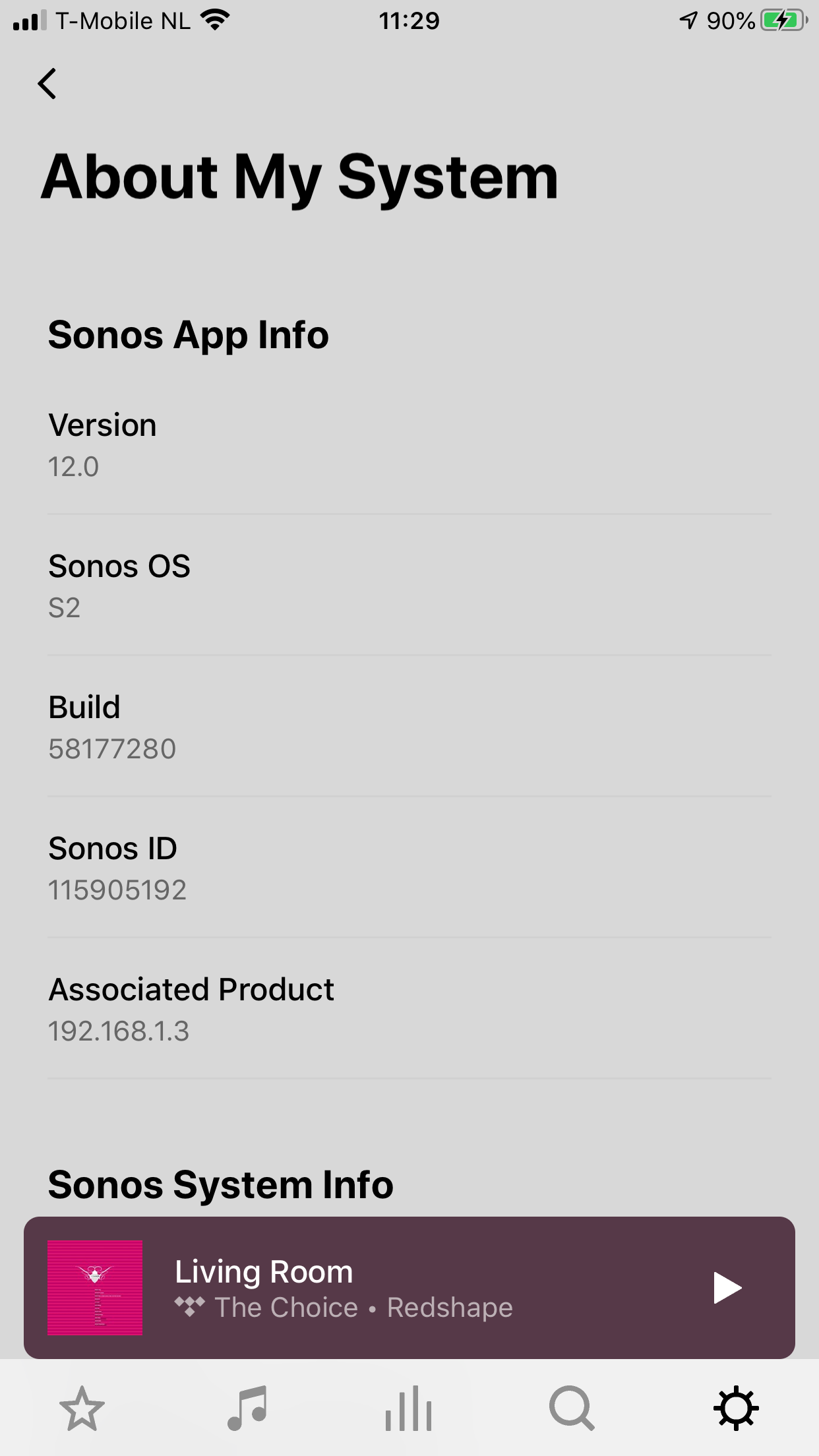
    Steps:

    • Update Sonos App to S1 App
    • In the S1 App go to settings → system → update
    • Update the Sonos system
    • Enter S1 again and go to settings → system → (option below, something with S2 App)
    • Download and install S2 App
    • Open S2 App, it states stat you need to update your system (again)
    • Perform system update (unplug your AMP / Active Speakers. I have my Port via COAX connected to my active speakers and it had a nasty glitchy sound during update)
    • This should be it!

    Sonos S2 App link for iOS: https://www.sonos.com/icr2_appstore (I would follow the steps above instead of downloading the S2 App to be sure that the update goes according to the process Sonos has in mind by the way)
     

    180 replies

    ratty
    June 8, 2020

    Anybody has an external DAC digitally connected to his Connect or Port with a display to show the source quality?

    It wouldn’t be particularly meaningful. ZP80/ZP90/Connect/Port digital output has always been 24-bit.

    True. So we can only know if anything happened by analyzing the signal, right? I remember some graphs on this forum with not all the bits filled if I’m not mistaken. 

    You’d have to capture the digital output in Fixed Volume and examine the lowest byte to see if it’s non-zero when playing a 24-bit source.

    Toffe
    Trending Lyricist I
    June 8, 2020

    Any news on what that exactly changed? Looks the same to me?

    Regards:Kris
    Lyricist I
    June 8, 2020

    Installing S2 with Android (S2 not available yet in Google Play store):

    1. install windows version of S2 software
    2. Upgrade speakers to S2 in with Windows software
    3. Start S1 app on Android
    4. Answer question in Android app that you want to upgrade to S2
    5. S2 version will be installed from App store

    Worked for me.

    Avid Contributor I
    June 8, 2020

    Yep, all upgraded now - no sign of the app for Mac OS yet, but done to iPhone/ipad


    Local Superstar
    June 8, 2020

    For anyone who has upgraded their system (and speakers) to S2, what now appears in the S1 app (for speakers that are S1 & S2 compatible?  If they aren't there, is there a way to add them back?

    Sjoop1985
    June 8, 2020

    Speakers that are S2 and S1 compatible can still run only one version at a time. Speakers that have been upgraded to S2 will not show in the S1 app.

    Life is what happens to you while you're busy making other plans (John Lennon) --- Living room: Arc, Sub, 2x One - Kitchen: One - Bedroom: Play 3 - Office: Beam - Bathroom: Play 1
    Local Superstar
    June 8, 2020

    Thanks.  If you do a factory reset on an S1/S2 compatible speaker can it be added to the S1 setup?

    Were you given any warning on changing from S1 to S2 that speakers wouldn't be available in S1 and anything about ‘splitting’?

    Avid Contributor I
    June 8, 2020

    Just downloaded it. Is that it? That’s what they have been rabbiting on about for 6 months!? A slightly different colour scheme? Colour scheme aside it’s identical to the old app!

    Was this really worth this whole split your system? What am I missing here? It’s the same!

    AND STILL NO DARK THEME!!!

    Avid Contributor I
    June 8, 2020

    you can setup your own groups now, so for example all downstairs speakers, or all upstairs speakers etc, 

    Avid Contributor III
    June 8, 2020

    I had to disavow any knowledge of my Gen 1 speakers