
rosswells127
Prodigy I
June 8, 2020
Answered

Sonos S2

  • June 8, 2020
  • 180 replies
  • 12434 views

So it is 4pm on the 8th June here and still no Sonos S2 update. Hmmmmm.

    This topic has been closed for further comments. You can use the search bar to find a similar topic, or create a new one by clicking Create Topic at the top of the page.
    Best answer by larsvdberg

    Steps:

    • Update Sonos App to S1 App
    • In the S1 App go to settings → system → update
    • Update the Sonos system
    • Enter S1 again and go to settings → system → (option below, something with S2 App)
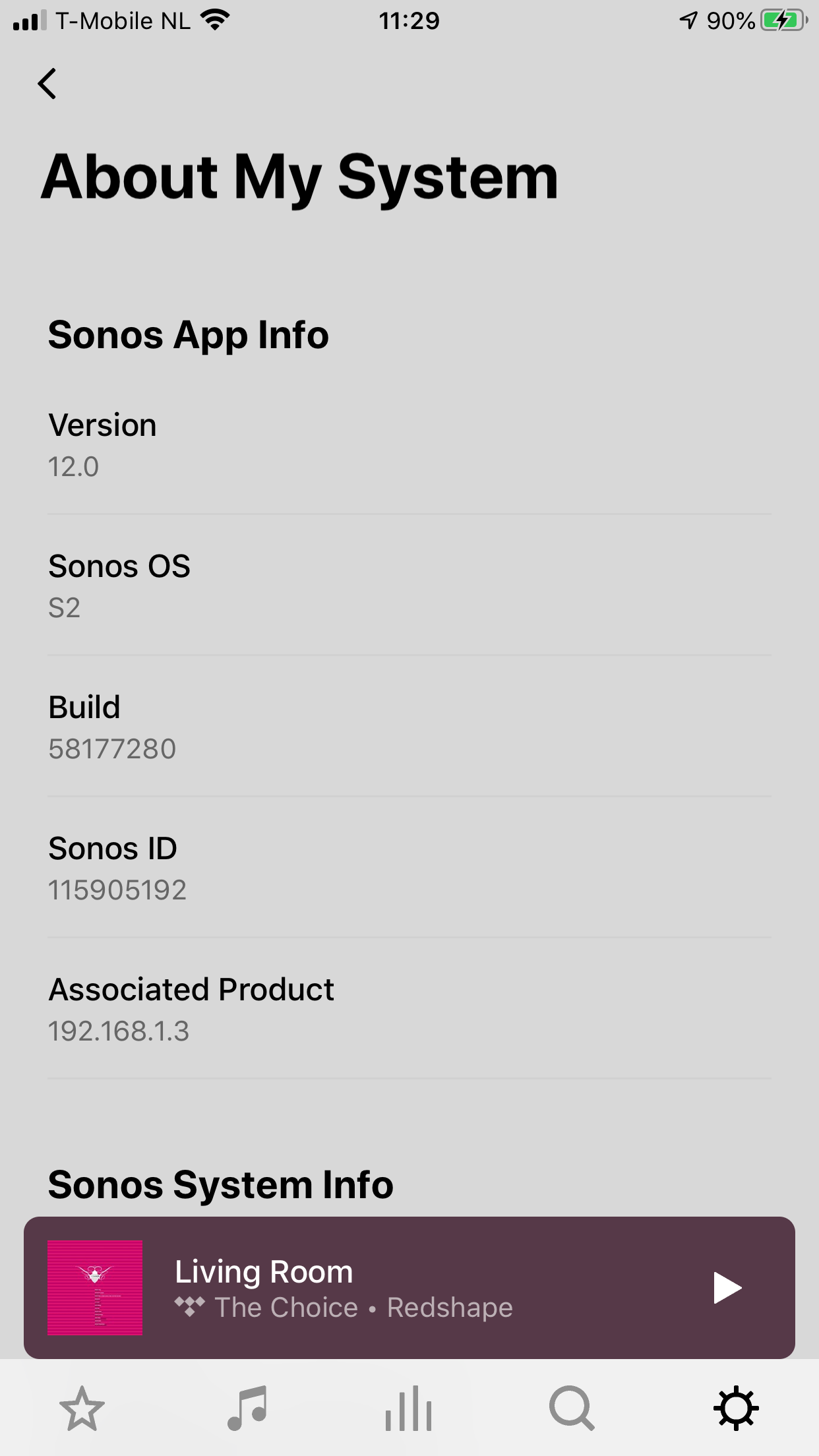
    • Download and install S2 App
    • Open S2 App, it states stat you need to update your system (again)
    • Perform system update (unplug your AMP / Active Speakers. I have my Port via COAX connected to my active speakers and it had a nasty glitchy sound during update)
    • This should be it!

    Sonos S2 App link for iOS: https://www.sonos.com/icr2_appstore (I would follow the steps above instead of downloading the S2 App to be sure that the update goes according to the process Sonos has in mind by the way)
     

    180 replies

    Avid Contributor I
    June 8, 2020

    Updated here too, but its just updated the speakers to S1 software - looking at the speakers now in the app, it says Sonos OS - S1, Version 11.2. 


    iPhone app needs tweaking, the ‘title’ of the app (the words underneath the app) are too wordy, and looks very untidy SonosS1Contr… isn't an attractive look. @Sonos, pls change this to just say SonosS1 or something short. 


    Trending Lyricist I
    June 8, 2020

    Only the app on my Samsung Android phone has changed , the app on my Samsung tablet has not changed .

    Trending Lyricist I
    June 8, 2020

    On Android if the app hasn't updated automatically you need to go to the app store, go to the Sonos app and you will find you can update manually.

    Lyricist II
    June 8, 2020

    Haha, nice to see i’m not the only impatient one… ;)

    Contributor I
    June 8, 2020

    Almost there I think, got the S2 App and my Sonos devices are updating.

    WARNING: disconnect your amp / active speakers when updating your Sonos Connect / Port. I got a very unwelcome glitch sound during the S2 system update.

    Enthusiast I
    June 8, 2020

    My Arc arrived today but in the absence of the S2 app being available I can’t do anything with it. 
    My Sonos app updated to Sonos S1 Controller and then when trying to add the Arc it says I need the S2 app - but when I click the link it just takes me to the S1 Controller listing in the App Store. 

    Sjoop1985
    June 8, 2020

    Well, it's available in the App Store:

    https://apps.apple.com/app/sonos/id1488977981


    And for Windows 10:

    https://update-software.sonos.com/software/pc/dcr/SonosDesktopController120.exe


    Haven't seen it for Android yet.

    Life is what happens to you while you're busy making other plans (John Lennon) --- Living room: Arc, Sub, 2x One - Kitchen: One - Bedroom: Play 3 - Office: Beam - Bathroom: Play 1
    Toffe
    Trending Lyricist I
    June 8, 2020

    My Arc arrived today but in the absence of the S2 app being available I can’t do anything with it. 
    My Sonos app updated to Sonos S1 Controller and then when trying to add the Arc it says I need the S2 app - but when I click the link it just takes me to the S1 Controller listing in the App Store. 


    Same here

    Regards:Kris
    Contributor I
    June 8, 2020

    Steps:

    • Update Sonos App to S1 App
    • In the S1 App go to settings → system → update
    • Update the Sonos system
    • Enter S1 again and go to settings → system → (option below, something with S2 App)
    • Download and install S2 App
    • Open S2 App, it states stat you need to update your system (again)
    • Perform system update (unplug your AMP / Active Speakers. I have my Port via COAX connected to my active speakers and it had a nasty glitchy sound during update)
    • This should be it!

    Sonos S2 App link for iOS: https://www.sonos.com/icr2_appstore (I would follow the steps above instead of downloading the S2 App to be sure that the update goes according to the process Sonos has in mind by the way)


    Enthusiast I
    June 8, 2020

    Well, it's available in the App Store:

    https://apps.apple.com/app/sonos/id1488977981


    And for Windows 10:

    https://update-software.sonos.com/software/pc/dcr/SonosDesktopController120.exe


    Haven't seen it for Android yet.

    Thank you for the iOS link!!!!! 
    Now I’ve installed it and will proceed with the setup!