
rosswells127
Prodigy I
June 8, 2020
Answered

Sonos S2

  • June 8, 2020
  • 180 replies
  • 12434 views

So it is 4pm on the 8th June here and still no Sonos S2 update. Hmmmmm.

    This topic has been closed for further comments. You can use the search bar to find a similar topic, or create a new one by clicking Create Topic at the top of the page.
    Best answer by larsvdberg

    Steps:

    • Update Sonos App to S1 App
    • In the S1 App go to settings → system → update
    • Update the Sonos system
    • Enter S1 again and go to settings → system → (option below, something with S2 App)
    • Download and install S2 App
    • Open S2 App, it states stat you need to update your system (again)
    • Perform system update (unplug your AMP / Active Speakers. I have my Port via COAX connected to my active speakers and it had a nasty glitchy sound during update)
    • This should be it!

    Sonos S2 App link for iOS: https://www.sonos.com/icr2_appstore (I would follow the steps above instead of downloading the S2 App to be sure that the update goes according to the process Sonos has in mind by the way)
     

    180 replies

    Prodigy I
    June 8, 2020

    To update on Android:

    FIRST you have to update the existing Sonos app from the Play Store. It updates the app to be called Sonos S1. 

    NEXT you have to Check for Updates under System / System Updates

    Your system will then update to 11.2.

    NEXT, go to System and you should see System Tools either there or under System Updates.

    This prompts you to check for S2 compatibility. If your system is S2 compatible, it will prompt you to update to S2, which starts with a new app from the Play Store (which you won't find with a search). 

    Once you have the new Sonos app installed, log in and go to System Updates again to update your system to S2.

    Then delete the S1 app if you have no requirement for it. 


    I have i0S, not Android -but it worked by doing it backwards, S2 first.    I didn’t understand why the update at first took me to S1, so I searched on the iOS app and found the S2 app.  Downloaded that and it worked fine immediately with my 3 Sonos Ones.  I then noticed that when I closed the S2 app it was telling me my Sonos Ones needed an update.  It then updated the original Sonos app to S1.   Told me my components were compatible with S2 though and I should/could only use that.  I then simply deleted the S1 app.    So it looks like you can first install S2 (as opposed to updating to S1 first).

    Lyricist III
    June 8, 2020

    I think their Marketing guys are not the sharpest, starting with the brick situation to the fact that trying not to commit by releasing anything clear, they tried to make a hype that was not worth. Just as you said, if a feature is not in the app, so be it, I’m happy with the product, but they are at fault by not describing anything concrete, especially now that S2 has launched


    Actually, the only concrete feature discussed was the grouping feature, which is in the current release.  Everything else was speculation by posters here.  Are we really going to hold Sonos to be responsible for not addressing every item the posters on here dream up?  

    Here is an excerpt from Sonos web page, so I stand by what I said before:


    ”In addition to new features, usability updates, and more personalization moving forward, Sonos S2 enables higher resolution audio technologies for music and home theater.”


    In fact it says S2 enables, it didn’t say will enable. And I still believe Sonos tried to make a hype by being cryptic, and that let ME down in terms of MY own thoughts. I am responsible for thinking I would get what I didn’t get, and I make responsible Sonos for not being clear in their web page.

    jgatie
    June 8, 2020

    Here is an excerpt from Sonos web page, so I stand by what I said before:


    ”In addition to new features, usability updates, and more personalization moving forward, Sonos S2 enables higher resolution audio technologies for music and home theater.”


    In fact is says S2 enables, it didn’t say will enable. And I still believe Sonos tried to make a hype by being cryptic, and that let ME down in terms of MY own thoughts. I am responsible for thinking I would get what I didn’t get, and I make responsible Sonos for not being clear in their web page.


    My apologies, I missed that.  However, higher resolution support is also in the S2 release, just like the grouping feature.   Still not seeing any significant lack of concrete discussion.  

    Lyricist III
    June 8, 2020

    Here is an excerpt from Sonos web page, so I stand by what I said before:


    ”In addition to new features, usability updates, and more personalization moving forward, Sonos S2 enables higher resolution audio technologies for music and home theater.”


    In fact is says S2 enables, it didn’t say will enable. And I still believe Sonos tried to make a hype by being cryptic, and that let ME down in terms of MY own thoughts. I am responsible for thinking I would get what I didn’t get, and I make responsible Sonos for not being clear in their web page.


    My apologies, I missed that.  However, higher resolution support is also in the S2 release, just like the grouping feature.   Still not seeing any significant lack of concrete discussion.  

    Agree, as I said before, I’m a very happy Sonos user here.


    FYI, I checked Roon with 24/48 and 24/96, it is down sampled to 16 bits, maybe Roon needs to make adjustments in a newer software release. I was wondering if Sonos S2 would be supported by Roon (because it seems its a new platform entirely), but I am happy that Roon still keeps playing music to Sonos.


    I like a lot of people have two libraries, one with hi res files for Roon, and another one with Sonos compatibility.


    Let’s wait for more to come from Sonos, and happy listening!

    MAscooby
    Trending Lyricist I
    June 8, 2020

    FYI, I checked Roon with 24/48 and 24/96, it is down sampled to 16 bits, maybe Roon needs to make adjustments in a newer software release.

    Yep, I noticed the same thing, and I’m hoping it’s just a roon update that’s needed. It sounds like people are seeing up to 24/48 but not 24/96+ through the Sonos app, so that’s a good sign (hopefully).

    baardog
    Avid Contributor III
    June 8, 2020

    FYI, I checked Roon with 24/48 and 24/96, it is down sampled to 16 bits, maybe Roon needs to make adjustments in a newer software release.

    Yep, I noticed the same thing, and I’m hoping it’s just a roon update that’s needed. It sounds like people are seeing up to 24/48 but not 24/96+ through the Sonos app, so that’s a good sign (hopefully).

    From the official post:

    “With S2, Sonos speakers now have support for high resolution audio, 24-bit, 44.1/48kHz for FLAC/ALAC only. This support is for local music libraries shared from computers and network attached drives.“

    Interesting to see how this applies to Roon?

    Lyricist III
    June 8, 2020

    FYI, I checked Roon with 24/48 and 24/96, it is down sampled to 16 bits, maybe Roon needs to make adjustments in a newer software release.

    Yep, I noticed the same thing, and I’m hoping it’s just a roon update that’s needed. It sounds like people are seeing up to 24/48 but not 24/96+ through the Sonos app, so that’s a good sign (hopefully).

    I made a test. I put in my local library a 24/48 file and was played without issues. I put a 24/96 file as well and was not even possible to see it as a file in Sonos. So, I will update my Sonos library to make all my files 24/48

    June 8, 2020

    That settles it for now then. If streaming services remain 16 bit I'll stay all on one system and use Bubble upnp with HEOS if I want to stream in Hires.  Cd  quality streaming does sound excellent on existing players so it would be an experimental bonus for me and not worth the hassle. If all my players were modern I would probably consider it.

    Lyricist II
    June 8, 2020

    FYI, I checked Roon with 24/48 and 24/96, it is down sampled to 16 bits, maybe Roon needs to make adjustments in a newer software release.

    Yep, I noticed the same thing, and I’m hoping it’s just a roon update that’s needed. It sounds like people are seeing up to 24/48 but not 24/96+ through the Sonos app, so that’s a good sign (hopefully).

    I made a test. I put in my local library a 24/48 file and was played without issues. I put a 24/96 file as well and was not even possible to see it as a file in Sonos. So, I will update my Sonos library to make all my files 24/48

    Can you tell me how you update your Sonos library to make all yours files 24/48?

    Lyricist I
    June 8, 2020

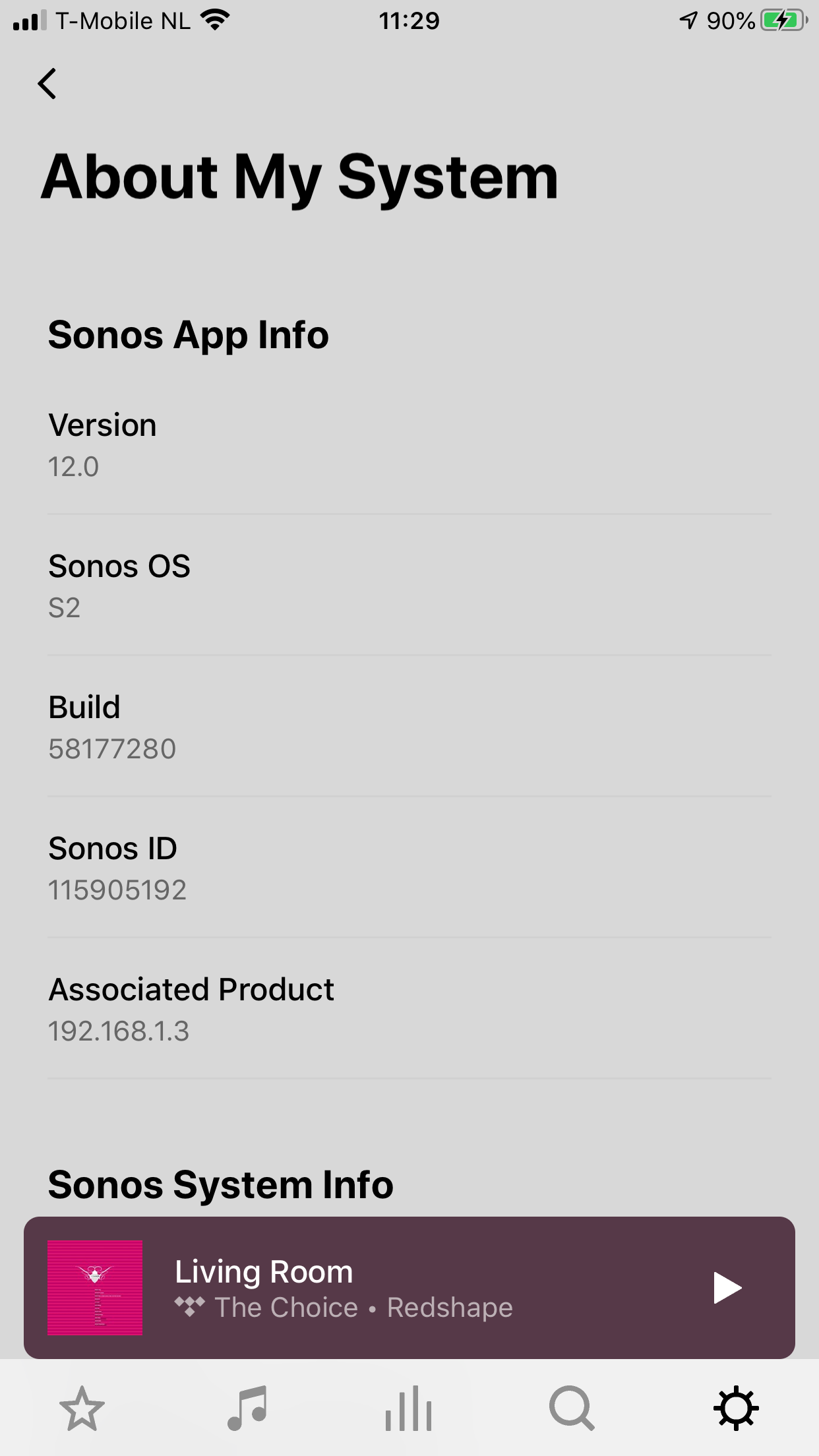
    As mentioned above had issues “updating” so uninstalled the controller app and then the download gave me the 12 version of the controller


    https://support.sonos.com/s/downloads?language=en_US