
rosswells127
Prodigy I
June 8, 2020
Answered

Sonos S2

  • June 8, 2020
  • 180 replies
  • 12434 views

So it is 4pm on the 8th June here and still no Sonos S2 update. Hmmmmm.

    This topic has been closed for further comments. You can use the search bar to find a similar topic, or create a new one by clicking Create Topic at the top of the page.
    Best answer by larsvdberg

    Steps:

    • Update Sonos App to S1 App
    • In the S1 App go to settings → system → update
    • Update the Sonos system
    • Enter S1 again and go to settings → system → (option below, something with S2 App)
    • Download and install S2 App
    • Open S2 App, it states stat you need to update your system (again)
    • Perform system update (unplug your AMP / Active Speakers. I have my Port via COAX connected to my active speakers and it had a nasty glitchy sound during update)
    • This should be it!

    Sonos S2 App link for iOS: https://www.sonos.com/icr2_appstore (I would follow the steps above instead of downloading the S2 App to be sure that the update goes according to the process Sonos has in mind by the way)
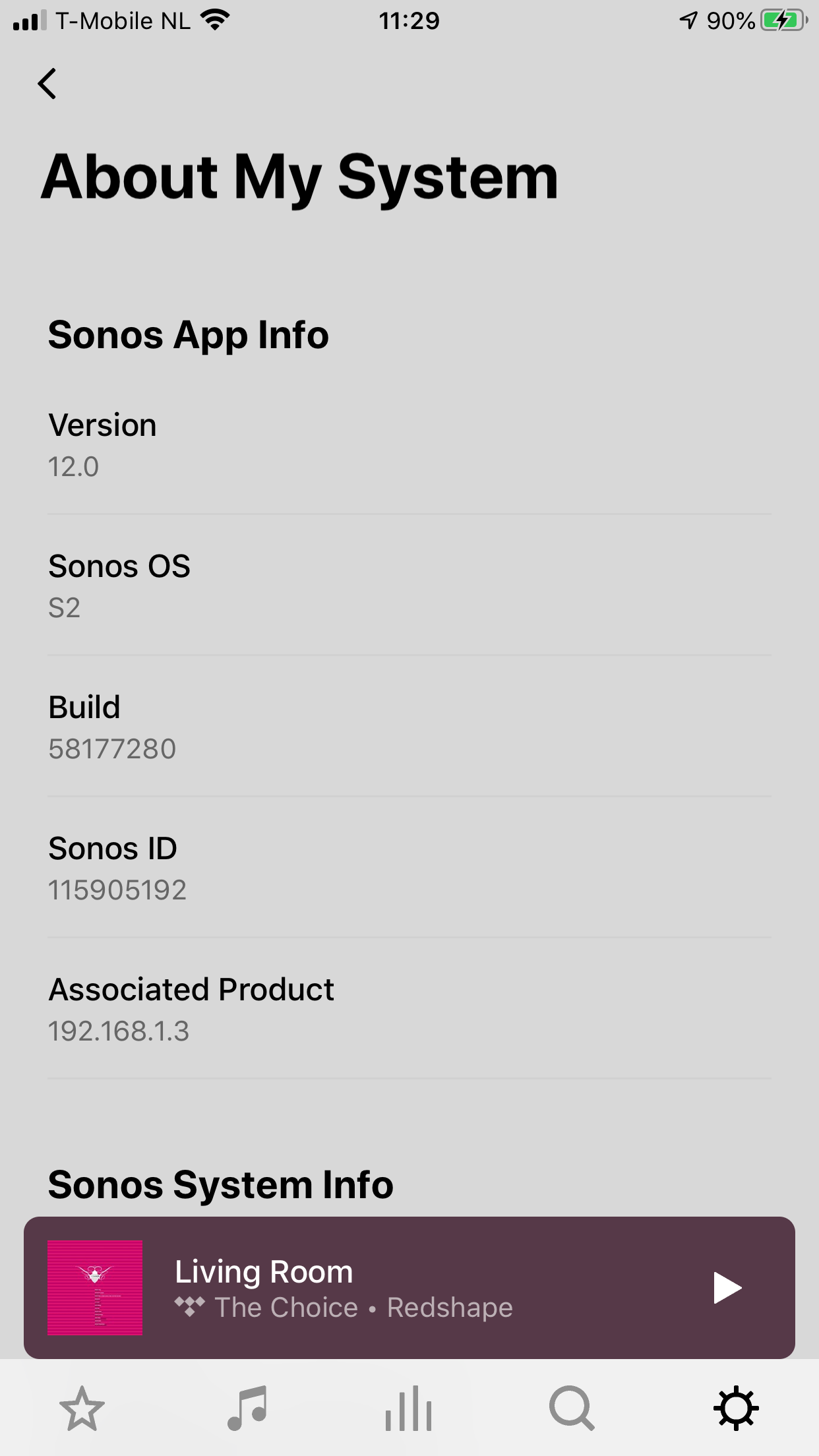
     

    180 replies

    Lyricist III
    June 8, 2020

    FYI, I checked Roon with 24/48 and 24/96, it is down sampled to 16 bits, maybe Roon needs to make adjustments in a newer software release.

    Yep, I noticed the same thing, and I’m hoping it’s just a roon update that’s needed. It sounds like people are seeing up to 24/48 but not 24/96+ through the Sonos app, so that’s a good sign (hopefully).

    I made a test. I put in my local library a 24/48 file and was played without issues. I put a 24/96 file as well and was not even possible to see it as a file in Sonos. So, I will update my Sonos library to make all my files 24/48

    Can you tell me how you update your Sonos library to make all yours files 24/48?

    Manually with dBpoweramp Music Converter for Mac. To be honest, I have few hi res music, so it was not a big issue for me. I have a raspberry pi 4 with Samba for Sonos, only with music that can be played with Sonos, and a NUC with all hi res music for Roon. Hope that works

    Lyricist II
    June 8, 2020

    FYI, I checked Roon with 24/48 and 24/96, it is down sampled to 16 bits, maybe Roon needs to make adjustments in a newer software release.

    Yep, I noticed the same thing, and I’m hoping it’s just a roon update that’s needed. It sounds like people are seeing up to 24/48 but not 24/96+ through the Sonos app, so that’s a good sign (hopefully).

    I made a test. I put in my local library a 24/48 file and was played without issues. I put a 24/96 file as well and was not even possible to see it as a file in Sonos. So, I will update my Sonos library to make all my files 24/48

    Can you tell me how you update your Sonos library to make all yours files 24/48?

    Manually with dBpoweramp Music Converter for Mac. To be honest, I have few hi res music, so it was not a big issue for me. I have a raspberry pi 4 with Samba for Sonos, only with music that can be played with Sonos, and a NUC with all hi res music for Roon. Hope that works

    I have dBpoweramp Music Converter for windows. I think it is the same, but i dont know how to set it up to convert from 24/96 to 24/48. Can you help me?

    jgatie
    June 8, 2020

    I have dBpoweramp Music Converter for windows. I think it is the same, but i dont know how to set it up to convert from 24/96 to 24/48. Can you help me?


    Use the dBpoweramp Music Converter, set to convert from FLAC to FLAC, then add the Resample DSP Effect and set the frequency to 48 KHz.  

    MAscooby
    Trending Lyricist I
    June 8, 2020

    From the official post:

    “With S2, Sonos speakers now have support for high resolution audio, 24-bit, 44.1/48kHz for FLAC/ALAC only. This support is for local music libraries shared from computers and network attached drives.“

    Interesting to see how this applies to Roon?

    I’ve got my fingers crossed that a roon update is all it’ll take, but not holding my breath. 

    Trending Lyricist I
    June 8, 2020

    Hi. I’m just wondering if I can update 2 of my S2 compatible speakers (Play 1’s) to S2 for use in a bedroom and keep my 2 Play 3’s on S1 to group with with my 2 gen 1 Play 5’s in a bigger room?

    Ryan S
    Retired Sonos Staff
    June 8, 2020

    Hi. I’m just wondering if I can update 2 of my S2 compatible speakers (Play 1’s) to S2 for use in a bedroom and keep my 2 Play 3’s on S1 to group with with my 2 gen 1 Play 5’s in a bigger room?

    Yes, you can. For operating a split system, and how to set it up, see this article on split systems. 

    Mark good posts by pressing the like button, and select the best answer on questions you've asked to help others find solutions.
    Local Superstar
    June 8, 2020

    Note that it looks like it's not just splitting your system and having them function as before but as two separate systems.

    The ones that stay on S1 actually get reset and you lose access to all playlists etc. you may have created over the years.

    Trending Lyricist I
    June 8, 2020


    Hi. I’m just wondering if I can update 2 of my S2 compatible speakers (Play 1’s) to S2 for use in a bedroom and keep my 2 Play 3’s on S1 to group with with my 2 gen 1 Play 5’s in a bigger room?

    Yes, you can. For operating a split system, and how to set it up, see this article on split systems. 

    Note that it looks like it's not just splitting your system and having them function as before but as two separate systems.

    The ones that stay on S1 actually get reset and you lose access to all playlists etc. you may have created over the years.

    Thanks Ryan and sjw. I think I’m better off just leaving the whole thing on S1 for as long as the legacy 5’s stay functional.

    June 9, 2020

    Note that it looks like it's not just splitting your system and having them function as before but as two separate systems.

    The ones that stay on S1 actually get reset and you lose access to all playlists etc. you may have created over the years.

    Is the second part the reason for stating the first part? Any other way that splitting is more than just splitting, leaving the S1 playing as it has all these years?

    And the second part can’t be nice - though I assume that this applies to local NAS playlists and not, for example, those made in Apple Music?

    June 9, 2020


     I think I’m better off just leaving the whole thing on S1 for as long as the legacy 5’s stay functional.

    Quite.

    Or until there comes something in S2 that is incentive enough for you to dump the legacy kit. Running split systems in one home will get tiresome very quickly in most use cases.