
SFTechieScum
Contributor I
October 29, 2019
Question

Not getting any Notifications on Iphone

  • October 29, 2019
  • 33 replies
  • 3145 views

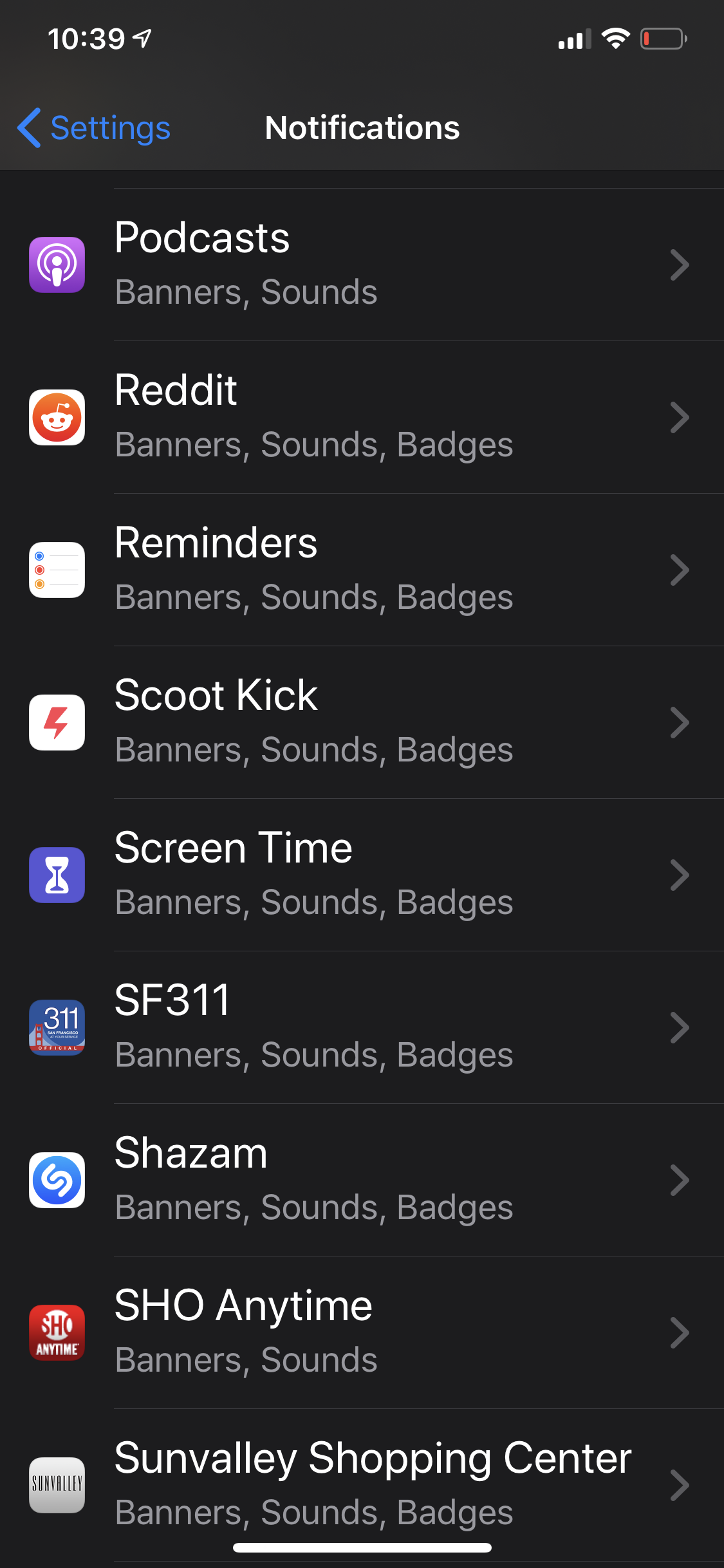
The Sonos app doesn’t show up in my notification settings. I’m unable to receive any notifications from Sonos. I would like to have my alarms show up when they are going off in the morning but that appears impossible.
 

    This topic has been closed for further comments. You can use the search bar to find a similar topic, or create a new one by clicking Create Topic at the top of the page.

    33 replies

    Up2Night
    Lyricist III
    January 18, 2020

    For testing purposes, turn off Airplay on Apple TV, close the Sonos app (swipe up), open it again and see if the notification setting has re-emerged.


    This time I deactivated Airplay in the AppleTV-settings and uninstalled the app. Then restarted the iPhone and reinstalled the app. Unfortunately with the same result :slight_frown:


    But thanks for the suggestion @Smilja 

    Lyricist I
    January 25, 2020

    I have the same exact issue on iOS. 
     

    I don’t have any other Apple Airplay devices in my household that I can think of, but there are no “Notification” settings to be found anywhere. 
     

    worth noting that the persistent Sonos controls rarely remain on my lock screen, either, which is unbelievably annoying. All of the correct settings are there in the Sonos app (hardware control volume, lock screen controls ON, etc), but none of these work. 
     

    I miss how these used to work on android. Are you devs even listening? 
     

    Schlumpf
    Virtuoso
    January 30, 2020

    @Ryan S 

    No comment on this from Sonos Support?

    There are several threads with this topic…


    Ralf
    Lyricist I
    February 7, 2020

    @Ryan_S would also like support - same issue here. 


    Schlumpf
    Virtuoso
    February 7, 2020

    May be that all sonos developers are very busy working on the needed updates for legacy product support. :smirk: So there is no capacity for fixing such a „little bug“... :triumph:

    It happens, but just ignoring the thing is a bad way imo…

    Would be nice to hear something about it from sonos support. 

    Ralf
    Ryan S
    Retired Sonos Staff
    February 7, 2020

    Hi everyone, the team is working with Apple on an intermittent issue that affects some devices that may be what you’re seeing. If you have iOS 13+ and don’t see Notifications for the Sonos App in the iOS Settings, there are a few troubleshooting steps you can try to get it to show up.

    To start with, forget the current Sonos system under Settings in the Sonos app. Then, uninstall the Sonos app and install it again, and reconnect with your system.

    If that doesn’t do the trick, it’s probably the situation that the team is working on. Some of your iOS devices might show the notifications option in Settings while others might not.

    I’ll let you know when there’s any news to share on a resolution for this. 

    Mark good posts by pressing the like button, and select the best answer on questions you've asked to help others find solutions.
    Schlumpf
    Virtuoso
    February 8, 2020

    For me the troubleshooting steps didn‘t work… not with latest sonos app on iOS13 and not on iOS12. 
    So i think i can just wait for sonos fixing it. :-(

    Ralf
    Schlumpf
    Virtuoso
    February 23, 2020

    @Ryan S and everybody else… ;-)

    For me as a workarround to force the acception of iOS messages for the Sonos app it worked to reinstall Alexa within the Sonos App. At the end of the process iOS was asking to allow messages for Sonos. 
    I started changing from Alexa to GA for one of my rooms and while the GA app was searching for rooms i aborted the process and loged in again for alexa in the Sonos App. 


    Now for the iOS device i was doing this, iOS messages for Sonos are working again. 
    It worked on iOS 12 and 13...


    But for alarms there still is a bug with iOS 13…

    Now i have the message window on lockscreen for the alarm, but when using it to go to the sonos app the iOS message window in the Sonos App for snoozing the alarm opens just for  a millisecond and disappears. So i am not able to snooze an alarm. 
    This Bug only exists on iOS 13, on iOS 12 it workes as it should. 
     

    Ralf

    ...sorry for the german screenshot… ;-)


    Ralf
    Ryan S
    Retired Sonos Staff
    February 24, 2020

    Thanks for sharing Ralf. I’ll pass it along to the team for the extra information.

    Mark good posts by pressing the like button, and select the best answer on questions you've asked to help others find solutions.
    Lyricist II
    April 5, 2020

    Any progress on this? Still not working with Sonos app 11.0 and iOS 13.4