
SFTechieScum
Contributor I
October 29, 2019
Question

Not getting any Notifications on Iphone

  • October 29, 2019
  • 33 replies
  • 3145 views

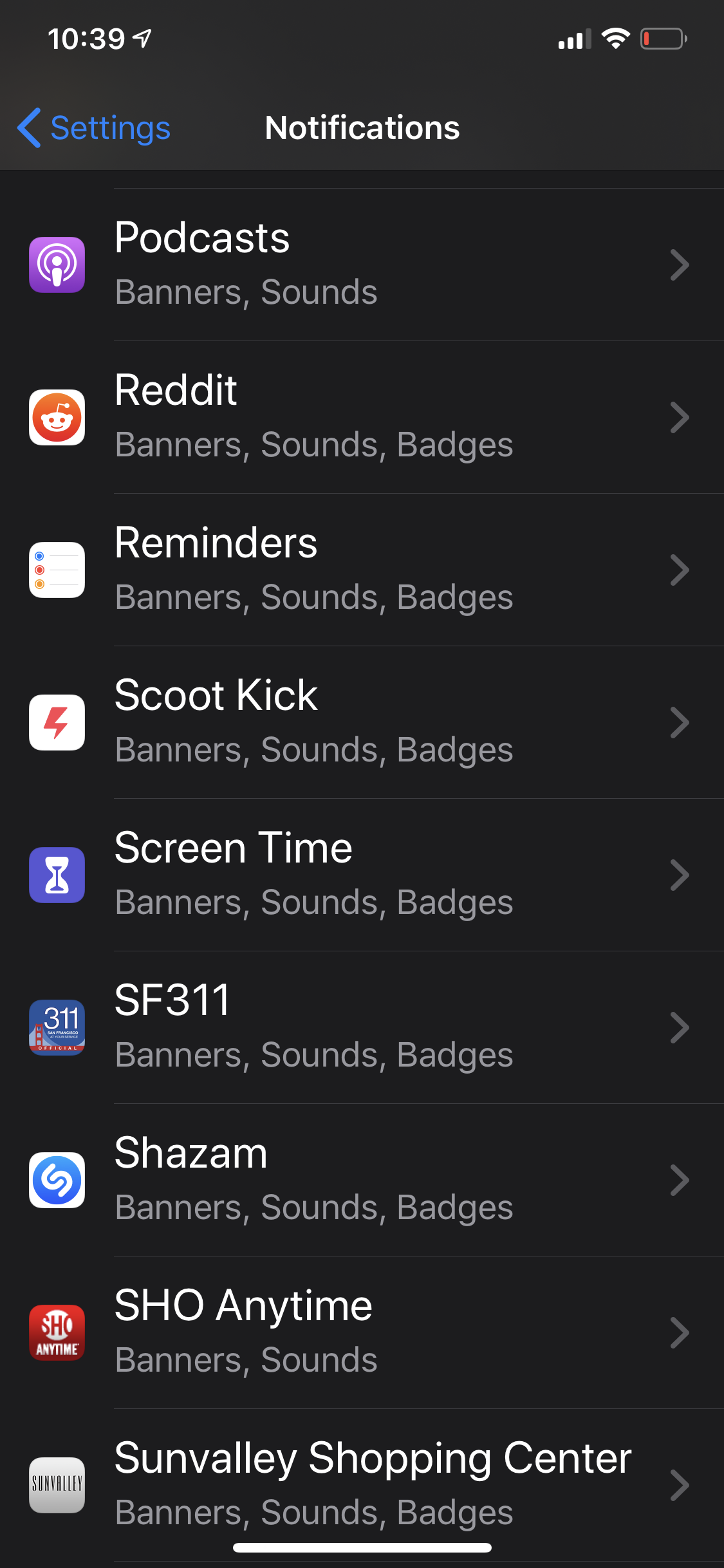
The Sonos app doesn’t show up in my notification settings. I’m unable to receive any notifications from Sonos. I would like to have my alarms show up when they are going off in the morning but that appears impossible.
 

    This topic has been closed for further comments. You can use the search bar to find a similar topic, or create a new one by clicking Create Topic at the top of the page.

    33 replies

    Up2Night
    Lyricist III
    January 16, 2020

    Same problem here… :(

    (newest iOS Version and newest Sonos-App Version - iPhone Xs)

    Up2Night
    Lyricist III
    January 16, 2020


    Maybe it's because the beta version of IOS is in use? Does anybody use the (public) beta of iOS (currently 13.3.1)?

    Schlumpf
    Virtuoso
    January 17, 2020


    Maybe it's because the beta version of IOS is in use? Does anybody use the (public) beta of iOS (currently 13.3.1)?

    No, iOS beta is not the reason…

    The problem for me is on iOS 13.3 and also on 12.4.4 using several devices. 

    Ralf
    BCM
    January 17, 2020

    iPhone X here. iOS 13.3, latest Sonos app. I have a ton more options than you for some reason. Maybe uninstall the app and reinstall it?


    Up2Night
    Lyricist III
    January 17, 2020

    Maybe uninstall the app and reinstall it?

    I've already tried that, unfortunately without success. :slight_frown:

    Smilja
    January 17, 2020

    Maybe uninstall the app and reinstall it?

    I've already tried that, unfortunately without success. :slight_frown:


    Did you reboot the iPhone after uninstalling the Sonos app?

    Curious question, do you have any Airplay-enabled devices, beside Sonos, at home? E.g. Apple TV.

    »And the world is like an apple whirling silently in space, Like the circles that you find in the windmills of your mind.« (›Windmills Of Your Mind‹ [1967]. Music by Michel Legrand ; English lyrics written by Alan & Marilyn Bergman)
    Schlumpf
    Virtuoso
    January 17, 2020

    @BCM 

    I suppose the problem comes up after doing a new install. Just doing updates of the Sonos app the notifications option kept staying in iOS settings. 

    Ralf
    BCM
    January 17, 2020

    Interesting. Well that’s something I’m not going to try. :sunglasses:

    Up2Night
    Lyricist III
    January 17, 2020

    Did you reboot the iPhone after uninstalling the Sonos app?

    Yes, I uninstalled the app. Then restarted the iPhone and reinstalled the app.


    Curious question, do you have any Airplay-enabled devices, beside Sonos, at home? E.g. Apple TV.

    Yes I have an Apple TV (Gen 4).

    Smilja
    January 17, 2020

    Did you reboot the iPhone after uninstalling the Sonos app?

    Yes, I uninstalled the app. Then restarted the iPhone and reinstalled the app.


    Curious question, do you have any Airplay-enabled devices, beside Sonos, at home? E.g. Apple TV.

    Yes I have an Apple TV (Gen 4).


    For testing purposes, turn off Airplay on Apple TV, close the Sonos app (swipe up), open it again and see if the notification setting has re-emerged.

    »And the world is like an apple whirling silently in space, Like the circles that you find in the windmills of your mind.« (›Windmills Of Your Mind‹ [1967]. Music by Michel Legrand ; English lyrics written by Alan & Marilyn Bergman)