
SFTechieScum
Contributor I
October 29, 2019
Question

Not getting any Notifications on Iphone

  • October 29, 2019
  • 33 replies
  • 3145 views

The Sonos app doesn’t show up in my notification settings. I’m unable to receive any notifications from Sonos. I would like to have my alarms show up when they are going off in the morning but that appears impossible.
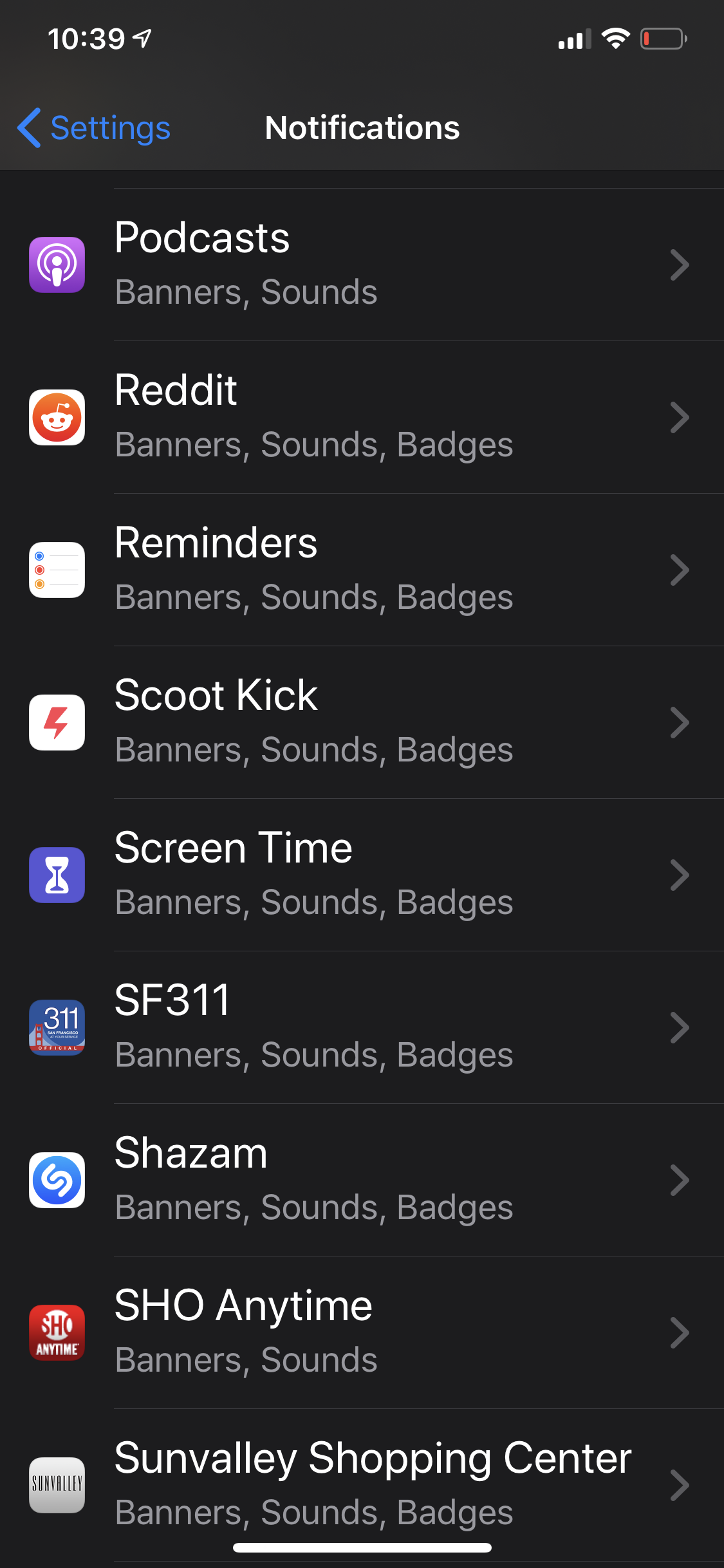
 

    This topic has been closed for further comments. You can use the search bar to find a similar topic, or create a new one by clicking Create Topic at the top of the page.

    33 replies

    Lyricist II
    April 23, 2020

    Not solved with Sonos app 11.1 or iOS 13.4.1 either. When will a solution be available?

    Lyricist I
    May 8, 2020

    I have the same issue and have tried re-installning the system and app and all of that. 

    Lyricist I
    June 14, 2020

    After having the same issue as everyone else, I’m happy to report version 12 has brought my notifications back. I proceeded to set the alarm and that triggered standard ios popup to allow for notifications. They now show up under app options. Because I have other airplay devices, I still don’t get the lock screen controls but if I set the alarm and leave the sonos app on my phone open and lock the phone, snooze notification will wake the phone. If app is closed then notification doesn’t pop up. That might be related to airplay, not sure, but still progress. Iphone 11, 13.5.1