Answered

Why do Sonos S2 & SonoPhone apps load a different number of Amazon tracks?

  • January 20, 2026
  • 15 replies
  • 149 views

MoPac
Forum|alt.badge.img+18

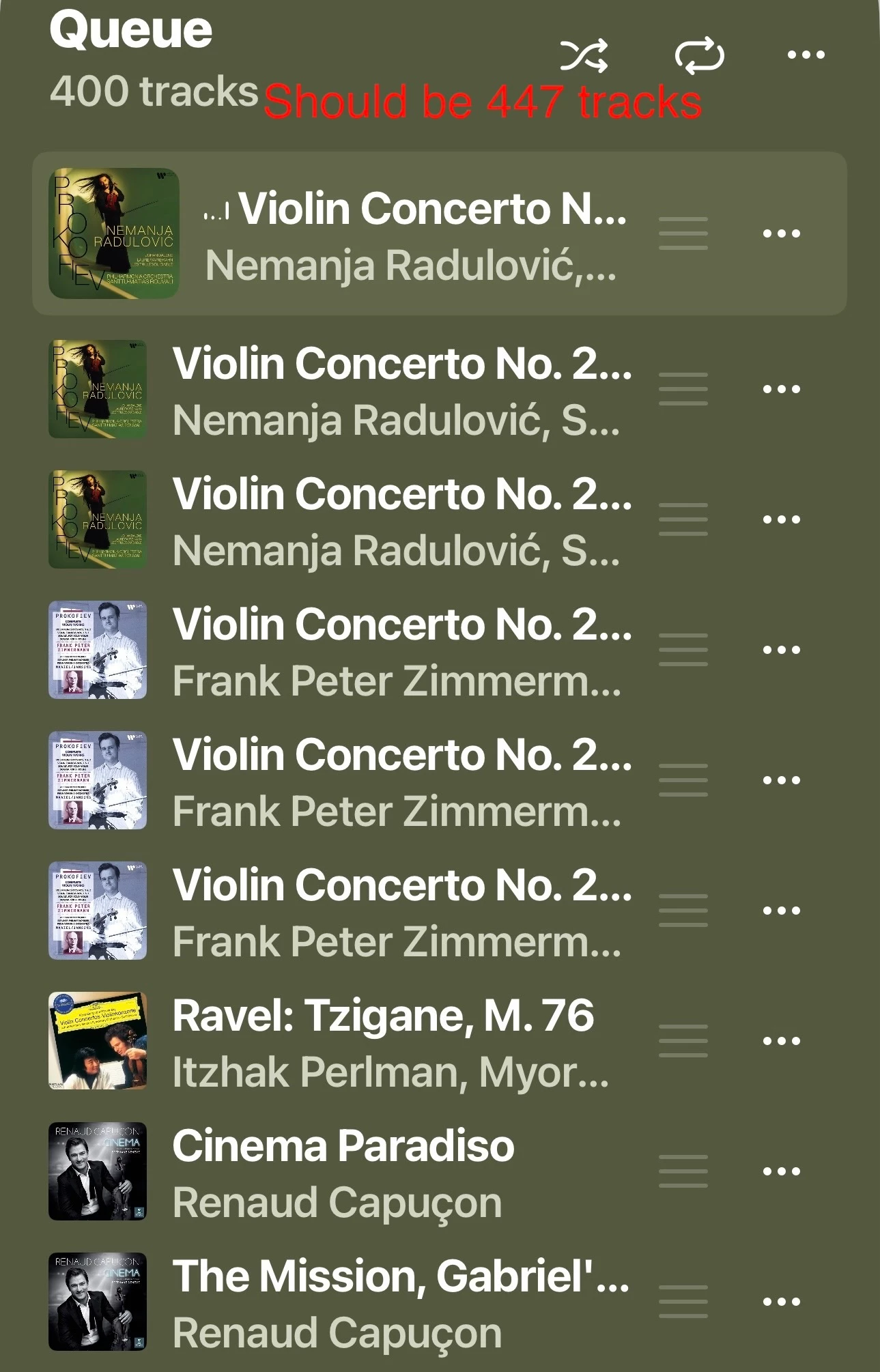
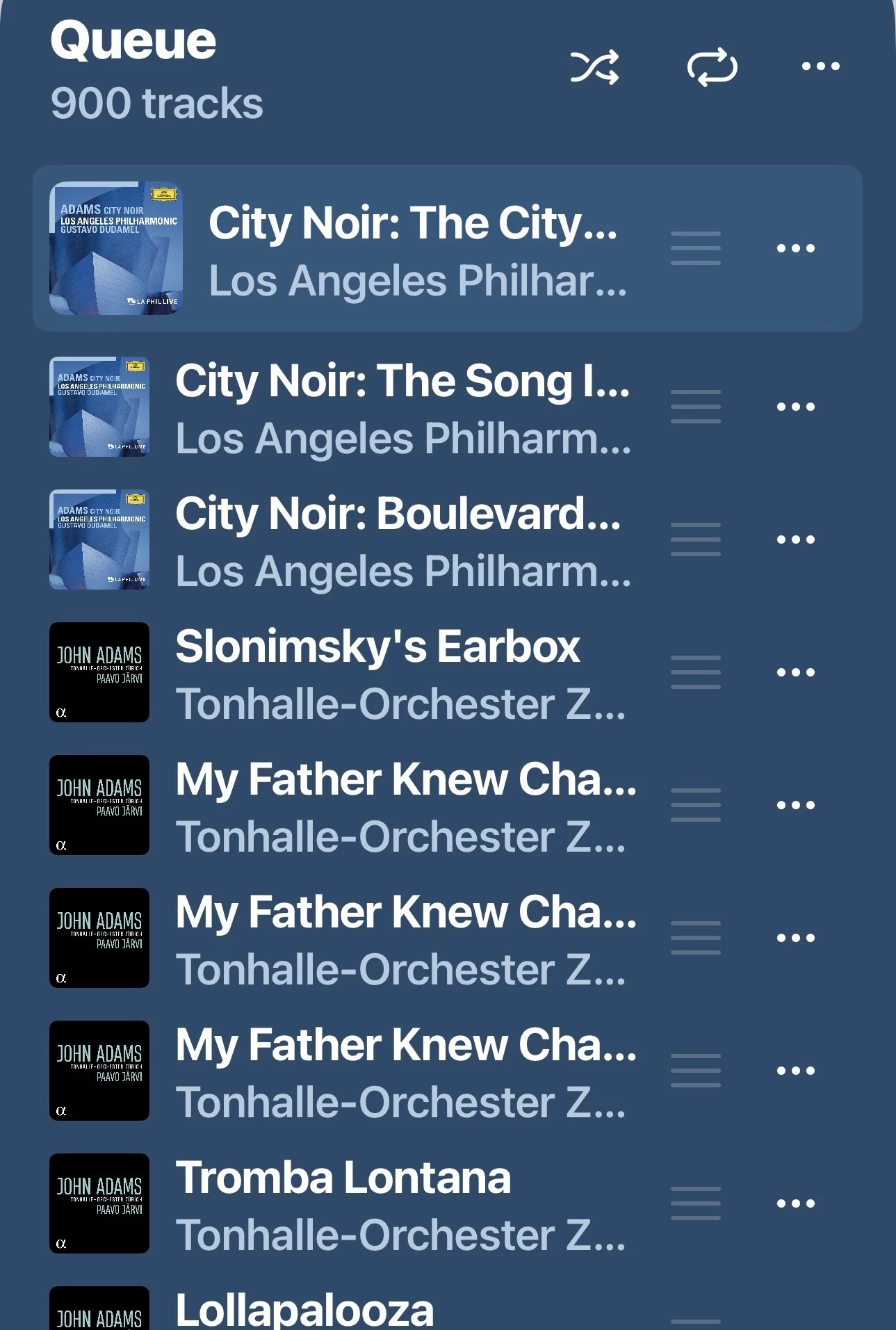
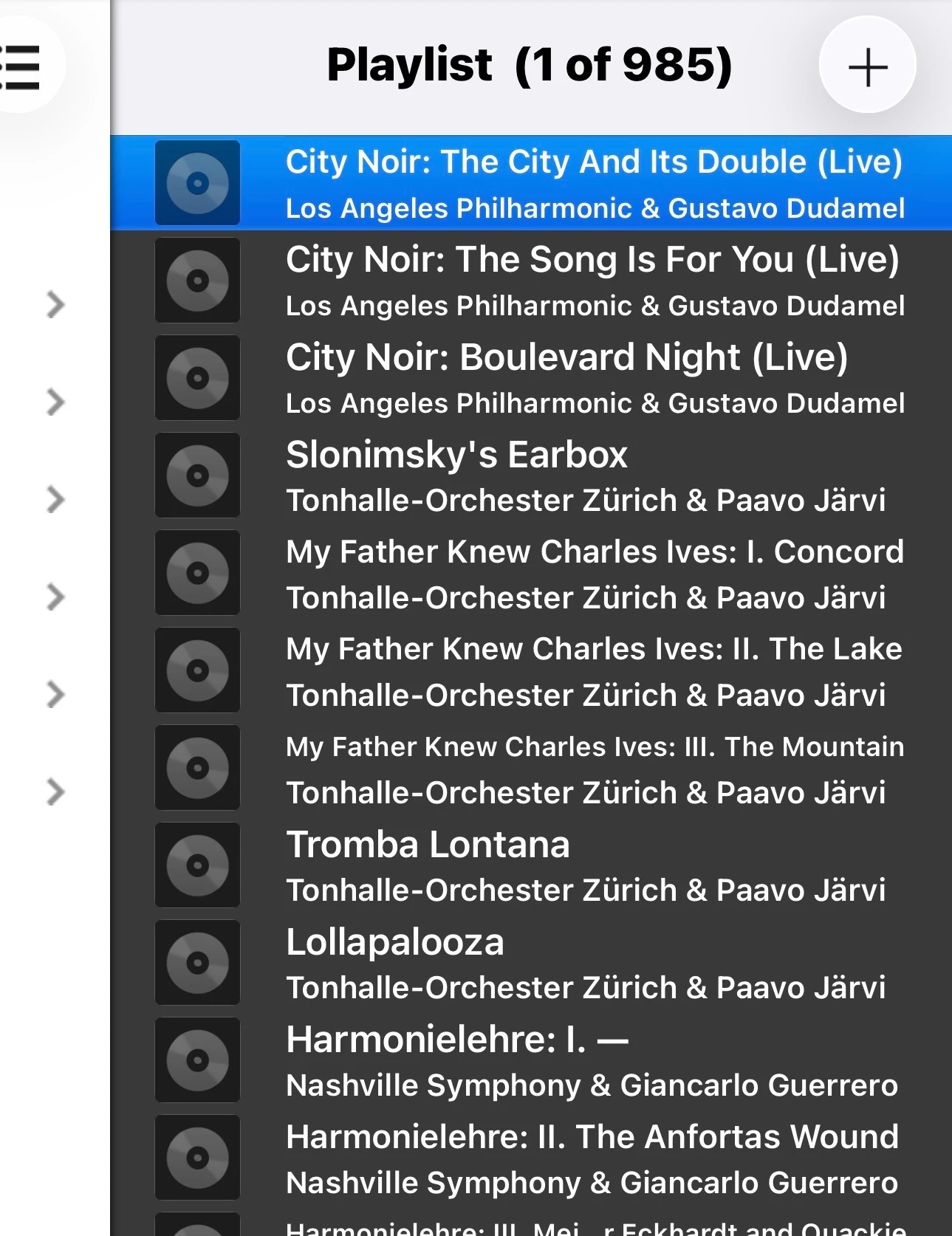
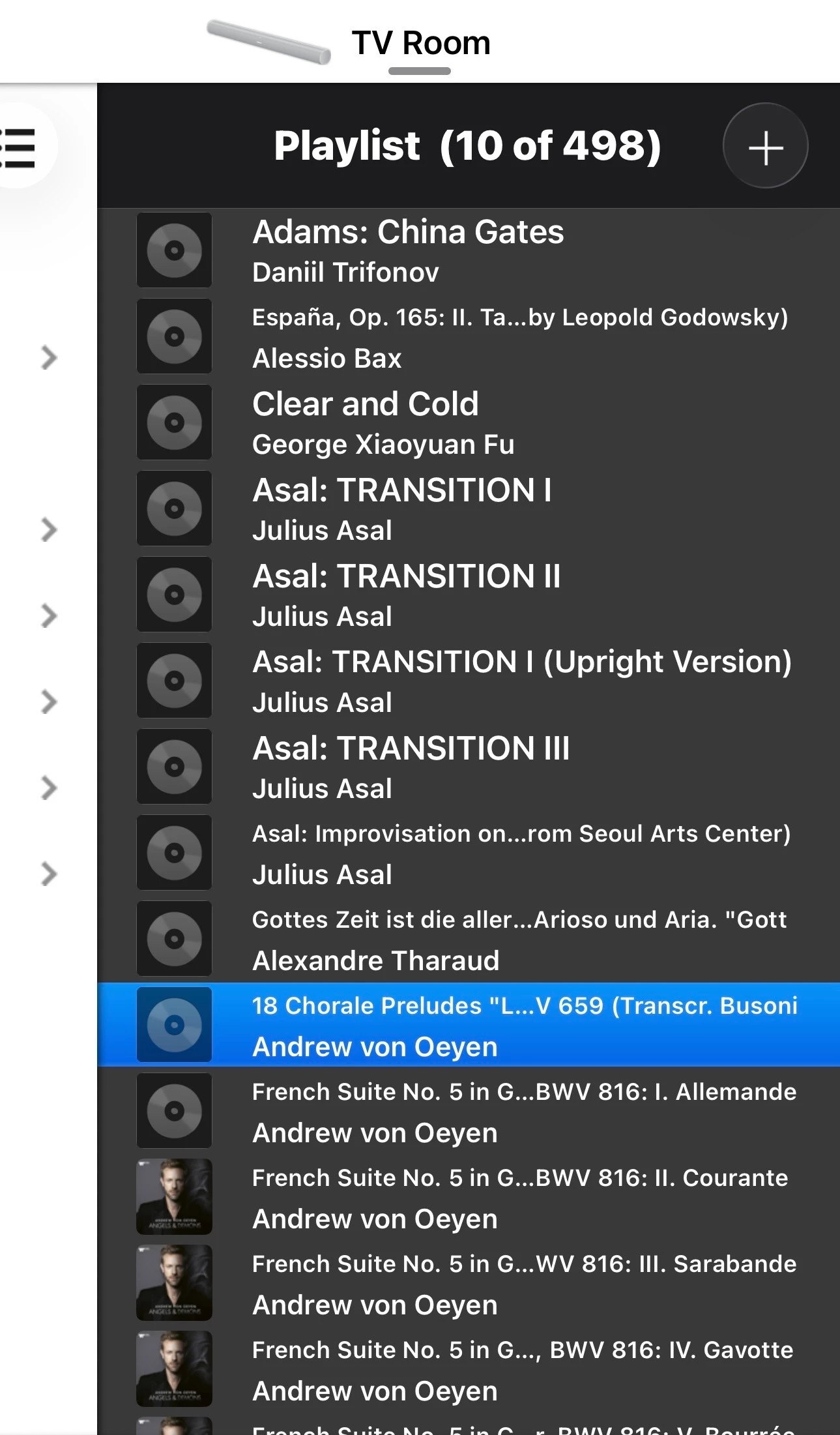
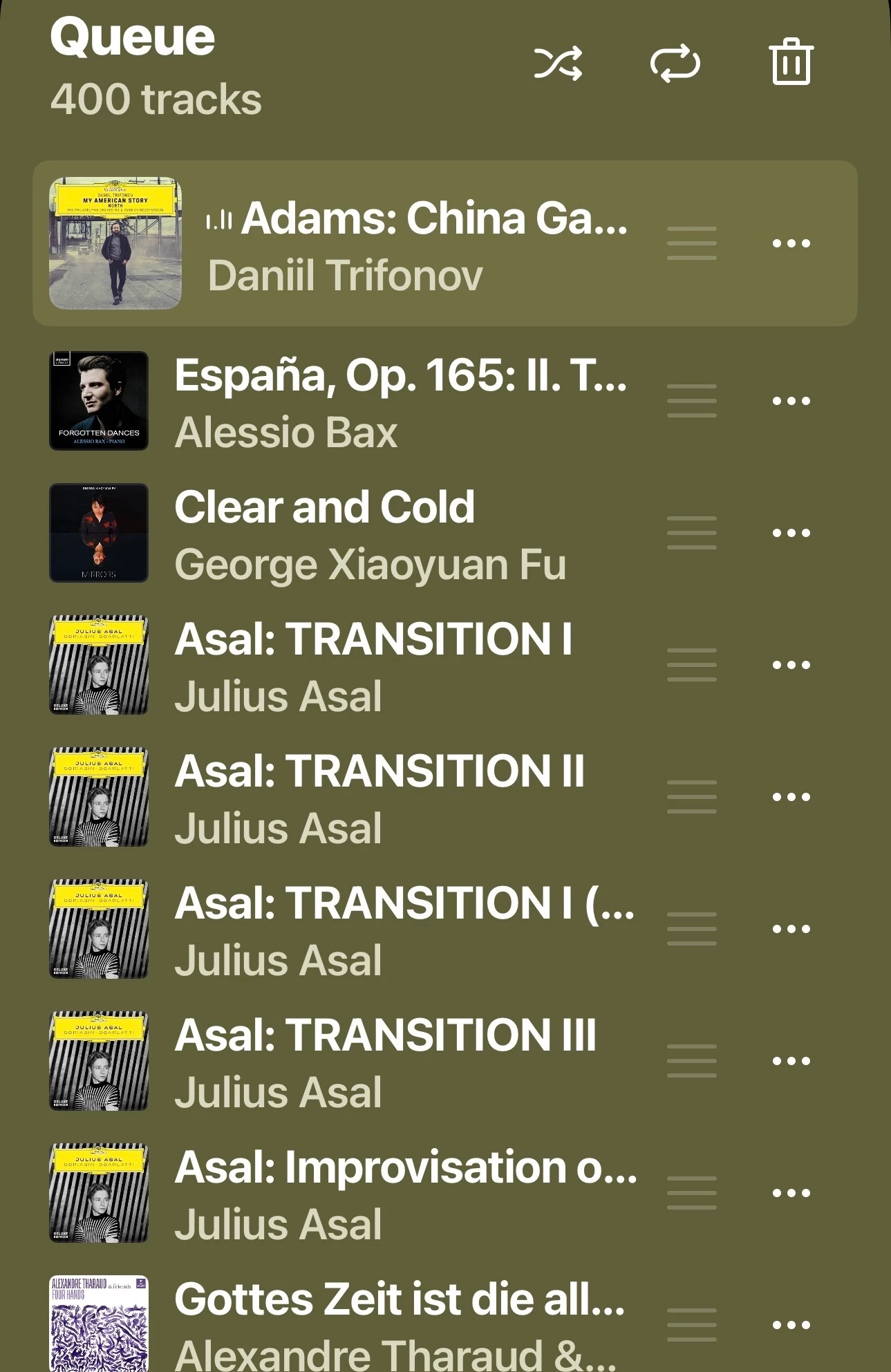
 When I load an Amazon Music Unlimited playlist I created that has 498 tracks, why are a different amount of tracks loaded when using two different apps?  When I use Sonos S2, 400 of 498 tracks are loaded.  When I use SonoPhone all 498 tracks are loaded.

 If I load the 498 track playlist using SonoPhone the queue on Sonos S2 shows all 498 tracks.  Weird!


Best answer by Corry P

Hi ​@MoPac et al

Thanks for your post!

We are aware of this situation whereby large Amazon Music playlists will fail to load entirely into the queue and are investigating.

We have no estimate for when this might be resolved, but I will update this thread when I hear of it.

I hope this helps.

15 replies

Airgetlam
  • January 21, 2026

Since the developers of SonoPhone don’t use this forum as support, and I don’t use SonoPhone myself, my guess is that the S2 (and likely S1) apps can’t read some of the file types. But you’d need to get support from SonosPhone to get a real answer. 


Stanley_4
  • Grand Maestro
  • January 21, 2026

Maybe Sonos set the Sonos app to only read 500 tracks?

You could call Sonos support to confirm that giess.


controlav
Forum|alt.badge.img+24
  • Lead Maestro
  • January 21, 2026

The Sonos mobile app has a number of artificial limits on the items in a list, sometimes 100, 200 or, now, 400. They evidently chose a poor UX framework that cannot handle these things.

Third party apps like Sonophone, or mine, or the desktop apps, don’t have these artificial limits and show the full lists.


Mr. T
  • January 21, 2026

Some bizarre responses here.

Agree with ​@controlav, the mobile Sonos apps are shocking for accurately pulling the full number of tracks from Amazon Music playlists.

Previously, I’ve even seen a number of tracks duplicated at the end of the playlist, so although the playlist track number agrees with the expected amount, the loaded queue is actually incorrect.

@MoPac - if you add another couple of tracks to the playlist, does it then load 500?


MoPac
Forum|alt.badge.img+18
  • Author
  • Headliner III
  • January 22, 2026

Mr. T:

 Just tried that with a playlist of 508 tracks.  SonoPhone loads only 500.  Sonos S2 this time loaded 500 tracks, but it did 200 first then after a short delay 300 and finally 500.  Guess the playlist had to be over 500 to get 500.

 Oddly, using S2, a playlist of 482 tracks only loaded 300 in the queue.  200 first then 300.  After swiping out the S2 app then reopening it there was 400 tracks in the queue.  When I load the playlist with the SonoPhone app I get all 482 tracks.

 Looks like Sonos S2 is rounding off to 100 and skipping the last 82 tracks.

 As a test I loaded another playlist with 298 tracks.  Sure enough S2 only loaded 200 tracks.


Mr. T
  • January 22, 2026

Amazon Music has a track limit of 500 when loading into the queue.

In my previous testing, I also noticed the queue initially loading 200 then chunks of 100 being added. When I had a playlist of 268 tracks, only 200 added. When I increased the playlist to 309, 309 tracks added, but tracks 301-309 were duplicates of the same 3 tracks which were the tracks 307, 308 and 309 in the actual playlist. The actual tracks 301-306 were MIA.

I raised the issue of playlists being truncated (or having tracks duplicated in error) when added to the queue 5-6mths ago with Sonos. I no longer subscribe to Amazon Music Unlimited but looks like the bug is still outstanding.


Forum|alt.badge.img
  • Lyricist I
  • January 22, 2026

 When I load an Amazon Music Unlimited playlist I created that has 498 tracks, why are a different amount of tracks loaded when using two different apps?  When I use Sonos S2, 400 of 498 tracks are loaded.  When I use SonoPhone all 498 tracks are loaded.

 If I load the 498 track playlist using SonoPhone the queue on Sonos S2 shows all 498 tracks.  Weird!


like an API or integration limitation on the Sonos S2 side rather than an issue with your playlist itself. Sonos S2 may be enforcing a track or pagination limit when loading Amazon Music playlists directly, while SonoPhone is likely fetching the full list and then pushing it to the Sonos queue. Since the full 498 tracks appear in S2 after loading via SonoPhone, it suggests the queue can handle them—just not the initial playlist load. This might be worth reporting to Sonos support as a potential S2 app bug or Amazon Music API constraint.


MoPac
Forum|alt.badge.img+18
  • Author
  • Headliner III
  • January 23, 2026

emanfatima:

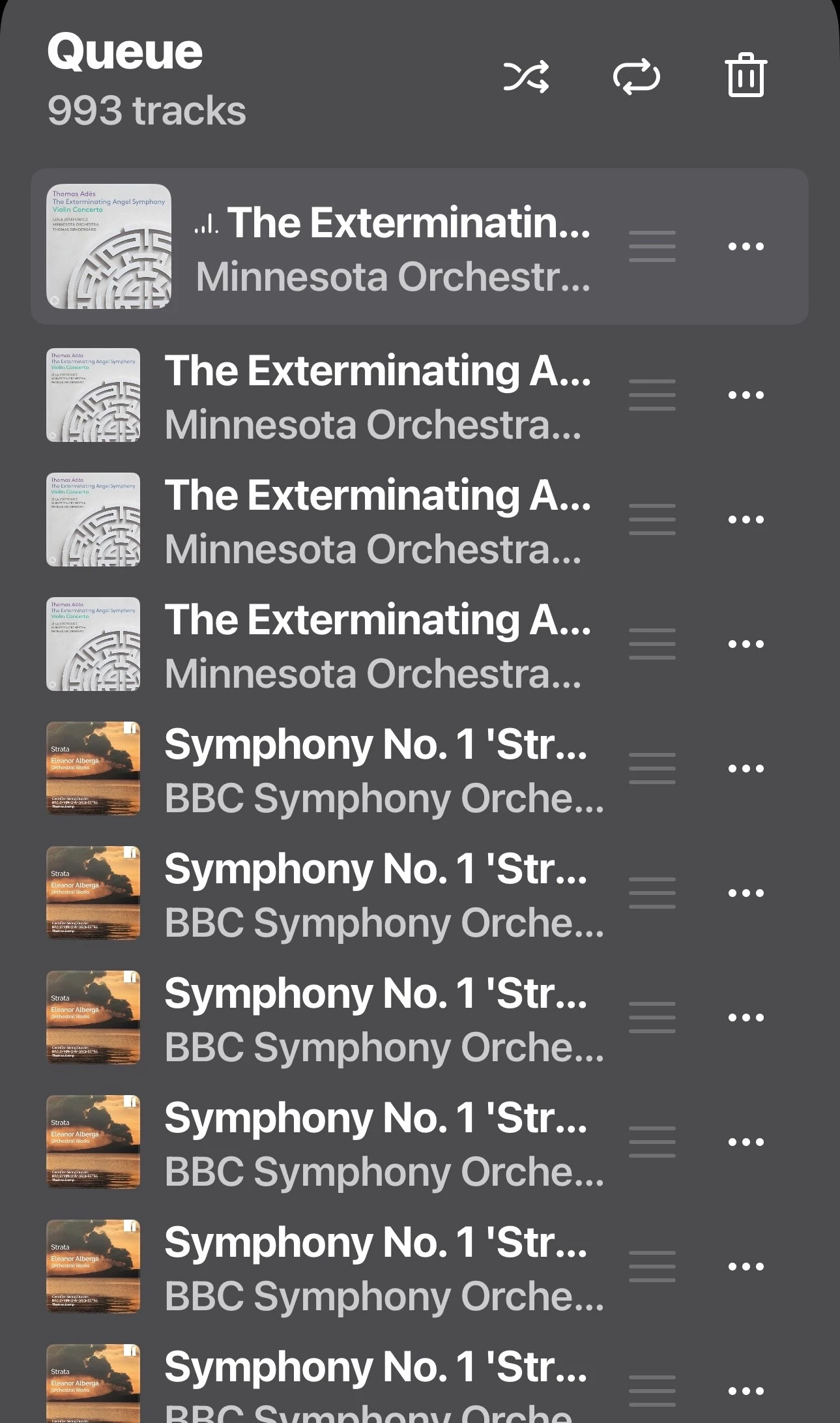
 I will report that to Sonos support.  A solution I found to get more than 500 Amazon Music Unlimited tracks into the queue is to have two playlists of the same genre, let’s say Jazz.  Both of those Jazz playlists would be close to 500 tracks.  Now using SonoPhone load the first Jazz playlist into the queue.  Then, also using SonoPhone, hover on the second Jazz playlist and choose “Add to End”.  Now you will have combined the two Jazz playlists.  This will show in S2 as well.


Mr. T
  • January 23, 2026

emanfatima:

 I will report that to Sonos support.  A solution I found to get more than 500 Amazon Music Unlimited tracks into the queue is to have two playlists of the same genre, let’s say Jazz.  Both of those Jazz playlists would be close to 500 tracks.  Now using SonoPhone load the first Jazz playlist into the queue.  Then, also using SonoPhone, hover on the second Jazz playlist and choose “Add to End”.  Now you will have combined the two Jazz playlists.  This will show in S2 as well.

You can Add to End of Queue in the Sonos app too.


MoPac
Forum|alt.badge.img+18
  • Author
  • Headliner III
  • January 24, 2026

I’ll try that, but if Sonos can’t load all of the first playlist I’m not sure I’ll get the entire 993 tracks.  I’ll give it a shot though.


MoPac
Forum|alt.badge.img+18
  • Author
  • Headliner III
  • January 24, 2026

 Using Sonos S2 worked when adding two playlists to the queue.  Just have to ignore the message “Unable to add to queue”.


Mr. T
  • January 24, 2026

I’ll try that, but if Sonos can’t load all of the first playlist I’m not sure I’ll get the entire 993 tracks.  I’ll give it a shot though.

What I meant was that you could always get over 500 Amazon Music tracks in the queue by adding multiple playlists. Obviously the success rate for all tracks appearing is dependent on this existing bug.


Edit as posts crossed.

 Using Sonos S2 worked when adding two playlists to the queue.  Just have to ignore the message “Unable to add to queue”.

Possibly the track truncation doesn’t happen when you add to an existing queue. I haven’t tested that to see.


MoPac
Forum|alt.badge.img+18
  • Author
  • Headliner III
  • January 24, 2026

 Sonos still jumps the gun with error messages.  Give more time for the playlist to load before stating it can’t be done.  This has been an issue for awhile.

 Tried with a different pair of playlists.  Sonos S2 gave me the incorrect number of tracks.  Cleared queue and tried with SonoPhone.  Got the correct number of tracks.  I’ll stick with SonoPhone for loading the queue then use S2 for whatever else is required.


Corry P
Forum|alt.badge.img+19
  • Sonos Staff
  • Answer
  • January 28, 2026

Hi ​@MoPac et al

Thanks for your post!

We are aware of this situation whereby large Amazon Music playlists will fail to load entirely into the queue and are investigating.

We have no estimate for when this might be resolved, but I will update this thread when I hear of it.

I hope this helps.


Mr. T
  • January 28, 2026

I wouldn’t call them large. Even the limit of 500 tracks is not what you would call large.

Only been at least 5mths and counting for this to be unresolved…