Answered

Unable to Save anything Favorites

  • July 26, 2026
  • 8 replies
  • 30 views

Hello,

this has been an ongoing issue for sometime and I’ve tried numerous things to rectify it but I’m still unable to save any thing to my favorites list. Any Sonos radio stations, XM radio stations, TuneIn Radio stations, playlists from Spotify or any other music service etc.


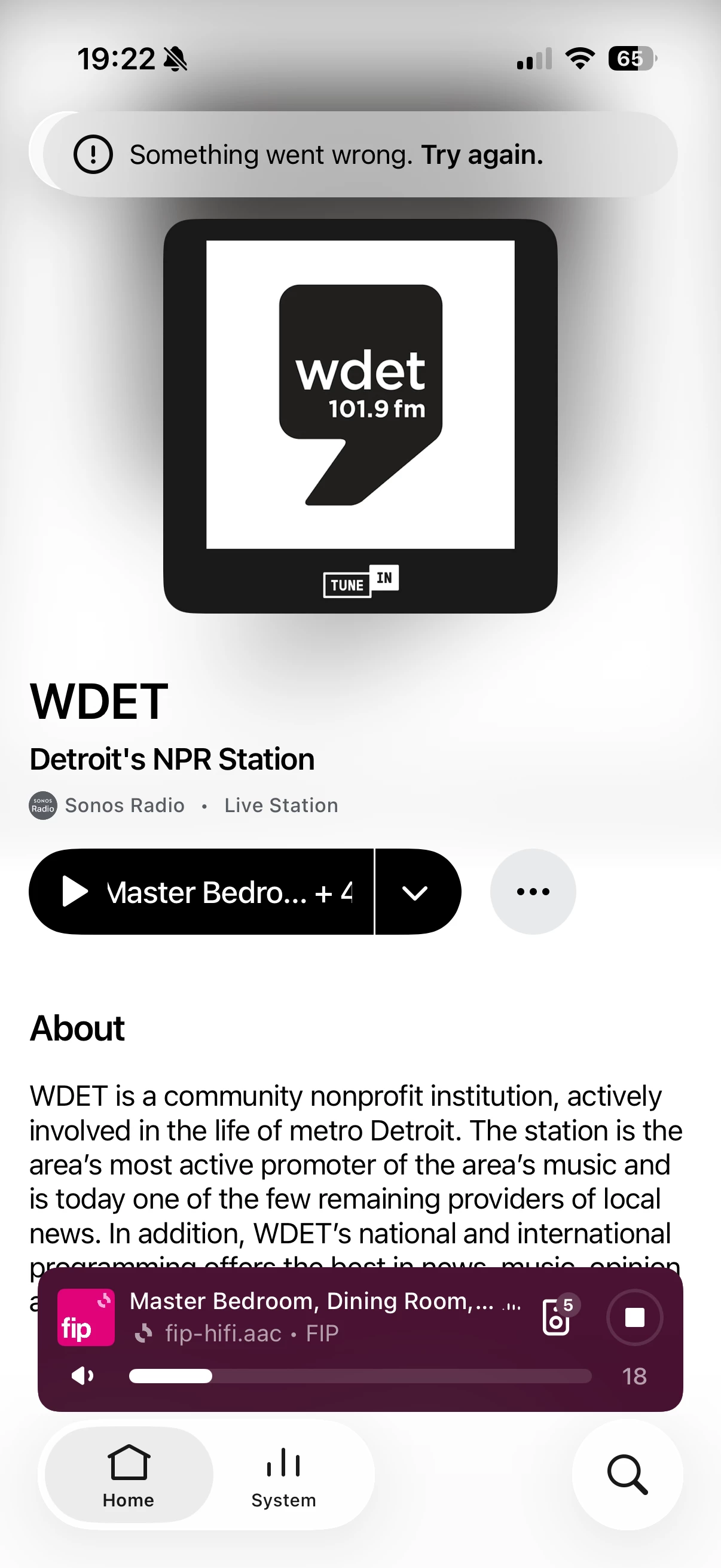
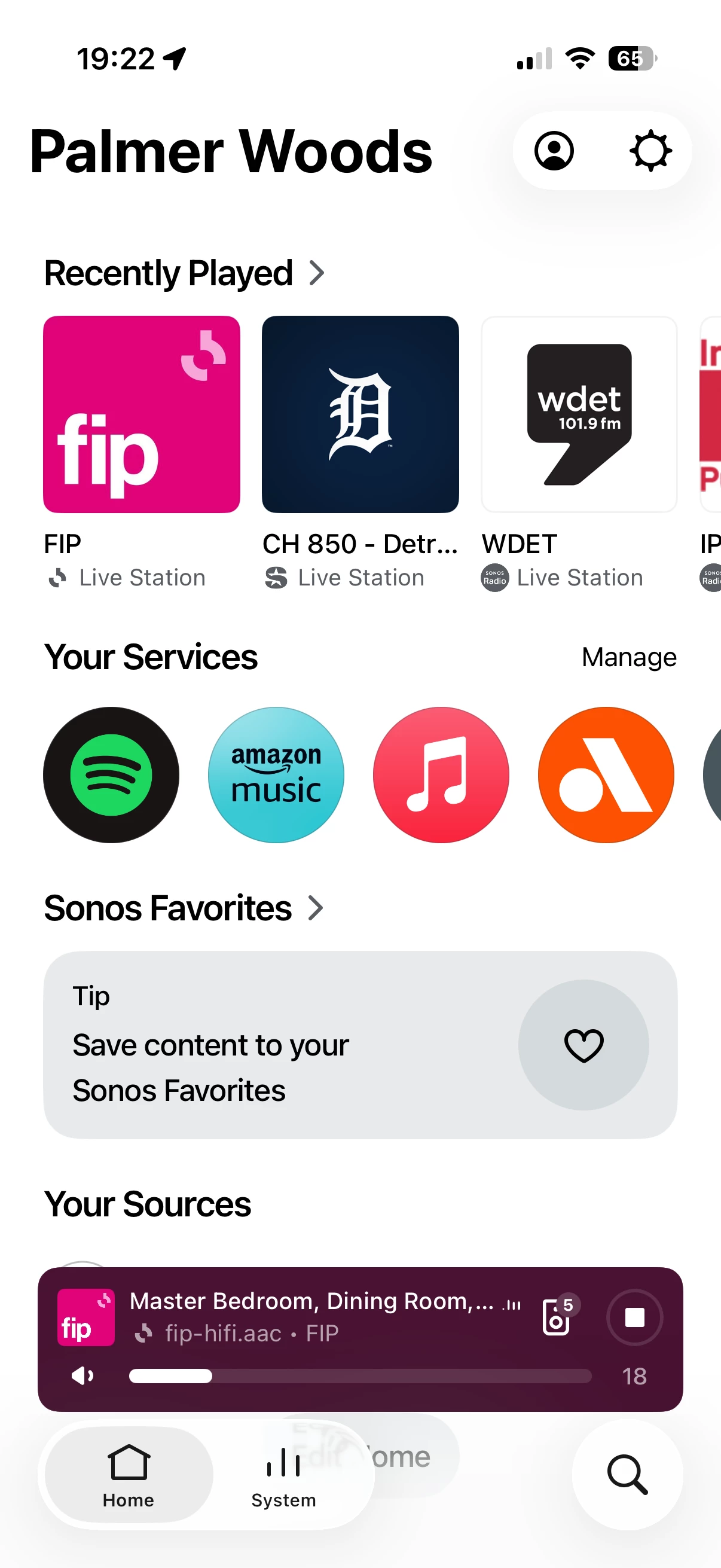
My favorites list appears empty and nothing is on it and every time I try to save something to it it says “something went wrong, try again”. You can see the screen shots attached as well. 

I have tried uninstalling and reinstalling the app on numerous devices. I’ve tried a step-by-step ownership refresh by transferring the system to different email and resetting things. I have tried a web only account sync flush and that has not worked either.

I am beyond frustrated and at this point cannot seem to figure out a solution. Any advice would be appreciated. 
 

Best answer by Stanley_4

I couldn't tell from the screenshots and the "appears" left me unsure. Should have reread that first paragraph.

I was hoping to find a maximum number and if it applied to all Favorites types, Playlists, Songs, Albums and Stations.

If all types are empty then the limit isn't an issue. 

If you haven't done a network refresh (likely you have) power down all Sonos, reboot router and controller, wait for it to fully boot up and power up the Sonos.

A second thought is something (firewall or filter) blocking access to one of the several sites Sonos needs access to.

Search: https://en.community.sonos.com/search?q=pi+hole

Blocking topic: https://en.community.sonos.com/advanced-setups-229000/sonos-pi-hole-6870549 (with lists)


8 replies

Airgetlam
  • July 26, 2026

Odd. Have you contacted Sonos Support to discuss it?

When you speak directly to the Support staff, they have tools at their disposal that will allow them to give you advice specific to your network and Sonos system.


  • Author
  • Contributor I
  • July 27, 2026

Hi Bruce - I thought that was the purpose of this forum… How do I properly contact them?


  • Author
  • Contributor I
  • July 27, 2026

Sorry saw your link! Will contact. Thank you. 


Airgetlam
  • July 27, 2026

Yea, unfortunately, ‘support’ doesn’t live in these forums, just us users and the occasional moderators. They’re pretty smart, but pretty few, and getting a response from them is pretty rare. You’re a lot better off contacting per the link (or the ‘contact us’ link at the bottom of this page).

I’m not a huge fan of AI chatbots, I’d highly recommend spending the time and effort to speak with a human.


Stanley_4
  • Grand Maestro
  • July 27, 2026

I thought there was a maximum number allowed, can't find it.

https://en.community.sonos.com/search?q=favorites%20maximum%20sonos%20app

There isn’t a published official maximum for Favorites in the Sonos app available in the indexed documentation; community reports indicate users can hit a small limit for Favorites/Stations and that this can prevent adding new entries. 


  • Author
  • Contributor I
  • July 27, 2026

There is a maximum allowed… However, I have zero favorites listed currently.


Airgetlam
  • July 27, 2026

The OP said ‘unable to save any thing to my favorites list.’ and ‘My favorites list appears empty ’, which I think precludes the idea that they’ve maxed out the list. 


Stanley_4
  • Grand Maestro
  • Answer
  • July 27, 2026

I couldn't tell from the screenshots and the "appears" left me unsure. Should have reread that first paragraph.

I was hoping to find a maximum number and if it applied to all Favorites types, Playlists, Songs, Albums and Stations.

If all types are empty then the limit isn't an issue. 

If you haven't done a network refresh (likely you have) power down all Sonos, reboot router and controller, wait for it to fully boot up and power up the Sonos.

A second thought is something (firewall or filter) blocking access to one of the several sites Sonos needs access to.

Search: https://en.community.sonos.com/search?q=pi+hole

Blocking topic: https://en.community.sonos.com/advanced-setups-229000/sonos-pi-hole-6870549 (with lists)


  • Author
  • Contributor I
  • July 27, 2026

I have tried all the network refresh and reboot moves. Appreciate the links. Will take a look.