Question

Unable To Add Shared Library Folder On An ASUS 5202T NAS

  • August 17, 2026
  • 7 replies
  • 64 views

I’ve kind of given up but in one last ditch attempt to nail this I’m going to describe my problem and see if i’m missing something stupid.

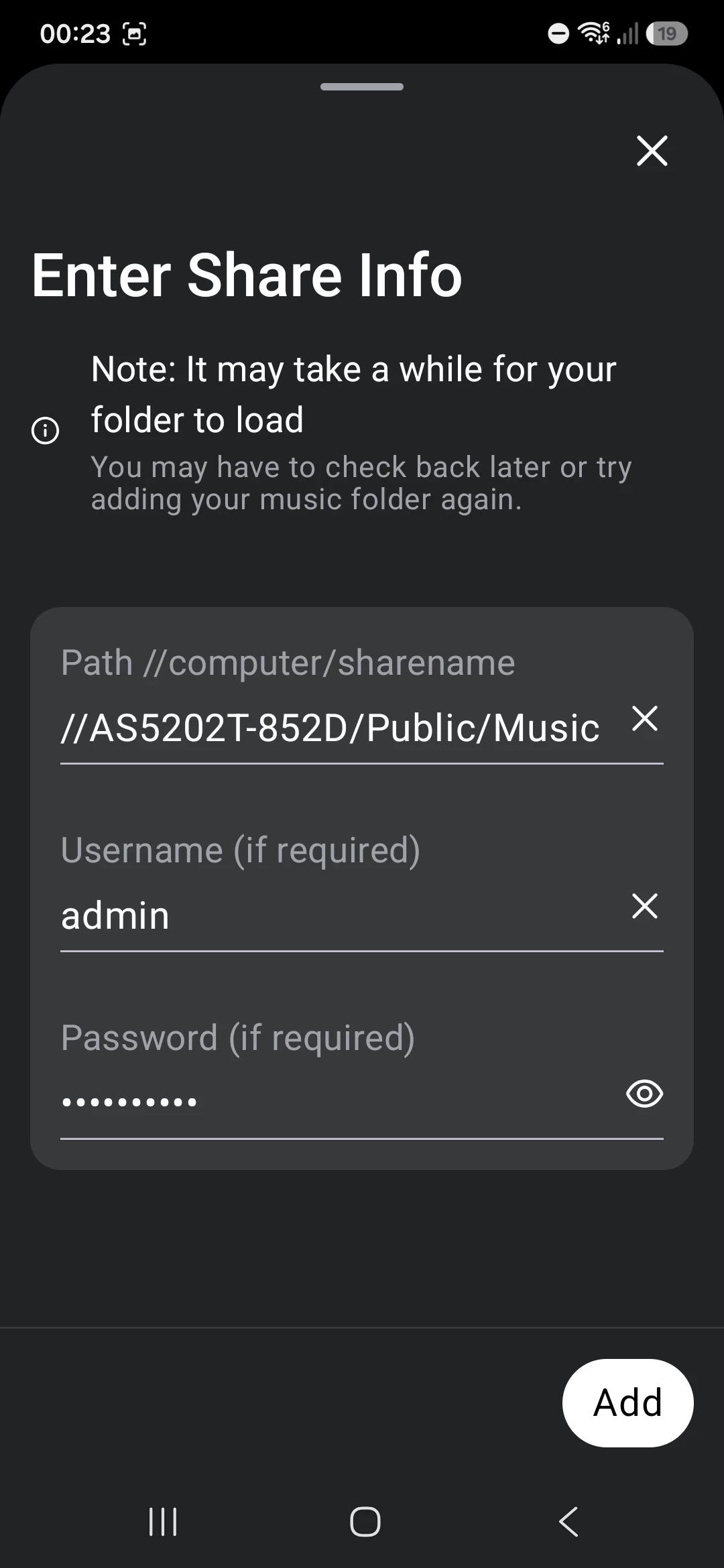
So trying to add a Music Library to SONOS using the Android App (S2 - Build 88.00.43)

The library lives on an Asustor AS5202T NAS drive

It’s in a public share //AS5202T-852D/Public/Music with login and password

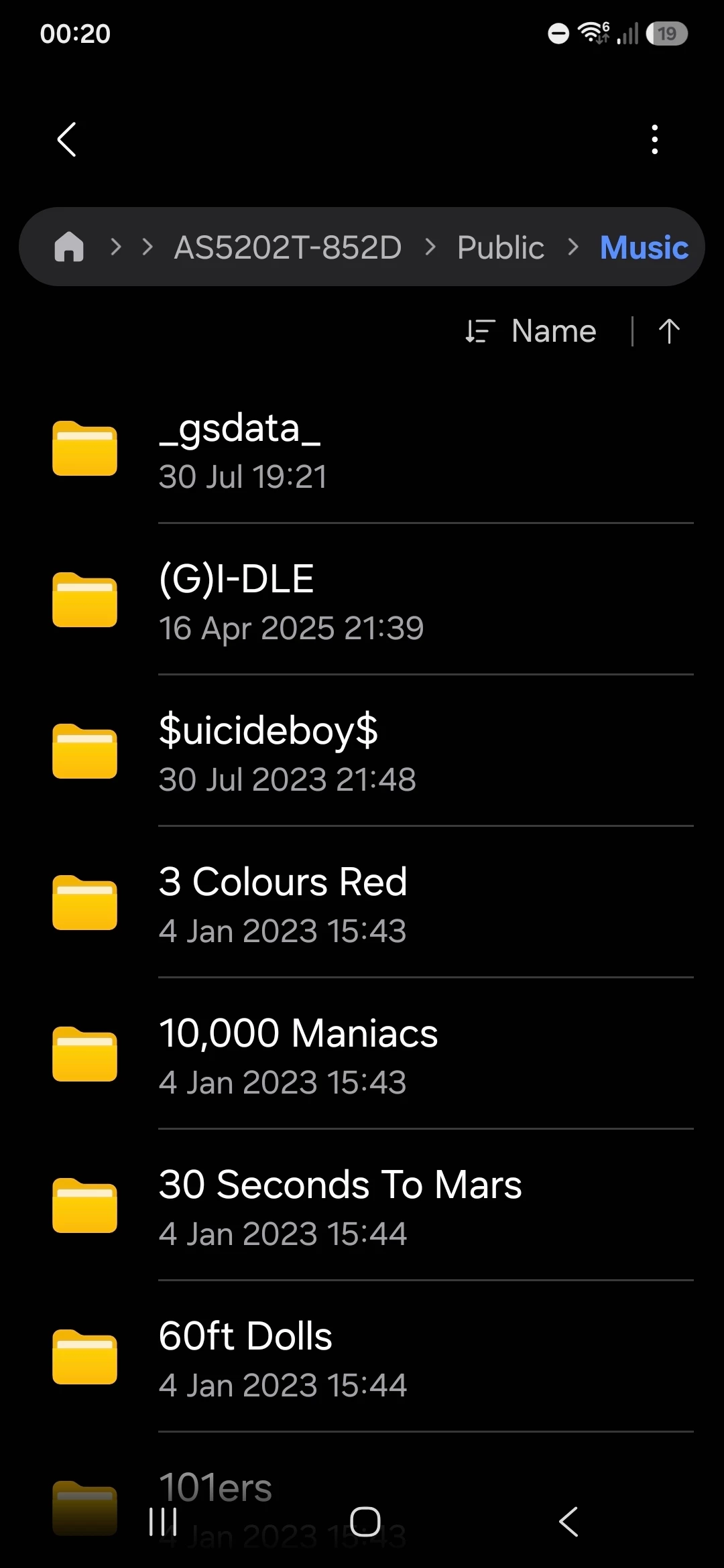
I can access the share from my laptop. I can also access it on the Android Phone using “My Files” and selecting Network Storage, picking it from available Network drives and entering the login/password creds

The Android phone is on the same network as the NAS (hence why it can see the share in “My Files”

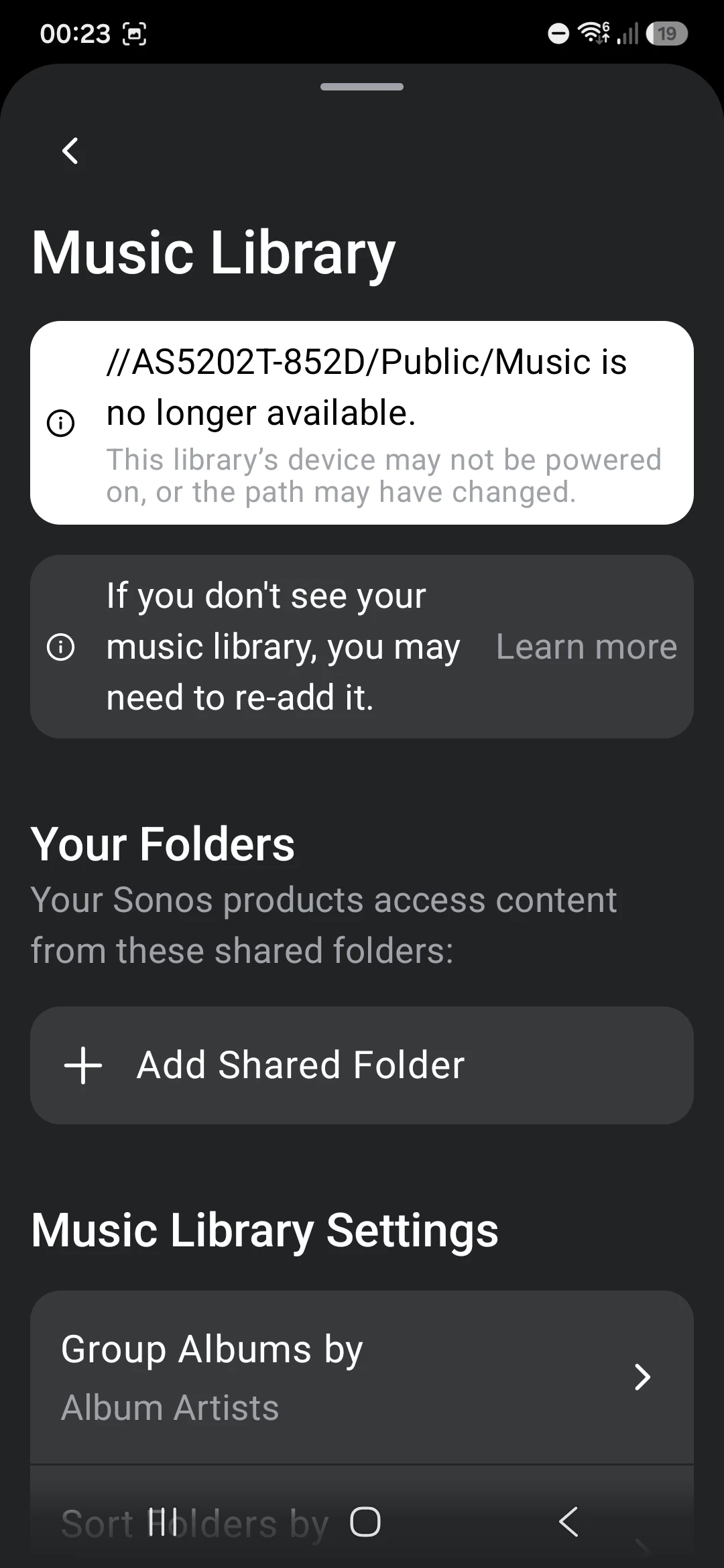
When I try and add the folder on the app i get an error that the share is no longer available.

I’ve tried with the share name and with the IP, same issue for both. Triple tripe checked login and password are correct and re-validated that by disconnecting my PC connection and re-authenticating with the same creds and they work.
 

I’ve configured the NAS to use SMB v2 or v3 only
 

I’ve basically given up, I use the Plex Service to play and find all my music in Sonos anyway because it’s a miles better user experience than the native serach and playlists. That service is working fine in Sonos although i suspect it’s getting the music files over the internet rather than from local network.

Any last ideas before I just put thwe whole thing down to a shonky Sonos app?


7 replies

Airgetlam
  • August 18, 2026

Curious as to what Sonos Support saw, in the system diagnostic you submitted within 10 minutes of attempting to add the share? From a cursory read through, it all ‘looks’ right, but unless I can see the ‘rejection’ error, I’m not sure. And, of course, neither of us have access to that data. 


Corry P
Forum|alt.badge.img+19
  • Sonos Staff
  • August 18, 2026

Hi ​@Andygritton 

Welcome to the Sonos Community!

Sorry to hear about this issue you are having with adding a shared path to your Sonos system for your local music library.

We are tracking an issue that matches the description of what you see. I can’t confirm definitively that this is the issue that is affecting you as there are no diagnostics to look at, but if I am right, you may be able to get the share added successfully if you temporarily turn off any older speakers that you have (they will show a software version number starting with 86.8 in Settings icon » General Settings » About my System) before you add the share. Once the share is added, please restore power to those speakers and all should be well.

If this does not work, I recommend you get in touch with our technical support team who have tools at their disposal that will allow them to give you advice specific to your Sonos system and what it reports.

I hope this helps.


  • Author
  • Contributor I
  • August 18, 2026

Thanks, tried turning off all speakers except for a BEAM Gen 2-→ Same error

Turned everything off except for an Era 100 SL → Same error

Tried turning everythog off --→ Unable to access folder

My Beam is plugged into the router on an Ethernet cable, none of the other speakers were setup for wireless, i assume they all work on the dedicated SonosNet wireless network that is shown in the app running on Channel 11


Tried adding the Era 100 SL to my Wireless Network anyhow just in case that helped -→ Same error

If I have an hour to spare I will just factory reset all the speakers and the app and destroy the existing system and try and set up from clean


controlav
Forum|alt.badge.img+24
  • Lead Maestro
  • August 18, 2026

Do you have a PC (or can borrow one)? The Desktop app always handles adding a file share more reliably than the mobile apps. Once added you can give the PC back to its owner.


Corry P
Forum|alt.badge.img+19
  • Sonos Staff
  • August 18, 2026

Hi ​@Andygritton 

PLEASE don't factory reset - doing so will only create more work for yourself, and is unlikely to help.

Please get in touch with our support team instead - diagnostics from the speakers will likely help if it's not the known issue.

Era speakers are not compatible with SonosNet. 

I hope this helps.


Pools-3015
Forum|alt.badge.img+17
  • Prodigy I
  • August 18, 2026

Thanks, tried turning off all speakers except for a BEAM Gen 2-→ Same error

Turned everything off except for an Era 100 SL → Same error

Tried turning everythog off --→ Unable to access folder

My Beam is plugged into the router on an Ethernet cable, none of the other speakers were setup for wireless, i assume they all work on the dedicated SonosNet wireless network that is shown in the app running on Channel 11


Tried adding the Era 100 SL to my Wireless Network anyhow just in case that helped -→ Same error

If I have an hour to spare I will just factory reset all the speakers and the app and destroy the existing system and try and set up from clean


  1. Even with the Beam hardwired to your router, the Era 100 will not benefit from SonosNet because it is not compatible with it. It doesn't sound like a network issue to me. It sound like more of a permission issue. 
  2. I am not familiar with the AsusStor interface, but do you have SMB v2 or v3 selected for the shared folder? I just googled enabling the highest SMB version on your NAS and found this:

 https://www.asustor.com/en/online/online_help?id=17

This is just a thought, but have you tried the back slashes as well as forward slashes?


Stanley_4
  • Grand Maestro
  • August 18, 2026

I had oddities trying a mixed wired, Sonosnet and Wi-Fi setup, moved to all Wi-Fi and things were much more stable.

Since then Sonos has added an option to disable Sonosnet (not the poorly named disable Wi-Fi that breaks HT setups) that has allowed me to wire a few Sonos and keep the rest on Wi-Fi and that is also proving stable. Note that there was no good reason for me to go back to wired connections, it was just that the cables were already run and it looked like an interesting option.


Keep in mind Sonosnet isn't a good thing, it is ancient technology making wireless connections less reliable than Wi-Fi and it requires an additional, relatively clear Wi-Fi channel, other than your Wi-Fi one.