Question

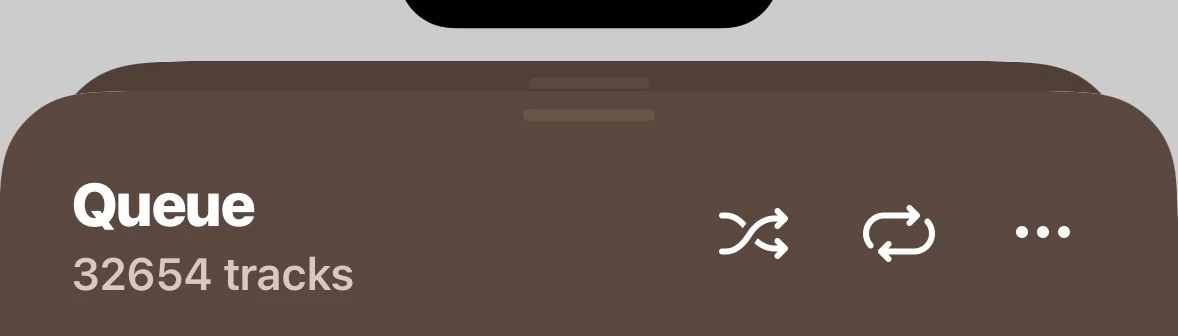
The Queue

  • May 13, 2026
  • 10 replies
  • 100 views

Forum|alt.badge.img+1

Hello All -

Surprisingly I have been referred here by the second level support team as they don’t have the answer, neither does the beta test team.

I have about 35k tracks in FLAC on my NAS drive.  Until a while ago - after the last update but before going down the beta test route - I could right click on the root directory of all the tracks and they’d be added to the queue.  It took a little time but it happened.

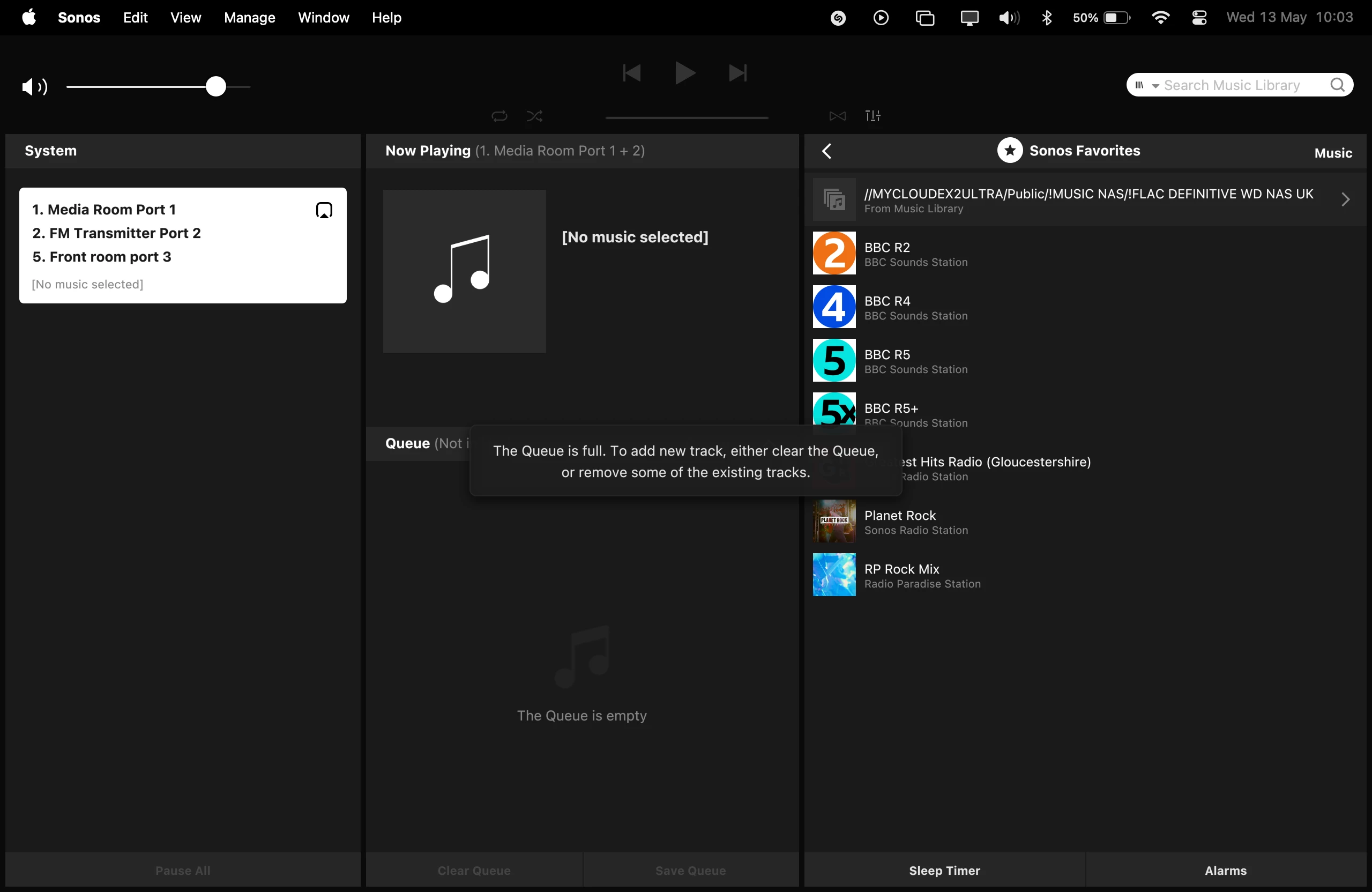
Now it simply tells me that the queue is full even while the “Queue is empty” is showing.  If I laboriously add each of the 30-odd subdirectories one by one they are added to the queue no problem, right up to the 35k level.

I am using a Mac Mini M4 with Sequoia 15.7.4, 24GB of memory and Sonos S2 17.2.3.

Any thoughts out there?  (Sonos support have no record of anybody else reporting this problem.)

Thanks,

Ian.

10 replies

Forum|alt.badge.img+19
  • Senior Virtuoso
  • May 13, 2026

I’m only speculating to put the idea out there: if you’ve been adding tracks to your collection recently, you may have hit a memory limitation that currently only exhibits when doing the en-mass add tracks? 


Forum|alt.badge.img+1
  • Author
  • Avid Contributor I
  • May 13, 2026

Hi Nik -

Thanks for your quick response.  The problem arose when I hadn’t been adding a lot of tracks and only manifests itself when I try to add all 35k tracks at once.  They are happily accepted if I add each of the subdrectories - A, B, C, D…..etc - and get to the grand total piecemeal.

think there is a limit of aout 44k tracks in the Queue (But that might have been in the S1 version.)  If I could attach an image I’d send a screen shot showing the message “The Queue is empty” and the one saying “The Queue is full”.  This one comes up before any files are transferred so it seems that there is some sort of check made before any file are added to the Queue.

Thanks for your input.

Ian.


I just added my library to the queue and it worked to add all tracks fwiw 


Forum|alt.badge.img+1
  • Author
  • Avid Contributor I
  • May 13, 2026

Hi UDP -

Yup, mine used to do that!

Thanks,

Ian.

PS a screenshot of the queue is full & empty:


Forum|alt.badge.img+19
  • Senior Virtuoso
  • May 13, 2026

Delete and then reinstall the app? 


Forum|alt.badge.img+1
  • Author
  • Avid Contributor I
  • May 13, 2026

Nik -

I’ve tried that but maybe not since the latest update so I’ll give it a go.

I’ve also fired up a Windows PC running v17.2.2 (The Mac has the beta version 17.2.3) and it does the same.

Thanks for your continued help.

Ian.


  • May 13, 2026

Surprisingly I have been referred here by the second level support team as they don’t have the answer, neither does the beta test team.

You mention beta test team. Are you sure you don'’t have a beta system version on your sonos devices? Possibly a conflict with the current release controllers. How about if you use a mobile controller? Can you add your entire library to the queue like UpsideDownPineapple shows above?

ETA: If you are running beta software, we other community members here are not going to be able to help much. If that is the case, there would appear to be a bug/problem with the beta software which can only be addressed with the beta team.


Forum|alt.badge.img+1
  • Author
  • Avid Contributor I
  • May 13, 2026

Hi KD -

Thanks for taking the trouble to respond.

Yes, the beta testing muddies the water but it was happening before I upgraded.  This is my first experience of beta testing and I assumed that the recommended recent update would be the “normal” one, not the beta, and that I would be offered the beta version if I wanted it.

Using my Android phone might be  possible but the app so badly laid out and I use it so little that I can’t find a way to add a whole directory to the queue.

Thanks for your input.

Ian.


  • May 13, 2026

In the android app, select Music Library → Songs. At the top of the list , select the three dots menu, “...” to the right of the shuffle icon. Then select “Replace Queue”. The first song will start playing and the queue will be filled with every song in the library.

Or if you want the queue filled in folder order, select Music Library → Folders and long press on the share name. Select “Replace Queue”.


Stanley_4
  • Grand Maestro
  • May 13, 2026

Review your beta test documents, you may find you shouldn't mention beta issues here.