
I have four rooms in my Sonos ecosystem. Living Room (Beam Gen 2 and Sub Mini with HDMI connection to TV), Media Room (Arc with HDMI connection to TV, Sub Gen 3, and 2 Era 300 as surrounds), Sonos Pair (of Play:1’s) and a Sonos Move. Often when I use the Sonos App the active room is the Living Room. I want to play something in the Media Room. When I deselect Living Room, select Media room, and hit Apply, the playback is correctly set to the Media Room, but the Living Room goes silent. Since my wife is often watching TV in the Living Room when this happens, it causes her some consternation. To resolve this she has to turn up the TV volume (which controls the Sonos system via eArc). Am I doing something wrong?

Answered
Switching Among Components/Speakers in Sonos app
Best answer by kdowling
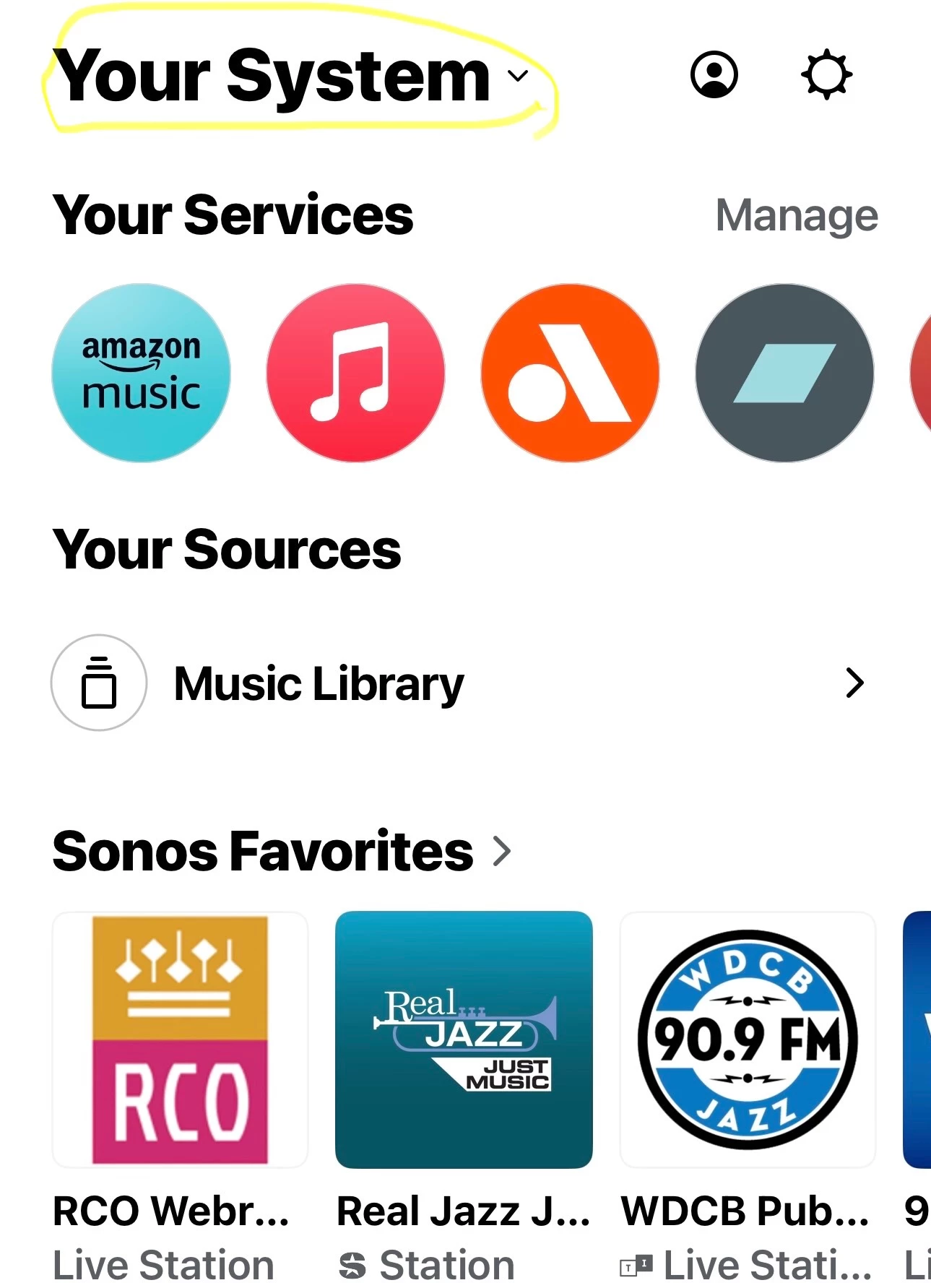
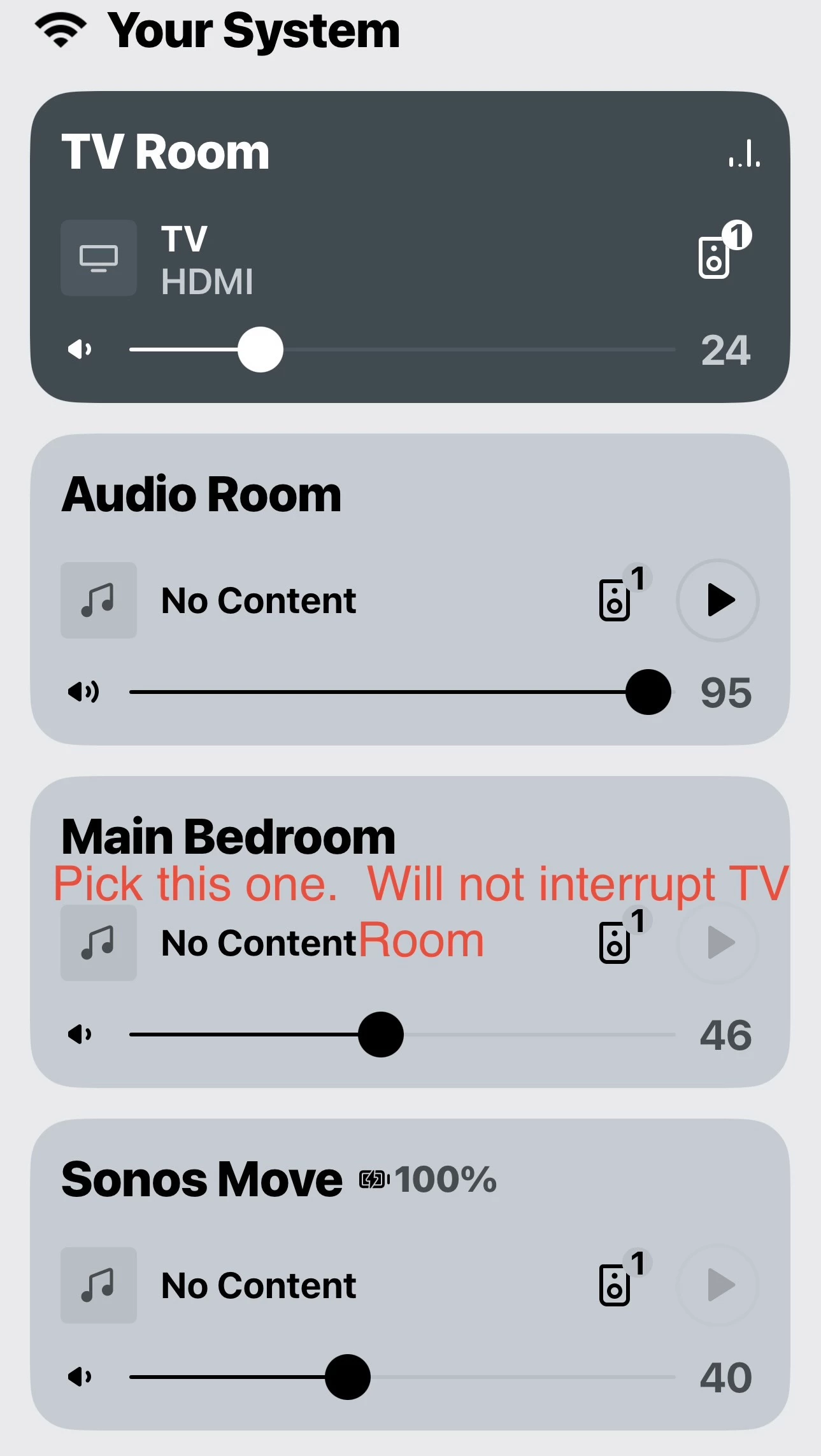
On the app home screen, tap the name of your system, at the top (Mine is “Your System”). It will show your rooms. Tap on the Media Room. Media Room is now selected. Now select what your want to play. That will play in the Media Room without interfering with the Living Room.
You can also get the selection page by swiping up on a room when shown at the bottom of the screen.
This topic has been closed for further comments. You can use the search bar to find a similar topic, or create a new one by clicking Create Topic at the top of the page.






Enter your E-mail address. We'll send you an e-mail with instructions to reset your password.