Question

Stereo pair of Sonos Ones appearing as separate devices not stereo pair in android apps

  • June 5, 2026
  • 12 replies
  • 89 views

bigkid

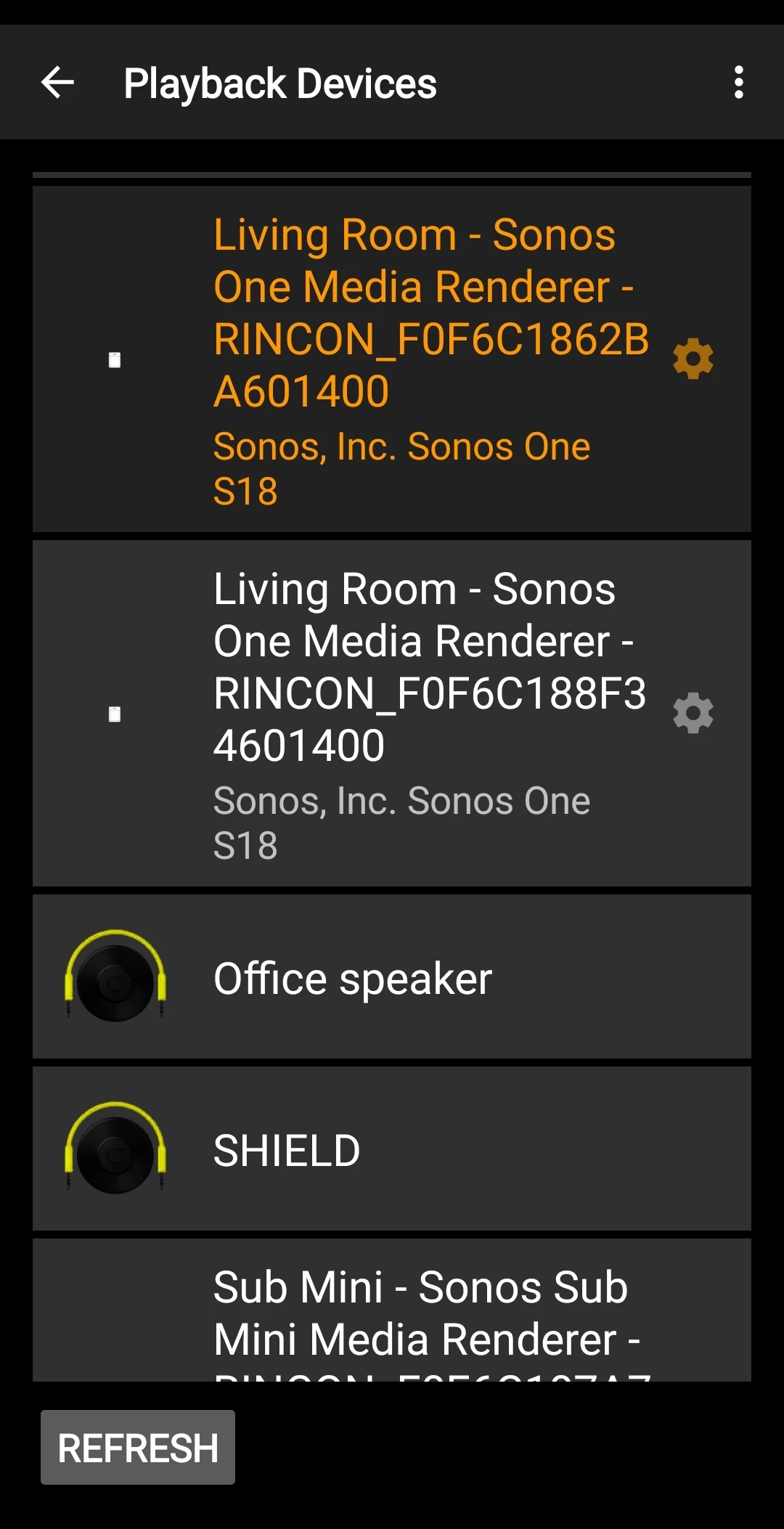
Hi all. First time poster.  I have setup a stereo pair of One Gen 2’s and a sub mini in the Living Room and identified the group as ‘Living Room - Sonos’.  While Spotify on my android phone identifies the group as ‘Living Room - Sonos’ and plays music through both speakers, the app I am using (Hi-Fi Cast) only sees the group as separate devices. If I select the right speaker, sound comes out of it, and only it. Select the left speaker and the song won’t play. I have recreated the group a couple of times but still end up with the same issue. Weirdly, if I use the Spotify app on my phone, the music plays through both speakers, and if I close it and then use Hi-Fi app, while it sees the devices still as separate entities, it will play music from both speakers. As I said, Weird. The problem returns if I select the other Sonos device. A pic of the Hi-Fi devices tab is attached. I am sure there is something fundamental I am getting wrong with the setup. Appreciate advice on how this might be remedied. Cheers. 


12 replies

Forum|alt.badge.img+19
  • Senior Virtuoso
  • June 5, 2026

Welcome to the mad-house!
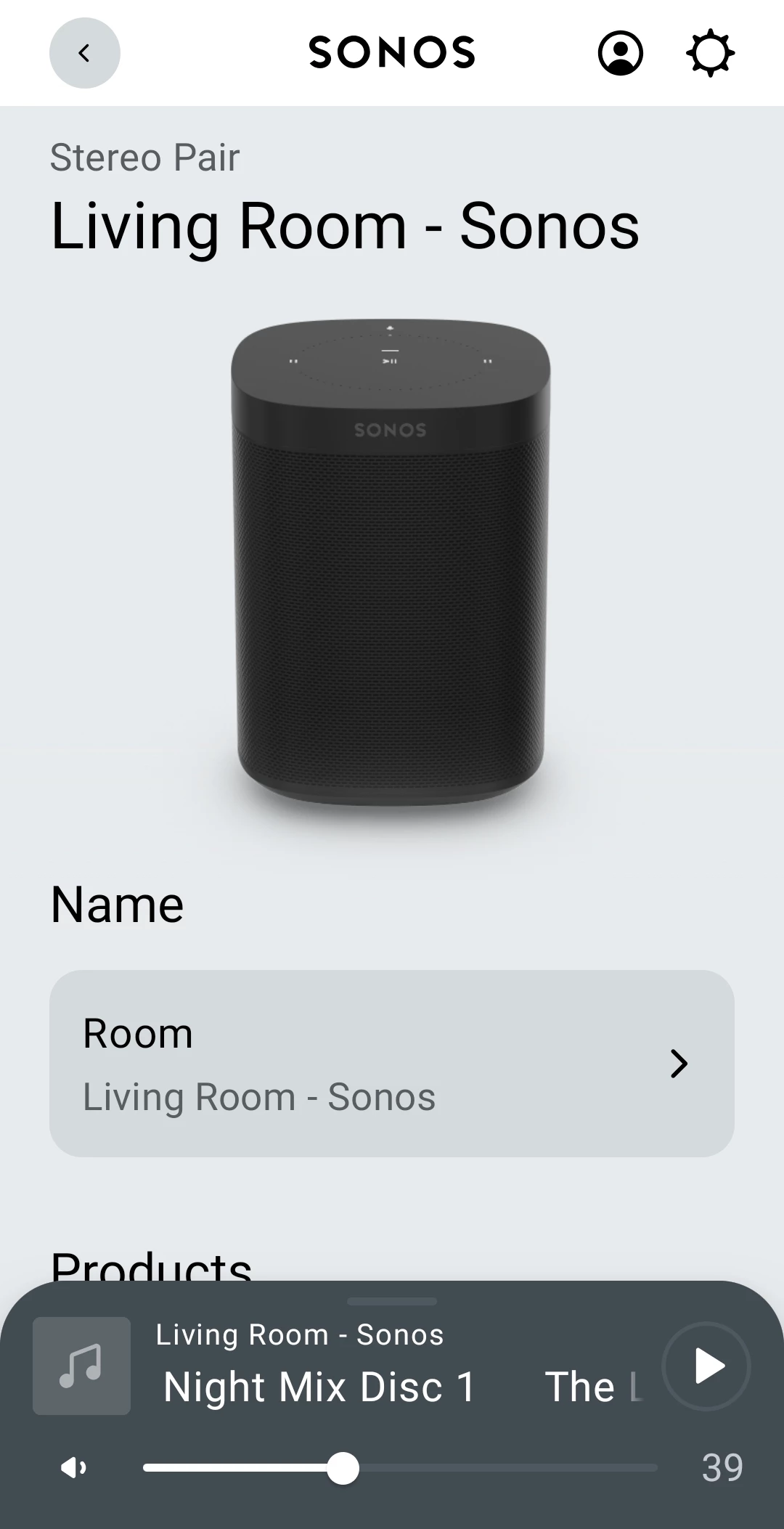
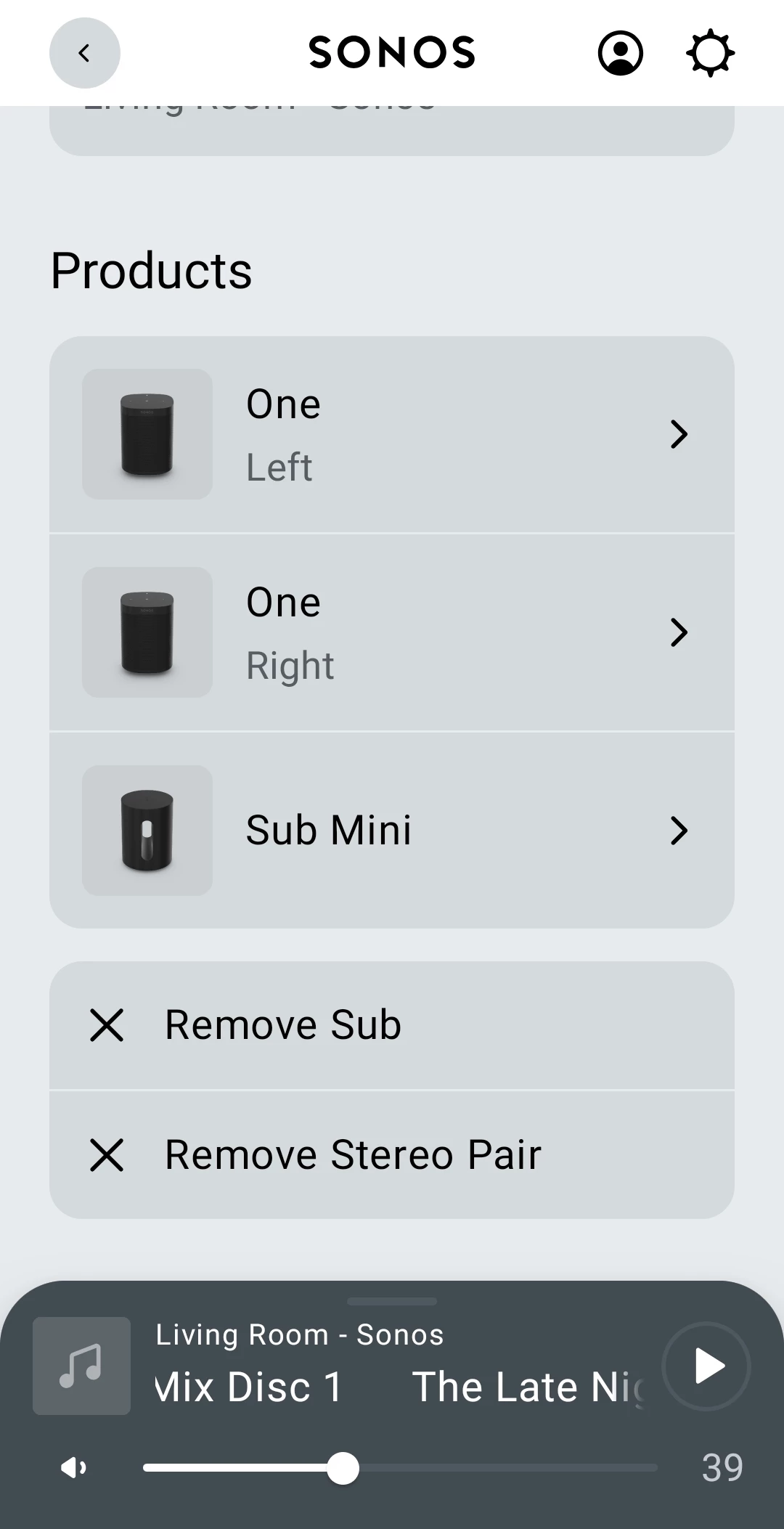
Have you set them up as a stereo pair - just one room in the Sonos app? Or are they two speakers that you’ve grouped? Your post refers to both “stereo pair” and “the group”. Can you post a picture of the room in the Sonos app? They need to be a single room. 


bigkid
  • Author
  • Contributor I
  • June 5, 2026

Haha! Hi nik9669a. 

Yes. They are a stereo pair in just one room, the Living Room. Which I did following the steps in the Sonos App. Couple of pics to follow:


bigkid
  • Author
  • Contributor I
  • June 5, 2026


Forum|alt.badge.img+8
  • Prodigy I
  • June 5, 2026

Don't have experience of specific app but in a stereo pair both speakers maintain independent presence on local network. As against surround bonds where the router may maintain leases but bonded speakers are not on local network directly…

From what you say it would seem that the HiFi Cast app is picking up speakers by LAN presence rather than Sonos configuration. Sonos uses one speaker as a primary which controls the second speaker so when you cast to the primary two speakers will play, when you cast to the secondary only that one will play.

So in short you are not missing any tricks or miss configuring anything, but rather exposing implementation differences across apps.

(Subs can not function as standalone speakers so are excluded from casting...)


Forum|alt.badge.img+19
  • Senior Virtuoso
  • June 5, 2026

Yup, that looks set up correctly. 
 

Is the hyphen in your room name recognised properly in the Hi-Fi Cast app?


Forum|alt.badge.img+19
  • Senior Virtuoso
  • June 5, 2026

The “stereo pair master” concept that ​@User117655 mentions above was what I was just thinking about too. 
@bigkid: do you have any more speakers you can stereo-pair and test out?

Is there any support for the app, to ask them about support of Sonos devices?


Forum|alt.badge.img+8
  • Prodigy I
  • June 5, 2026

@nik9669a and ​@bigkid almost definitely that, there are other apps (Android) that behave in the same way too...


Forum|alt.badge.img+8
  • Prodigy I
  • June 5, 2026

Out of curiosity I just tried the HiFi Cast app on my stereo pair (100's, no sub). On casting a radio station behaviour is similar but:

* On casting to secondary (I assume) then I am hearing no sound at all - primary (I assume) then both speakers

* Sonos app seems to be aware if not taking over control as on interrogation it is showing radio station selected in HiFi Cast as source and can control...

* Rapid switching seemed to confuse both apps as secondary speaker dropped and had to reboot... 🤷🏼‍♂️

(all based on a VERY quick play -  not for me but HiFi Cast looks like a nice implementation 👍)


controlav
Forum|alt.badge.img+24
  • Lead Maestro
  • June 5, 2026

That app clearly has no concept of Sonos groups, so go ask the author.

However a dumb UPnP app (which this appears to be) should work if you stream to the Coordinator in a group, with a stereo pair you have a 50% chance of guessing which is the coordinator. If you choose  wrongly, you’ll get no audio. However that doesn’t quite match what you are seeing. Maybe the app is even dumber than I suspected.


MoPac
Forum|alt.badge.img+19
  • Headliner III
  • June 5, 2026

Dumb UPnP apps work fine for me just as ​@controlav described.  Choose the controller and the rest should play.  I have also been able to control the only single Sonos device ( nothing bonded ) in my collection of Sonos devices.  Using Bubble UPnP Server I have a Sonos Port running on Open Home ( Linn-Lumin ).  Open Home is gapless whereas with UPnP that is not always the case.


jgatie
  • June 5, 2026

I believe the coordinator in a stereo pair is always the Left speaker.  But it’s been a while since I was in a discussion about that so I could be misremembering. 


Forum|alt.badge.img+8
  • Prodigy I
  • June 5, 2026

I believe the coordinator in a stereo pair is always the Left speaker.  But it’s been a while since I was in a discussion about that so I could be misremembering. 

Me too, think it is in the Sonos documentation somewhere...