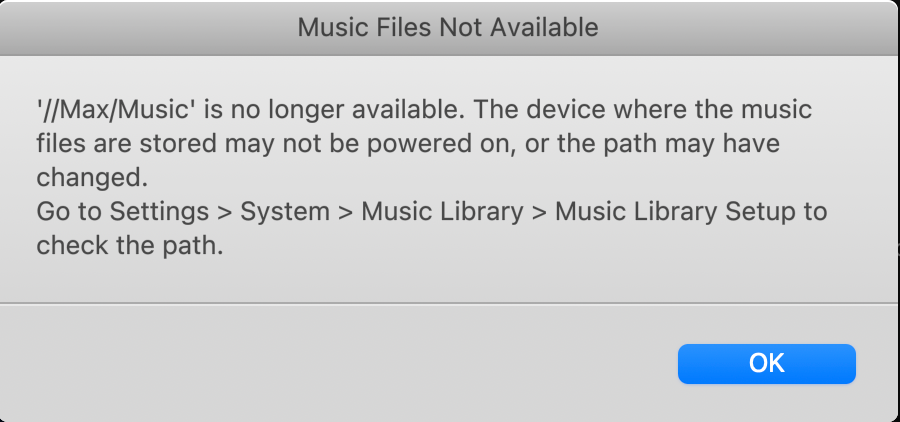
That certainly suggests the Sonos devices not being able to reach the share for some reason, which isn’t clear. Since they connect sometimes, but not others, I’m guessing there’s some sort of interruption between the Sonos devices and your Orbi router, but without hard data to look at, it’s merely a guess.
I’d certainly check for the wifi interference between the Sonos devices and your router. I would also be tempted, at least as a test, to wire one Sonos speaker to your Orbi with an Ethernet cable, and start the library scan from that device.
I don’t use an Orbi myself, but I’d be tempted to do a simple network refresh, by powering off all Sonos devices, then reboot the Orbi. Wait a couple of minutes for the Orbi to come up, then power up/ plug in the Sonos devices. If that makes a difference, I’d look in to setting up reserved IP addresses for the Sonos devices, and in fact pretty much anything connected to your network, it is considered ‘good housekeeping’ for a network. And would help keep the disconnects down.
But, if none of that seems to make a difference, I would recommend that you submit a system diagnostic within 10 minutes of experiencing this problem, and call Sonos Support to discuss it. But don’t post the resulting diagnostic number here, they get sensitive about GDPR.
There may be information included in the diagnostic that will help Sonos pinpoint the issue and help you find a solution. And we, as users, don’t have access to that data.
When you speak directly to the Support staff, they have tools at their disposal that will allow them to give you advice specific to your network and Sonos system.