Answered

Sonos not playing files converted via the NCH sound file app

  • April 20, 2026
  • 12 replies
  • 89 views

Forum|alt.badge.img

I have several trhousand tracks which I converted from .wma to .flac, using the NCH Switch Sound File Converter app on Windows 11. The converted files appear to be playing on Sonos, but there is no sound.

All ther files are within Sonos limits (44,100khz and 16-bit), and play perfectly well on my phone apps (Rocket Player and Pulsar), so are not corrupted.

I have found that if I open one of the files in Audacity, then simpley export it back again, the file plays in Sonos.

I have contacted the Sonos aupport team, and sent them a diagnostic while one of the tracks is playing, and they confirm multiple errors, so it appears that it is something to do with the Codec and how Sonos is interpreting it.

I do not want to have to manually read and export every file via Audacity, so any suggestions using other software where I can perform a batch reconversion would be appreciated.


Best answer by User117655

All my local files (50k+ tracks) ripped to .flac using dBpoweramp:

https://www.dbpoweramp.com/

Also does batch conversions... Highly recommend it but read it up to make sure it meets your needs...

12 replies

106rallye
Forum|alt.badge.img+18
  • April 20, 2026

Just curious. Sonos plays .wma files as I understand it. Why would you want to convert them to .flac?


Forum|alt.badge.img
  • Author
  • Trending Lyricist I
  • April 20, 2026

Simply because some apps no longer support  .wna. I think it's probably a licensing issue.


Forum|alt.badge.img+7
  • Prodigy I
  • Answer
  • April 20, 2026

All my local files (50k+ tracks) ripped to .flac using dBpoweramp:

https://www.dbpoweramp.com/

Also does batch conversions... Highly recommend it but read it up to make sure it meets your needs...


Forum|alt.badge.img
  • Author
  • Trending Lyricist I
  • April 21, 2026

Thanks User117655, I'll take a look later today.


Forum|alt.badge.img
  • Author
  • Trending Lyricist I
  • April 21, 2026

User117655, it looks like dbpoweramp is the answer. I tried a test with one file, and it worked a treat. I then tried a whole album, again success. I then found the batch converter and tried a complete artist with 5 albums (my music is organised into artists with sub-folders for each album). Again perfect witn Sonos and still plays great on Rocket Player and Pulsar on my phone.

I then decided to bite the bullet, and rather than identifying the 6000 or so artist tracks that need to be converted, I’m currently converting the whole lot (over 14k) being estimated at 12 hours (fingers crossed).

If your interested, I’ll let you know the outcome, but thank you so much whetever.


106rallye
Forum|alt.badge.img+18
  • April 21, 2026

Simply because some apps no longer support  .wna. I think it's probably a licensing issue.

Ah, right. You didn't convert  for Sonos reasons.

Can you tell us what settings you are using in dbpoweramp? Since you are converting (probably) lossy files to lossless.


Corry P
Forum|alt.badge.img+19
  • Sonos Staff
  • April 21, 2026

Hi ​@degsy_london 

Welcome to the Sonos Community!

Sorry to hear of the issue you’ve had in getting your WMA files to play on your Sonos system.

I’m glad to see you’ve been given good advice to get you started. But, before you start converting all your WMA files to FLAC files, please be aware that FLAC is lossless, meaning it takes up more disk space to recreate CD quality. To make FLAC files out of WMA files, when WMA files are lossy (some information is lost), is wasteful of diskspace. I’d recommend converting to MP3, M4A, AAC, OGG, or simply back to WMA again instead, as FLACs will take up extra space for quality that has already been thrown away (when the WMA files were created in the first place). FLAC files should only be created from CDs, really (or from Blu-Rays).

I hope this helps.


MoPac
Forum|alt.badge.img+19
  • Headliner III
  • April 21, 2026

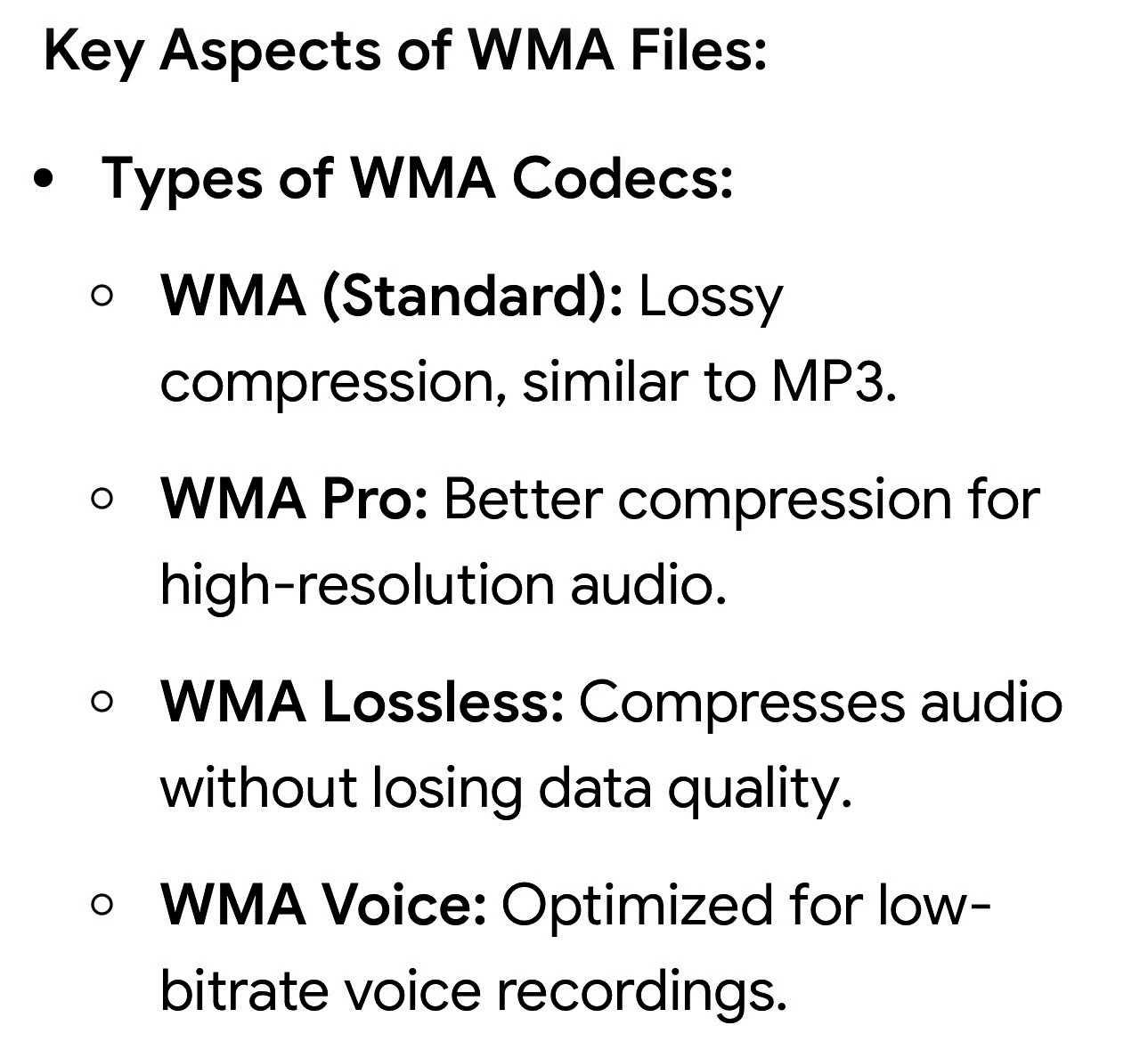
Which one of these defines your WMA files.  If it’s one of the lossless compressed versions stick with converting to FLAC.


Corry P
Forum|alt.badge.img+19
  • Sonos Staff
  • April 21, 2026

Good point, ​@MoPac! Thanks!


Forum|alt.badge.img
  • Author
  • Trending Lyricist I
  • April 22, 2026

To answer some of your questions.

I’ve now converted almost everything to lossless FLAC. The exceptions are some .mp3 and .ogg files which I’ve kept as they are as thay seem to play on everything as it is.

I realise that converting .wma to .flac uses more space, but conversion is much quicker than re-recording all the CDs and LPs involved, and I don’t like the idea of converting one lossy format into another as I don’t know how the algorithms would align. I may re-record some of my favourite albums directly into .flac if I can find the time and inclination.


Corry P
Forum|alt.badge.img+19
  • Sonos Staff
  • April 22, 2026

Hi ​@degsy_london 

In the interest of divulging what I know, codecs don’t “align”. When you decompress a compressed audio file, the output is in PCM (Pulse Code Modulation - uncompressed). When converting, that output is fed into the input of the compression codec and a new file is made. The new file will contain any inaccuracies invoked when the original file was compressed, as well as new ones with the new codec, but for an untrained ear, they will largely be undetectable, though this does depend on compressions settings used, such as the bitrate or quality factor.

These days, storage isn’t as much of a limiting factor as it used to be, so converting to FLAC may well be the best/easiest thing to do. If you ever run out of space, however, you’ll know you have options. 😁

I hope this helps.


Forum|alt.badge.img
  • Author
  • Trending Lyricist I
  • April 22, 2026

Thanks Corry P. I might not have used the correct terminology, but the compounding of errors was what I feared. As for the space issue, that’s not a problem on my PC or NAs drive, and fortunately I still have a phone which allows an additional SD Card, and I have a 512 GB one, which is enough at the mo.