Answer

Sonos app says speakers aren't connected but they work via Airplay

  • December 9, 2024
  • 2 replies
  • 173 views

Issue

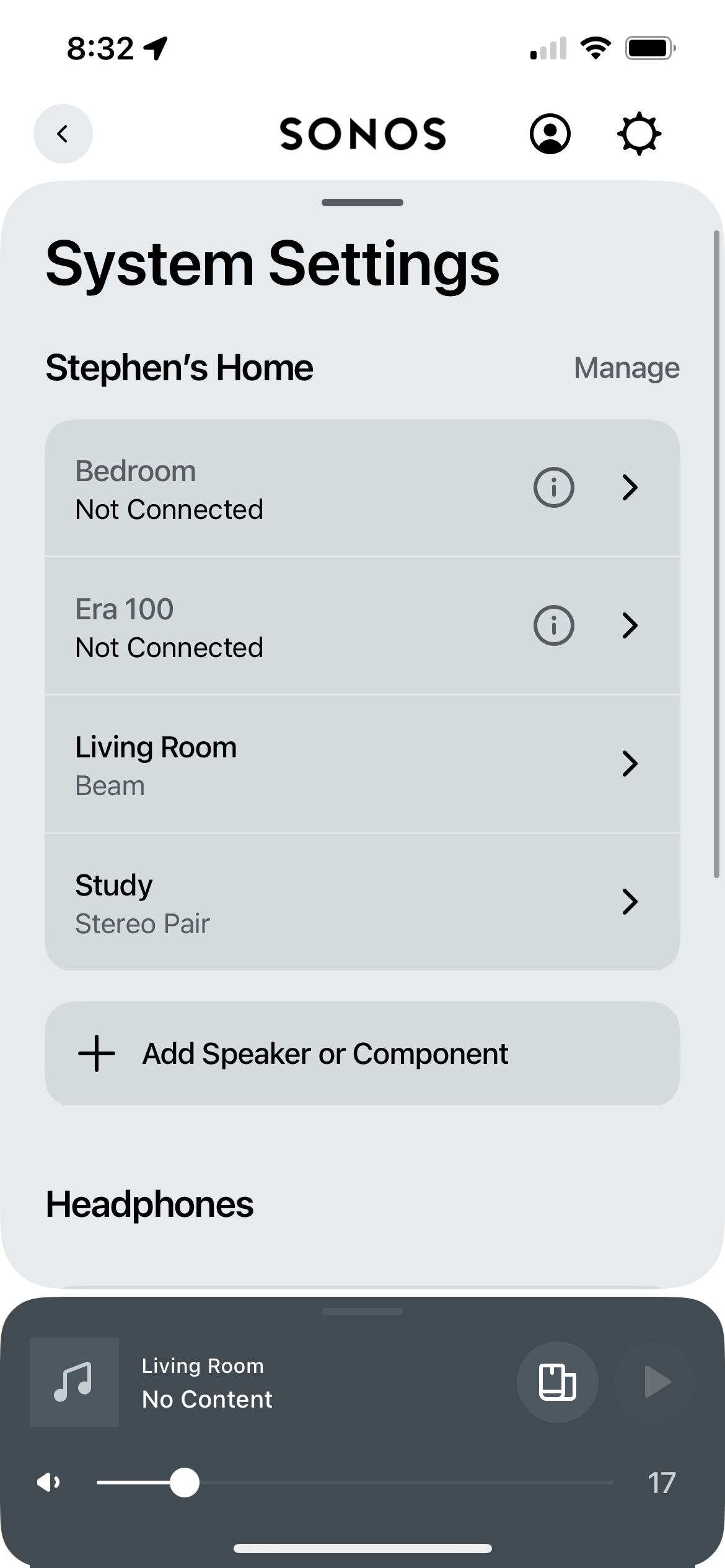
​​​​​​​The Sonos app has repeatedly been unable to find my new Era 100 speakers after using Spotify Connect. I would then have to reboot the speakers. This wasn’t an issue with my Sonos Ones. It could be a coincidence with the new app architecture? Not sure if this is an app or speaker issue.


How to reproduce the issue

  1. Have Sonos speakers already set up in the Sonos app and connected/appearing.
  2. Go to Spotify and tap Spotify Connect
  3. Select relevant speakers
  4. Play music for a few minutes
  5. Check Sonos app and see its working
  6. Pause music and leave it for a few hours - Spotify Connect should auto disconnect from the speakers
  7. Go back and attempt to use Spotify Connect to connect to the same speakers, at this point the speakers have disappeared.
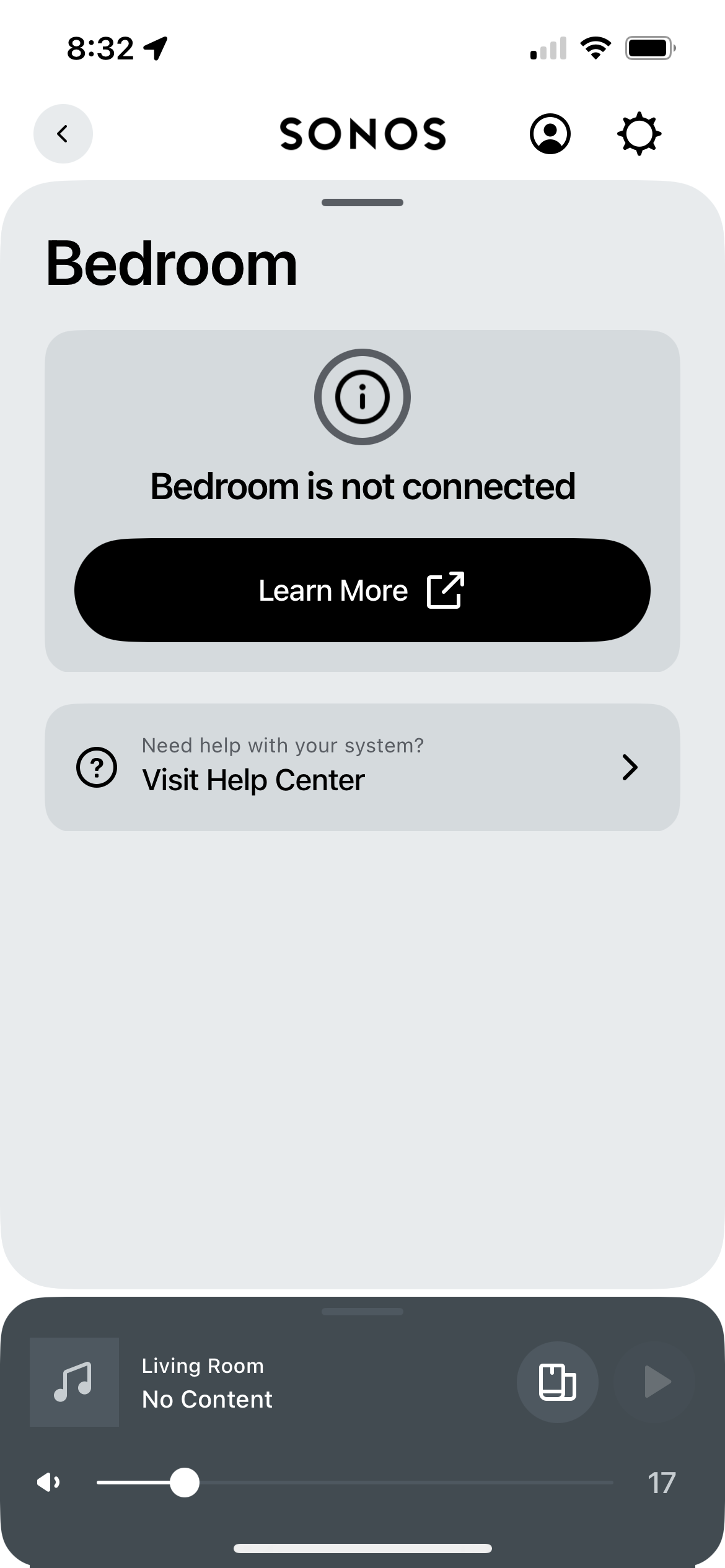
  8. Go to check in Sonos App, and it says the speakers are not connected.

Workaround

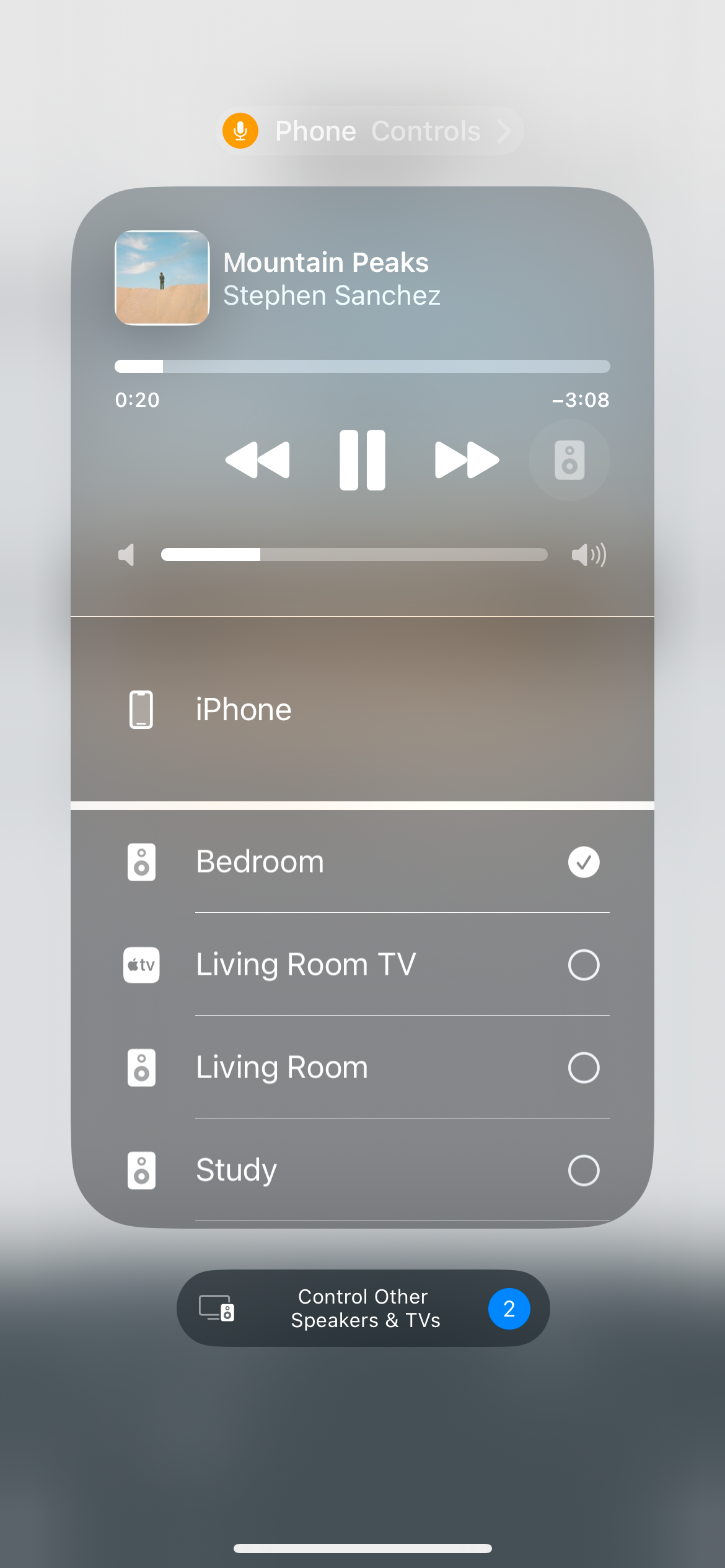
  1. Go to Airplay and the speakers are there
  2. Use Airplay instead of Sonos app or Spotify connect (even though it says they’re disconnected)

What’s going on? Photos attached for reference. My partner and I invested quite a bit of money into purchasing multiple speakers. This is a less than ideal experience and if it isn’t resolved, we’re still within the return window.


Cheers,

Stephen


Best answer by Sotiris C.

Hello ​@Stephen.kung, welcome back!

I am sorry to hear you are experiencing issues with missing rooms in the Sonos App. It is certainly strange that you are able to connect via AirPlay but not with Spotify Direct.

I would suggest a reboot of all related network devices to refresh the network connections in the following order: Router → Sonos → Controller (smartphone/tablet).

Does this issue appear if you use a different controller?

I would recommend you to reach out to our Support Team for some live troubleshooting, as they have tools at their disposal to provide you with information and advice, specific to your system and what it reports.

I hope this helps.

This topic has been closed for further comments. You can use the search bar to find a similar topic, or create a new one by clicking Create Topic at the top of the page.

2 replies

Sotiris C.
Forum|alt.badge.img+16
  • Sonos Staff
  • Answer
  • December 12, 2024

Hello ​@Stephen.kung, welcome back!

I am sorry to hear you are experiencing issues with missing rooms in the Sonos App. It is certainly strange that you are able to connect via AirPlay but not with Spotify Direct.

I would suggest a reboot of all related network devices to refresh the network connections in the following order: Router → Sonos → Controller (smartphone/tablet).

Does this issue appear if you use a different controller?

I would recommend you to reach out to our Support Team for some live troubleshooting, as they have tools at their disposal to provide you with information and advice, specific to your system and what it reports.

I hope this helps.


MoPac
Forum|alt.badge.img+18
  • Headliner II
  • December 12, 2024

What happens if after you’re done using Spotify Connect for the 100s you then choose the phone as the play to device in the Spotify app?  Do the 100s then show as connected in the Sonos app?