
Answered

Radio Paradise artwork missing

  • July 25, 2026
  • 9 replies
  • 109 views

Forum|alt.badge.img

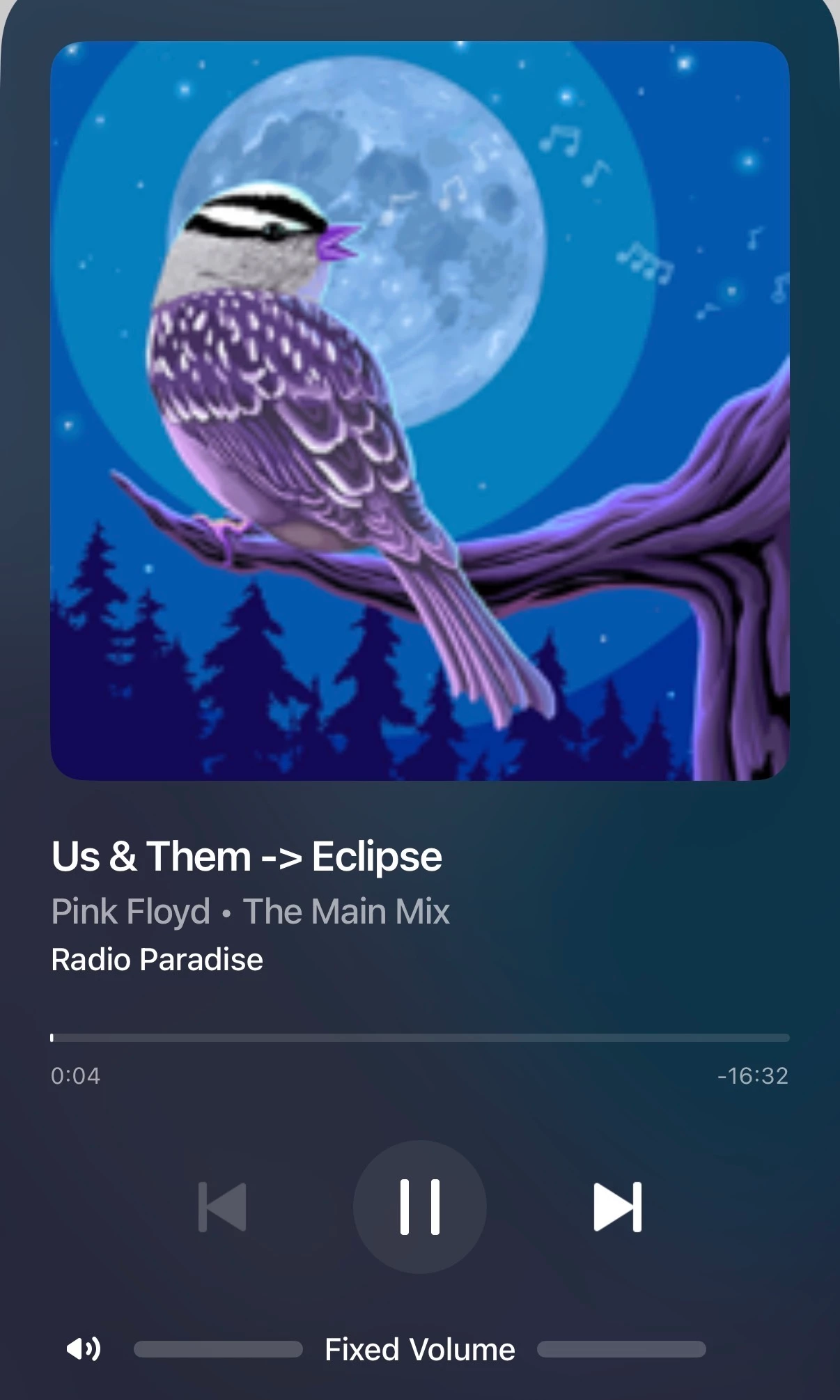
The RP content service works but does not show playing track artwork. Just the generic logo for the main mix, for example.

However, if I remove the service while still listening the artwork will show up and stay working until such time as I quit to listen to something else.

Obviously I can’t then return to RP because the service isn’t installed. So, reinstall the service and the problem returns. It doesn’t matter whether I login (authorise) the RP service anonymously or use my RP login.

This feels like a bug. Any tips? I raised a case with Sonos and sent diagnostics but no responses.

Thanks all. I’m bored of this view…

 

Best answer by Corry P

Hi ​@boardmonkey 

Welcome back to the Sonos Community!

There appears to have been some miscommunication - we were waiting for you to get back in touch with us via phone for some more troubleshooting - this is why you did not hear back from us.

However, as a couple of other users here reported replicating the same issue, as were we able to in our own testing, we are now investigating this issue with artwork not appearing in the iOS controllers for Radio Paradise stations. We have no estimate for when a fix might be put in place, however. Thank you again for reporting it.

I hope this helps.

9 replies

MoPac
Forum|alt.badge.img+19
  • Headliner III
  • July 25, 2026

Same here.  IOS up to date.


controlav
Forum|alt.badge.img+24
  • Lead Maestro
  • July 25, 2026

I see this on iOS too. It works fine on the Desktop app and on “Phonos Ultimate”. This leads me to believe the problem is in the Sonos cloud, which injects itself between the mobile apps and the RP service.


controlav
Forum|alt.badge.img+24
  • Lead Maestro
  • July 26, 2026


I see this on iOS too. It works fine on the Desktop app and on “Phonos Ultimate”. This leads me to believe the problem is in the Sonos cloud, which injects itself between the mobile apps and the RP service.

I take that back: Android app works fine, this is an iOS bug.


106rallye
Forum|alt.badge.img+18
  • July 26, 2026

How did you “raise a case with Sonos”? Because just sending diagnostics will not elicit a response - you have to call Sonos and mention you’ve sent a diagnostic for them to look at it,


Forum|alt.badge.img
  • Author
  • Trending Lyricist I
  • July 26, 2026

Web chat.


Stanley_4
  • Grand Maestro
  • July 26, 2026

Haven't tried that, human or AI on the Sonos end?


Forum|alt.badge.img
  • Author
  • Trending Lyricist I
  • July 26, 2026

Corry P
Forum|alt.badge.img+19
  • Sonos Staff
  • Answer
  • July 30, 2026

Hi ​@boardmonkey 

Welcome back to the Sonos Community!

There appears to have been some miscommunication - we were waiting for you to get back in touch with us via phone for some more troubleshooting - this is why you did not hear back from us.

However, as a couple of other users here reported replicating the same issue, as were we able to in our own testing, we are now investigating this issue with artwork not appearing in the iOS controllers for Radio Paradise stations. We have no estimate for when a fix might be put in place, however. Thank you again for reporting it.

I hope this helps.


Forum|alt.badge.img
  • Author
  • Trending Lyricist I
  • July 30, 2026

Thanks very much ​@Corry P



