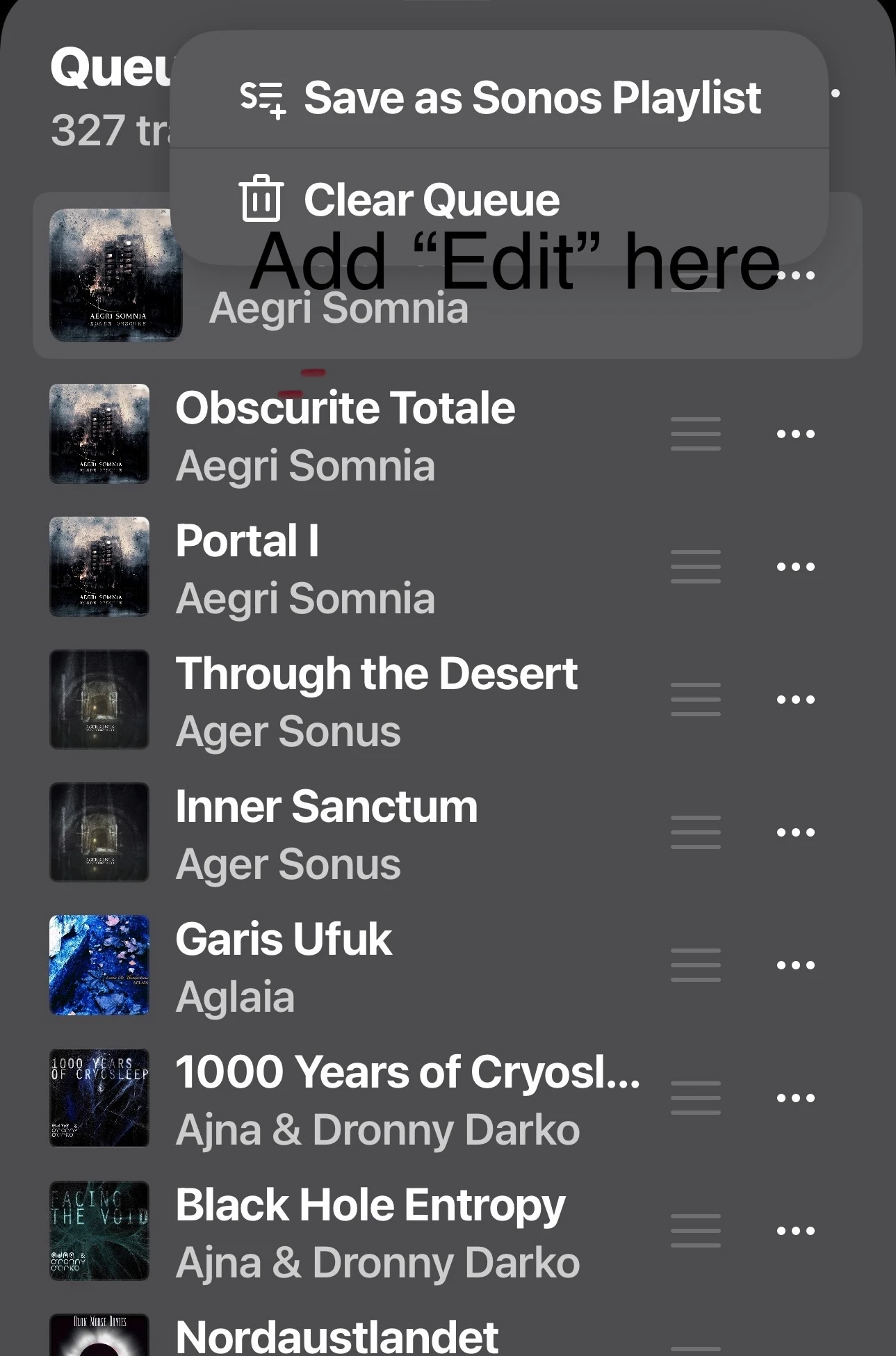
Queue screen need more room for track name.

  • February 11, 2026
  • 14 replies
  • 97 views

MoPac
Forum|alt.badge.img+18

 I think it would be better if there was more space for a track name in the queue.  If the three lines used to move tracks were hidden until an Edit command ( added to the 3 dot menu ) was available.  That new Edit command would bring up the 3 lines that allow the moving of a track.  Another option would be a smaller font size for the track names.

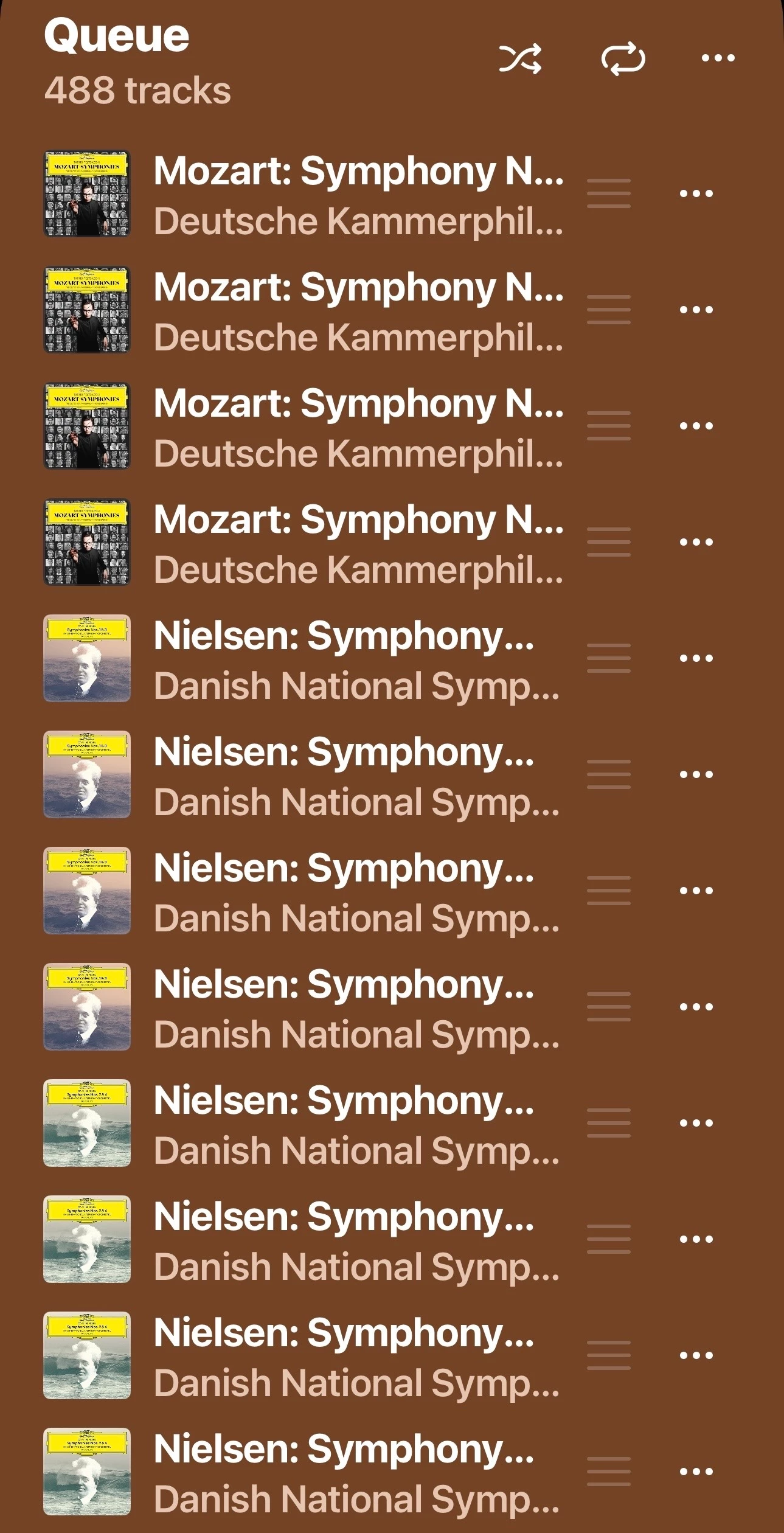
 You can see in the screenshot of Nielsen symphonies where you cannot see what the symphony number is.  If the 3 lines were not there that symphony number might show.  Another issue with having the 3 lines always there is when I scroll on occasion I’ll accidentally move a track.

 

14 replies

AjTrek1
  • February 11, 2026

I hear you….

However, the same queue when rendered on a tablet in landscape mode does reveal more of the track name. However, I can’t say how much more of the track name would be revealed in your example. Unfortunately, Sonos only opens in portrait mode on a phone.

Also, (and no offense intended) when scrolling in the queue if you are moving tracks accidentally; then you are applying too much pressure to the screen. Try using less pressure until needed to move a track.. 😊


Airgetlam
  • February 11, 2026

It would certainly easier if they scrolled…not sure if that means after x time, or immediately. And I’d want it on all lines if necessary, not just the ‘selected’ one. I would hope this is on a ‘list’ somewhere, and just not gotten to yet. 


buzz
  • February 11, 2026

One possibility would be to popup an expanded track name view as the user touches the artwork area of each track. This could popup instantly as the finger moved from track to track. I’m not sure exactly where this data should appear because on a small screen the popup might be obscured by the hand if the pop-up is displayed immediately above or below the line. Right handed people would be at a disadvantage. Probably a dedicated area at the top of the screen would be best.


controlav
Forum|alt.badge.img+24
  • Lead Maestro
  • February 12, 2026

Use a Sonos app that supports landscape mode.


MoPac
Forum|alt.badge.img+18
  • Author
  • Headliner III
  • February 12, 2026

controlav:

 I do use a pad on occasion, but I prefer the less bulky iPhone.  Thanks for the suggestion though.


Airgetlam
  • February 12, 2026

I suspect he’s suggesting something like his own app…;)


Stanley_4
  • Grand Maestro
  • February 12, 2026

Sonos does make what I find are less than optimal decisions about supported screen sizes. Discreetly mentioning someone else doesn't seems a kindness.


melvimbe
  • February 12, 2026

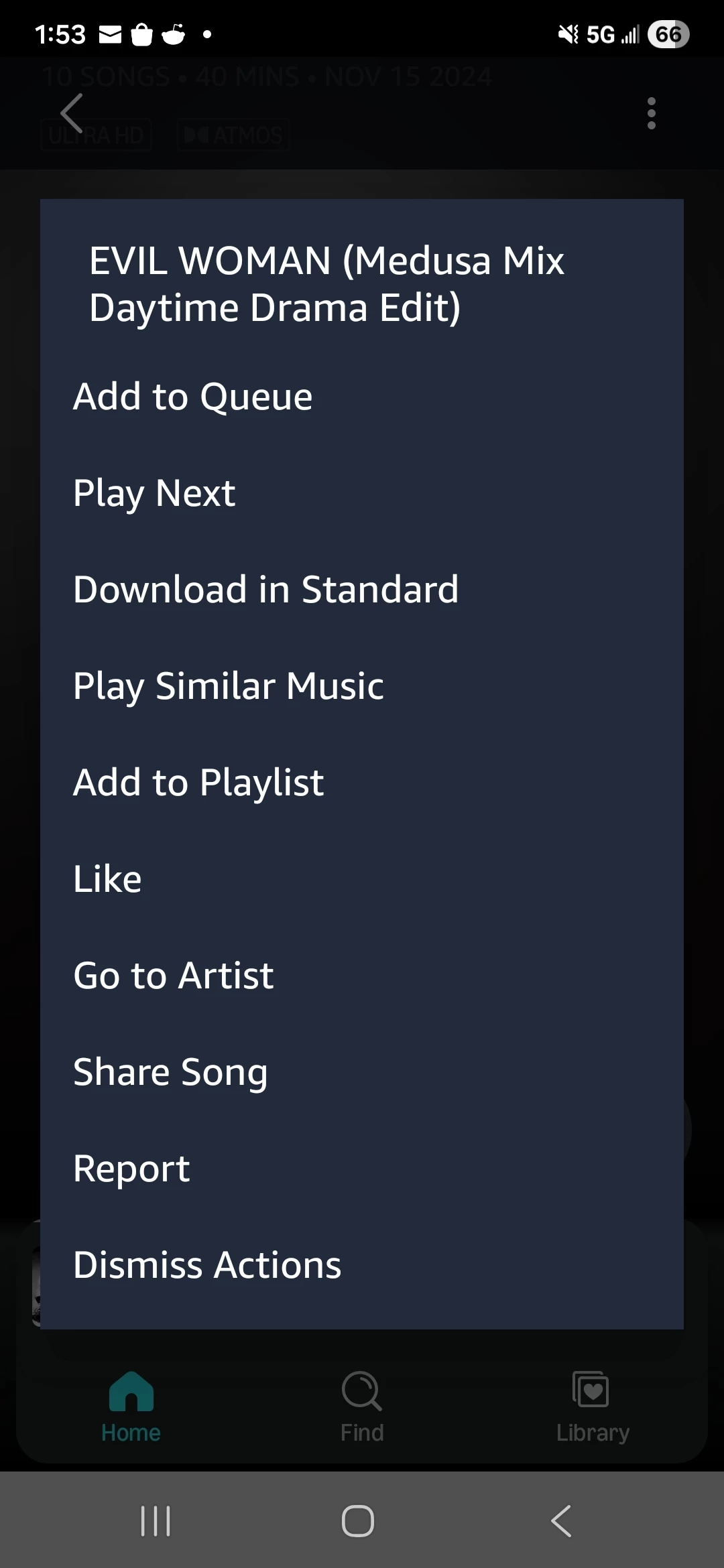
For grins, I took a look at Amazon Music’s app to see how they handle this problem.  It looks pretty much the same as it does for Sonos.  You can click the 3 dots to the right of the track to get a full screen popup of the item title, plus other info but nothing more that that.


Airgetlam
  • February 12, 2026

I suspect ​@controlav is being careful about the rules of forum use, as explained here.

Particularly, I’d guess, about the third party clause in this section:

Keep it spam-free. The Sonos Community is provided as a service to Sonos customers and is not intended for the promotion of third party services, products, websites, or organizations. Please refrain from posting content that would constitute advertising, junk mail, spam, chain letters, or any other form of unauthorized solicitation.

Although there are likely other areas of concern, something ​@controlav and the moderators would be familiar with, not made public for the rest of us. I haven’t seen any posts that cross the line, and I respect the level of knowledge displayed. I’ve never found his posts to be not a ‘kindness’, just honest attempts to help. 


Stanley_4
  • Grand Maestro
  • February 12, 2026

If you touch and hold a queued track in the Android Amazon app you get a popup that has the full title.


Manaf3ue
Forum|alt.badge.img
  • Lyricist II
  • February 12, 2026

On iPhones the queue space is limited and can’t be expanded. Using a tablet in landscape mode or a third-party app that supports larger screens can help see more of the track names. Adjusting scrolling pressure can also prevent accidental track moves.


melvimbe
  • February 12, 2026

If you touch and hold a queued track in the Android Amazon app you get a popup that has the full title.


controlav
Forum|alt.badge.img+24
  • Lead Maestro
  • February 13, 2026

I suspect ​@controlav is being careful about the rules of forum use, as explained here.

Particularly, I’d guess, about the third party clause in this section:

Keep it spam-free. The Sonos Community is provided as a service to Sonos customers and is not intended for the promotion of third party services, products, websites, or organizations. Please refrain from posting content that would constitute advertising, junk mail, spam, chain letters, or any other form of unauthorized solicitation.

Although there are likely other areas of concern, something ​@controlav and the moderators would be familiar with, not made public for the rest of us. I haven’t seen any posts that cross the line, and I respect the level of knowledge displayed. I’ve never found his posts to be not a ‘kindness’, just honest attempts to help. 

Yup, my original post was blocked by the moderators because it contained actual useful info about how to get a Sonos app that worked on a phone in landscape mode, so instead I had to do a vague post and let others imply the intent. Thank you to those who implied things.


MoPac
Forum|alt.badge.img+18
  • Author
  • Headliner III
  • February 13, 2026

 I just thought if “Edit” was part of the 3dots menu it would then be unnecessary to have the 3 lines always in the queue.