Quality of Windows and Android Apps

  • February 3, 2026
  • 5 replies
  • 104 views

Recenty retired from working in IT for 35 Years and received a Sonos Arch and Sub about 4 years ago, Great sounding great hardware and sincerely appreciate the gift. Now lets discuss the applications lack of quality, confusing applications.The Android App should open all the sustem sound controls when first opened, nothing more is more important instead it looks like a hurricaine tore thru the application and scattered all the settings with little or no thought about where all should be. Windows App - Again while a little better it looks like they thru it in a blender and someone turned it on low for 30 seconds. Seems they never followed what the Developer had dislexia and the Company never took a look at it from what the users would prefer. Very disappointing all along and after 15 years it still is another disorganized mess. While they want everyones cash they might get some if they took a look at spotify or Tidal to see a what a music app should look like and put all the controls in one visible location grouped cleanly in one panel to adjust and one panel to play music. Very disappointed and see no new apparent changes since the last head of the organization left. What’s UP SONOS?? Great Audio Hardware and Terrible Software, why can I not play my Bluetooth Headphones instead of buying an overpriced set from SONOS? Very restricted software.I give it a 3 on a one to 10. DISAPPOINTED. Please respond what happen to the USER EXPERIENCE in the Software?? Sigh I would be more SONOS Hardware but this Kooky Disornaized hard to Understand Software that is completrely NON Intuitive Scares me to purchase any further SONOS hardware, 20 years is too long to not have fixed this problem.

5 replies

Airgetlam
  • February 3, 2026

The ‘Windows’ app was put into ‘maintenance mode’ years ago, with the setup features stripped out, and only bug fixes being applied. The mobile apps (Android and iOS) apps were rewritten, and those concerns are valid. 

The only Sonos employees who respond in this forum are the forum moderators. You’re more likely to get a ‘we’ll pass along your concerns’ than any substantive response, as they’re certainly not those who make any of these choices.

You may be better off calling Sonos Support to discuss it, or sending an email to the CEO’s email address, although I’d hope that is read and summarized by someone for the CEO themselves, otherwise they’d lokely never get any work done. 


thismarkhohnson
Forum|alt.badge.img+1

You’re definitely not alone — a lot of long-time users feel the hardware is excellent but the apps have become overly complex and unintuitive. Sonos has focused more on adding features and services than simplifying the core UX, and it’s hurt usability for many. Hopefully they start prioritizing a cleaner, more user-centered redesign.


AjTrek1
  • February 3, 2026

Not trying to pick a fight here….

However, I fail to see any remarkable difference wherein the Tidal or Spotify home page (or sub-pages) on my iPhone have any significant advantage over Sonos. Personally, I don’t use Android devices although I do have an Android device for testing. As for Windows I moved off that platform years ago.

The major difference between the other two apps and Sonos is that Sonos serves as an interface to the others. Where as Tidal’s and Spotify’s primary purpose is to stream music from their respective servers. Neither can interface with the other. So IMO…Advantage Sonos.

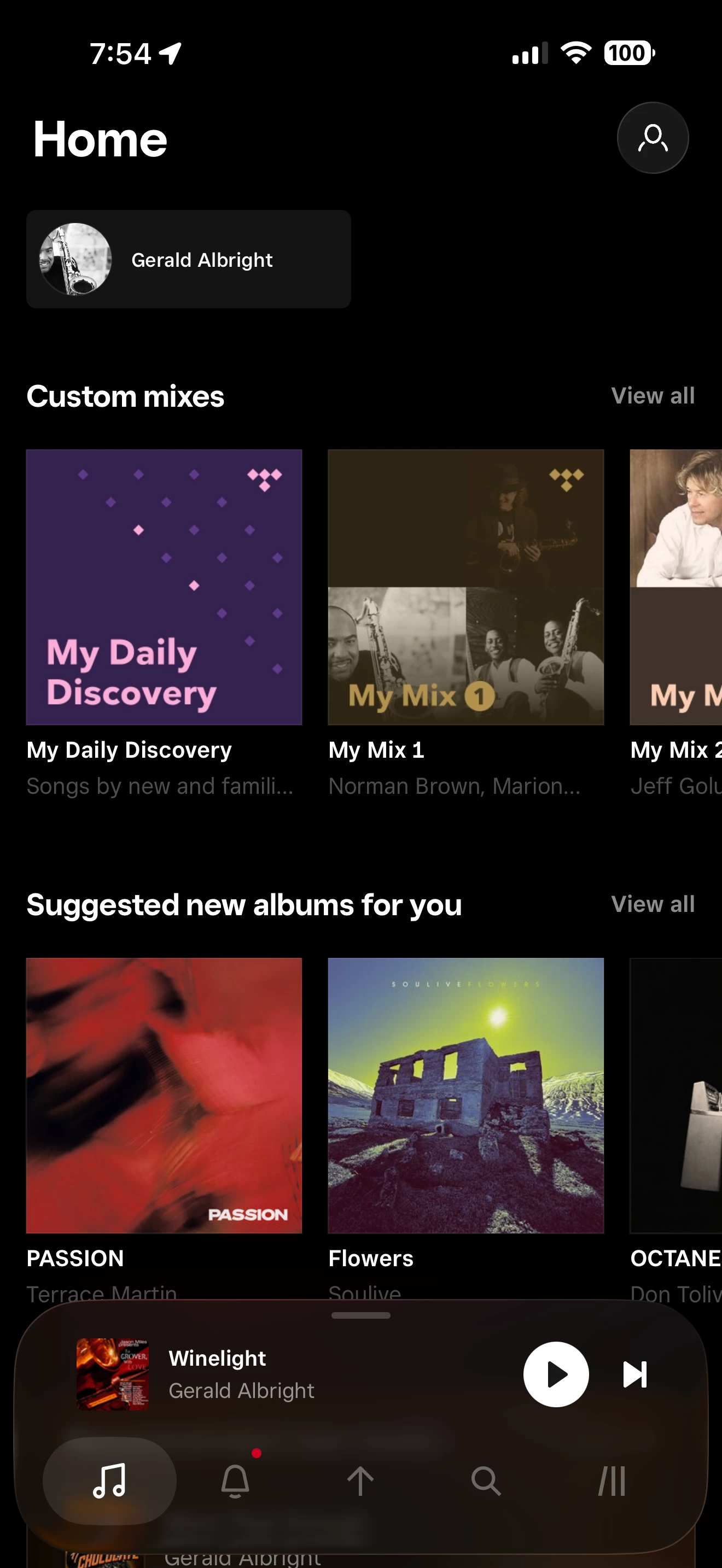
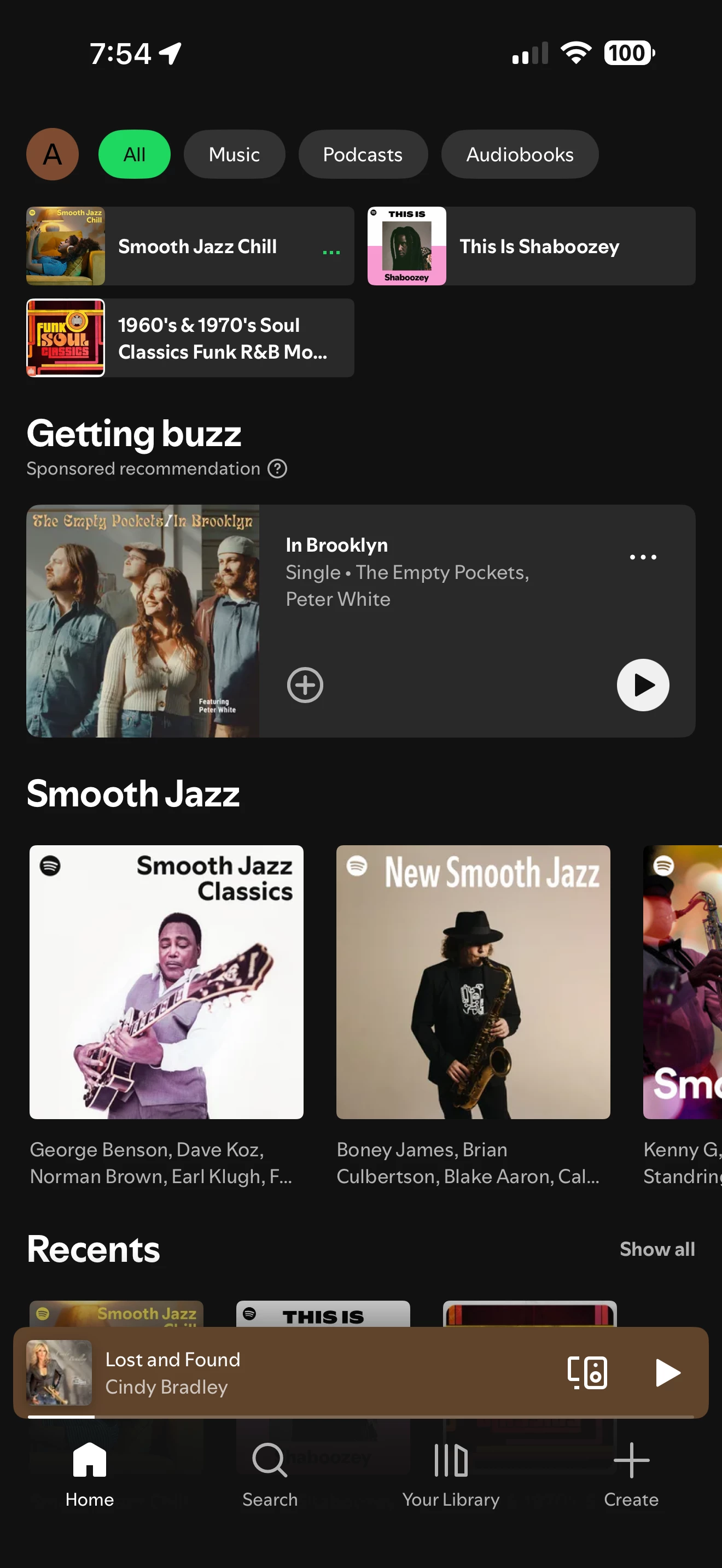
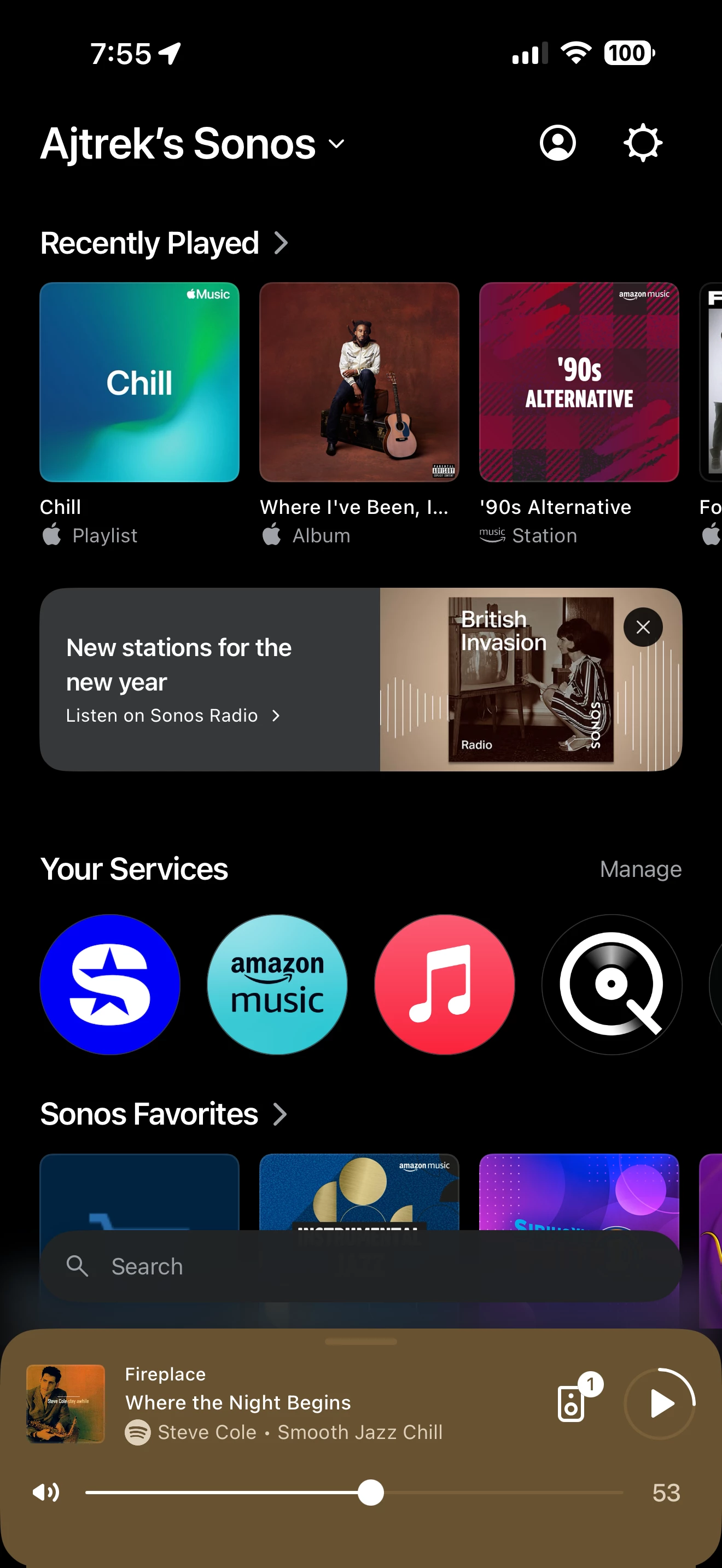
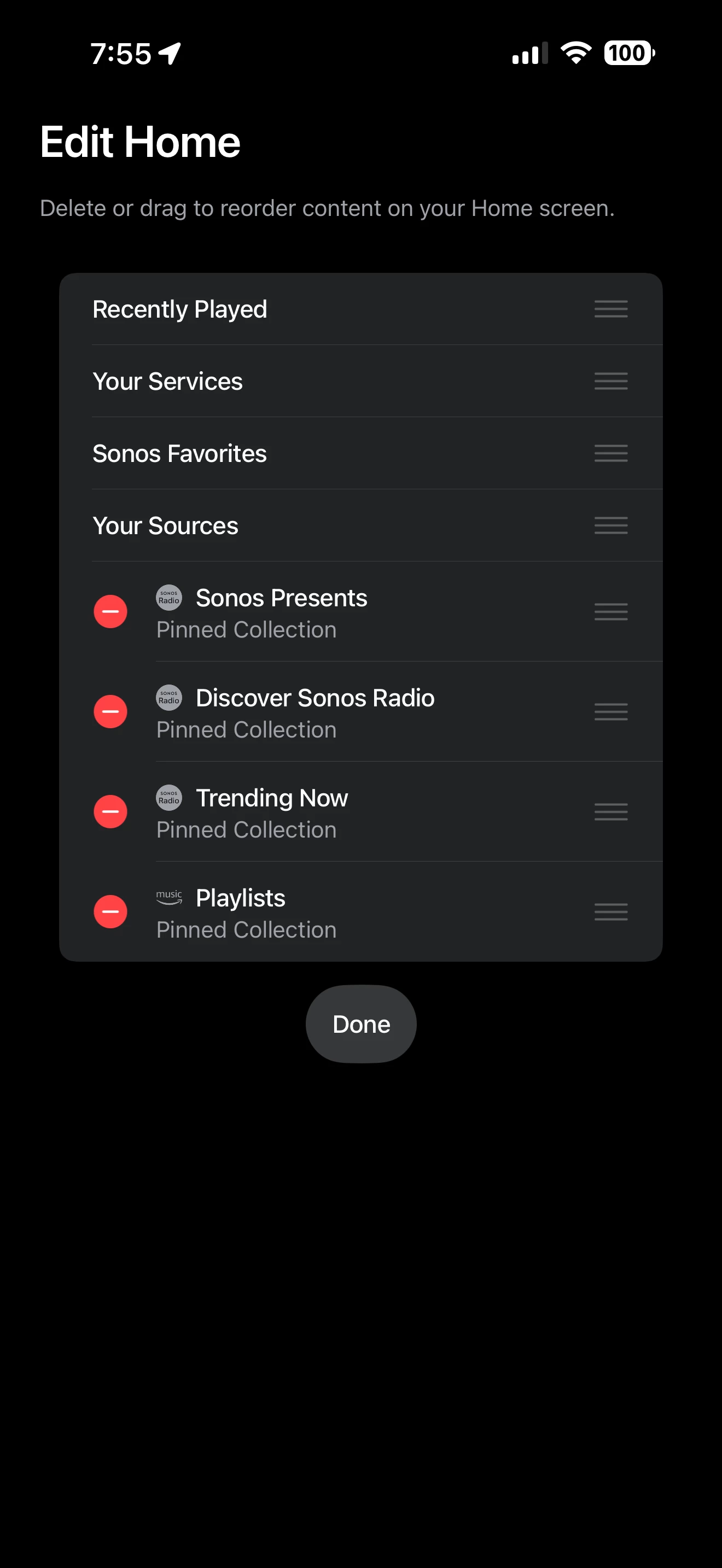
Below are screenshots of the Tidal, Spotify and Sonos apps as they appear when opened on my iPhone. The fourth Screenshot shows how the Sonos homepage can be customized to suit one’s needs. IMO none are perfect and can all be improved to some extent. That said I can’t suggest that the Tidal nor Spotify app be used as a template/benchmark for Sonos.


TIDAL


Spotify


SONOS


buzz
  • February 3, 2026

I think that all of these UI’s are generated by people who share a common background. I see fewer complaints from Apple users than Android or desktop users. I suspect that there are more Apple users than the others. The Windows desktop and Mac desktop are a very distant 3rd. Personally, I prefer the Windows interface.

I’ve not used the Web controller or any of the 3rd party controllers. I see positive comments about the 3rd party controllers.


Mr. T
  • February 3, 2026

The UI for the iOS app can also be considered a disorganised mess.

Biggest issue is still the insistence to use pop up windows when using an iPad, which results in only around 25% of the actual screen being utilised. Some windows now require more scrolling on an iPad than they do compared to an iPhone which is just ridiculous.