Question

Mac Firewall Settings Constant Problems

  • January 17, 2026
  • 4 replies
  • 48 views

Forum|alt.badge.img+1

Hi, for years when I open Sonos on my Macbook I have been getting the dreaded “Your Computer's Firewall Setting Have Changed” In my firewall setting I have Sonos added and “Allow Incoming Connections”. This is permanent and never, ever changes.

But every few weeks I get this warning and I can’t open Sonos. Sometimes I quit and reopen and it’s fine. I have called Sonos a few months ago and they said there is no way to play Sonos on my Mac right now…. but I have been using it on and off since then. Tonight quitting doesn’t help. 

So my question is, why doesn’t this just work? Like all the time. Aren’t there Sonos executives with Macs where this comes up?

Does anyone have a permanent fix?

 

4 replies

Corry P
Forum|alt.badge.img+19
  • Sonos Staff
  • January 19, 2026

Hi ​@ari6000 

Welcome to the Sonos Community!

I am sorry to hear about this issue you are having with the Sonos app on MacOS, but it seems you are using a version of MacOS that is still in Beta development. We do not support Beta OS versions.

Until MacOS 26.1 is supported, you can use our Webapp, found at https://play.sonos.com.

I hope this helps.


Forum|alt.badge.img+1
  • Author
  • Avid Contributor I
  • January 19, 2026

I am using the latest version. MacOS Tahoe 26.2. It is crazy that this is not working yet.


AjTrek1
  • January 19, 2026

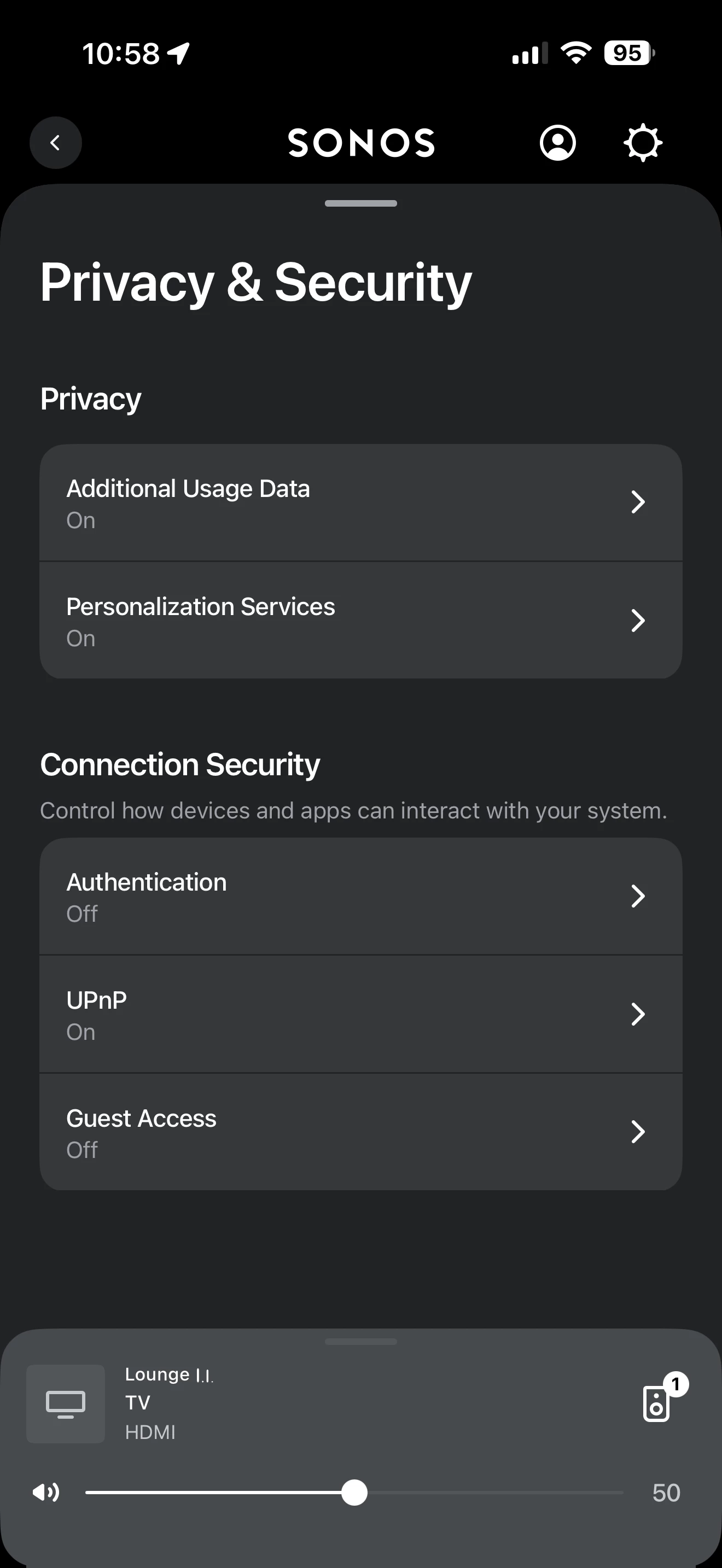
I’m using MacOS Tahoe 26.2 as well with no issues. Make sure you don’t have any type of VPN enabled and that UPnP in the app is turned on as shown below. You might also check your router for updates and at very least reboot it.

A proper router reboot suggests you unplug all Sonos first, reboot router and after it comes back connect your devices to WiFi or Ethernet (assuming your computer may be wired) reboot your computer and finally plug in all Sonos. The entire process can take awhile so be patient. 


controlav
Forum|alt.badge.img+24
  • Lead Maestro
  • January 20, 2026

The answer is always the “local network” permission, but the mods always delete my replies as I point out that my Sonos app (see profile) actually reports this with a clear error message.