How to determine what is the Network Share Path?

  • November 22, 2022
  • 5 replies
  • 974 views

Hello,


I have my music on USB drive connected to my Asus RT-AX58U-DC60 router. I’m a newbie when it comes to directing Sonos to find the network share path. How do I point Sonos to my Asus router?  

This topic has been closed for further comments. You can use the search bar to find a similar topic, or create a new one by clicking Create Topic at the top of the page.

5 replies

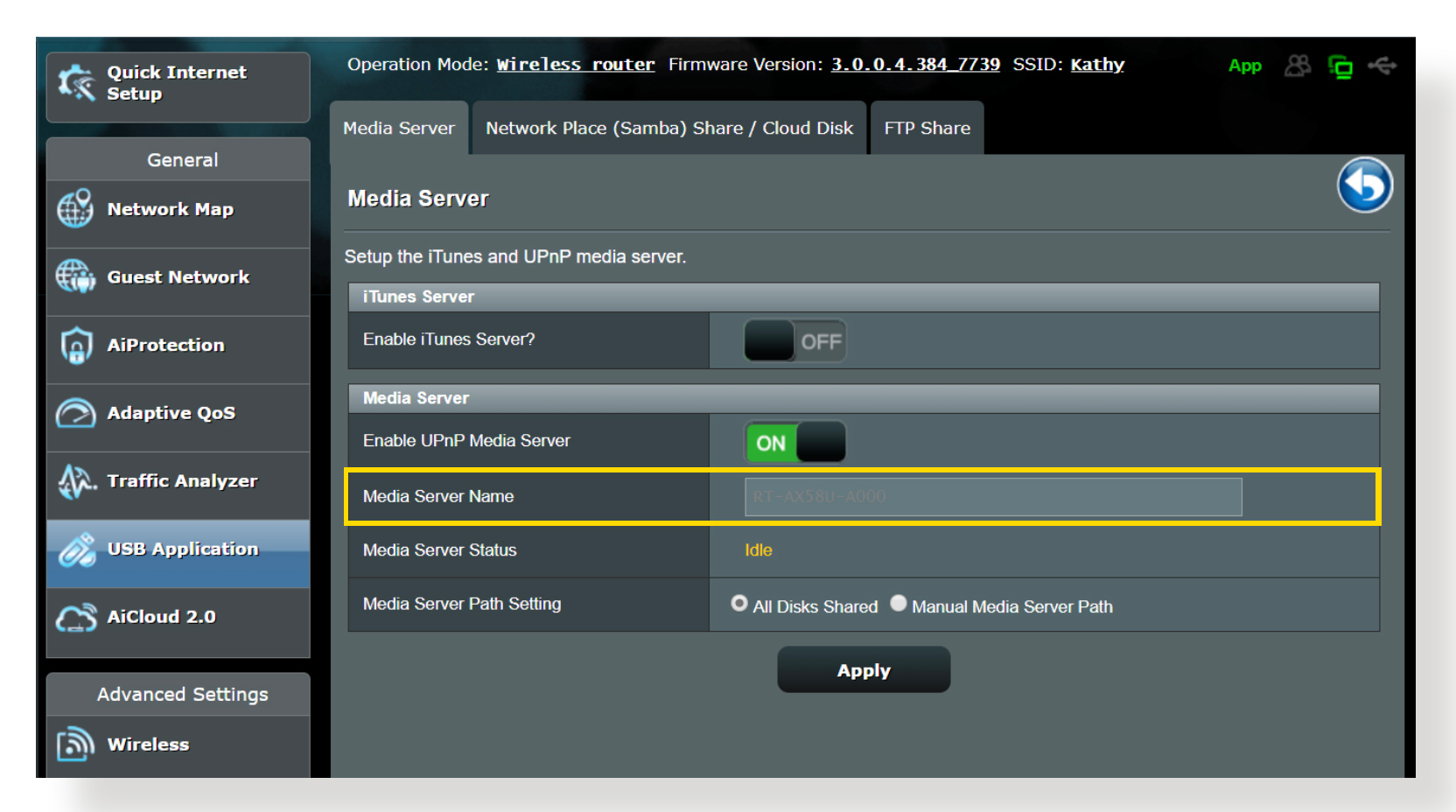
Read the instructions starting on page 42 to access the Media Server settings on your router.
https://dlcdnets.asus.com/pub/ASUS/wireless/RT-AX58U/E16133_RT-AX58U_UM_1119.pdf

Find the Media Server Name and Device Name. You might need to rename it to remove any spaces or dashes.

If the Media Server Path setting is set to “All Disks Shared”, the share path will probably simply be “\\<MediaServerName>“ or “\\<MediaServerName>\<MusicFolderName>“.

You can also use the router’s IP address: “\\<IP Address>“


  • Author
  • Contributor I
  • November 23, 2022

I’m using the Media Server method. Media Server Name is what I don’t understand. Is is the name of the SSID I’m using? Or is it simply the name of my router which is MYASUS? Also, what should I be using? Media server or Samba? 


Media Server should work. What does it say next to Media Server Name?


  • Author
  • Contributor I
  • November 24, 2022

I used Media Server and did get a connection using the IP address. I’ll go in and check the name. I need to understand this. Thanks! 


  • Author
  • Contributor I
  • November 24, 2022

The name is the actual model number of the router. It is greyed out.