Answered

How do I identify what Apple Music playlist is playing?

  • March 26, 2025
  • 1 reply
  • 96 views

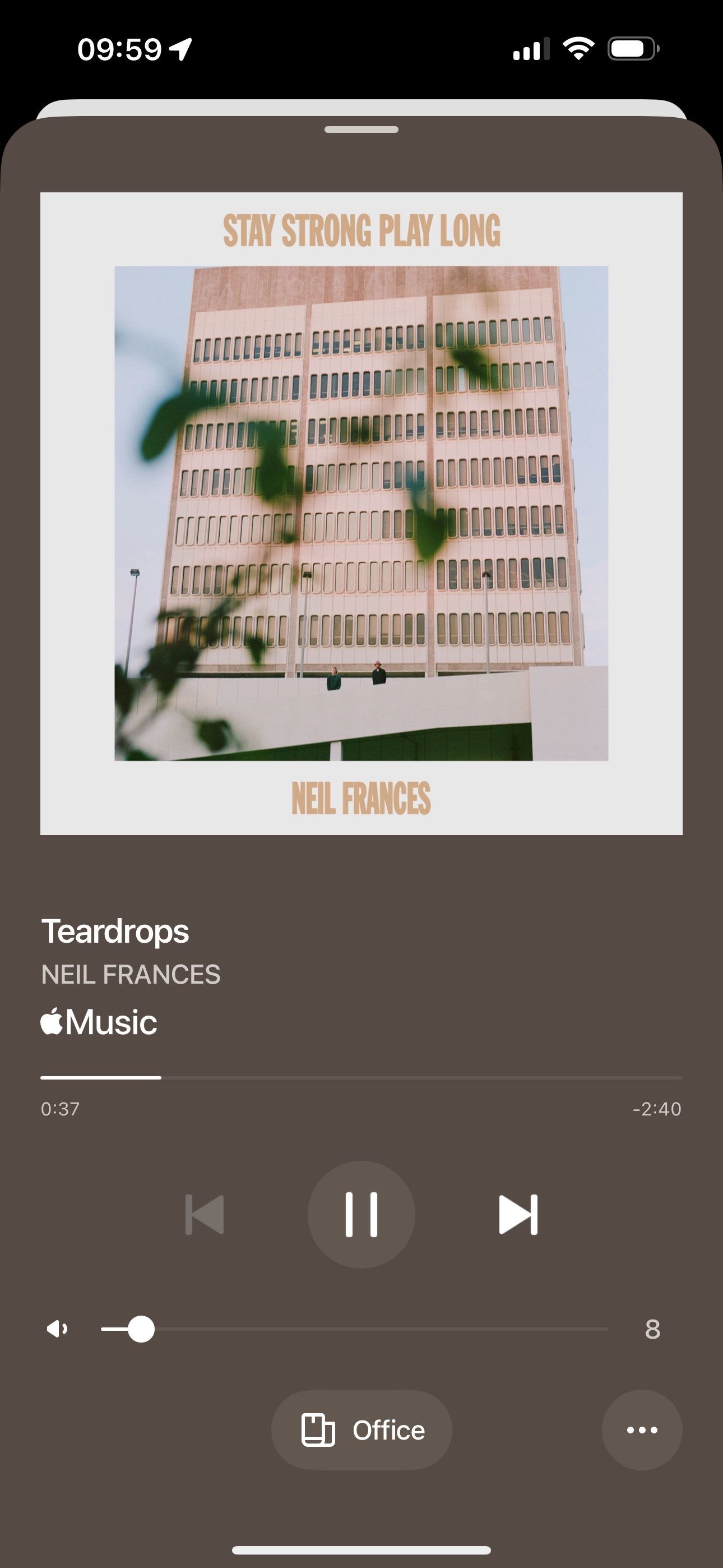
I am playing an Apple Music playlist on my Sonos.  On the now playing screen it shows the song and that the source is Apple Music, but, it does not say what the playlist is.  It’s not one that I’ve created or else I’d be able to identify it.   Does anyone know how I can possibly identify the playlist?


UPDATE:


I tried looking at my recently played and although the playlist is playing right now, it does not appear in my recently played. 

Moderator edit: Combined posts

Best answer by Jamie A

Hi ​@jassodhi123, welcome to the Sonos Community!

I’m sorry to hear you’re having trouble locating this playlist. In the Sonos app, the playlist name should be next to the artist name. If it doesn’t show then I’d recommend restarting the app by closing it and re-opening it. Currently we’re aware of an issue where music started in the Sonos app doesn’t populate Apple Music’s recently played, but we don’t have an ETA on when this will be resolved.

If you started the playlist from the Sonos app but don’t remember the name, then I would say it’s lost as you wont be able to save or find it from the now playing screen. It’s also possible this was the ‘autoplay similar songs’ option that some music services offer; Apple Music and Spotify has this feature. If that’s the case, then there wouldn’t be a playlist to save.

Using Airplay will stop this from occurring as that will save songs to your Apple Music recently played as expected. I’d recommend using that as a workaround for now.

I hope this information helps!

This topic has been closed for further comments. You can use the search bar to find a similar topic, or create a new one by clicking Create Topic at the top of the page.

1 reply

Jamie A
Forum|alt.badge.img+17
  • Sonos Staff
  • 1468 replies
  • Answer
  • March 27, 2025

Hi ​@jassodhi123, welcome to the Sonos Community!

I’m sorry to hear you’re having trouble locating this playlist. In the Sonos app, the playlist name should be next to the artist name. If it doesn’t show then I’d recommend restarting the app by closing it and re-opening it. Currently we’re aware of an issue where music started in the Sonos app doesn’t populate Apple Music’s recently played, but we don’t have an ETA on when this will be resolved.

If you started the playlist from the Sonos app but don’t remember the name, then I would say it’s lost as you wont be able to save or find it from the now playing screen. It’s also possible this was the ‘autoplay similar songs’ option that some music services offer; Apple Music and Spotify has this feature. If that’s the case, then there wouldn’t be a playlist to save.

Using Airplay will stop this from occurring as that will save songs to your Apple Music recently played as expected. I’d recommend using that as a workaround for now.

I hope this information helps!