

Answer

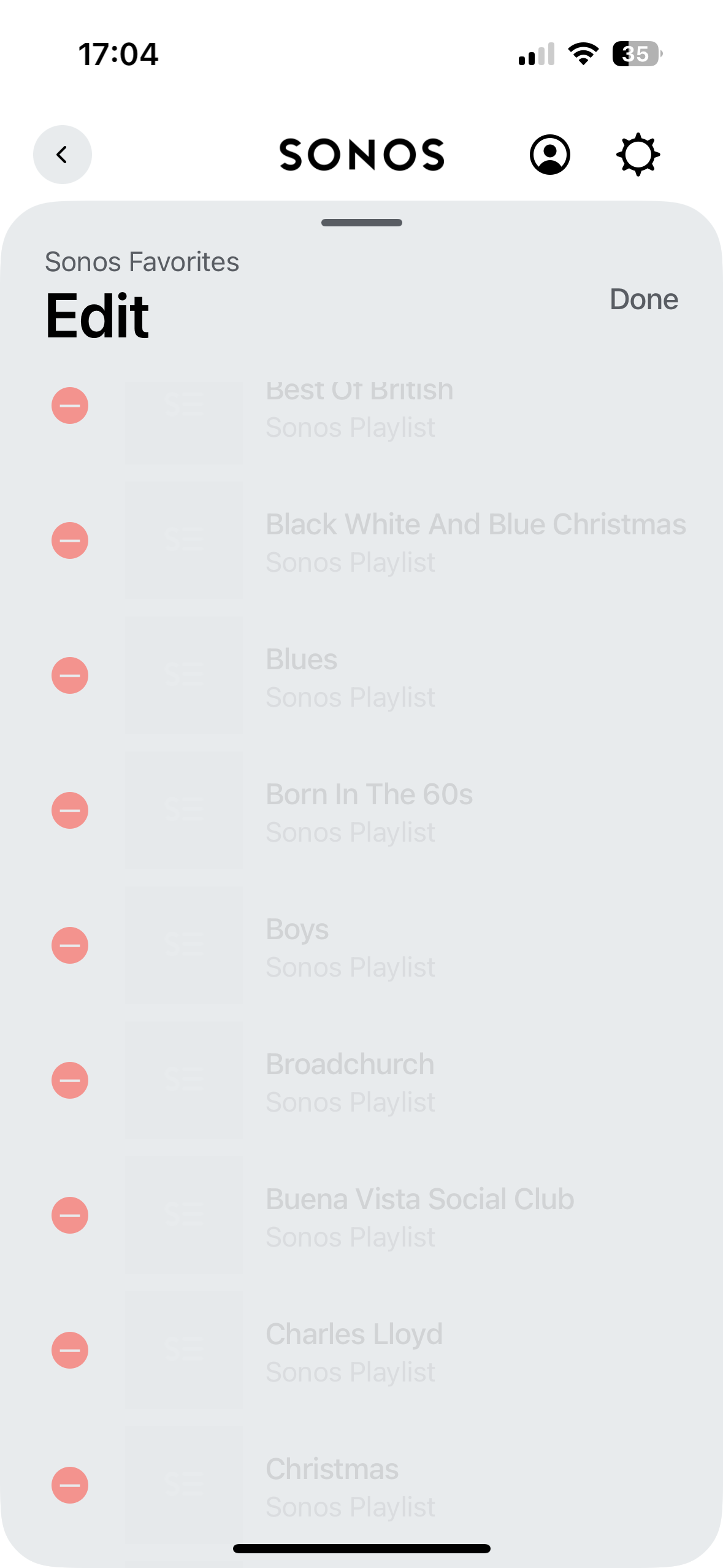
greyed out playlists

  • January 30, 2025
  • 3 replies
  • 79 views

Forum|alt.badge.img+4

Does anyone know how I can get rid of previous playlists. My daughter had family Spotify of which I was part but we have now moved over to Apple Music (Spotify account has been deleted). Unfortunately, I didn’t remove my playlists. They are now greyed out and I don’t know how to get rid of them. Can anyone help. 


Best answer by alip43

Thanks for your replies. When I tried at first it would still be greyed out but if you highlight - and not select (no check in the tickbox) it will let you do it.


This topic has been closed for further comments. You can use the search bar to find a similar topic, or create a new one by clicking Create Topic at the top of the page.

3 replies

Jamie A
Forum|alt.badge.img+17
  • Sonos Staff
  • January 31, 2025

Hi ​@alip43

I’m sorry to hear you’re having issues removing Sonos Favourites. I just tried this with my system and I was able to remove Sonos Favourites even after the service was removed. Are you able to try using a different controller, such as another phone or a desktop computer to attempt to remove these playlists? 

If you don’t have another device you can use, then reset the Sonos app and attempt to remove the playlists again.

I hope this helps!


Schlumpf
Forum|alt.badge.img+18
  • Virtuoso
  • January 31, 2025

@alip43 

I can confirm using the Sonos desktop controller helps. 😎

If you just use mobile devices, a 3rd party controller app probably also will do the job. 


Forum|alt.badge.img+4
  • Author
  • Producer I
  • Answer
  • February 1, 2025

Thanks for your replies. When I tried at first it would still be greyed out but if you highlight - and not select (no check in the tickbox) it will let you do it.

