Answer

forcing reboot of app

  • May 5, 2024
  • 4 replies
  • 103 views

How do you force the app to reboot. Did standard reboot does nothing. Can not connect to any of my speakers

Best answer by AjTrek1

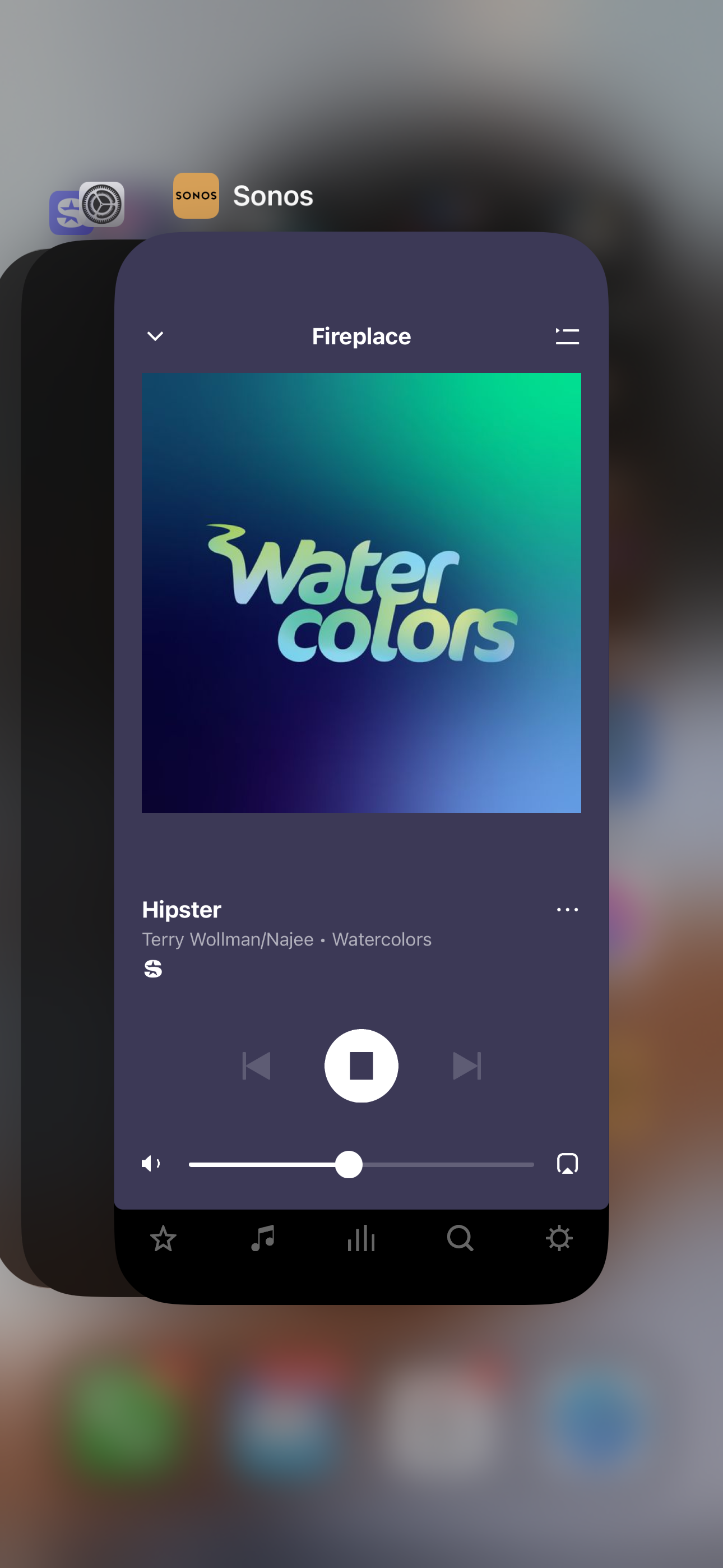
It also depends on your device type such as iOS vs Android. For iOS you stop the app from running by swiping up on it when showing as below
 

This topic has been closed for further comments. You can use the search bar to find a similar topic, or create a new one by clicking Create Topic at the top of the page.


4 replies

Airgetlam

What device is your app on?

Usually, it isn’t the app that needs to be restarted, but an issue between the controller device and the speakers talking to each other. Could be that the controller device isn’t on the same subnet, or that the speakers aren’t connecting to WiFi, or any of a bunch of other connection issues. It’s really hard to tell from the data presented.


AjTrek1
  • Answer
  • May 5, 2024

It also depends on your device type such as iOS vs Android. For iOS you stop the app from running by swiping up on it when showing as below


  • Author
  • Contributor II
  • May 5, 2024

It seems like sonos is down i cant even get online with the computer. No sonos store either


AjTrek1
  • May 5, 2024

What does Sonos have to do with your computer not being able to get on-line. That’s your network. Where are you located?