
Answer

Error messeage: "Access to the shared folder "//MYMACHINE/MYMUSIC" is denied - check the username or password"

  • March 28, 2024
  • 1 reply
  • 317 views

There is a seemingly related but frozen topic on this from a decade ago. Surprising this is still happening to people. 

This on a Macbook Pro M1 (16-inch, 2021), running Sonoma 14.4.1 (23E224)

I have a shared folder containing all my music which is not an Apple Music / iTunes library. It has read access for everyone.

I set in Privacy & Security > Full Disc Access: added Sonos and restarted it.

It isn’t connecting, here is the error dialog:
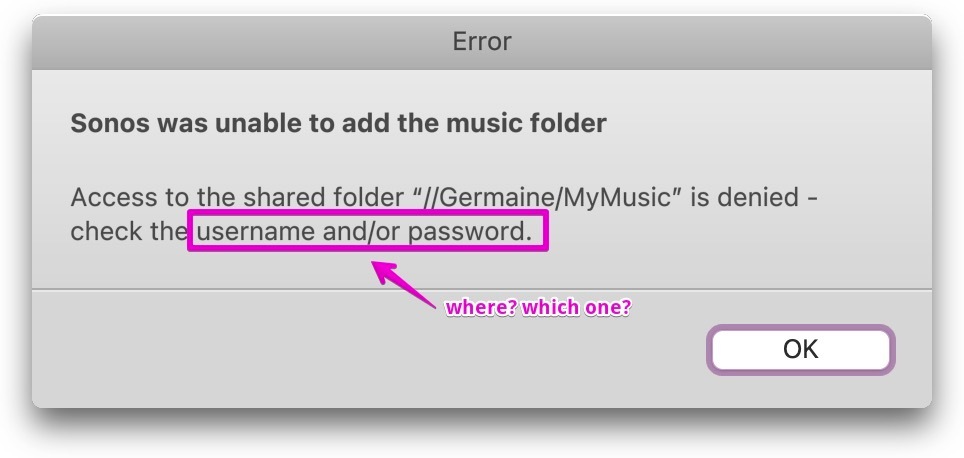
I’m not sure what username/password it’s complaining about. I’m giving it the admin credentials.

Best answer by Stanley_4

Often the best option for this kind of problem is a call to support as tehy can see the internal logs hidden from users.


You probably need the SMB sharing user and password if your Mac is set to require them.

This topic has been closed for further comments. You can use the search bar to find a similar topic, or create a new one by clicking Create Topic at the top of the page.

1 reply

Stanley_4
  • Lead Maestro
  • Answer
  • March 29, 2024

Often the best option for this kind of problem is a call to support as tehy can see the internal logs hidden from users.


You probably need the SMB sharing user and password if your Mac is set to require them.