
Answered

Devices won’t register after S1 → S2 reset

  • January 20, 2026
  • 3 replies
  • 79 views

Jonesnow
Forum|alt.badge.img

Hi all,

I’m hoping for some advice after an S1 - S2 migration has gone wrong.

I bought an Era 300 and a Port today. I also had two legacy S1 devices (Connect + Play:5 Gen 1), which I removed and factory-reset using the S1 app. I couldn’t upgrade my existing system to S2 as it said my remaining devices could only be S1 compatible, so Sonos Support advised a full manual reset of my remaining 4 speakers and rebuild.

After rebuilding:

  • Play:1 and Play:3 added fine

  • Era 300, Port, and two older speakers, another Play 1 and One completed setup and updates, but failed at the final step and show as unregistered in the app and couldn’t be added to my Sonos account

Things I’ve tried:

  • Router reboot

  • Ethernet connection during setup for those devices that have them

  • Power cycling all devices

  • Restarting iPhone/iPad

  • Reinstalling / restarting the app

Has anyone seen this before, or know what blocks registration when setup itself completes? Any ideas welcome — I’m stuck with half a working system and brand new hardware I can’t register.

Thanks,
Gareth
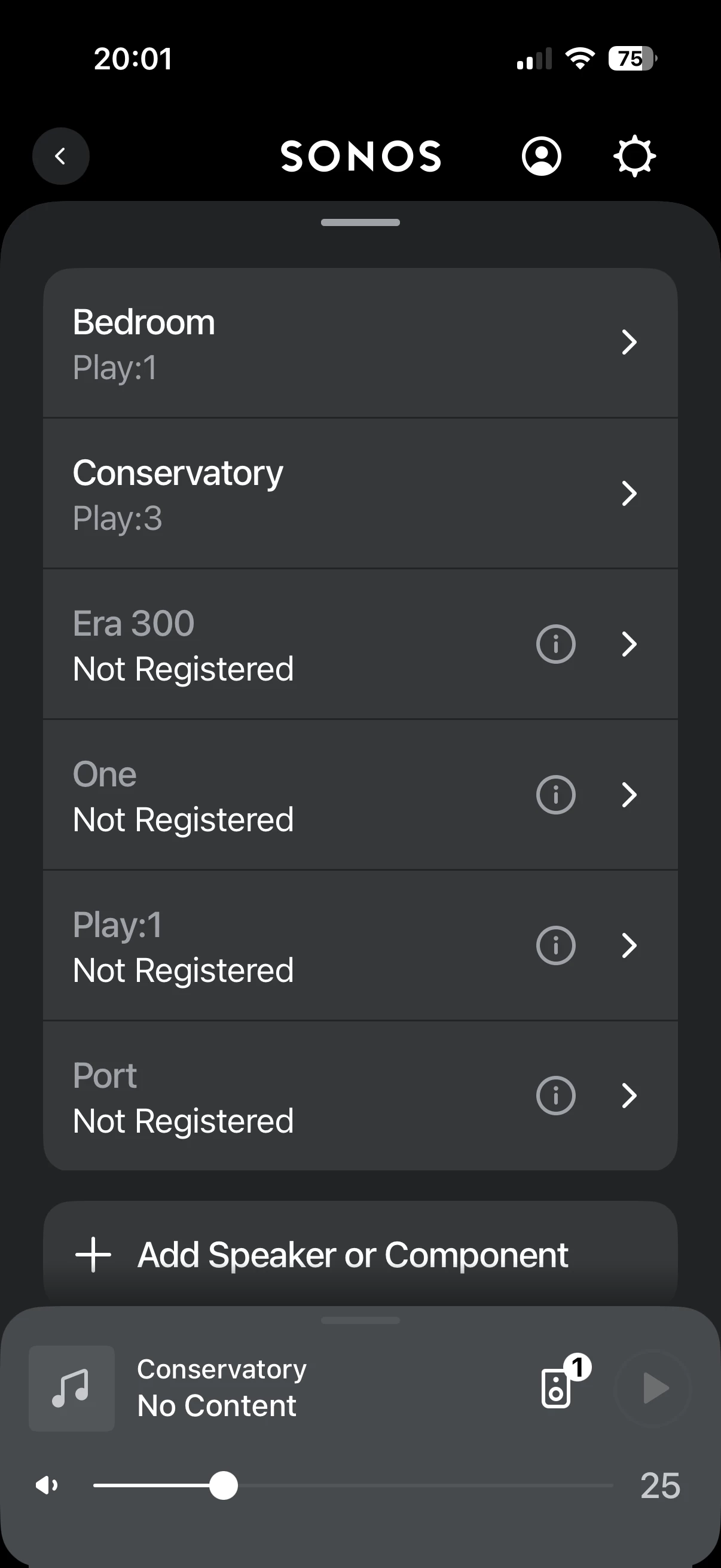
 

Best answer by Stanley_4

Try a combination of the above, power down ALL Sonos and then reboot the router and controller, then power up the Sonos. Either one alone, or done one after the other are less likely to help.

Turn off any blocking on your network and disable any VPN connection. 

If the above fails, power down all but one Sonos and see if it installs. Sometimes the others will then install, might have to do one at a time to get past the glitch. 

3 replies

Stanley_4
  • Grand Maestro
  • Answer
  • January 20, 2026

Try a combination of the above, power down ALL Sonos and then reboot the router and controller, then power up the Sonos. Either one alone, or done one after the other are less likely to help.

Turn off any blocking on your network and disable any VPN connection. 

If the above fails, power down all but one Sonos and see if it installs. Sometimes the others will then install, might have to do one at a time to get past the glitch. 


Airgetlam
  • January 21, 2026

And, if all that fails, call Sonos Support to discuss it.


Jonesnow
Forum|alt.badge.img
  • Author
  • Contributor II
  • January 21, 2026

Cycling the controller a few times worked and resetting it in the app - thank you both!