Answered

Audible UK not working IOS App

  • September 2, 2026
  • 6 replies
  • 49 views

For the last couple of days my Audible has not been accessible from the Sonos app. I have tried re authorising the audible account which hasn’t helped and have also reset the Sonos app, again this has not fixed the issue. It just displays the Something went wrong message after a few seconds.


Best answer by Stanley_4

Sometimes submitting a diagnostic and calling support to have it looked at is the best option.

6 replies

Stanley_4
  • Grand Maestro
  • Answer
  • September 2, 2026

Sometimes submitting a diagnostic and calling support to have it looked at is the best option.


  • Lyricist I
  • September 7, 2026

Same here. Did the diagnostic. Help desk was useless. 


  • September 7, 2026

Same here. Did the diagnostic. Help desk was useless. 

Did you call support? Sometimes you need to be persistent to get past level 1 support to get to someone knowledgeable enough to help.


Airgetlam
  • September 8, 2026

Conversely, it is possible that Amazon UK might be helpful, since they own Audible, and likely have scripts about connecting to it through Sonos. I’m guessing, though. 


  • Author
  • Contributor I
  • September 8, 2026

Same here. Did the diagnostic. Help desk was useless. 

Did you call support? Sometimes you need to be persistent to get past level 1 support to get to someone knowledgeable enough to help.

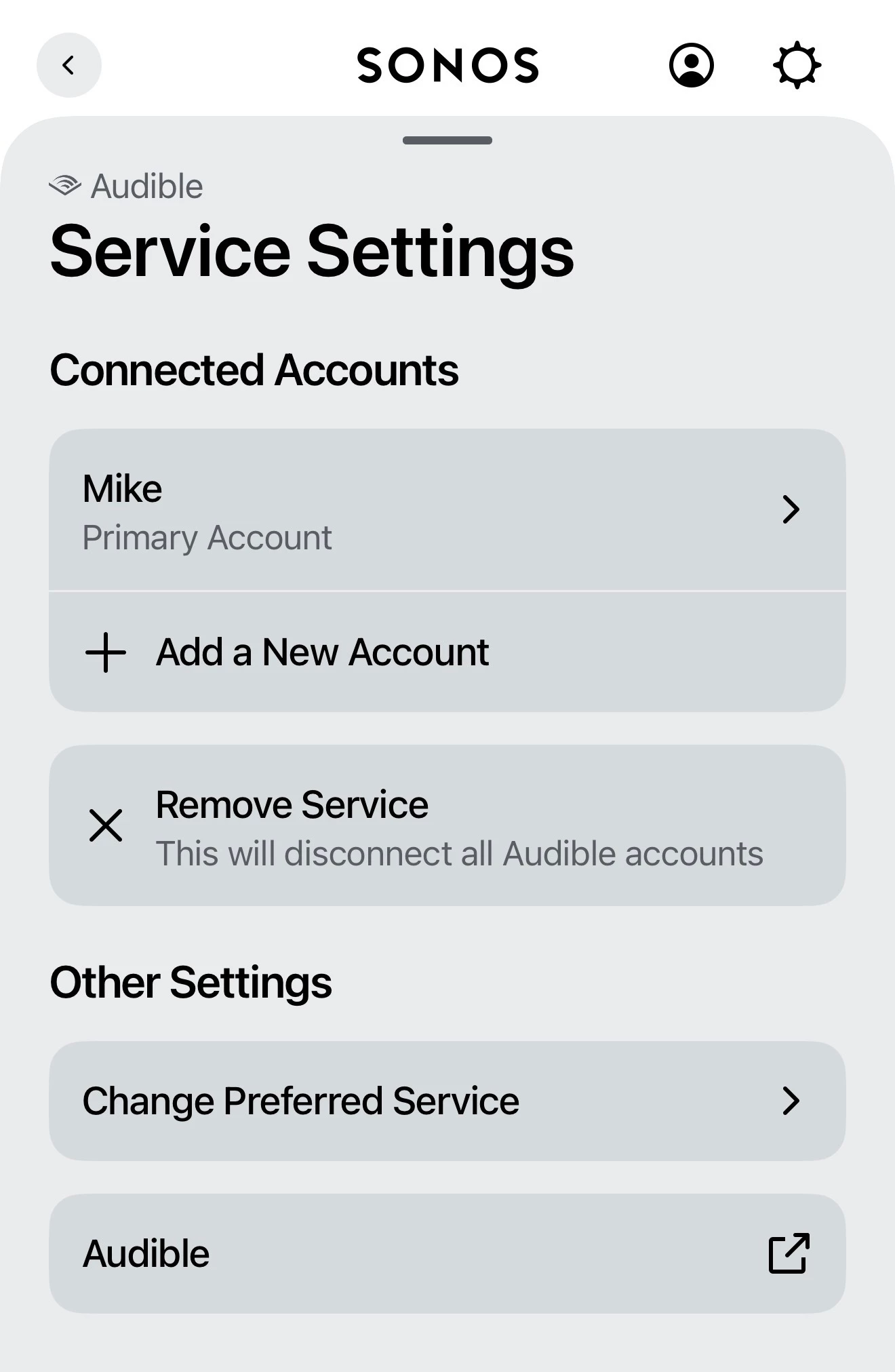
Hey, I did contact support, got the chatbot to start with and then supplied the diagnostics and spoke to a real person in chat, was put on hold while they investigated and missed the reply so timed out. None of the suggestions of re authorisation and resetting worked but I did manage to get it working again yesterday… in the app service settings there is a link at the bottom to audible, I clicked that and then signed in on there. It was defaulted to the US but switched to UK on sign in. It may be a complete coincidence but it seemed to work again after this


  • Author
  • Contributor I
  • September 8, 2026
The link at the bottom seemed to work for me

What fixed it for me after none of the usual support suggestions worked was to follow the link at the bottom of the app settings and sign in on there. I am in the UK and when I followed the link it was on the US page, it detected a UK login and switched to the UK site. I then signed in on that and when I returned to Sonos it all seemed to be working? Might be just a coincidence