Answered

Apple Music user created playlists not loading in correct alphabetical order.

  • June 1, 2026
  • 7 replies
  • 42 views

MoPac
Forum|alt.badge.img+19

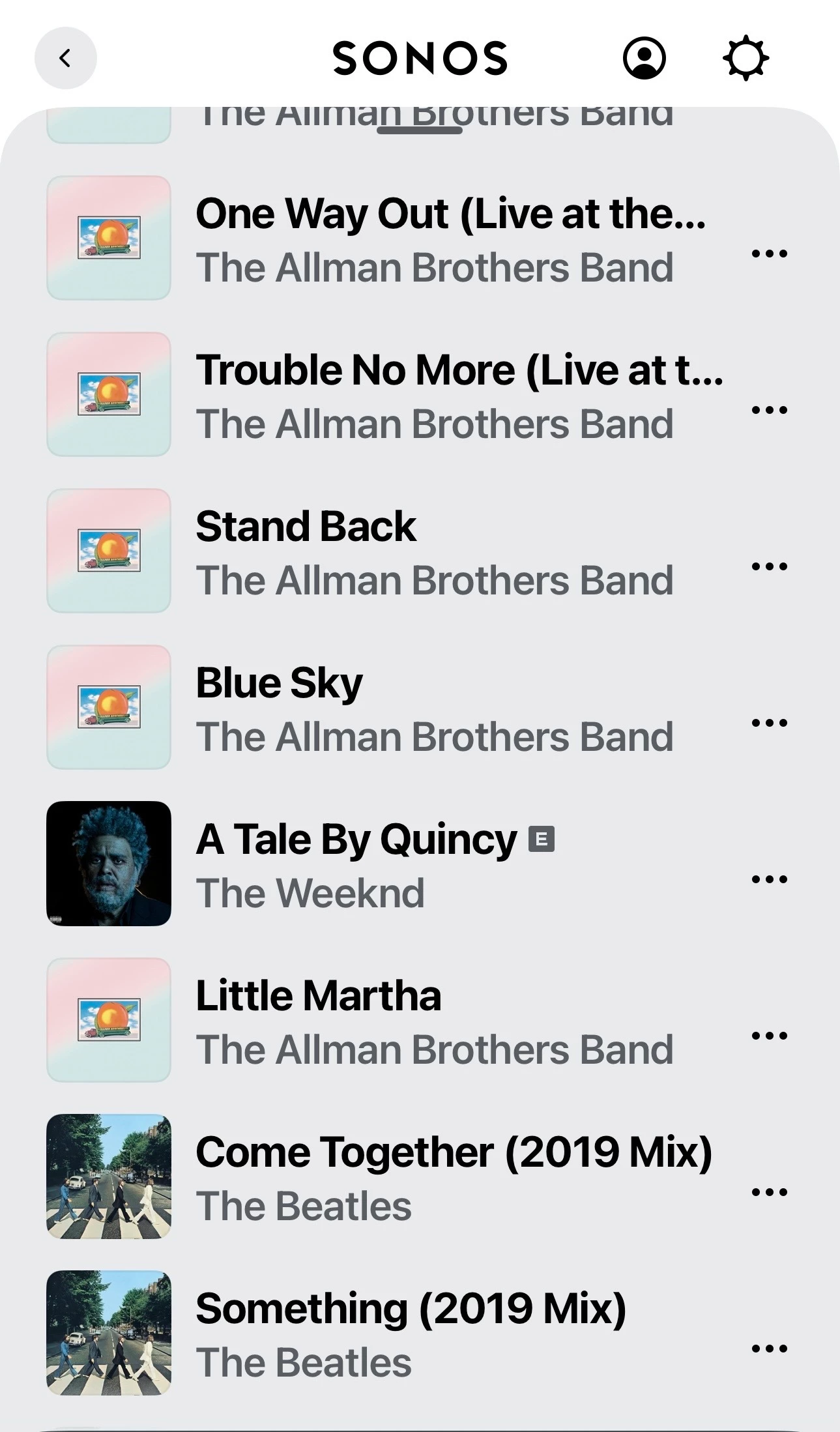
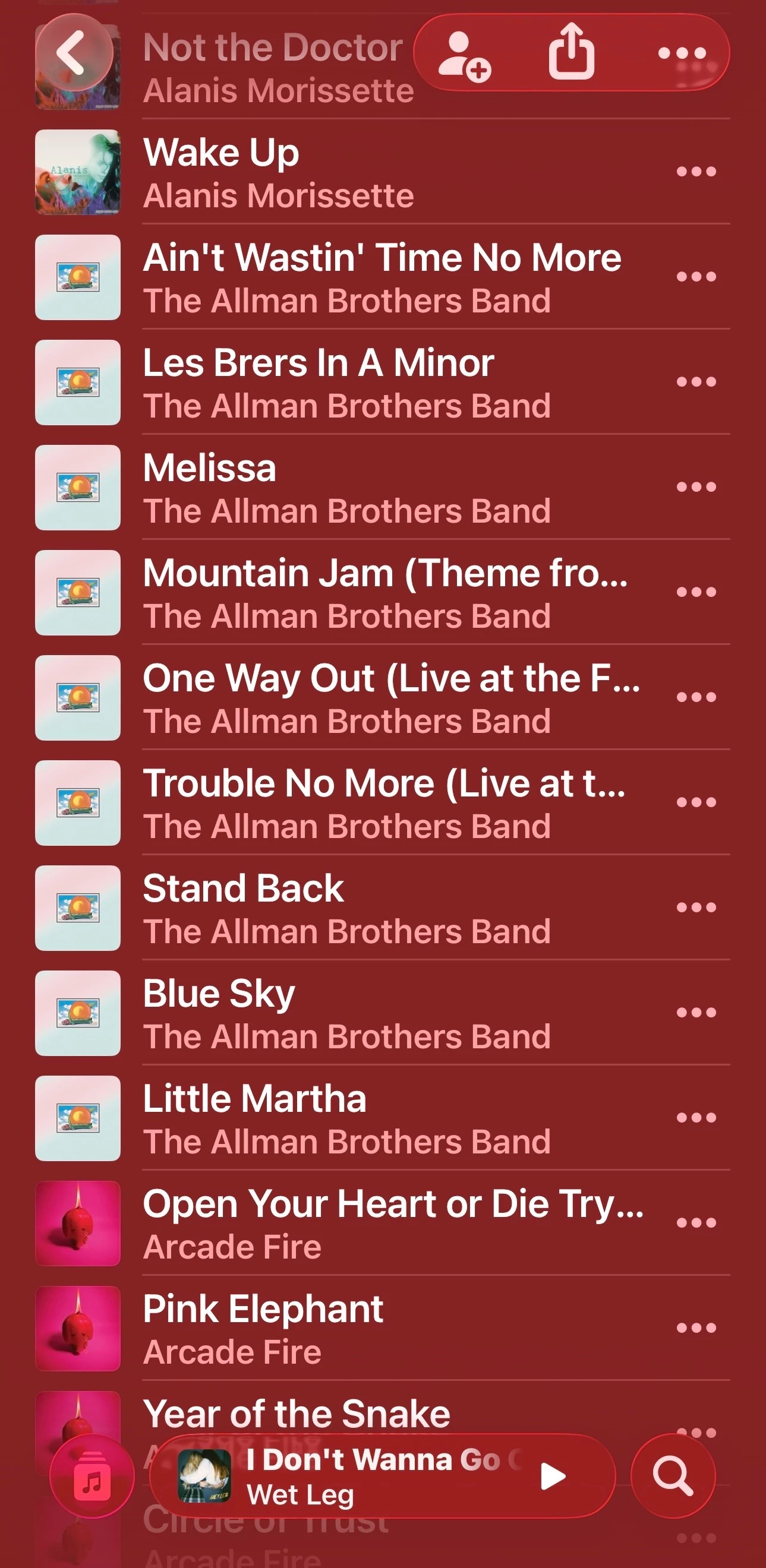
When I load a user created Apple Music playlist the order of the tracks in the playlist shown in Apple Music does not match the order of the tracks in the Sonos queue.  Not by a long shot.

The playlist was sorted by Artist in Apple Music.
 

Best answer by Airgetlam

Again, as far as I’m aware, it’s the originating server that determines what is shown, and the order. There have been many threads over the years that specifically state that Sonos itself (in the controller) does no sorting whatsoever. 

7 replies

Airgetlam
  • June 1, 2026

As far as I’m aware, Sonos does no sorting of data that they receive at all. Which implies two things, first that the Apple Music app is, and second that the data being sent from Apple to your controller is not sequential, for some reason.

Not really sure if this would be part of the training normally given to a CS rep, but if there’s not a forum moderator willing to pick this up, you’ll need to call in, rather than just taking my uneducated word for it. 


MoPac
Forum|alt.badge.img+19
  • Author
  • Headliner III
  • June 1, 2026

Will do.  Seems like Amazon is OK with the order of user created playlists.


Airgetlam
  • Answer
  • June 1, 2026

Again, as far as I’m aware, it’s the originating server that determines what is shown, and the order. There have been many threads over the years that specifically state that Sonos itself (in the controller) does no sorting whatsoever. 


MoPac
Forum|alt.badge.img+19
  • Author
  • Headliner III
  • June 1, 2026

Again, as far as I’m aware, it’s the originating server that determines what is shown, and the order. There have been many threads over the years that specifically state that Sonos itself (in the controller) does no sorting whatsoever. 

Well that’s a bummer!


Airgetlam
  • June 2, 2026

Could be a can of worms, imho. People would begin to debate sorting preferences, you’d need to allow different options, it would allow more questions about Sonos modifying the music stream beyond just volume, and probably a dozen of other things I am not thinking of. But just imagine if they missed sorting ‘the’, ‘a’, etc…in either the ‘song’ name, or artist name. Easier for them to just display what the server sends to them, without any processing. Less code to mess up ;)


MoPac
Forum|alt.badge.img+19
  • Author
  • Headliner III
  • June 5, 2026

I’m not suggesting that Sonos should offer sort options.  I’m only saying that whatever order the user created Apple Music playlist is when shown in the Apple Music app should be reflected in the Sonos app.  Looks like an Apple issue.  All other services show the playlist in the same order they are in the service app.


MoPac
Forum|alt.badge.img+19
  • Author
  • Headliner III
  • June 5, 2026

Some clarification:

It appears the only user created Apple Music playlists that are not in the correct alphabetical order are those that employed one of Apple’s sort options.  What I do with playlists like Rock, Pop, Jazz etc. is to drop a new album into the playlist and because I selected Sort by Artist that new album finds its proper alphabetical location automatically.  Unfortunately Sonos does not show that playlist in alphabetical order.

My Apple Music Classical playlists are handled differently.  I prefer those playlists be sorted alphabetically by the composers last name.  Apple has no such sort option.  So what I have to do is add a composition then open the playlist, scroll to the bottom and drag each track to the preferred alphabetical location.  Because I am not using an Apple sort option classical playlists show in the Sonos app in the correct alphabetical order.

Bottom line…Sonos is not seeing the results of an Apple Sort.