Apple Music Albums Library Not In Sync

  • December 9, 2024
  • 3 replies
  • 113 views

Forum|alt.badge.img+1

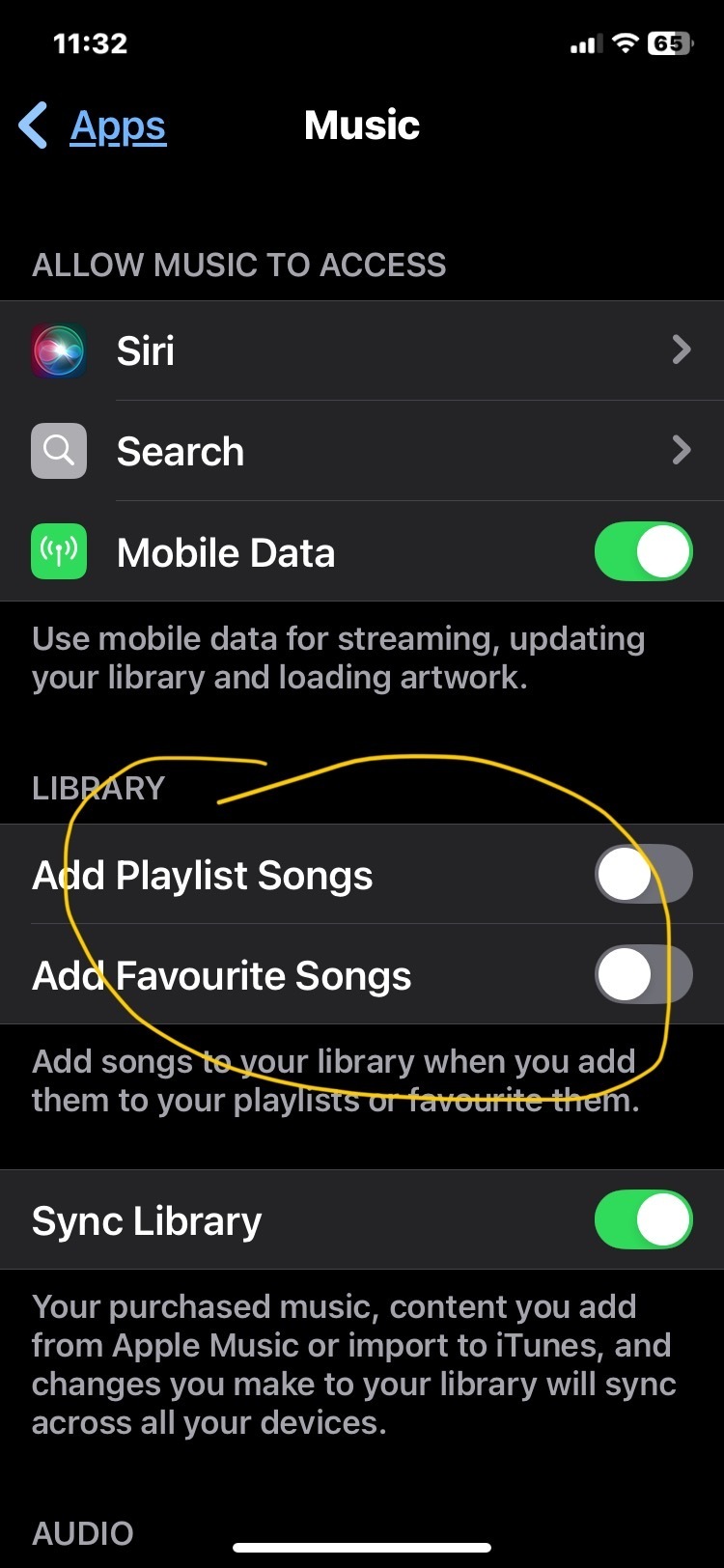
I reset Apple Music as I wanted to turn off the library setting of ‘Add Playlist Songs’ and ‘Add Favourite Songs’ because it was dumping partial albums in my library once I had added a single song to a playlist.

So I deleted everything in Apple Music and recovered with a function on TuneMyMusic backup/restore.

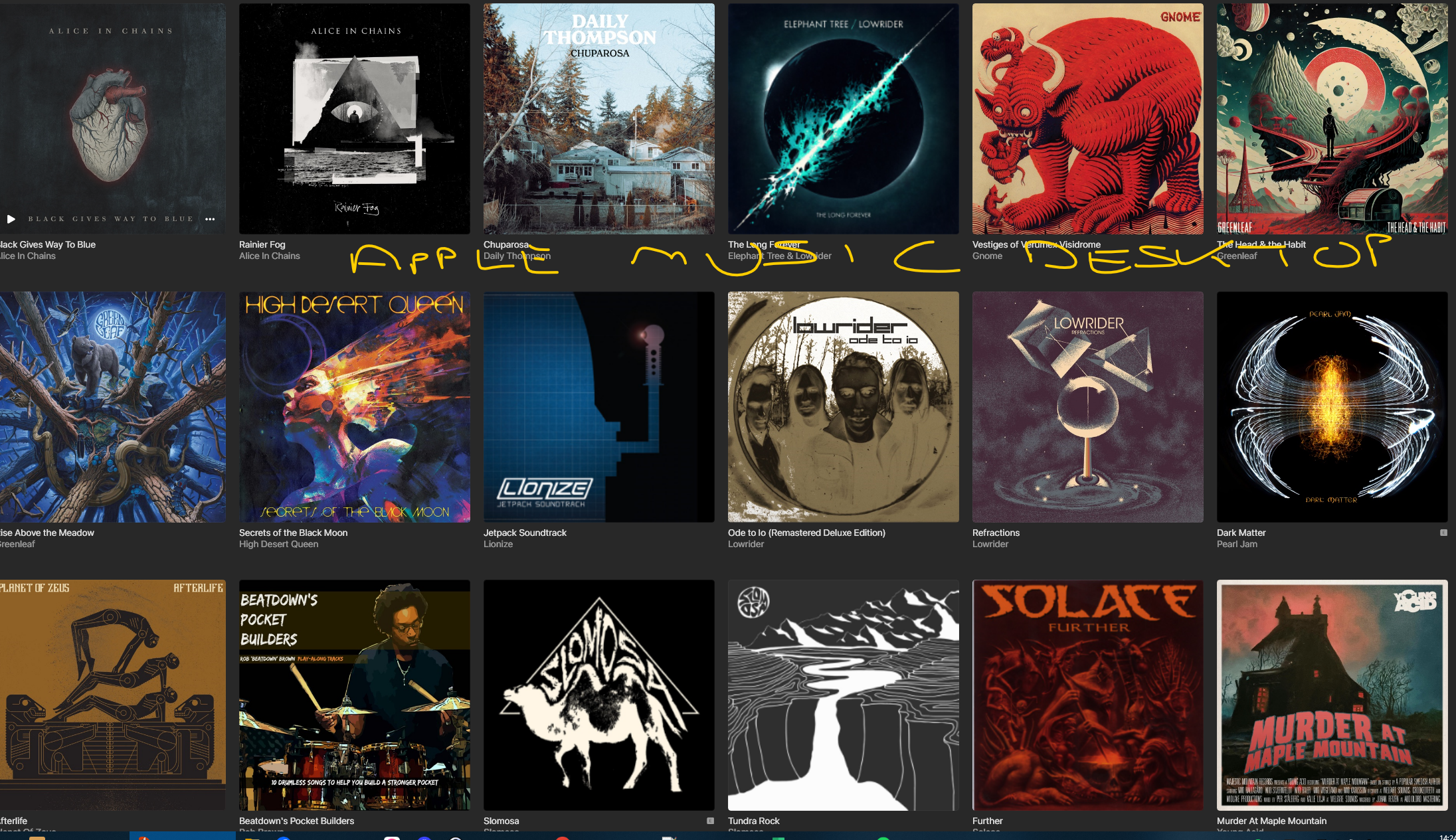
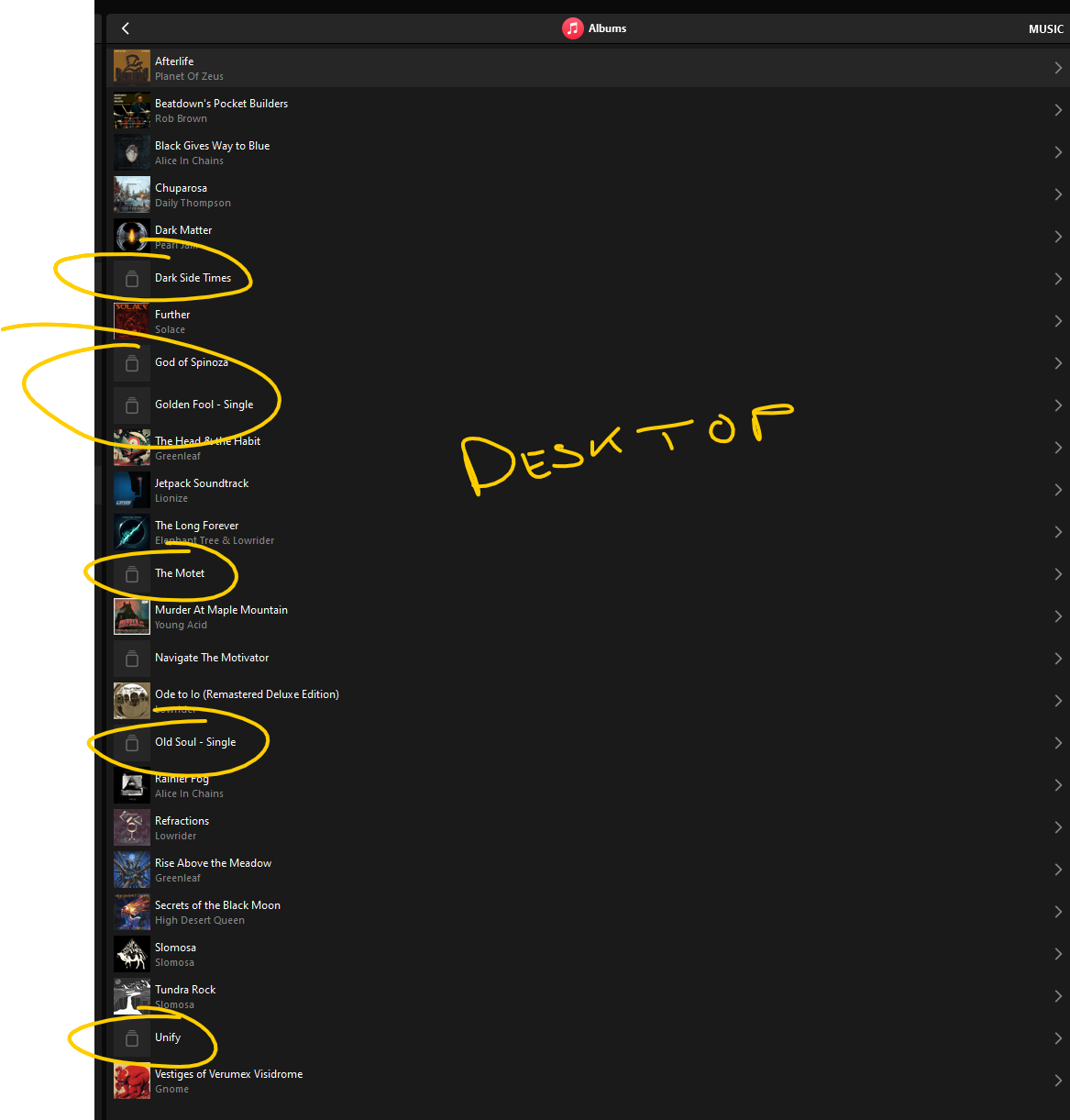
Anyway, what I have are items in my Apple Music Library in Sonos (Desktop and App) which do not exist in Apple Music. I have tried removing and adding the service from Sonos. I have reset the IOS App and reinstalled the desktop App. Nothing seems to update the Albums and the grey items still exist and won’t play. Any suggestions on how to resolve this?
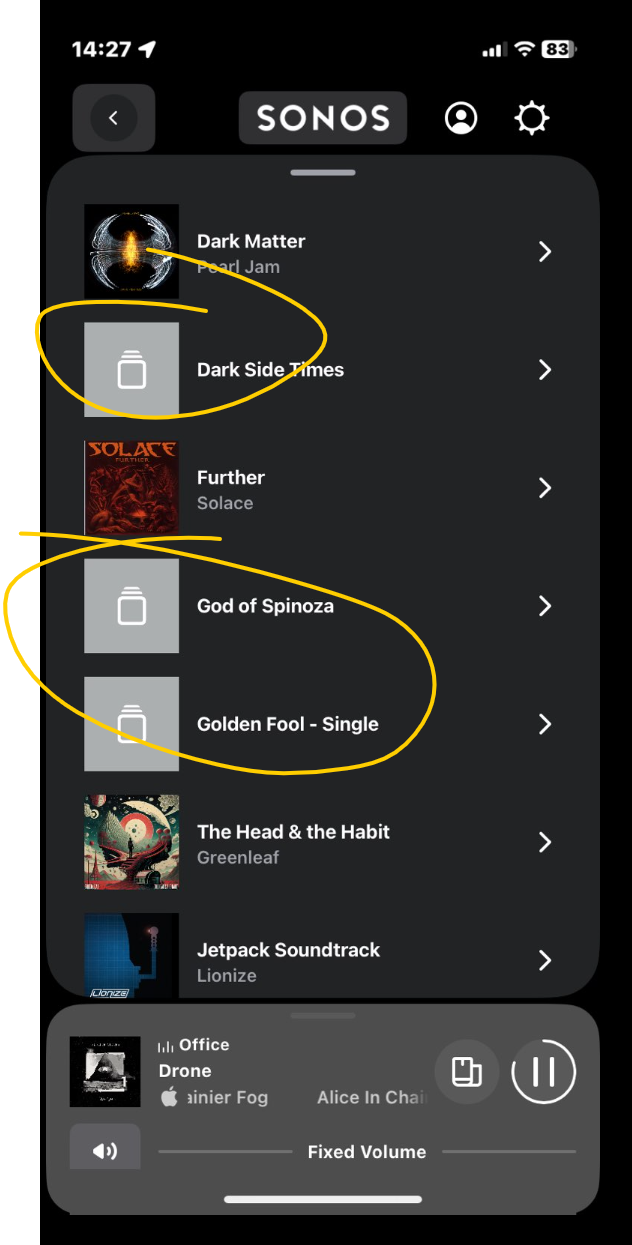
 

Sonos App


Sonos Desktop
Apple Desktop (Windows)


This topic has been closed for further comments. You can use the search bar to find a similar topic, or create a new one by clicking Create Topic at the top of the page.

3 replies

Sotiris C.
Forum|alt.badge.img+16
  • Sonos Staff
  • December 13, 2024

Hello ​@davelby414, welcome to the Sonos Community!

I am sorry to hear you are experiencing issues with your Apple Music Library on Sonos.

You’ve already tried all the basic troubleshooting steps I would suggest, so I recommend you to Submit Diagnostics within 10 minutes of trying to play one of those “ghost albums" and reach out to our Support team for some live troubleshooting.

They have tools at their disposal to provide you with information and advice, specific to your system and what it reports.

I hope this helps.


Forum|alt.badge.img+1
  • Author
  • Enthusiast I
  • December 13, 2024

Thanks, I’ve been in touch with support and have previously submitted:

Desktop:- ********

IOS:- **********


Moderator edit: diagnostic numbers recorded and removed


Forum|alt.badge.img+1
  • Author
  • Enthusiast I
  • December 14, 2024

The only way I was able to resolve this was to re-add the ‘ghost’ albums to my Library in Apple Music which restored them on Sonos. Then I was able to remove the albums in Apple Music and this was reflected in Sonos, both desktop and IOS App.

All this just to turn off this setting in Apple Music 😂