Answer

Android Volume Slider Won't Work

  • June 13, 2023
  • 7 replies
  • 358 views

Forum|alt.badge.img+3

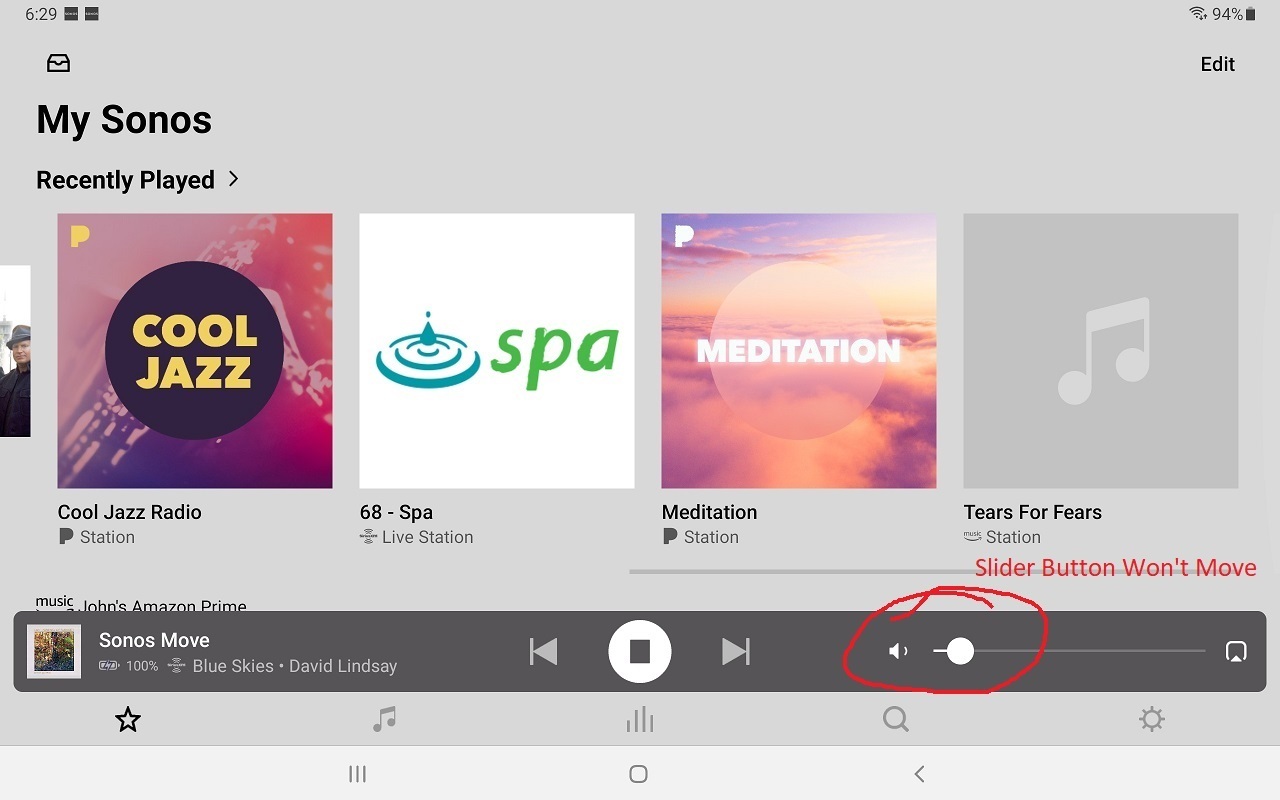
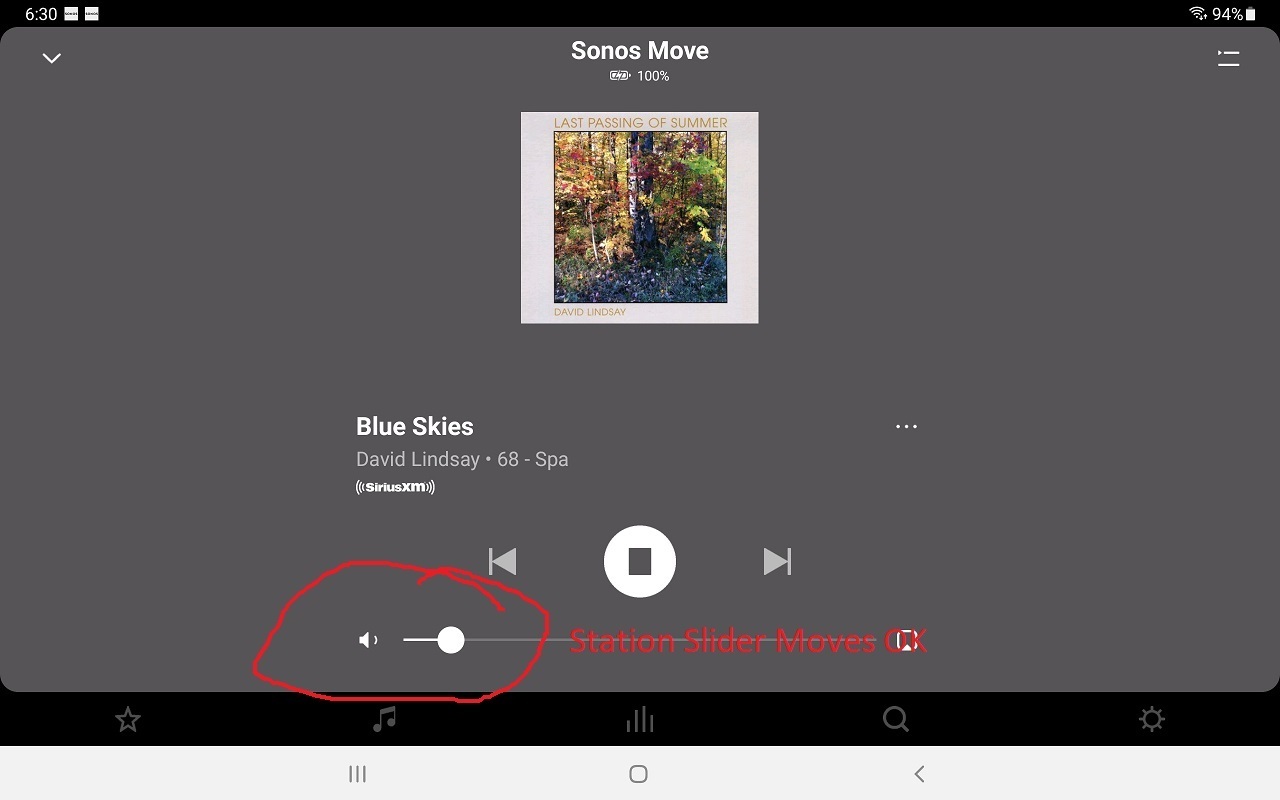
The volume slider on my Android home screen won’t move when I try to drag the volume button. I can use the physical tablet buttons to adjust the volume. If I expand the station, the volume slider on that screen will drag and change the volume. This slider at the bottom of my Sonos home screen was working for years and all of a sudden it stopped working. I’ve tried uninstalling and reinstalling the app. I’ve tried with and without the “home screen volume control” on. This tablet app problem is the same for all 4 of my Sonos speakers. My phone app works fine.

I am running Android 11 on a Samsung Galaxy Tab S5e.

Best answer by Corry P

Hi @J-man 

I was able to reproduce your issue on my own aging tablet after a lengthy update - thank you again for reporting! We are investigating.

This topic has been closed for further comments. You can use the search bar to find a similar topic, or create a new one by clicking Create Topic at the top of the page.

7 replies

Corry P
Forum|alt.badge.img+19
  • Sonos Staff
  • June 14, 2023

Hi @J-man 

Thanks for your post!

I’m not sure what you mean by “the volume slider on my Android home screen” - there isn’t one - or “If I expand the station”. “This slider at the bottom of my Sonos home screen” is also puzzling me, as there shouldn’t be one there.

Perhaps some screenshots would tell the story a little better? You can capture a screenshot by quickly pressing and holding the Power and Volume Down keys at the same time.

First, however, I recommend giving the tablet a reboot. If that doesn’t help. please also try resetting the app: Settings » App Preferences » Reset App » Reset. Exit the app and restart it, then choose “Connect to existing system”. You’ll need to log back into your Sonos account too.

I hope this helps.


Forum|alt.badge.img+3
  • Author
  • Producer I
  • June 15, 2023

Corry,

I probably have the wrong nomenclature for “Home Screen.” I’ve attached screen shots with annotations. Rebooting and Resetting didn’t help.

It seems that I can only attach one picture.

Thanks,

John


Forum|alt.badge.img+3
  • Author
  • Producer I
  • June 15, 2023

Maybe I can attach one picture per reply:


Corry P
Forum|alt.badge.img+19
  • Sonos Staff
  • June 15, 2023

Hi @J-man 

Thank you! It has been a while since I have seen the Sonos app on a tablet! I see what you mean now.

Thank you for reporting - I’ll feed this info back to our engineers to see if they can reproduce it. Thank you for trying the steps I gave you too - it’s handy to know that they didn’t help.


Corry P
Forum|alt.badge.img+19
  • Sonos Staff
  • Answer
  • June 15, 2023

Hi @J-man 

I was able to reproduce your issue on my own aging tablet after a lengthy update - thank you again for reporting! We are investigating.


Forum|alt.badge.img+3
  • Author
  • Producer I
  • June 26, 2023

Any update on this?

Thanks,

John


Forum|alt.badge.img+3
  • Author
  • Producer I
  • June 26, 2023

I'm not sure what was done, but the volume slider now works. Thanks!